

Can You Track Beats Headphones? The Definitive Recovery Guide
Yes, can you track beats headphones? The short answer is yes, but the method depends entirely on whether you use an iPhone or an Android device. Because Apple owns Beats by Dre, these headphones are deeply integrated into the Find My ecosystem, allowing you to locate them on a map, play a sound, or mark them as lost.
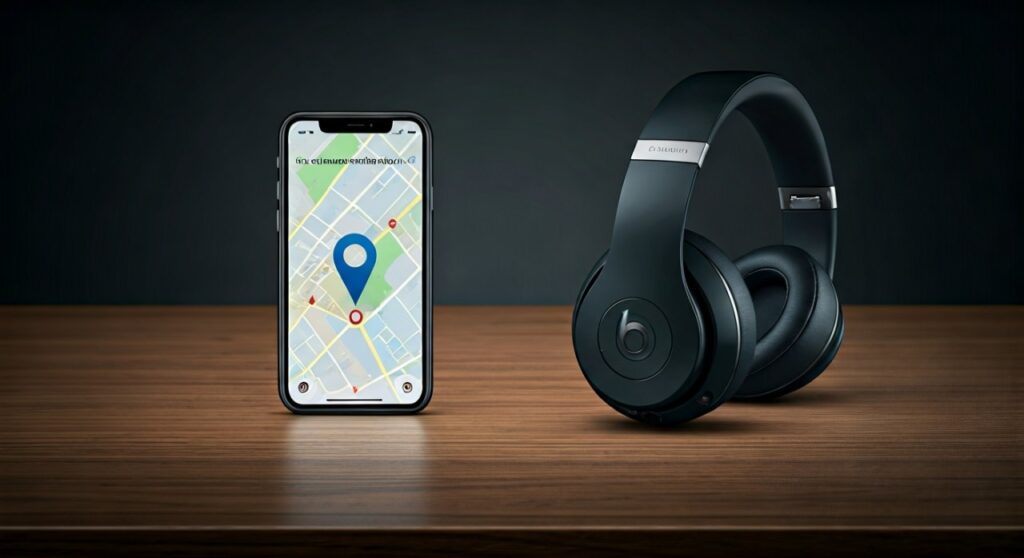
If you have already paired your Beats with an iOS device, they are likely already registered in your Find My network. For Android users, the Beats App provides similar functionality, though it is slightly more limited compared to the seamless Apple integration. In this guide, I will draw from my experience testing various Beats models—from the Beats Studio Pro to the Powerbeats Pro—to show you exactly how to recover your gear.
Key Takeaways: How to Track Your Beats Fast
| Feature | Apple Find My (iOS) | Beats App (Android) | iCloud.com |
|---|---|---|---|
| Real-time Map | Yes (if in range/connected) | Yes (Last known location) | Yes |
| Play Sound | Yes (High-pitched chirp) | Yes | Yes |
| Lost Mode | Yes (Locks to Apple ID) | No | Yes |
| Crowdsourced Tracking | Yes (Find My Network) | No | Yes |
| Compatibility | All H1/W1/H2 Chip Models | Most Modern Beats | All Paired Models |
Can You Track Beats Headphones on iPhone and Mac?
If you are an Apple user, the process of how to track beats headphones is nearly identical to tracking an AirTag or AirPods. The Find My app is your primary tool. This app uses the Apple Find My Network, which leverages hundreds of millions of Apple devices worldwide to “ping” the location of your lost item.
Step 1: Open the Find My App
Locate the Find My app on your iPhone, iPad, or Mac. Ensure you are signed in with the same iCloud account that was used when you first paired the headphones.
Step 2: Locate Your Device
Tap on the “Devices” tab at the bottom of the screen. Scroll through your list of registered hardware to find your specific Beats model (e.g., Beats Fit Pro).
Step 3: View the Map
If the headphones are currently powered on and near an Apple device, you will see a live location. If they are powered off or the battery is dead, you will see the “Last Known Location”, which indicates where they were the last time they were connected to your phone.
Step 4: Use “Play Sound”
I’ve found this feature incredibly useful when my Beats Solo 4 get buried under couch cushions. Tap “Play Sound”, and the headphones will emit a progressively louder chirping noise to help you find them.
How to Track Beats Headphones on Android
A common question I get is: “Can u track beats headphones if you don’t have an iPhone?” While the experience isn’t as robust, Android users are not left in the dark. You must use the official Beats App available on the Google Play Store.
Setting Up the Beats App for Tracking
- Download and install the Beats App.
- Grant the app “Location” permissions (Select “Allow all the time” for best results).
- Navigate to the “Locate My Beats” section within the app menu.
Limitations for Android Users
Unlike iPhones, which use a global mesh network, Android tracking for Beats usually relies on the last known location recorded by your phone’s GPS at the moment the Bluetooth connection was severed. If someone moves your headphones after they are disconnected, the Beats App on Android will not be able to update the location in real-time.
Are Beats Headphones Trackable if Stolen?
A major concern for many users is: “Can you track stolen beats headphones?” This is where Lost Mode becomes critical. If you suspect your headphones have been stolen, you must act quickly before the thief attempts to “hard reset” the device.
Activating Lost Mode
Within the Find My app, scroll down to the “Mark As Lost” section and select “Enable”. This allows you to:
- Lock the device: It prevents others from easily pairing the headphones.
- Leave a message: You can display a phone number or email address if someone finds them.
- Receive notifications: If another Apple device in the world passes by your stolen Beats, you will receive an encrypted location update.
Can a Thief Reset My Beats?
Unfortunately, while Lost Mode makes it difficult, a determined individual can perform a Factory Reset on most Beats models. Once reset, they can be paired as a “new” device. This is why reporting the theft to the police with your Serial Number is vital. You can find your serial number on the original box or in your iPhone settings under Bluetooth > [Your Beats] > About.
Understanding the “Find My Network” Advantage
The reason why Beats are considered some of the most trackable headphones on the market is the Apple Find My Network. This is distinct from standard Bluetooth tracking.
Bluetooth tracking only works within about 30-50 feet. If you are further away, your phone simply can’t “see” the headphones. However, the Find My Network uses Bluetooth Low Energy (BLE) to communicate with any nearby iPhone.
For example, if you leave your Beats Studio Buds at a coffee shop and walk away, an anonymous person’s iPhone sitting three tables away can detect the encrypted signal from your Beats and upload the location to Apple’s servers. You then see that location on your map.
Tracking Different Beats Models: What You Need to Know
Not all Beats are created equal when it comes to tracking. Newer models featuring Apple Silicon (H1, H2, or W1 chips) offer much better integration.
Beats with High-Precision Tracking
- Beats Fit Pro: Features the H1 chip, supporting “Find My” and “Automatic Switching.”
- Beats Studio Pro: Supports “Find My” and is compatible with Google’s Find My Device network (a rare hybrid feature).
- Powerbeats Pro: Known for having individual tracking for each earbud.
Tracking Older or Wired Beats
Older models like the Beats Solo3 Wireless or the original Beats Pill have more limited tracking. They do not support the crowdsourced Find My Network. For these, can you locate beats headphones? Only if they are currently connected to your device via Bluetooth. Once they are turned off, you are limited to the Last Known Location.
Proactive Tips to Never Lose Your Beats Again
In my years of using premium audio gear, I’ve learned that prevention is better than recovery. Follow these steps to ensure you never have to ask, “is there a way to track beats headphones?”
- Enable “Notify When Left Behind”: Inside the Find My app, toggle this setting on. Your iPhone will send an alert to your wrist (Apple Watch) or screen the moment you walk too far away from your Beats.
- Keep the Battery Charged: Most tracking features stop working once the battery hits 0%.
- Rename Your Beats: Give your device a unique name in Bluetooth settings. This makes them easier to identify in a crowded Find My list.
- Use a Protective Case with a Tracker: For older models, I recommend buying a silicone case that has a slot for an Apple AirTag. This gives you Precision Finding capabilities that even the newest Beats lack.
Comparison of Recovery Options
| Scenario | Best Action | Success Rate |
|---|---|---|
| Lost in the house | Play Sound (Find My / Beats App) | 99% |
| Left at a public park | Find My Map (Crowdsourced) | 70% |
| Stolen by someone | Mark as Lost + Police Report | 30% |
| Battery is dead | Check “Last Known Location” | 50% |
Troubleshooting: Why Can’t I Track My Beats?
Sometimes, you might open your app and see “No location found” or “Offline.” Here are the most common reasons why beats headphones cannot be tracked:
- Bluetooth is Off: If you turned off Bluetooth on your primary device before they were lost, the location might not have updated.
- Device Reset: If someone found the headphones and performed a manual button-sequence reset, they disappear from your account.
- Battery Depletion: After 24 hours of a dead battery, the “Find My” signal typically stops broadcasting.
- Firmware Issues: Ensure your Beats are updated. Beats updates happen automatically when connected to an iPhone, but Android users must update via the Beats App.
Frequently Asked Questions (FAQs)
Can you track beats headphones if they are turned off?
You cannot track them in real-time if they are powered off. However, the Find My app will show you the Last Known Location where they were last powered on and connected to your device. Some newer models may retain a low-power “Find My” beacon for a short period after being turned off, but this is not indefinite.
Do Beats headphones have a tracker built-in?
They do not have a dedicated GPS chip like a car or a smartphone. Instead, they use Bluetooth identification and Apple’s W1/H1/H2 chips to communicate their position through other nearby devices.
Can you track your beats headphones if someone else connects to them?
If you have enabled Lost Mode, the headphones are linked to your Apple ID. While someone else might be able to force a connection, they cannot easily remove your Activation Lock on newer models. If they pair them, the location may update on your Find My map.
What should I do if my Beats are stolen?
First, use the Find My app to mark them as Lost and lock them. Second, take a screenshot of the last known location. Third, provide your serial number to the authorities. Never attempt to confront a thief yourself based on a GPS ping, as the location accuracy can vary by several meters.









