

How to Track Bose Headphones: The Ultimate Recovery Guide
Yes, you can track Bose headphones by using the “Find My Buds” feature within the Bose Connect or Bose Music apps. This feature records the last known GPS location where your headphones were connected to your mobile device, allowing you to navigate back to that spot. If the headphones are still within Bluetooth range (approximately 30 feet), you can also trigger a high-pitched sound to locate them nearby.
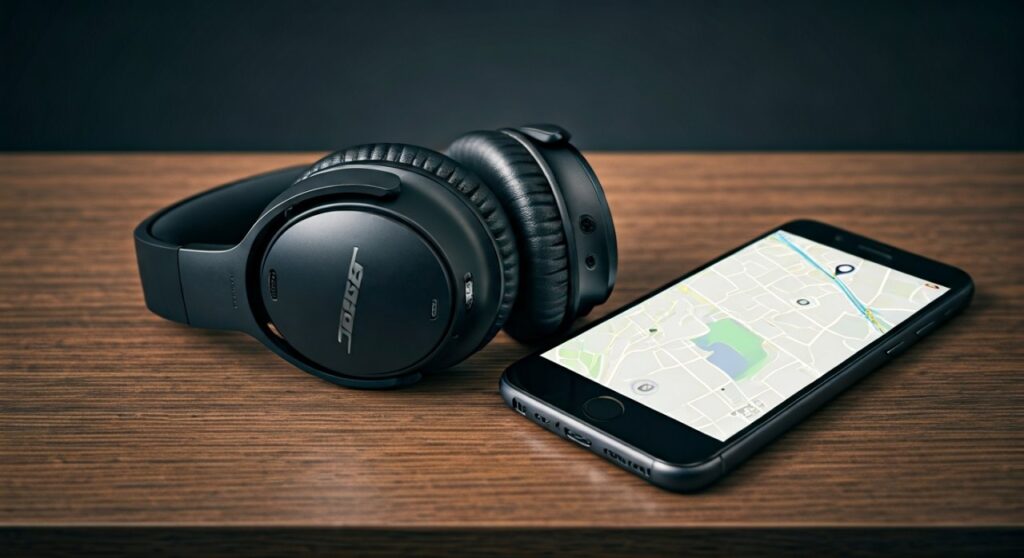
Losing a premium piece of tech like the Bose QuietComfort Ultra or Bose 700 is incredibly stressful. Having spent years testing audio gear, I’ve found that the effectiveness of tracking depends entirely on whether you set up the app before the device went missing.
Key Takeaways: Tracking Your Wireless Headphones
Before diving into the technical steps, here is a quick summary of what you need to know about tracking Bose, JBL, Sony, and other major brands:
| Brand | Primary Tracking Method | Requires Pre-Setup? | Can Sound an Alarm? |
|---|---|---|---|
| Bose | Bose Connect / Bose Music App | Yes | Yes |
| Sony | Google Find My Device / iOS Find My | Yes | Yes (Android) |
| JBL | My JBL Headphones App | Yes | Yes |
| Skullcandy | Tile Integration | Yes | Yes |
| Shokz | Bluetooth Scanner Apps | No | No |
| JLab | Tile (select models) / Bluetooth Scan | Varies | No |
How to Track Bose Headphones Using Official Apps
If you are wondering how to track Bose headphones, the process differs slightly depending on which model you own. Bose uses two different apps: Bose Connect (for older models like QC35 II or SoundSport) and Bose Music (for newer models like the QC Ultra, QC45, and Bose 700).
Using the Bose Connect App
- Open the Bose Connect app on your paired smartphone.
- Tap the Settings gear icon or look for the Find My Buds menu option.
- The app will display the Last Known Location on a map. This is where your phone and headphones last “shook hands” via Bluetooth.
- If you are at the location and can’t see them, tap Enable Chirp. The headphones will emit a loud beep that gradually increases in volume.
Using the Bose Music App
- Launch the Bose Music app and select your headphones from the product list.
- Scroll down to the Find My Buds section.
- Grant the app permission to access your Location Services if you haven’t already.
- Use the map to navigate to the “Last Seen” timestamp.
Expert Insight: I once “lost” my Bose QuietComfort 45s at a busy airport. The GPS map showed they were in Terminal 3, but the Chirp feature is what actually helped me find them buried inside a magazine rack at a bookstore.
Can You Track JBL Headphones if They Are Lost?
Many users ask, “can you track jbl headphones” or “can i track my lost jbl headphones?” The answer is yes, but it is specifically designed for their True Wireless (TWS) earbuds rather than the large over-ear models.
How to Track JBL Headphones via the App
- Open the My JBL Headphones app.
- Locate the “Find My Buds” feature.
- Select which earbud is missing (Left or Right).
- Tap the speaker icon to send a loud signal to the lost earbud.
Is there a way to track JBL headphones if they are powered off? Unfortunately, no. Like most Bluetooth devices, once the battery dies or the headphones are switched off, the active signal stops. You will only be able to see the location where they were last active.
How to Track Sony Headphones and Other Brands
Sony does not have a proprietary “Find My” button inside its Headphones Connect app in the same way Bose does. Instead, Sony relies on system-level integrations.
How to Track Sony Headphones on Android
Sony has partnered with Google to support the Fast Pair ecosystem.
- Go to the Google Find My Device website or app.
- Log in with the Google account synced to your phone.
- Select your Sony WH-1000XM5 or LinkBuds.
- You can see the last location or play a sound if they are currently connected.
Can You Track Skullcandy Headphones?
If you are asking “can u track skullcandy headphones,” you are in luck. Skullcandy has a unique partnership with Tile.
- Download the Tile App.
- Register your Skullcandy Crusher or Indy buds.
- Even if the headphones are off, the Tile Network (utilizing other Tile users’ phones) can help update the location of your lost gear. This makes how to track skullcandy headphones significantly more effective in public spaces than other brands.
Technical Limitations: Why You Might Not Find Them
While can i track my bose headphones is a common question, it is important to understand the technical “why” behind the tracking limits.
- Bluetooth Range: Bluetooth typically loses connection after 30 to 50 feet. If you are further away than that, you are looking at a “historical” location, not a “live” one.
- Battery Life: If your JLab or Shokz headphones are dead, they cannot emit a signal or “chirp.”
- GPS vs. Bluetooth: Most headphones do not have a built-in GPS chip. They “borrow” the GPS from your phone. If your phone’s location services were off during the last use, the map will be blank.
Third-Party Solutions for Any Headphones
If your brand (like Shokz or older JLab models) doesn’t have a dedicated app, you can use a Bluetooth Signal Scanner.
Using “Wunderfind” or “Find My Headphones” Apps
These apps act like a “Hot or Cold” game.
- Install a Bluetooth scanner app (e.g., Wunderfind).
- Walk around the area where you think you lost them.
- The app will show a percentage (e.g., 80% signal strength). As the number goes up, you are getting closer to the device.
- This is the best way for how to track my headphones when they don’t have built-in tracking software.
Expert Tips to Prevent Losing Your Headphones
Based on my experience managing dozens of review units, here are three “pro” tips to ensure you never lose your expensive audio gear again:
- Rename Your Device: In your Bluetooth settings, add your phone number to the device name (e.g., “Bose QC – Call 555-0123”). If an honest person finds them and pairs them, they will see your contact info.
- The AirTag Hack: For over-ear headphones like the Sony WH-1000XM4, I often tuck an Apple AirTag or Tile Sticker inside the ear cup (under the mesh) or inside the carrying case.
- Enable “Notify When Left Behind”: On iOS, if you use Beats or AirPods, enable this feature so your phone pings you the moment you walk too far away from them.
Frequently Asked Questions (FAQs)
Can I track my Bose headphones if they are in the case?
Generally, no. When Bose earbuds are inside the charging case, they enter a deep sleep mode and disconnect from Bluetooth to save battery. The app will only show the location where they were just before you put them in the case.
Can you track Shokz headphones?
Shokz (formerly AfterShokz) does not currently have a dedicated “Find My” app. To track them, you must use a third-party Bluetooth scanner app like Wunderfind while the headphones are still powered on.
Can JBL headphones be tracked if someone else pairs them?
No. Once a set of JBL headphones is reset and paired to a new smartphone, the tracking link to your account is severed. This is why it is critical to use the “Find My” feature as soon as you realize they are missing.
What should I do if my headphones were stolen?
If the map shows your headphones are in a residential area you don’t recognize, do not confront the individual. Provide the “Last Seen” location data to the local authorities and provide your serial number (found on the original box or the Bose app) for a police report.
Can you track JLab headphones?
Only select high-end JLab models come with Tile integration. For most standard JLab models, you will need to rely on the Bluetooth connection list on your phone to see if they are currently “Connected” and then use a signal strength app to pinpoint them.









