

The Short Answer: Can You Use Any Projector for Golf Simulator?
Strictly speaking, you cannot use just any projector for a golf simulator if you want a high-quality, immersive experience. While a standard office or movie projector might display an image on your impact screen, it will likely suffer from poor aspect ratios, shadow interference, and insufficient brightness. To achieve a professional setup, you must select units specifically engineered for the unique constraints of golf simulation.
TL;DR: Golf Simulator Projector Essentials
If you are pressed for time, focus on these three critical technical specifications when evaluating what to look for in a golf simulator projector:
- Throw Ratio: You need a short-throw or ultra-short-throw projector to mount the unit above or in front of the golfer, preventing shadows on the screen.
- Aspect Ratio: Aim for 4:3 or 16:10 to match most simulator software; avoid standard 16:9 home theater ratios, which often leave empty space on the screen.
- Lumens: Ensure a minimum of 3,000 to 4,000 ANSI lumens to maintain a crisp image, even in rooms with some ambient light.
Why Standard Projectors Often Fail in Golf Setups
Many DIY enthusiasts ask, “Can you use any projector for golf simulator?” only to realize their living room projector creates more problems than solutions. I’ve personally experimented with standard long-throw units, and the results were frustratingly subpar.
The primary issue is shadowing. When a projector is mounted behind you, your body naturally blocks the light, casting a distracting shadow across the impact screen right at the moment of impact.
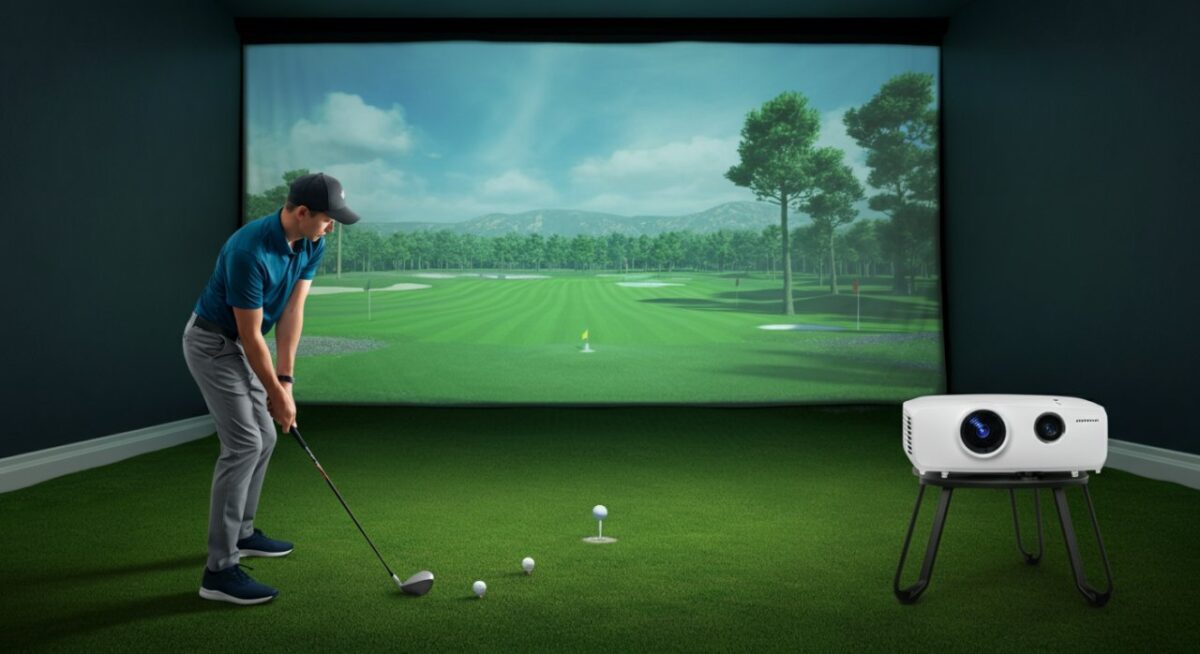
Furthermore, color accuracy and contrast in standard projectors are calibrated for dark movie rooms. In a simulator, you need high contrast to distinguish between fairway grass and the rough, and high brightness to combat the bounce-back light from the white screen.
Critical Technical Specifications to Prioritize
When searching for the perfect unit, you need to understand the technical jargon. Here is a breakdown of the core features that define a high-performance golf simulator projector.
The Importance of Throw Ratio
The throw ratio determines how large the image will be based on the distance from the lens to the screen. For a simulator, you want the projector as close to the screen as possible.
- Standard Throw: Requires 10+ feet; guaranteed shadows.
- Short-Throw: Typically 0.5:1 to 0.9:1 ratio; usually mounted on the ceiling just behind the hitting area.
- Ultra-Short-Throw: Below 0.4:1; can be mounted on the floor or a wall mount directly above the hitting mat.
Resolution Matters
While 4K is the gold standard for movies, 1080p (Full HD) is the “sweet spot” for golf simulators. Most simulator software (like GSPro or E6 Connect) is optimized for 1080p, and higher resolutions can sometimes strain your PC’s graphics card unnecessarily.
Comparison of Projector Types
| Feature | Standard Projector | Short-Throw Projector | Ultra-Short-Throw |
|---|---|---|---|
| Shadow Risk | High | Low | Minimal |
| Mounting | Far behind golfer | Overhead (near) | Above/In front |
| Brightness | Varies | High (Recommended) | High |
| Best For | Movies | Garage/Basement | Tight Spaces |
Installation Tips for Optimal Performance
Even if you buy a top-tier projector, a poor installation can ruin your immersion. Follow these expert tips to ensure your setup is reliable.
Ceiling vs. Floor Mounting
Ceiling mounting is the industry standard for a clean look and protection from stray balls. However, ensure your projector mount has a “micro-adjustment” feature. This allows you to fine-tune the image alignment without moving the entire bracket.
Managing Ambient Light
No matter how many lumens your projector has, ambient light is the enemy of image contrast. Use blackout curtains or blackout paint on nearby walls. This simple step significantly improves the perceived contrast of your golf simulator software.
Câu hỏi thường gặp (FAQs)
Do I need a specific screen material if I use a bright projector?
Yes. You should pair a high-lumen projector with a high-quality, heavy-duty impact screen. A cheap, thin screen will allow light to pass through, resulting in a washed-out image and potentially damaging the projector’s light source over time.
Can I use an older projector I have in storage?
You can, but it is not recommended. Older projectors often have lower contrast ratios and bulbs that have lost significant brightness (lumens) over time. This makes the golf simulation experience feel dim and muddy, making it hard to track the flight of the ball.
What is the most common mistake when buying a projector?
The most common mistake is ignoring the aspect ratio. Many users buy a 16:9 projector and then realize their screen is 4:3. This results in wasted pixels (letterboxing) and a smaller, less immersive image. Always match the projector resolution to the native aspect ratio of your screen.
How often do I need to replace the bulb in a golf simulator projector?
Most projector bulbs last between 2,000 and 5,000 hours. If you use your simulator for one hour every day, you can expect the bulb to last several years. Laser projectors, however, offer 20,000+ hours of life and are becoming the preferred choice for serious golfers.









