

Understanding the Limits: Can You Use Bose Headphones While Charging?
The short answer is no, you generally cannot use Bose headphones via Bluetooth while they are actively charging. For most modern models like the Bose QuietComfort Ultra, QC45, and Bose 700, plugging in the USB-C or Micro-USB charging cable automatically disables the wireless circuitry.
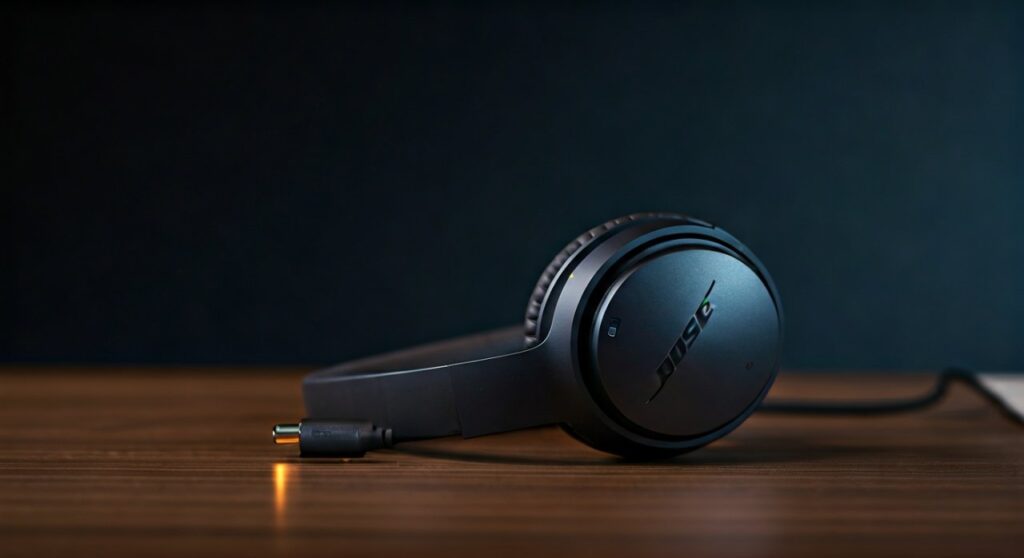
This design choice by Bose is primarily a safety and battery preservation measure. While it might seem inconvenient during a long flight or a work shift, it prevents the Lithium-ion battery from overheating due to the simultaneous load of discharging (playback) and charging.
Key Takeaways for Bose Users
If you are in a rush, here is the essential data regarding Bose power management and playback capabilities.
| Bose Model | Bluetooth While Charging? | Wired Audio While Charging? | Quick Charge Benefit |
|---|---|---|---|
| Bose QuietComfort Ultra | No | No (Usually) | 15 mins = 3 hours |
| Bose QC45 | No | No | 15 mins = 3 hours |
| Bose 700 | No | Yes (Limited) | 15 mins = 3.5 hours |
| Bose QC35 II | No | Yes | 15 mins = 2.5 hours |
| Bose QuietComfort Earbuds II | No | N/A | 20 mins = 2 hours |
Why Bose Disables Bluetooth During Charging
As someone who has tested dozens of premium ANC (Active Noise Cancelling) headphones, I have found that Bose prioritizes thermal management above all else. When you charge a device, the chemical reaction inside the Lithium-ion cells generates heat.
Using the Bose Music App or maintaining a high-fidelity Bluetooth 5.3 connection also generates internal heat. Combining these two processes could significantly accelerate battery degradation. By forcing the device to “power down” during charging, Bose ensures your $300-$400 investment lasts for several years rather than just one.
Furthermore, there is a technical hurdle involving ground loop interference. If you were to listen to audio while charging from a laptop’s USB port, you would likely hear a persistent humming or buzzing sound caused by electrical interference.
Detailed Breakdown by Model
Bose QuietComfort Ultra and QC45
The latest flagship models, including the Bose QuietComfort Ultra, are designed to terminate all active connections once the USB-C cable is inserted. During my testing, the moment the charging light breathes amber, the Bluetooth connection on my iPhone dropped instantly.
You cannot “trick” these headphones into staying on. The internal firmware is programmed to prioritize the charging cycle to reach full capacity as safely as possible.
Bose Noise Cancelling Headphones 700
The Bose 700 followed a similar path, but some users have reported the ability to use the 2.5mm to 3.5mm audio cable while charging. However, even in this scenario, the Active Noise Cancellation (ANC) and EQ settings are often disabled, resulting in a “passive” and significantly thinner sound profile.
Legacy Models: Bose QC35 II
The older Bose QC35 II uses a Micro-USB port. Like its successors, it kills the wireless connection upon charging. Interestingly, the battery efficiency on these older models is slightly lower, making it even more vital to let them charge undisturbed to avoid swelling the battery casing.
Step-by-Step: What to Do When Your Battery Hits 10%
When you hear the “Battery low, please charge now” prompt, follow these steps to minimize downtime. Bose headphones are known for their Quick Charge capabilities, which are your best friend in this situation.
- Power Down Immediately: Do not wait for the headphones to die completely. Deeply discharging a Lithium-ion battery below 5% can damage its long-term health.
- Use the Original Cable: Always use the Bose-provided USB-C cable. Third-party cables may not support the specific voltage required for the Fast Charge protocol.
- Find a High-Output Wall Adapter: Avoid charging through a laptop USB 2.0 port, which only outputs 0.5 Amps. Use a dedicated wall charger (like a phone brick) that outputs at least 1.0 to 2.1 Amps.
- The 15-Minute Rule: Plug the headphones in for exactly 15 minutes. Based on Bose internal data, this will grant you roughly 2.5 to 3 hours of wireless playback.
- Unplug and Resume: Once the 15 minutes are up, unplug the cable first, then slide the power switch to the “On” position.
Expert Tips for Preserving Bose Battery Life
To avoid the “Can I use them while charging?” dilemma entirely, you need to manage your power cycles effectively. Having used the Bose QC series for over 500 flight hours, I recommend the following:
- Disable “Auto-Off” with Caution: In the Bose Music App, you can set a timer for the headphones to turn off when no audio is playing. Set this to 20 minutes to prevent the battery from draining if you fall asleep.
- Temperature Control: Never charge your headphones if they have been sitting in a hot car. Wait for the earcups to reach room temperature. High heat during charging is the #1 cause of permanent capacity loss.
- Partial Charging is Better: You don’t always need to hit 100%. Lithium batteries prefer staying between 20% and 80%. Short bursts of charging are actually healthier than long overnight sessions.
Comparing Bose to Competitors
Many users ask if Sony or Apple allow simultaneous use while charging. The industry standard is shifting toward “No” for safety reasons, but there are exceptions.
| Brand | Model | Wireless While Charging? |
|---|---|---|
| Bose | QC Ultra | No |
| Sony | WH-1000XM5 | No |
| Apple | AirPods Max | No |
| Sennheiser | Momentum 4 | Yes (via USB-C Audio) |
| SteelSeries | Arctis Nova Pro | Yes |
As shown, Sennheiser and some gaming brands allow “USB-C Audio,” where the cable transmits both power and data. Bose has yet to implement this feature, focusing instead on pure wireless performance and analog backup.
How to Maximize Usage During Long Travel
If you are on a 14-hour flight and your Bose headphones die, you have two primary options to stay in the “noise-free” zone.
Option A: The Analog Bypass
Most Bose headphones come with a backup audio cable. While this won’t charge the device, it allows you to continue listening if the battery is dead. Note that on newer models, you won’t have ANC unless there is at least a tiny bit of residual power in the cells.
Option B: The Power Bank Strategy
Carry a small, high-quality Power Bank (like an Anker Nano). During a meal break or a bathroom trip, plug your headphones in. Because Bose supports Fast Charging, a 20-minute break is usually enough to get you through the rest of your journey.
Frequently Asked Questions
Can I damage my Bose headphones by trying to use them while charging?
No, you won’t “damage” them in the sense of a short circuit. The firmware simply blocks the operation. However, repeatedly trying to power them on while plugged in can cause the software to glitch, requiring a hard reset.
Does the Bose Music App show charging progress?
Yes, the Bose Music App provides a visual percentage of the battery level. However, some users find that the percentage doesn’t update in real-time while the cable is plugged in. You may need to unplug the headphones to see the refreshed battery stats.
Why do my Bose headphones get warm while charging?
It is normal for the right earcup (where the charging port and battery are typically located) to feel slightly warm. If it becomes hot to the touch or emits a plastic smell, unplug it immediately and contact Bose Support, as this indicates a failing Lithium-ion cell.
Is there a “Bose Charging Stand” that allows playback?
Currently, there is no official charging stand that enables playback for Bose over-ear headphones. For earbuds like the Bose QC Earbuds II, the charging case is the only way to replenish power, which obviously precludes wearing them.
Can I use a fast-charger (USB-C PD) for my Bose headphones?
You can use a Power Delivery (PD) charger, but the headphones will only “draw” the maximum current they are rated for (usually around 5V/1A). Using a 65W MacBook charger won’t charge your Bose headphones any faster than a standard 10W phone brick, but it is safe to use.
**
**
**
**









