

Can You Connect Bluetooth Headphones to Delta Screens?
Yes, you can connect Bluetooth headphones to Delta screens, but the method depends entirely on the aircraft you are flying. On Delta’s newest planes, such as the Airbus A321neo, the Delta Studio system features built-in Bluetooth pairing. For older aircraft, you will still need a Bluetooth transmitter (like an AirFly) to plug into the standard 3.5mm headphone jack.
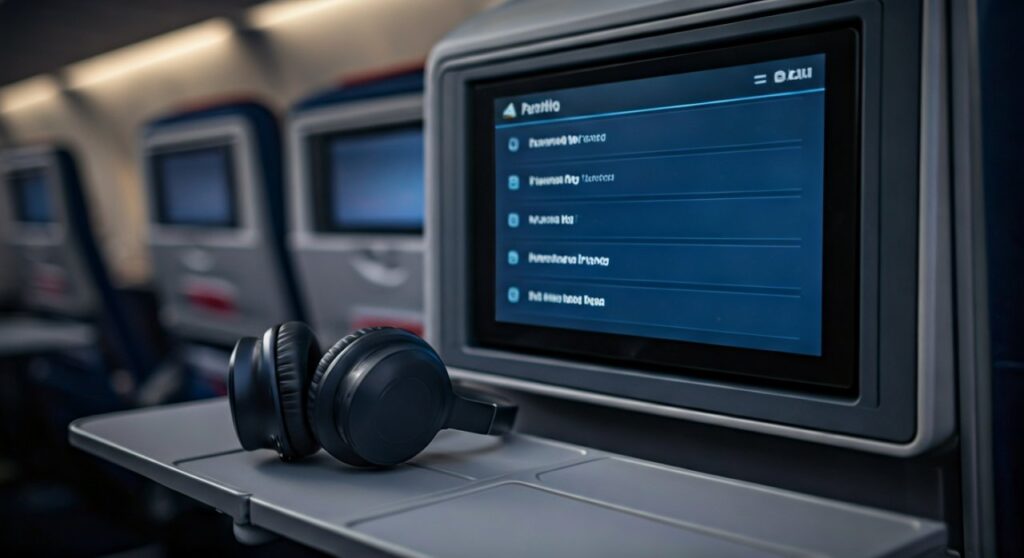
Traveling at 35,000 feet used to mean choosing between high-quality noise-canceling headphones and the airline’s seat-back entertainment. If you forgot your wired dongle, you were often stuck with the flimsy, uncomfortable earbuds handed out by flight attendants. Thankfully, Delta Air Lines is leading the charge in modernizing the in-flight experience, rolling out native Bluetooth support across its fleet to ensure your AirPods Pro or Sony WH-1000XM5 actually get some use during the flight.
Key Takeaways: Connecting to Delta Studio
| Feature | New Aircraft (A321neo, etc.) | Older Aircraft (737, 757, A320) |
|---|---|---|
| Native Bluetooth Support | Yes, built-in to the screen. | No, requires an adapter. |
| Connection Method | On-screen pairing menu. | 3.5mm headphone jack. |
| Required Gear | Your Bluetooth Headphones. | Bluetooth Transmitter (e.g., Twelve South AirFly). |
| Audio Quality | Digital, high-fidelity. | Analog (depends on the adapter). |
| Primary Limitation | Limited to specific newer planes. | Requires battery for the adapter. |
How to Connect Bluetooth Headphones to Delta Screen (Native Support)
If you are lucky enough to be sitting in front of one of Delta’s latest 4K seat-back screens, connecting is as simple as pairing your phone. These screens are currently found on the Airbus A321neo and are being retrofitted onto select Boeing 737-800 and Airbus A350 aircraft.
Step-by-Step Pairing Guide
- Prepare your headphones: Put your AirPods, Bose QuietComfort, or other headphones into Pairing Mode. (For AirPods, hold the button on the back of the case until the light flashes white).
- Access the Bluetooth Menu: On the Delta Studio screen, look for the Bluetooth icon (usually in the bottom toolbar or under the “Audio” settings).
- Scan for Devices: Tap “Connect Headphones” or “Pair New Device.”
- Select Your Device: Find your headphone name in the list of available devices on the screen.
- Confirm Connection: Once selected, the screen will show a “Connected” status. You can now adjust the volume directly via the screen or your headphone controls.
Expert Tip: In my experience testing the A321neo entertainment system, the pairing process is snappy, but it can struggle if there are dozens of other Bluetooth devices nearby. If your device doesn’t show up, toggle your headphone’s pairing mode off and back on to refresh the signal.
Can You Connect Bluetooth Headphones to Delta Screen on Older Planes?
The reality is that a large portion of Delta’s fleet—including the workhorse Boeing 737s and Airbus A320s—does not yet have native Bluetooth. On these flights, the screen only provides a traditional 3.5mm analog jack.
To answer the question of how to connect bluetooth headphones to delta screen on these older models, you must use a Bluetooth transmitter. These small devices plug into the headphone jack and broadcast the audio signal to your wireless headphones.
Using a Bluetooth Transmitter (The Workaround)
- Plug and Play: Insert the transmitter into the jack located on the armrest or the screen bezel.
- Pairing: Hold the pairing button on the transmitter and your headphones simultaneously.
- Dual Link: Premium transmitters like the AirFly Pro allow you to connect two pairs of headphones to one screen—perfect for watching a movie with a travel partner.
How to Connect Bluetooth Headphones to Delta TV via AirFly
The Twelve South AirFly has become the gold standard for frequent flyers. Because Delta TV systems often use a single or dual-prong jack, having a versatile adapter is crucial.
- Charge the Device: Ensure your AirFly is charged before the flight (it typically lasts 16-25 hours).
- Set to ‘TX’ Mode: Ensure the switch is on Transmit (TX) mode, not Receive (RX).
- Pairing: Put your headphones in pairing mode first, then hold the button on the AirFly until it flashes.
- Plug In: Once the lights turn solid, plug it into the Delta Studio jack.
I highly recommend the AirFly Pro because it includes a “Receive” mode. This allows you to send audio from your phone to an older car’s AUX port or a boat’s stereo, making it more than just a “flight-only” gadget.
Delta Aircraft Fleet: Which Planes Support Bluetooth?
Knowing which plane you are flying can help you decide whether to pack an adapter. You can find your aircraft type in the Fly Delta App under your trip details.
Built-in Bluetooth Support
- Airbus A321neo: 100% of these planes feature the latest 4K screens with native Bluetooth.
- Boeing 737-800 (Refurbished): Delta is currently upgrading these cabins with newer Panasonic IFE systems that include Bluetooth.
- Airbus A350 (Select tail numbers): Newer deliveries and refurbished wide-bodies are receiving this tech.
Manual Connection Only (Needs Adapter)
- Boeing 757-200 / 300
- Airbus A319 / A320 / A321 (CEO models)
- Boeing 767-300 / 400
- CRJ-900 / Embraer 175 (Note: Most regional jets do not have seat-back screens at all; you will be streaming to your own device via Delta WiFi).
Troubleshooting Audio Lag and Connection Issues
When using Bluetooth headphones on Delta screens, you might encounter latency (audio not matching the video). This is a common hurdle with wireless technology in crowded environments.
Common Solutions for Lag
- Update Firmware: Before your trip, ensure your headphones are updated via their respective apps (Sony Headphones Connect, Bose Music, etc.).
- Reset the Transmitter: If using an adapter, a quick power cycle usually clears the cache and reduces delay.
- Check for Interference: If the audio stutters, it’s likely due to the high density of signals in the cabin. Moving the transmitter slightly away from other electronics can help.
Audio Jack Problems
Sometimes the physical jack in the seat is loose. If you only hear audio in one ear while using an adapter, try pulling the plug out slightly (about 1 millimeter). This often aligns the poles of the jack with the pins of the transmitter for a full stereo signal.
Why You Should Use Noise-Canceling Headphones on Delta
The ambient noise in an airplane cabin typically hovers around 80 to 85 decibels. Standard earbuds require you to crank the volume to dangerous levels to hear movie dialogue.
- Active Noise Cancellation (ANC): Brands like Sony, Bose, and Apple use microphones to “cancel” the engine drone.
- Hearing Protection: By blocking the noise, you can listen to Delta Studio content at a much lower, safer volume.
- Battery Life: Modern Bluetooth headphones offer 20-40 hours of battery, which is more than enough for Delta’s longest routes from Atlanta (ATL) to Seoul (ICN) or Johannesburg (JNB).
Best Bluetooth Adapters for Delta Screens
If your flight isn’t on an A321neo, these are the top-rated devices to bridge the gap:
- Twelve South AirFly Pro: Best overall. Long battery life and supports two headphones.
- Avantree Relay: Features aptX Low Latency technology to eliminate “lip-sync” delay.
- Mee Audio Connect Blue: A budget-friendly option that is compact and reliable.
Expert Tips for the Best In-Flight Audio Experience
- Download Offline Maps: If you use your phone for music instead of the Delta screen, ensure your playlists are downloaded.
- Bring a Backup Cable: Even if you plan on using Bluetooth, most premium headphones (like Bose QC45) come with a 2.5mm to 3.5mm cable. Keep this in your seat pocket just in case your battery dies or the Bluetooth signal is too crowded.
- The “Double Plug” Myth: Some older Delta planes have a two-prong headphone jack. You do not need a special adapter for these; plugging your single-prong transmitter into one of the two holes usually provides mono or simulated stereo sound.
Frequently Asked Questions (FAQs)
Can I use AirPods on a Delta flight?
Yes, you can use AirPods on any Delta flight. If the plane has a new 4K screen (A321neo), you can pair them directly. On older planes, you must use a Bluetooth transmitter like an AirFly to connect to the seat-back screen.
Does Delta offer free headphones if I don’t have Bluetooth?
Yes, Delta provides complimentary wired earbuds on most international and long-haul domestic flights. However, the audio quality is significantly lower than your personal Bluetooth headphones, and they do not offer noise cancellation.
Why won’t my headphones pair with the Delta screen?
The most common reason is that the headphones are still connected to your phone. Turn off Bluetooth on your phone temporarily to allow the Delta Studio screen to “see” your headphones. Also, ensure your headphones are in full pairing mode, not just turned on.
Can I connect two pairs of Bluetooth headphones to one Delta screen?
On the native Bluetooth systems (A321neo), the screen typically only supports one connection at a time. To share a movie with a partner, you should use a Bluetooth transmitter with “Dual Link” capabilities (like the AirFly Pro) plugged into the 3.5mm jack.
Is there a charge to use Bluetooth on Delta?
No, using the built-in Bluetooth on Delta Studio screens is completely free. It is part of Delta’s commitment to providing a premium in-flight entertainment experience.









