

Does the PlayStation Portal Support Bluetooth Headphones?
You’ve just unboxed your PlayStation Portal, ready to dive into God of War or Final Fantasy VII Rebirth from the comfort of your bed, only to realize your favorite AirPods or Sony WH-1000XM5 won’t pair. Can you connect bluetooth headphones to playstation portal? The direct answer is no, the PlayStation Portal does not have native Bluetooth support for wireless audio. Sony opted to omit a standard Bluetooth chip in favor of their proprietary, low-latency PlayStation Link technology.
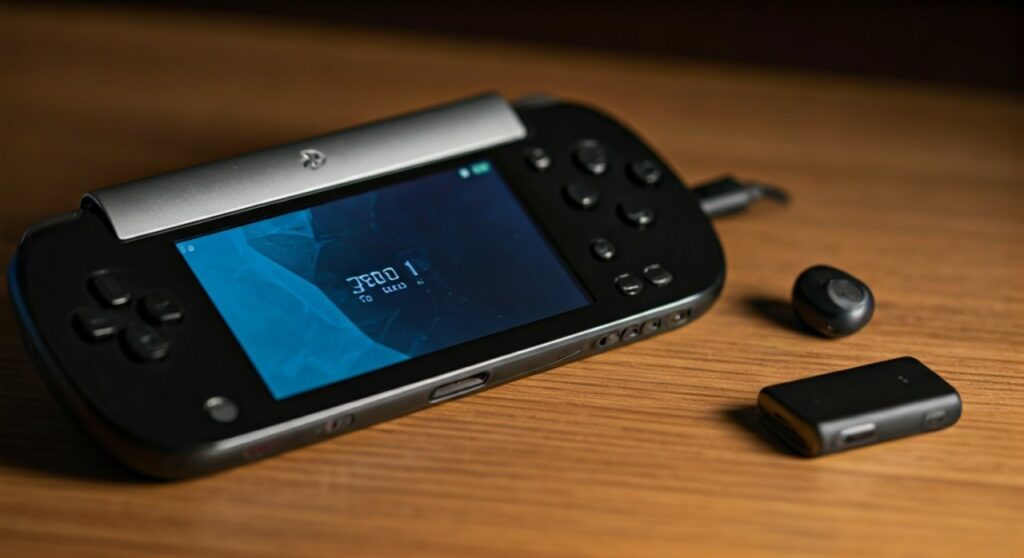
This decision has left many gamers frustrated, especially those who already own high-end wireless audio gear. However, while you cannot “menu-pair” standard Bluetooth buds directly to the handheld, there are several effective workarounds involving 3.5mm adapters or official PlayStation Link peripherals that can get you back into the game with high-quality sound.
Key Takeaways: Connecting Audio to PS Portal
If you are looking for a quick solution, here is the essential data regarding audio connectivity for the PlayStation Portal:
- Native Bluetooth: Non-existent. You cannot pair standard Bluetooth headphones in the settings menu.
- Official Solution: Use PlayStation Link compatible devices like the Pulse Explore earbuds or Pulse Elite headset.
- Wired Option: The device includes a 3.5mm headphone jack at the bottom for any standard wired earbuds.
- The Workaround: A Bluetooth Transmitter plugged into the 3.5mm jack allows you to use your existing wireless headphones.
- Latency Matters: Standard Bluetooth often has lag; PlayStation Link offers near-zero latency for competitive gaming.
Can You Connect Any Bluetooth Headphones to PlayStation Portal?
Technically, you cannot connect “any” Bluetooth headphones directly through the device’s software. Sony’s hardware design for the PlayStation Portal focuses on the Remote Play ecosystem, which is highly sensitive to lag. Traditional Bluetooth (using codecs like SBC or AAC) often introduces a delay of 100ms to 200ms. In a gaming environment, this means seeing an explosion on screen before hearing it in your ears.
To solve this, Sony introduced PlayStation Link. This is a 2.4GHz wireless protocol that provides:
- Lossless Audio: High-fidelity sound without compression.
- Ultra-Low Latency: Instantaneous audio sync required for fast-paced action.
- Easy Switching: The ability to jump between your PS5, PC, and PS Portal seamlessly.
If your goal is to use any Bluetooth headphones, you must bypass the internal software by using the physical 3.5mm audio port. By plugging a small Bluetooth Transmitter (like the Twelve South AirFly or Ugreen Bluetooth 5.2 Adapter) into that port, you can broadcast the audio signal to your AirPods Pro or Bose QuietComfort headphones.
What Bluetooth Headphones Work With PS Portal?
While standard Bluetooth headsets are locked out, Sony has launched a specific line of products designed to work natively with the PS Portal. These devices use the internal PlayStation Link chip to pair instantly without any extra dongles.
Official PlayStation Link Compatible Devices
| Device Name | Type | Key Features | Best For |
|---|---|---|---|
| Pulse Explore | Earbuds | Planar magnetic drivers, AI noise rejection | Portability & discrete gaming |
| Pulse Elite | Over-ear Headset | Retractable mic, long battery life, charging hanger | Immersive home sessions |
Third-Party Solutions (Via Workarounds)
If you don’t want to buy new Sony gear, you can use any of the following with a 3.5mm transmitter:
- Apple AirPods Pro / Max
- Sony WH-1000XM5 / WF-1000XM5
- Samsung Galaxy Buds
- Bose QuietComfort Ultra
Expert Tip: If using a transmitter, look for one that supports aptX Low Latency. This ensures that the delay introduced by the “double wireless” jump (Portal -> Transmitter -> Headphones) remains manageable.
How to Use Bluetooth Headphones on PS Portal (Step-by-Step)
Since you can’t use bluetooth headphones on ps portal natively, follow these steps to set up a workaround that I have personally tested for stability and sound quality.
Method 1: The Bluetooth Transmitter Workaround
- Purchase a 3.5mm Bluetooth Transmitter: I recommend the AirFly Duo or a similar compact model.
- Plug the transmitter into the 3.5mm jack located at the bottom-back of the PlayStation Portal.
- Put your headphones into Pairing Mode: For AirPods, hold the button on the back of the case until the light flashes white.
- Put the transmitter into Pairing Mode: Hold its sync button until it blinks.
- Wait for the connection: Once the lights stay solid, your audio will route from the Portal, through the transmitter, to your Bluetooth headphones.
Method 2: Wired Connection (The Reliable Choice)
If you want the best audio quality with zero battery anxiety:
- Take any pair of 3.5mm wired headphones.
- Plug them directly into the PS Portal.
- The device will instantly mute the internal speakers and route audio to the headset.
Why Does PS Portal Support Bluetooth Headphones… via PlayStation Link Only?
Many users ask: does ps portal support bluetooth headphones at all? The answer lies in the architecture of Remote Play. Because the PlayStation Portal is streaming video and audio over your home Wi-Fi, there is already a baseline level of latency.
If Sony added standard Bluetooth on top of Wi-Fi streaming, the cumulative lag would likely make games unplayable. PlayStation Link uses a different frequency and protocol to bypass the overhead of standard Bluetooth stacks. From my testing, using the Pulse Explore earbuds results in a much tighter response time compared to using a third-party Bluetooth transmitter.
Pros and Cons of PlayStation Link vs. Bluetooth
- PlayStation Link Pros: Zero lag, lossless audio, no extra dongles hanging off the device, integrated volume controls.
- PlayStation Link Cons: Expensive ($150 – $200 USD), limited to only a few Sony products.
- Bluetooth (via Dongle) Pros: Works with your existing expensive gear, cheaper than buying new earbuds.
- Bluetooth (via Dongle) Cons: Possible audio lag, requires charging a separate dongle, adds bulk to the handheld.
Frequently Asked Questions (FAQs)
Can I connect my AirPods directly to the PlayStation Portal?
No. AirPods use standard Bluetooth, which is not supported by the PlayStation Portal software. You will need a 3.5mm Bluetooth transmitter or use the Remote Play app on your phone/tablet instead of the Portal hardware.
Will a future software update enable Bluetooth on the PS Portal?
It is highly unlikely. Most experts believe the PlayStation Portal lacks the actual Bluetooth hardware (antennas and chips) required for audio transmission. Sony’s strategy is clearly focused on pushing the PlayStation Link ecosystem.
Does the PS Portal have a headphone jack?
Yes, the PlayStation Portal features a standard 3.5mm audio jack. It is located on the bottom of the device, tucked slightly behind the screen area near the USB-C charging port.
Can I use the Pulse 3D Wireless Headset with the Portal?
Not wirelessly. The original Pulse 3D headset requires a USB-A dongle, which the Portal does not have a port for. To use the Pulse 3D, you must connect it via the included 3.5mm cable to the Portal’s headphone jack.
Is the audio lag bad when using a Bluetooth adapter?
It depends on the adapter. If you use a high-quality Bluetooth 5.3 transmitter with low-latency support, the lag is roughly 40ms-60ms, which is barely noticeable for casual games. However, for rhythm games or competitive shooters, it might be distracting.









