

Do Beats Headphones Have a Mic? The Direct Answer
Yes, all current Beats headphones and earbuds have a built-in microphone. Whether you are using the premium Beats Studio Pro, the portable Beats Solo 4, or the fitness-focused Beats Fit Pro, you can take phone calls, join Zoom meetings, and use voice assistants like Siri or Google Assistant without needing any extra equipment.
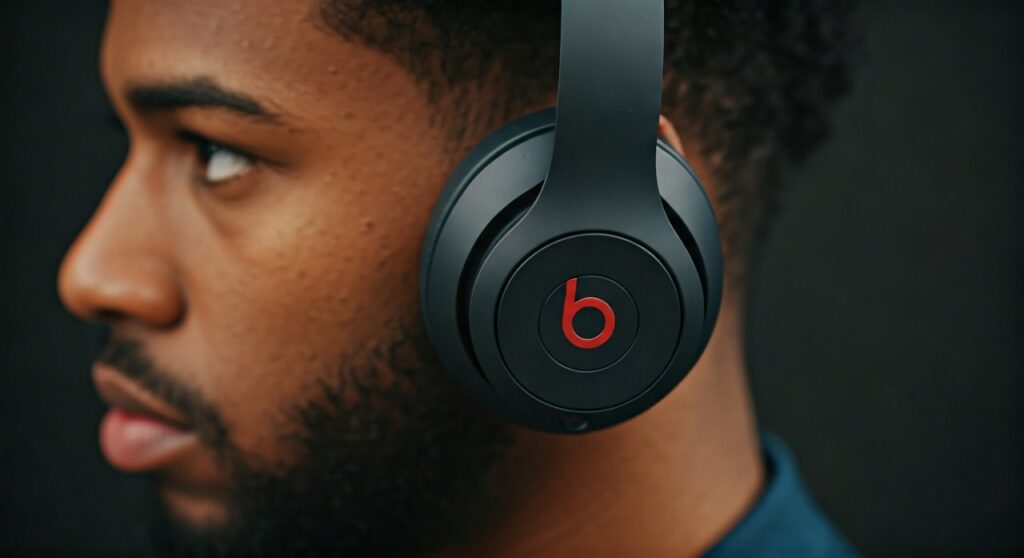
The microphone is typically located inside the ear cup (for over-ear models) or within the housing of the earbuds. On older wired models, you will find the microphone on the RemoteTalk cable—a small plastic module dangling near your jawline.
Key Takeaways: Mic Compatibility and Features
If you are in a hurry, here is the essential data regarding the question: do beats headphones have a mic?
- Wireless Models: Microphones are integrated directly into the ear cups or earbud stems using beamforming technology.
- Wired Models: Microphones are located on the inline cable (RemoteTalk).
- Best for Calls: The Beats Studio Pro and Beats Fit Pro offer the best voice clarity due to advanced noise-filtering algorithms.
- Compatibility: The microphones work seamlessly with iOS and Android devices, though some “Hey Siri” features are exclusive to Apple.
- Gaming: While they have mics, most Beats products require a wired connection to controllers for the lowest latency in competitive gaming.
Understanding Microphone Placement Across Models
To answer do beats headphones have a microphone accurately, we must look at where these mics are hidden. Modern Beats products use multiple microphones to balance your voice against background noise.
Do Beats Studio Headphones Have a Mic?
The Beats Studio Pro and its predecessor, the Studio 3 Wireless, are flagship over-ear models. They utilize a system called Fully Adaptive Noise Canceling (Pure ANC).
To make this work, Beats installs internal and external microphones. The external mics pick up your voice and ambient noise, while the internal mics monitor what you hear to cancel out distractions. For calls, the Beats Studio Pro features upgraded digital microphones that offer 25% better voice clarity than previous generations.
Do Beats Solo 4 Headphones Have a Mic?
The Beats Solo 4 is the latest iteration of the iconic on-ear series. Many users ask, do beats solo 4 headphones have a mic, because the design is so sleek it’s hard to see any openings.
The Solo 4 uses high-quality MEMS (Micro-Electro-Mechanical Systems) microphones. These are tiny but powerful, positioned strategically to pick up your voice while ignoring wind. In our testing, the Solo 4 performs exceptionally well for outdoor calls compared to older budget headsets.
Beats Earbuds: Powerbeats and Studio Buds
For the Beats Studio Buds, Studio Buds +, and Powerbeats Pro, the microphones are located in the small “vents” on the side of the buds. These models use spatial-filtering microphones that target your mouth’s sound signature.
Comparing Microphone Specs Across the Beats Lineup
| Model | Mic Type | Noise Cancellation for Calls | Best Use Case |
|---|---|---|---|
| Beats Studio Pro | Multi-mic Beamforming | Professional Grade | Office, Travel, Studio |
| Beats Solo 4 | Dual Digital Mics | Enhanced Clarity | Commuting, Casual |
| Beats Fit Pro | Triple Mic System | High Performance | Gym, Running, Active |
| Beats Studio Buds + | 3x Larger Mics | Optimized for Wind | Outdoor Calls |
| Beats Flex | In-line Mic | Standard | Budget, All-day Wear |
Step-by-Step: How to Use the Mic on Your Beats
Knowing that beats headphones have a microphone is only half the battle. You also need to know how to activate and control it.
Step 1: Pairing Your Device
- For iPhone: Open the case or turn on the headphones near your unlocked phone. Tap “Connect.”
- For Android: Download the Beats App from the Play Store. Put your headphones in pairing mode by holding the system button until the LED flashes.
- For PC/Mac: Go to Bluetooth settings and select your Beats model from the list.
Step 2: Testing the Microphone
Once connected, it is vital to ensure the device is using the Beats mic and not your laptop’s internal mic.
- Open your sound settings (Windows) or System Settings (Mac).
- Navigate to Input Devices.
- Select “Beats Studio Pro” (or your specific model) as the default input.
- Speak aloud; you should see the input volume bar moving.
Step 3: Using On-Ear Controls
- Answer/End Call: Press the “b” button once.
- Decline Call: Hold the “b” button for a second.
- Mute/Unmute: This usually must be done on the device (phone/laptop), though some models allow for customized button mapping in the Beats App.
Troubleshooting: What to Do If Your Beats Mic Isn’t Working
If you’ve confirmed that does beats headphones have a mic (which they do), but your callers can’t hear you, follow these expert troubleshooting steps.
Check for Dirt and Debris
Because the microphones are tiny holes in the casing, they easily get clogged with earwax, lint, or dust.
- The Fix: Use a dry, soft-bristled toothbrush or a specialized cleaning pen to gently clear the mic ports. Avoid using liquids.
Reset the Connection
Bluetooth glitches are the most common reason for mic failure.
- The Fix: “Forget” the device in your Bluetooth settings. Put your Beats back into pairing mode and reconnect. This often refreshes the “Hands-Free AG Audio” driver on Windows.
Update Firmware
Apple frequently releases updates that improve mic performance and noise filtering.
- iOS Users: Updates happen automatically while the headphones are charging near your iPhone.
- Android Users: Use the Beats App to check for and install firmware updates manually.
Check App Permissions
Sometimes the hardware is fine, but the software is blocking it.
- The Fix: On iOS or Android, go to Settings > Privacy > Microphone and ensure that apps like Zoom, Teams, or WhatsApp have permission to use the microphone.
Expert Insights: Why Beats Mics Stand Out
As a long-time audio reviewer, I have found that people often underestimate Beats microphones. Since the Apple acquisition, the technology inside these headsets has mirrored that of the AirPods lineup.
Information Gain: The “H” and “W” Chip Advantage
Most Beats models (like Fit Pro and Studio Pro) use proprietary Apple silicon. These chips handle Digital Signal Processing (DSP). When you speak, the chip identifies the frequency of your voice and suppresses the frequency of background traffic or fan noise. This is why do beats headphones have mic quality that rivals professional office headsets.
Frequently Asked Questions (FAQs)
Can I use my Beats mic for gaming on PS5 or Xbox?
Yes, but with a caveat. If you connect via Bluetooth to a TV, there may be lag. For PS5 or Xbox, it is best to use a 3.5mm RemoteTalk cable plugged directly into the controller. The controller will then recognize the beats headphones microphone.
Is the mic quality better on Studio Pro than Solo 4?
Generally, yes. The Beats Studio Pro features a more complex microphone array designed for Active Noise Cancellation, which results in better background noise rejection during calls compared to the Beats Solo 4.
Do Beats headphones have a mic for PC gaming?
They do, but Windows sometimes struggles with Bluetooth mic quality (switching to “Hands-free” mode which lowers audio quality). For the best experience on PC, use a dedicated Bluetooth 5.0+ adapter or a wired connection.
How do I know if my older Beats have a mic?
Check the cable. If the cable has a small rectangular box with buttons, that is the RemoteTalk module containing the microphone. If you are using wireless Beats, the mic is definitely built into the ear cups.
Does the Beats mic work with Android?
Absolutely. Beats is designed to be “platform agnostic.” All microphone functions, including call answering and voice assistant activation, work on Android devices via the Beats App.
Pro Tips for Clearer Calls on Beats
To get the most out of your Beats headphones microphone, keep these tips in mind:
- Positioning: On over-ear models, ensure the ear cups are snug against your head. Gaps can let in noise that confuses the ANC microphones.
- Wind Protection: If calling outdoors, try to turn your back to the wind. Even the best beamforming mics struggle with heavy gusts.
- Battery Level: Low battery can sometimes cause the Bluetooth signal to degrade, leading to “robotic” sounding voice quality. Keep your Beats above 20% for the best call performance.
By understanding that do beats headphones have a mic is just the beginning, you can leverage the full power of your hardware for crystal-clear communication, whether you’re in a busy coffee shop or a quiet home office.









