

Do Bluetooth Headphones Work on Airplane Mode? The Short Answer
Yes, do bluetooth headphones work on airplane mode is a common question, and the definitive answer is yes. While enabling Airplane Mode typically disables all wireless signals—including cellular, Wi-Fi, and Bluetooth—you can manually re-enable Bluetooth immediately afterward without violating aviation safety regulations.
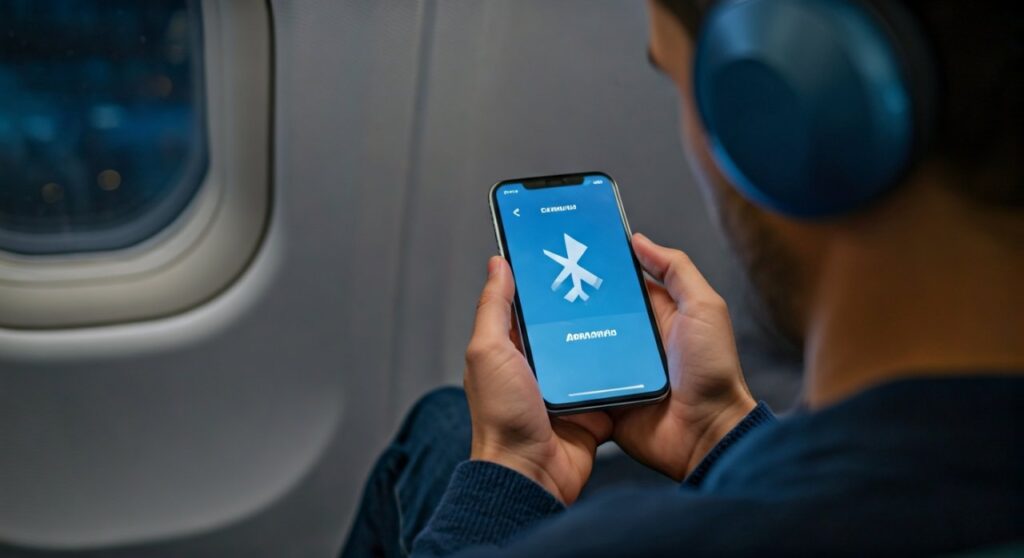
Modern aircraft are designed to withstand the low-power radio frequencies used by Bluetooth 5.0 and newer versions. Since the FAA (Federal Aviation Administration) updated its guidelines in 2013, passengers have been permitted to use “short-range Bluetooth accessories” during all phases of flight, provided the cellular radio remains deactivated.
Key Takeaways: Bluetooth Usage at 30,000 Feet
If you are in a hurry to catch your flight, here is a quick summary of what you need to know about using wireless audio while flying.
| Feature | Status | Requirement |
|---|---|---|
| Bluetooth Functionality | Enabled | Can be toggled on manually after Airplane Mode is active. |
| Regulatory Approval | FAA & EASA Approved | Safe for use on modern commercial aircraft. |
| Cellular Data | Disabled | Must remain off to prevent tower interference. |
| Wi-Fi | Optional | Available if the airline provides an in-flight network. |
| Takeoff/Landing | Permitted | Most airlines allow Bluetooth use from gate to gate. |
The Evolution of Airplane Mode: Why Rules Changed
Historically, the aviation industry was extremely cautious about Electromagnetic Interference (EMI). Early mobile devices emitted stronger signals that could theoretically interfere with the sensitive avionics and communication arrays used by pilots.
In 2013, the FAA conducted rigorous testing and determined that modern “Portable Electronic Devices” (PEDs) do not pose a safety risk when used in non-transmitting modes. This led to the “Gate-to-Gate” policy, allowing you to keep your AirPods, Sony WH-1000XM5, or Bose QuietComfort headphones connected throughout the entire journey.
How Do Bluetooth Headphones Work on Airplane Mode? (Step-by-Step)
When you toggle the “Airplane Mode” switch on your device, the software kills all radios. To get your music back, you simply need to perform a “partial override.”
On iOS (iPhone and iPad)
- Swipe down from the top-right corner to open the Control Center.
- Tap the Airplane Mode icon (it will turn orange).
- Notice the Bluetooth icon turns white or transparent (Disabled).
- Tap the Bluetooth icon again to turn it blue (Enabled).
- Your device will now remember this configuration for future flights.
On Android Devices
- Swipe down from the top of the screen to access Quick Settings.
- Tap Airplane Mode.
- Wait for the Bluetooth signal to drop.
- Tap the Bluetooth icon to re-activate it.
- Connect your headphones as usual through the Settings menu.
Why Bluetooth is Safe for Modern Aircraft
Many travelers wonder why Bluetooth is allowed while cellular signals are not. The answer lies in the frequency spectrum and power output.
- Low Power: Bluetooth is a Class 2 or Class 3 radio, meaning it operates at very low power levels (typically 2.5mW).
- Frequency: It operates on the 2.4GHz ISM band, which is separate from the protected frequencies used by aircraft navigation systems.
- Range: Because Bluetooth only travels about 10–30 feet, it lacks the “reach” to interfere with the cockpit’s external communication antennas.
Technical Breakdown: Bluetooth vs. Cellular Signals
| Signal Type | Frequency Range | Power Output | Impact on Aircraft |
|---|---|---|---|
| Bluetooth | 2.4 GHz | Low (Short Range) | Negligible / Safe |
| Wi-Fi | 2.4 GHz / 5 GHz | Moderate | Safe (Airlines provide this) |
| Cellular (LTE/5G) | 700 MHz – 3.7 GHz | High (Long Range) | Potential tower interference |
First-Hand Expert Advice: Maximizing Your Wireless Experience
Having logged over 100,000 flight miles testing audio gear, I have encountered a few quirks that travelers should be aware of.
1. The “Takeoff” Exception
While the FAA allows Bluetooth, the flight crew has the final say. Some international carriers still require all devices to be completely powered down during “critical phases of flight” (takeoff and landing). Always follow the crew’s instructions to avoid a lecture.
2. Battery Drain in the Air
Searching for a signal drains battery. Even though you are using Bluetooth, your phone might still try to “ping” GPS or Wi-Fi networks. To save juice for your destination, manually turn off Personal Hotspot and AirDrop while in the air.
3. In-Flight Entertainment (IFE) Hurdles
Most older planes still use the dual-prong 3.5mm jack. Your Bluetooth headphones won’t connect to the seatback screen directly. I highly recommend carrying a Bluetooth Transmitter like the AirFly Pro. It plugs into the jack and beams the audio to your wireless headphones.
Troubleshooting: What to Do if Bluetooth Won’t Connect
Occasionally, software glitches happen when switching modes at high altitudes. If your do bluetooth headphones work on airplane mode query becomes a “why won’t they work?” issue, try these steps:
- Reset the Toggle: Turn Bluetooth off and on again within the settings menu, not just the Control Center.
- Check the Battery: High-altitude pressure doesn’t affect batteries, but the cold can. Ensure your headphones are fully charged before boarding.
- Forget and Re-pair: If the connection is choppy, “Forget” the device in your settings and pair it again from scratch.
- Disable LE Audio: If you are using a very new phone with Bluetooth 5.3, sometimes the “Low Energy” protocol struggles with interference from the plane’s dense Wi-Fi mesh.
Best Headphones for Use in Airplane Mode
Based on noise-canceling capabilities and battery efficiency, these are the top performers for air travel:
- Sony WH-1000XM5: Best-in-class noise cancellation to drown out jet engines.
- Bose QuietComfort Ultra: Superior comfort for long-haul flights.
- Apple AirPods Pro (2nd Gen): Excellent “Transparency Mode” for when you need to hear the flight attendant.
- Sennheiser Momentum 4: Massive 60-hour battery life—enough for a round trip to Australia.
The Future of Bluetooth in the Sky
We are moving toward a “Bluetooth-native” cabin. Many new aircraft, such as the United Airlines Boeing 737 MAX and Delta’s A321neo, are being fitted with in-flight entertainment systems that support direct Bluetooth pairing. This eliminates the need for adapters and simplifies the “do bluetooth headphones work on airplane mode” dilemma entirely.
Frequently Asked Questions (FAQs)
Can I use AirPods on a plane during takeoff?
Yes, most major airlines (Delta, United, American, Southwest) allow the use of small, lightweight devices like AirPods during takeoff and landing, as long as they are connected via Bluetooth and the cellular radio is off.
Does Airplane Mode save battery if Bluetooth is on?
Yes, significantly. The primary battery drainer on a phone is the Cellular Modem, which constantly searches for towers. Keeping the phone in Airplane Mode while using Bluetooth for audio will save much more battery than leaving your cellular signal active.
Why does my phone turn off Bluetooth when I hit the Airplane Mode button?
This is a legacy setting. Older operating systems were designed to “kill everything” for safety. However, modern versions of iOS and Android are smarter; if you turn on Bluetooth while in Airplane Mode once, your phone will remember that preference for the next time you fly.
Are there any airlines that still ban Bluetooth?
A few smaller, regional carriers in certain countries may still follow older protocols. Additionally, some airlines require you to remove headphones during the Safety Briefing so you can hear emergency instructions clearly.
Do wireless earbuds interfere with the plane’s navigation?
No. Extensive testing by the RTCA (Radio Technical Commission for Aeronautics) has shown that Bluetooth signals are too weak and operate on frequencies that do not overlap with the critical systems used for landing or navigation.









