

Losing a pair of premium noise-canceling headphones is a nightmare scenario for any audiophile or frequent traveler. Whether you left your Sony WH-1000XM5 on a plane or dropped a single WF-1000XM5 earbud at the gym, the first question that flashes through your mind is: do sony headphones have tracking?
The short answer is: Sony headphones do not have a built-in proprietary GPS tracking system, but they are compatible with Google’s Find My Device network. This allows you to see the “Last Known Location” where the headphones were last connected to your Android smartphone. Unlike Apple’s AirPods, Sony does not natively support the Apple “Find My” network, meaning iPhone users have fewer built-in recovery options.
Key Takeaways: Tracking Your Sony Headphones
If you are in a hurry, here is the essential information regarding Sony’s tracking capabilities:
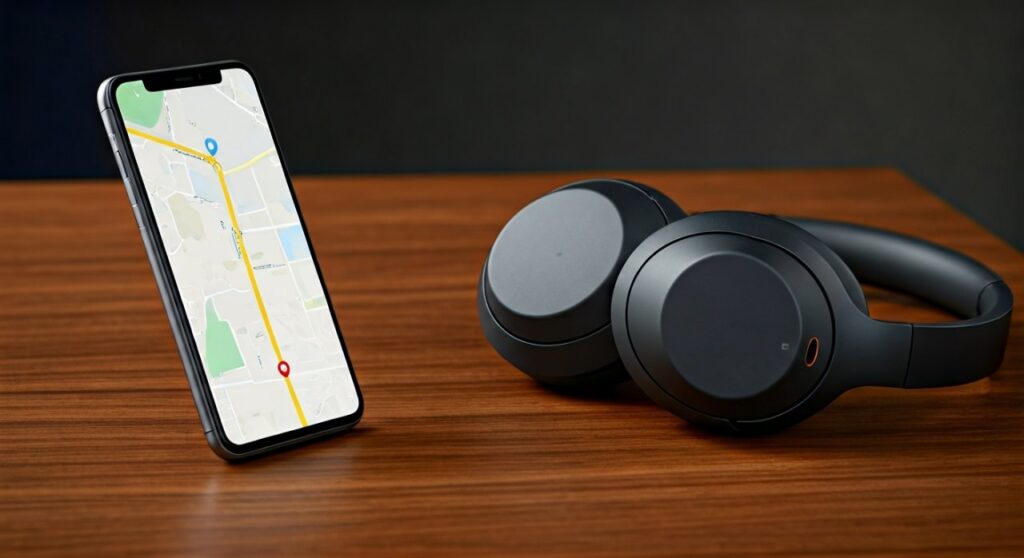
- Primary Tracking Method: Sony utilizes Google Fast Pair to link with Android’s Find My Device ecosystem.
- iOS Limitations: There is no native integration with Apple’s “Find My” app; tracking on iPhone is limited to the last location recorded by the Sony Headphones Connect app.
- No Active GPS: The headphones do not contain a GPS chip or cellular radio; they rely on the Bluetooth connection of a host device to log coordinates.
- Sound Alerts: You can “ring” your headphones through the Find My Device app if they are currently within Bluetooth range and powered on.
- Recommended Models: The Sony WH-1000XM5, WH-1000XM4, WF-1000XM5, and LinkBuds S all support Google’s enhanced tracking features.
Do Sony Headphones Have Tracking? Understanding the Technology
To understand how tracking works for Sony products, we must distinguish between Active Tracking (GPS) and Proximity Tracking (Bluetooth). Sony belongs to the latter category.
When you ask, “do sony headphones have tracking,” it is important to know that the device itself is “passive.” It broadcasts a signal that your phone intercepts. Your phone then records its own GPS coordinates and associates them with the headphones.
Google Fast Pair Integration
For most modern Sony models, Google Fast Pair is the backbone of their tracking ability. When you first open the case of your WF-1000XM5, a pop-up appears on your Android phone. Once paired, the headphones are linked to your Google Account.
This linkage allows the Google Find My Device service to track the hardware. If you lose them, you can log into your account from any browser to see a map of where they were last seen.
The Role of the Sony Headphones Connect App
The official Sony Headphones Connect app provides a secondary layer of data. By enabling “Location Settings” within the app, Sony records where you use the headphones to optimize features like Adaptive Sound Control.
While not a dedicated anti-theft tool, this log can provide a history of your movements, helping you narrow down which coffee shop or office desk you might have left them at.
Step-by-Step: How to Set Up Tracking on Android
If you want to ensure your headphones are recoverable, you must configure these settings before they go missing. Following these steps ensures that the answer to “do sony headphones have tracking” is a functional “Yes” for your specific unit.
- Enable Bluetooth and Location: Ensure both are active on your Android device.
- Pair via Fast Pair: Put your Sony headphones in pairing mode. When the Google pop-up appears, tap “Connect.”
- Check Find My Device Settings: Go to Settings > Google > Find My Device. Ensure the toggle is “On.”
- Update Firmware: Open the Sony Headphones Connect app and ensure your firmware is up to date, as Sony frequently improves Bluetooth stability.
- Test the Connection: Open the Find My Device app or website. You should see your Sony WH-1000XM5 (or your specific model) listed as a registered device.
Can You Track Sony Headphones on an iPhone?
This is where many users face disappointment. Because Sony is a third-party manufacturer, they do not have deep integration with Apple’s Find My network (the same network used by AirTags).
If you use Sony headphones with an iPhone:
- You cannot see them in the Apple “Find My” app.
- You must rely on the Sony Headphones Connect app’s “Last Known Location” feature.
- The tracking is significantly less precise than it is on Android.
For iPhone power users, I often recommend attaching a Tile Sticker or an AirTag to the carrying case of your Sony WH-1000XM5. This provides the robust tracking Sony lacks on the iOS platform.
Comparing Tracking Capabilities: Sony vs. Competitors
To give you a better perspective on where Sony stands in the market, look at this comparison of tracking features across leading brands.
| Feature | Sony (XM5 Series) | Apple AirPods Pro 2 | Bose QC Ultra |
|---|---|---|---|
| Tracking Network | Google Find My Device | Apple Find My | Tile (Select Models) |
| Native iOS Tracking | No | Yes (Precision Finding) | Limited |
| Native Android Tracking | Yes (Excellent) | Poor | Yes |
| Proximity “Chirp” | Yes (If connected) | Yes (Dedicated Speaker) | No |
| Offline Tracking | Limited to Last Seen | Yes (Mesh Network) | Limited |
Expert Tips for Recovering Lost Sony Earbuds
Based on my experience testing dozens of audio products, recovering lost earbuds is much harder than recovering over-ear headphones. Here is how to handle a “lost bud” situation:
Use the “Ring” Feature
If you are in your house and know the earbuds are nearby but can’t see them, use the Find My Device app to “Play Sound.”
- Warning: Do not do this while the earbuds are in your ears, as the high-pitched tone is designed to be heard from across a room.
- Constraint: This only works if the earbuds have battery life and are not tucked inside a closed, heavy charging case that blocks the Bluetooth signal.
Check the “Last Seen” Timestamp
If the map shows your headphones are at your office, but you are currently at home, they are likely sitting on your desk. If the timestamp is several hours old, it means the battery may have died or they were moved out of range of your phone.
Use a Bluetooth Scanner App
If the official apps aren’t helping, download a “Bluetooth Radar” or “BLE Scanner” app. these apps measure Signal Strength (RSSI). As you walk around your home, the signal meter will rise as you get closer to the hidden device.
What to Do if Your Sony Headphones Are Stolen
If you see your headphones moving on a map in real-time in a location you don’t recognize, they may have been stolen.
- Do Not Confront the Thief: Tracking is rarely accurate enough to pinpoint a specific apartment unit; it usually points to a building or a general radius.
- Screenshot the Location: Capture the map and the time for police reports.
- Contact Sony Support: While they cannot “remote wipe” headphones, they can provide the serial number if you have lost your original packaging.
- Check Insurance: Many premium credit cards offer “Purchase Protection” for 90 days after buying electronics. If they were stolen shortly after purchase, you might be eligible for a refund.
Limitations of Sony’s Tracking System
It is important to manage expectations. When people ask do sony headphones have tracking, they often expect the same level of security as a stolen smartphone. However, Sony’s system has notable flaws:
- Battery Dependency: Once the battery dies, the tracking signal stops. Unlike the iPhone 15, which can be found even when powered off, Sony headphones go dark.
- Case Shielding: For the WF-1000XM5 earbuds, once they are inside the charging case, the Bluetooth signal is significantly weakened. If the case is closed, they often stop “checking in” with the tracking network.
- Factory Reset: A savvy thief can manually factory reset Sony headphones by holding the power and custom buttons. Once reset, they can be paired to a new Google account, effectively removing them from your “Find My” list.
Conclusion: Making the Most of Sony Tracking
While Sony doesn’t offer a dedicated GPS solution, their integration with Google Find My Device provides a solid safety net for Android users. If you are an iPhone user, your options are more limited, and I strongly suggest using a third-party tracker.
To ensure you never lose your investment, always keep the Sony Headphones Connect app updated and ensure your device is registered to your Google account the moment you unbox it.
Frequently Asked Questions
Can I track my Sony headphones if they are turned off?
No. Sony headphones require an active power source to broadcast the Bluetooth signal needed for tracking. If they are turned off or the battery is dead, you will only be able to see the “Last Known Location” from when they were last active.
Does the Sony WH-1000XM5 have a GPS chip?
No, the WH-1000XM5 does not have an internal GPS chip. It uses “Crowdsourced Location” via the Google Find My Device network, relying on nearby Android phones to report its position via Bluetooth.
Is there a monthly fee for Sony headphone tracking?
No, tracking via the Sony Headphones Connect app and Google Find My Device is completely free of charge. You only need a free Google or Sony account to access these services.
Will Sony replace my lost headphones?
Generally, no. Sony’s standard warranty covers manufacturing defects, not lost or stolen property. However, some third-party extended warranties or “accidental damage” plans may offer coverage.
Can I find a single lost Sony earbud?
Yes, if you have the WF-1000XM5 or LinkBuds, the Google Find My Device app allows you to see the location of the individual earbuds, provided they were out of the case and connected to your phone before being lost.









