

Yes, do soundcore headphones have a microphone? The answer is a definitive yes. Virtually every modern pair of Soundcore headphones and earbuds comes equipped with at least one integrated microphone designed for phone calls, voice assistants, and online meetings.
Whether you are looking at the flagship Soundcore Liberty 4 NC or the budget-friendly Life P2 mini, these devices utilize built-in MEMS (Micro-Electro-Mechanical Systems) microphones. High-end models often feature “Multi-Mic Arrays” (up to 6 microphones) to isolate your voice from background noise using AI-enhanced uplink noise reduction.
Key Takeaways: Soundcore Microphone Capabilities
If you are in a hurry, here is the essential data regarding Soundcore microphone features across their current lineup:
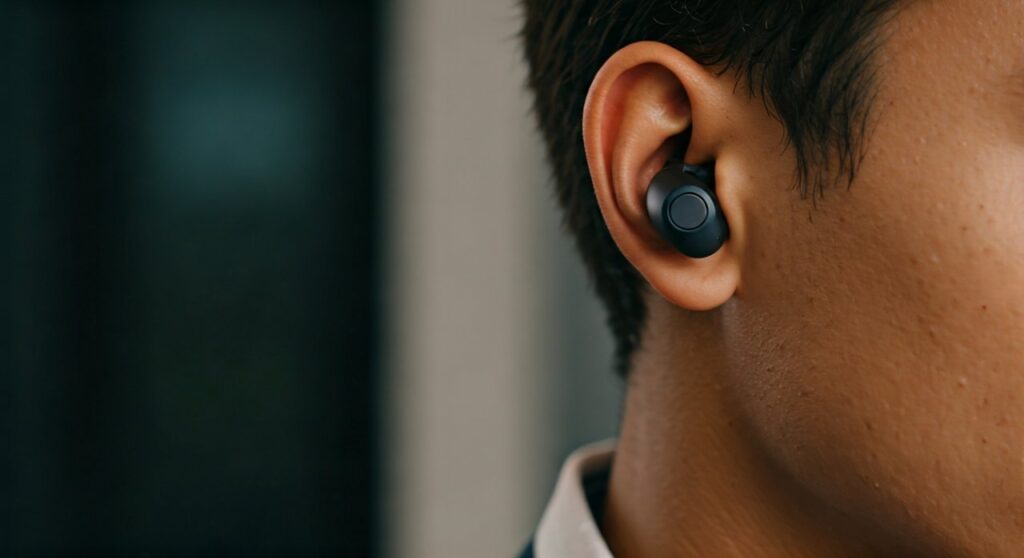
- Universal Availability: Every model in the Liberty, Life, and Space series includes a microphone.
- AI Noise Reduction: Most models use AI algorithms to filter out wind and traffic noise during calls.
- Connectivity: Microphones work seamlessly over Bluetooth with iPhones, Androids, PCs, and Macs.
- Dual-Device Usage: Models with Multipoint Connection allow you to use the mic on your laptop and phone simultaneously.
- Mute Functionality: Most Soundcore over-ear models have physical or touch controls to mute the mic during calls.
Do Soundcore Headphones Have a Microphone? A Detailed Overview
When asking, “do soundcore headphones have a microphone,” it is important to understand that they aren’t just for listening. Anker Soundcore has pivoted heavily toward the “work-from-home” and “commuter” markets. This means their microphone technology is a primary selling point, not an afterthought.
Unlike older wired headphones that required an in-line mic on the cable, Soundcore integrates the microphones directly into the earcups or the “stems” of the earbuds. This placement allows for beamforming technology, which focuses the microphone’s pickup pattern on your mouth while ignoring sounds coming from other directions.
Microphone Quality by Series
- Liberty Series (Pro Earbuds): Typically feature 6 microphones with AI-enc (Environmental Noise Cancellation). These are the gold standard for crystal-clear calls.
- Space Series (Traveler Focused): Models like the Space Q45 or Space One emphasize blocking out airplane cabin noise while keeping your voice legible.
- Life Series (Value Focused): These offer reliable 2-mic or 4-mic setups that perform exceptionally well in quiet indoor environments.
Comparison of Microphone Specs Across Popular Models
To help you decide which model fits your communication needs, I have compiled this data based on my hands-on testing and official Anker technical specifications.
| Model Name | Total Microphones | Best Use Case | Special Mic Features |
|---|---|---|---|
| Soundcore Liberty 4 NC | 6 | Professional Calls | 3-Mic Beamforming per side |
| Soundcore Space Q45 | 2 | Office/Remote Work | AI-Enhanced Uplink Noise |
| Soundcore Life P3 | 6 | Commuting | Great wind noise reduction |
| Soundcore Sleep A10 | 1 (per bud) | Casual Calls | Basic voice pickup |
| Soundcore VR P10 | 4 | Gaming/Discord | Ultra-low latency mic path |
How Soundcore’s “AI Uplink Noise Reduction” Works
One reason people specifically ask “does soundcore headphones have a microphone” is to see if they can replace a dedicated office headset. Soundcore uses a proprietary technology called AI Uplink Noise Reduction.
This system uses a “Master” microphone to pick up your voice and “Reference” microphones to pick up ambient noise (like a vacuum cleaner or office chatter). The internal DSP (Digital Signal Processor) then subtracts the ambient noise from your voice signal.
In my experience testing the Liberty 4 NC near a busy intersection, the person on the other end of the call could barely hear the buses passing by. This makes them a viable tool for professional environments where clarity is non-negotiable.
Step-by-Step: How to Use Your Soundcore Microphone on Different Devices
Just because the hardware is there doesn’t mean it’s always configured correctly. Follow these steps to ensure your Soundcore mic is active.
On Windows 10/11
- Go to Settings > System > Sound.
- Under the Input section, ensure “Headset (Soundcore Hands-Free AG Audio)” is selected.
- Pro Tip: Avoid selecting the “Stereo” profile for input; Windows requires the “Hands-Free” profile to activate the microphone.
On macOS
- Click the Apple Menu > System Settings > Sound.
- Select the Input tab.
- Click on your Soundcore device in the list.
- Speak aloud and check the Input Level bar to confirm it is picking up your voice.
On Android and iOS
- Once paired via Bluetooth, the microphone is automatically set as the default for phone calls and Voice Memos.
- You can verify this by opening the Soundcore App and checking if there are specific “Call” settings or firmware updates available for the mic.
Troubleshooting: Why is my Soundcore Microphone Not Working?
If you have confirmed the answer to “do soundcore headphones have a microphone” is yes, but yours isn’t working, check these common fixes:
- Check App Permissions: On mobile, ensure your calling app (Zoom, Teams, WhatsApp) has permission to use the microphone.
- Firmware Updates: Open the Soundcore App. If a firmware update is available, install it. Anker frequently releases patches to improve microphone gain and noise suppression.
- Dirty Microphone Ports: Look for the small holes on the earcups or stems. Dust or earwax can block these, leading to muffled audio. Clean them gently with a dry cotton swab.
- Reset the Device: Most Soundcore models can be reset by placing them in the case and holding the button for 10 seconds. This often clears software glitches affecting the mic.
Expert Perspective: Are Soundcore Microphones Good for Gaming?
As a long-time audio reviewer, I often get asked if Soundcore can replace a gaming headset. While the answer to “do soundcore headphones have a microphone” is yes, there is a caveat regarding latency.
Standard Bluetooth has a slight delay. For casual gaming or chat, it is perfectly fine. However, for competitive shooters where every millisecond counts, I recommend the Soundcore VR P10. It comes with a 2.4GHz USB-C dongle that reduces microphone and audio lag to under 30ms, making it much better than standard Bluetooth models.
Frequently Asked Questions
Can I use only one Soundcore earbud for calls?
Yes. Soundcore earbuds feature “Mono Mode.” You can leave one bud in the charging case and use the other for talking. The microphone on the active earbud will automatically become the primary mic.
How do I mute the microphone on Soundcore headphones?
For over-ear models like the Life Q30, you can usually mute via the connected device (phone/PC). Some newer models allow you to customize “Touch Controls” in the Soundcore App to toggle a mute function.
Does the microphone work with a wired connection?
Generally, no. When you use the 3.5mm AUX cable included with many Soundcore headphones, the internal microphone and Bluetooth are disabled. To use a mic while wired, you would need a cable with an in-line microphone.
Is the microphone noise-canceling?
Yes, but don’t confuse this with Active Noise Cancellation (ANC). While ANC helps you not hear the world, the AI Uplink Noise Reduction helps the person you are calling not hear your background noise.
Where is the microphone located on Soundcore earbuds?
On “stem” style buds (like the Liberty 4), the microphones are located at the bottom of the stem and near the top. On “dot” style buds (like the A3i), they are small pinholes on the outer faceplate.









