

Why You Need Headphones for a Podcast: The Short Answer
Yes, you absolutely need headphones for a podcast to ensure professional audio quality, prevent destructive audio bleed, and monitor your voice in real-time. While you can technically record without them, doing so often results in echo loops and inconsistent volume levels that are nearly impossible to fix in post-production.
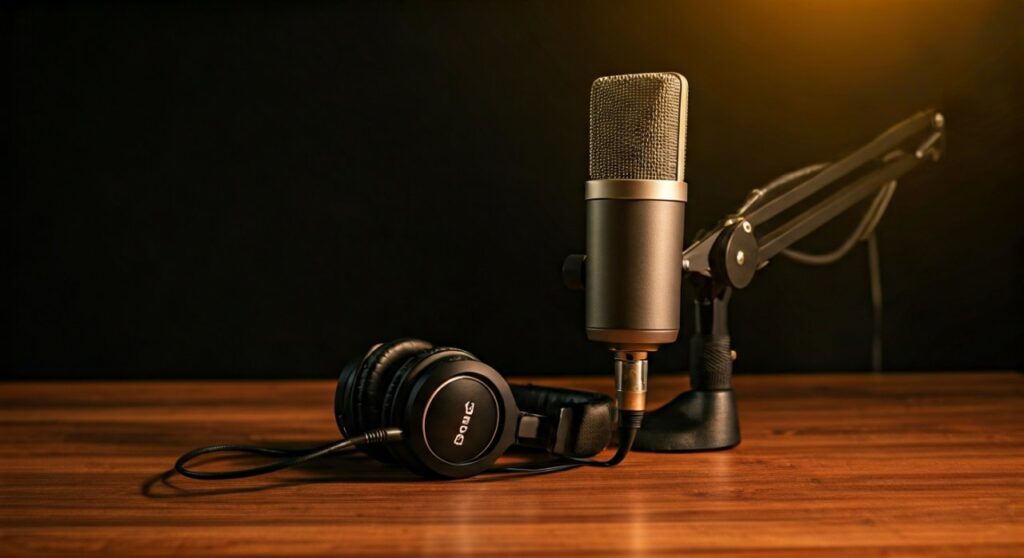
For anyone serious about content creation, headphones are the most critical tool for “quality control” during the recording process. They allow you to hear exactly what your microphone is capturing, ensuring your gain isn’t peaking and your guest’s audio isn’t leaking into your own track.
Key Takeaways: Why Podcasters Use Headphones
If you are in a rush, here are the essential reasons why headphones for a podcast are a non-negotiable part of a professional setup:
- Prevents Audio Bleed: Stops the sound from your speakers from leaking back into your microphone, which causes a “robotic” echo.
- Improves Mic Technique: Hearing yourself helps you maintain a consistent distance from the diaphragm of the microphone.
- Real-Time Troubleshooting: You can immediately detect background noise, such as a humming air conditioner or digital interference.
- Guest Synchronization: When recording remotely via Riverside.fm or Zencastr, headphones are the only way to hear your guest without creating a feedback loop.
- Saves Editing Time: It is much faster to record clean audio than to try and “fix it in the mix” using expensive De-echo plugins.
The Technical Reality: What Happens if You Don’t Use Headphones?
In my experience producing over 200 podcast episodes, the biggest mistake beginners make is relying on laptop speakers. When your guest speaks, that sound comes out of your speakers and is immediately sucked back into your microphone.
This creates a feedback loop or a delayed echo. Even if you use “Echo Cancellation” software, these tools often compress your voice, making it sound thin, underwater, or artificial. By wearing closed-back headphones, you physically isolate the guest’s audio from your mic, resulting in a crisp, isolated vocal track.
Furthermore, without headphones, you won’t notice clipping (digital distortion). If you get excited and shout, your audio might “redline.” Without monitoring, you won’t know that your best take is actually distorted and unusable until the recording session is already over.
Choosing the Right Gear: Headphone Comparison
Not all headphones are created equal for podcasting. You need to understand the difference between Open-Back and Closed-Back designs to make the right choice for your studio.
| Feature | Closed-Back Headphones | Open-Back Headphones | Earbuds/IEMs |
|---|---|---|---|
| Sound Isolation | Excellent (No bleed) | Poor (Sound leaks out) | Moderate |
| Best Use Case | Recording & Tracking | Mixing & Mastering | Portability/Video |
| Audio Accuracy | High | Very High (Natural) | Variable |
| Comfort | Can get warm | Breathable | High |
| Pro Example | Sony MDR-7506 | Sennheiser HD600 | Shure SE215 |
For most podcasters, Closed-Back headphones are the industry standard because they provide the best seal around your ears, ensuring no sound escapes to be picked up by your cardioid microphone.
Step-by-Step Guide: How to Set Up Your Podcast Monitoring
Setting up your monitoring system correctly is just as important as the headphones themselves. Follow these steps to ensure a perfect audio feed.
Step 1: Connect to the Right Output
Avoid plugging your headphones into your computer’s built-in jack if you are using an XLR microphone. Instead, plug your headphones directly into the Headphone Out port on your Audio Interface (like a Focusrite Scarlett) or your USB Microphone (like a Blue Yeti). This allows for Zero-Latency Monitoring.
Step 2: Enable Direct Monitoring
Look for a button or knob labeled “Direct Monitor” on your interface. This sends the microphone signal directly to your ears before it even reaches the computer. This eliminates the “lag” (latency) that makes it difficult to speak naturally.
Step 3: Set Your Monitor Levels
Adjust the headphone volume so you can hear yourself clearly over your own internal “head voice.” A good rule of thumb is to set your monitoring level so that your voice sounds like it’s “inside your head” rather than coming from a distance.
Step 4: Perform a “Scratch Test”
Before starting the interview, scratch the grill of your microphone gently. If you hear it loudly in your headphones, you are successfully monitoring the correct source. If it sounds faint, your computer might be using the built-in laptop mic instead of your pro gear.
Expert Insights: Why “Headphone Fatigue” Matters
While you need headphones for a podcast, wearing them for a 3-hour marathon session can cause physical discomfort and “ear fatigue.” As a professional, I recommend looking for headphones with replaceable ear pads.
Pro Tip: Look for headphones with an impedance of 32 to 80 ohms. If you buy high-impedance studio cans (like the 250-ohm Beyerdynamic DT 770 Pro), they may sound too quiet unless you have a powerful headphone amplifier. For most USB setups, the 32-ohm version is the “sweet spot” for volume and clarity.
Top Recommended Headphones for Podcasters in 2024
Based on durability, frequency response, and price, these are the top three choices for any podcasting budget:
- Sony MDR-7506 ($99): The “Gold Standard.” They are found in almost every professional radio station worldwide because they are rugged and have a very flat frequency response.
- Audio-Technica ATH-M50x ($149): Extremely popular with YouTubers and podcasters. They offer great bass response and fold up for travel.
- Sennheiser HD280 Pro ($99): Known for incredible passive noise isolation. These are perfect if you record in a noisy environment or a room with a lot of “room tone.”
Common Mistakes to Avoid
- Using Bluetooth Headphones: Never use AirPods or Bluetooth headsets for recording. The latency (delay) will drive you crazy, and the microphone quality on Bluetooth headsets is significantly lower than wired alternatives.
- Volume Too High: Monitoring too loudly can lead to permanent hearing damage and can actually cause sound to leak out of even the best closed-back headphones.
- One-Ear Monitoring: Some hosts keep one ear cup off to hear themselves “naturally.” This often leads to audio bleed into the mic from the dangling ear cup. Use both ears and adjust the “Monitor Mix” instead.
Frequently Asked Questions (FAQs)
Can I use earbuds instead of over-ear headphones for a podcast?
Yes, you can use wired earbuds or In-Ear Monitors (IEMs). Many professional hosts prefer them because they are less visible on camera. However, ensure they are wired to avoid latency and that they have a snug fit to prevent sound leakage.
Do my guests also need to wear headphones?
Absolutely. If your guest does not wear headphones, their microphone will pick up your voice from their speakers. This creates an echo on their track that is extremely difficult to remove. Always insist that guests use at least a basic pair of wired earbuds.
What is “Latency” and why does it matter?
Latency is the short delay between the time you speak and the time you hear your voice in the headphones. Even a 30ms delay can cause a person to stutter (the “Speech Jammer” effect). Using an interface with Direct Monitoring solves this problem.
Do I need an amplifier for my podcast headphones?
Most modern USB microphones and Audio Interfaces have built-in amps strong enough for standard headphones (under 80 ohms). You only need a dedicated headphone amp if you are using high-impedance studio gear or if you need to power 4+ sets of headphones for an in-person panel.
Can I record a podcast with just one pair of headphones?
If you are recording solo, one pair is fine. If you have an in-person guest, you both need headphones. You can use a Headphone Splitter or a multi-channel amp like the Mackie HM-4 to share the audio signal.
**
**
**
**









