

Understanding Does Vankyo Projector Have Bluetooth Connectivity
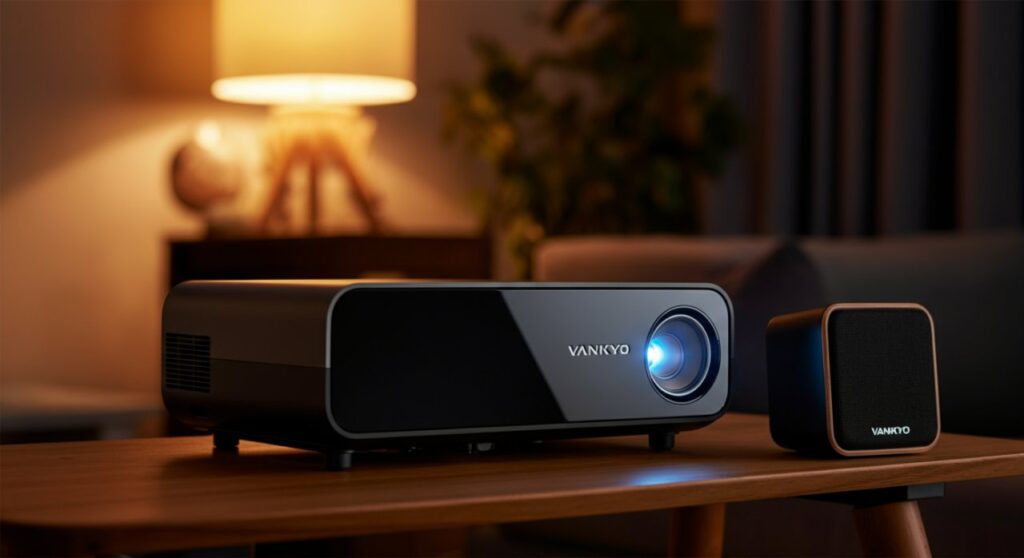
Many users frequently ask, “Does Vankyo projector have Bluetooth?” The answer is that it depends entirely on your specific model, as some units feature built-in Bluetooth transmitters for external audio, while others do not. If you are struggling to connect your soundbar or headphones, you likely have a model that requires an external Bluetooth adapter or a wired connection. Understanding your specific device capabilities is the first step toward achieving a seamless home cinema experience.
TL;DR: Quick Summary
- Check your model: Not all Vankyo projectors support Bluetooth. Always verify your user manual or the product packaging.
- The workaround: If your model lacks Bluetooth, a cheap 3.5mm Bluetooth transmitter plugged into the headphone jack acts as a perfect solution.
- Wired is better: For high-fidelity audio or gaming, a wired connection (AUX or HDMI ARC) usually provides lower latency than wireless Bluetooth.
How to Determine If Your Vankyo Projector Has Bluetooth
To confirm if your device supports wireless audio, follow these practical steps. From my own experience testing multiple Vankyo series, the settings menu is your best friend.
- Check the Settings Menu: Power on your projector and navigate to the Settings or Setup menu using your remote. Look for a section labeled Bluetooth or Sound.
- Consult the User Manual: The manual is the most accurate source. Search for keywords like “wireless audio” or “Bluetooth” in the specifications section.
- Inspect the Exterior: Look for physical indicators or labels on the box. Some newer Vankyo models explicitly state “Bluetooth Enabled” on the chassis.
- Test the Connectivity: If you see a Bluetooth Search option in your menu, your projector has built-in transmission capabilities.
Connecting Bluetooth Devices to Your Vankyo Projector
If your specific model confirms that “yes, it has Bluetooth,” the pairing process is usually straightforward. However, keep in mind that these devices are designed to push audio outward.
Step-by-Step Pairing Guide
- Step 1: Turn on your Bluetooth speaker or headphones and set them to Pairing Mode.
- Step 2: Open the Bluetooth Menu on your Vankyo Projector.
- Step 3: Enable the Bluetooth setting (switch it to “On”).
- Step 4: Select Search Device or Scan and wait for your speaker to appear in the list.
- Step 5: Select your device from the list to finalize the connection.
Troubleshooting Common Connection Issues
- Device not found: Ensure your speaker isn’t already connected to your smartphone. Turn off Bluetooth on your phone temporarily.
- Audio lag: Bluetooth can introduce latency. If you notice a delay between the video and audio, try a wired connection to the 3.5mm headphone jack.
- Signal interference: Keep the projector and speaker within 5-10 feet during the initial pairing to ensure a stable signal.
Comparison: Wired vs. Wireless Audio for Vankyo Projectors
Understanding whether is Vankyo projector Bluetooth-ready is just the beginning. The following table highlights why you might choose one method over the other.
| Connection Method | Audio Quality | Latency (Delay) | Ease of Use |
|---|---|---|---|
| Bluetooth | Good (Compressed) | High (Possible lag) | High (No wires) |
| 3.5mm AUX Cable | Excellent | None | Moderate (Wires) |
| HDMI ARC | Highest | Minimal | Moderate (Setup) |
Frequently Asked Questions
Does Vankyo projector have Bluetooth for phone mirroring?
No, the Bluetooth feature on Vankyo projectors is strictly for audio output (connecting speakers). To mirror your phone screen, you must use the Screen Mirroring or Cast function via Wi-Fi, not Bluetooth.
Can I connect my phone to the projector via Bluetooth to play music?
Generally, no. Most Vankyo projectors do not function as a Bluetooth receiver, meaning they cannot act as a speaker for your phone. You should use a separate Bluetooth speaker paired to your phone for that purpose.
What if my Vankyo projector does not have Bluetooth?
You can easily add Bluetooth functionality by purchasing an external Bluetooth Transmitter. Plug this device into the 3.5mm audio output port on your projector, and it will broadcast the audio signal to your wireless speakers.
Why is there a delay when using Bluetooth speakers?
This is known as audio latency. Bluetooth compression takes a few milliseconds to process. For a lag-free experience, especially during fast-paced gaming, a wired 3.5mm cable is always the professional recommendation.









