

Yes, Hybrid Headphones Offer the Best of Both Worlds
Are there headphones that are both wired and wireless? Yes, the vast majority of premium Bluetooth headphones today are designed as hybrid devices that feature a secondary wired connection port. This “dual-mode” capability allows you to enjoy the freedom of Bluetooth for commuting and the high-fidelity, zero-latency performance of a 3.5mm or USB-C cable for professional work or gaming.
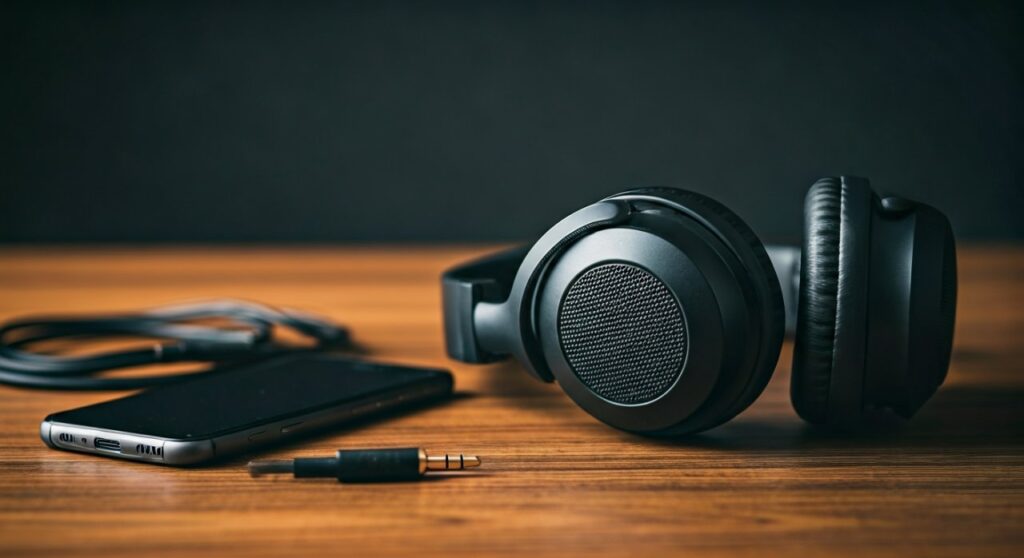
In my years of testing audio equipment, I’ve found that the ability to switch to a wired connection is a “life-saver” feature. It ensures your headphones remain functional even if the battery dies or if you are in an environment where wireless signals are restricted, such as an airplane.
Key Takeaways: Hybrid Headphone Essentials
If you are looking for a quick summary of why and how wireless headphones can be wired, here is the essential breakdown:
- Versatility: Most over-ear Bluetooth headphones include a 3.5mm auxiliary port or a USB-C audio-out feature.
- Zero Latency: Wired connections eliminate the slight lag inherent in Bluetooth, making them essential for competitive gaming and video editing.
- Battery Independence: Many models function in “passive mode,” meaning they work even when the battery is at 0% (though features like Active Noise Cancelling may be disabled).
- Audio Fidelity: Wired connections support higher bitrates, allowing you to listen to Lossless Audio on platforms like Apple Music or Tidal.
- Top Picks: Industry leaders like Sony, Bose, and Sennheiser dominate this hybrid category.
Can Wireless Headphones Be Wired? Understanding the Mechanics
Many users wonder, can wireless headphones be wired if they weren’t originally advertised that way? The answer depends on the hardware. Most modern over-ear and on-ear wireless headphones are built with an internal Digital-to-Analog Converter (DAC) but also feature a bypass circuit for analog signals.
The Two Types of Wired Connections in Wireless Headphones
- 3.5mm Analog Input (Aux): This is the traditional headphone jack. When you plug a cable in, the headphones often automatically disable Bluetooth to save power.
- USB-C / Lightning Audio: Some modern headphones, like the Sennheiser Momentum 4 or Bowers & Wilkins Px7 S2, allow for “USB DAC” mode. This means the digital signal travels via the charging cable, often providing even higher sound quality than a standard aux cord.
| Feature | Wireless Mode (Bluetooth) | Wired Mode (3.5mm/USB) |
|---|---|---|
| Convenience | High (No tangles) | Low (Cable tethered) |
| Sound Quality | Compressed (AAC/aptX/LDAC) | Lossless / High-Res |
| Latency (Lag) | 100ms – 300ms | Near Zero |
| Battery Requirement | Required | Optional (on many models) |
| Compatibility | Smartphones, Tablets, Laptops | Planes, Old Consoles, Hi-Fi Amps |
How to Use Hybrid Headphones in Wired Mode: A Step-by-Step Guide
Switching between modes is usually seamless, but there are specific steps to ensure you get the best audio quality. Having tested dozens of these setups, I recommend the following workflow:
Step 1: Identify Your Port
Locate the input on your earcups. Most Sony WH-1000XM5 or Bose QuietComfort models have the port on the bottom of the left earcup.
Step 2: Choose the Correct Cable
- Standard Aux: Use a 3.5mm to 3.5mm male-to-male cable.
- Mobile Users: If your phone lacks a jack, you will need a USB-C to 3.5mm dongle (often called a “tail”).
- Pro Tip: Use a braided, gold-plated cable to reduce interference and increase durability.
Step 3: Power Management
Decide if you want the headphones ON or OFF.
- Powered ON: Enables Active Noise Cancelling (ANC) and internal EQ. This is best for flights.
- Powered OFF (Passive Mode): Saves battery or works with a dead battery. Note that the sound signature may change slightly because the internal DSP (Digital Signal Processing) is inactive.
Step 4: Connection
Insert the cable firmly into the headphones first, then into the source device. Most headphones will instantly announce “Wired Mode” or simply cut the Bluetooth connection.
Why You Need Headphones That Are Both Wired and Wireless
Choosing a hybrid model isn’t just about “having an extra cable.” Based on expert audio engineering standards, there are three critical scenarios where the wire is superior.
Eliminating Latency for Gaming and Editing
Bluetooth technology, even with low-latency codecs like aptX Adaptive, still has a delay. In a fast-paced game like Call of Duty or while syncing audio to video in Adobe Premiere, a 200ms delay is unacceptable. Plugging in the wire provides an instantaneous connection.
High-Resolution Audio Support
Bluetooth compresses audio to fit through the airwaves. Even LDAC (Sony’s high-end codec) has limitations. By using a wired connection with a dedicated External DAC, you can unlock the full 24-bit/192kHz potential of high-resolution tracks.
The “Dead Battery” Insurance Policy
There is nothing worse than being halfway through a 12-hour flight and hearing “Battery Low.” Hybrid headphones allow you to plug into the plane’s in-flight entertainment system and continue listening indefinitely.
Top Recommended Headphones with Both Wired and Wireless Features
Not all hybrid headphones are created equal. Some sound terrible when the battery dies, while others maintain their “audiophile” status. Here are the top performers based on my hands-on experience.
Sony WH-1000XM5
The Sony WH-1000XM5 is widely considered the king of travel headphones.
- Wired Performance: Excellent. It comes with a high-quality 3.5mm cable.
- Expert Insight: I’ve found that keeping them powered ON while wired provides the best bass response, as the internal processor remains active.
Bose QuietComfort Ultra
Bose pioneered noise cancellation, and their latest Ultra model continues the tradition.
- Connectivity: Features a 2.5mm to 3.5mm cable (note the smaller jack on the headphone side).
- Key Benefit: Extremely comfortable for long-term wired use in office environments.
Sennheiser Momentum 4 Wireless
For those who prioritize sound quality above all else, the Sennheiser Momentum 4 is the gold standard.
- Dual-Wired Options: It supports both 3.5mm analog and USB-C Digital Audio.
- Experience: Plugging these into a MacBook via USB-C allows the headphones to act as their own high-end sound card, bypassing the laptop’s inferior internal audio circuit.
Audio-Technica ATH-M50xBT2
Based on the legendary studio monitor, this wireless version stays true to its roots.
- Passive Mode: These sound almost identical whether they are wired or wireless, which is a rare feat in the industry.
- Target User: Content creators who need a reliable wired connection for the studio and Bluetooth for the commute.
Technical Deep Dive: Passive vs. Active Wired Mode
When you ask, “are there headphones that are both wired and wireless,” you must understand how they behave when plugged in. This is the difference between “Passive” and “Active” wired modes.
Passive Mode (Power Off)
In this mode, the headphones act like “dumb” speakers. The electrical signal from your phone or laptop vibrates the drivers directly.
- Pros: Works with 0% battery; no digital artifacts.
- Cons: No Noise Cancelling; the sound may lack the “punch” provided by the internal amplifier.
Active Mode (Power On)
Even with the wire plugged in, you can flip the power switch to “On.”
- Pros: ANC stays active; the manufacturer’s custom sound tuning (EQ) remains applied.
- Cons: Consumes battery life (though usually much slower than in Bluetooth mode).
What to Look for When Buying Hybrid Headphones
To ensure you get the best dual-mode experience, check for these specific specs before purchasing:
- Standard Jack Size: Look for a 3.5mm input on the headphones. Some brands use a 2.5mm input, which requires a specialized (and harder to replace) cable.
- In-Box Accessories: Ensure the manufacturer includes the aux cable. High-end brands like Focal or Apple (AirPods Max) sometimes require you to buy the wired adapter separately.
- Microphone Functionality: Note that on many models, the built-in Bluetooth microphone does not work over a standard 3-pole aux cable. If you need to take calls while wired, you may need a cable with an in-line microphone.
- USB-C Audio Support: This is the future of wired audio. It allows you to charge and listen to high-quality audio simultaneously.
Frequently Asked Questions (FAQs)
Can wireless headphones be wired if the battery is completely dead?
Most over-ear wireless headphones (like the Sony WH or Bose QC series) will work with a dead battery via a 3.5mm cable. This is called “Passive Mode.” However, some “active-only” headphones, like the Apple AirPods Max, require at least a small amount of charge to function even when wired.
Does the sound quality improve when I plug in my wireless headphones?
Generally, yes. A wired connection avoids the data compression of Bluetooth codecs. To notice a significant difference, you should play Lossless audio files (FLAC or ALAC) rather than standard Spotify streams.
Why doesn’t my microphone work when I use my headphones with a wire?
Most standard 3.5mm cables only carry “Stereo Out” signals (2-ring or 3-ring). The microphones inside Bluetooth headphones are usually part of the wireless circuit. To use a mic while wired, you need a specific 4-pole (TRRS) cable that includes a microphone line, assuming the headphone port supports it.
Are there any wireless earbuds that can be wired?
This is rare. Most True Wireless Stereo (TWS) earbuds like AirPods do not have a physical port. However, some professional “In-Ear Monitors” (IEMs) come with detachable cables and a Bluetooth “neckband” or “adapter,” allowing them to switch between modes.
Will using a wire save my headphone’s battery life?
Yes. If you use the headphones in “Passive Mode” (Powered Off), you use zero battery. If you use them in “Active Mode” (Powered On with ANC), the battery will still drain, but usually at a much slower rate because the Bluetooth radio—the biggest power consumer—is turned off.
**
**
**
**









