

Understanding the True Dimensions: How Big is 100 Inch Projector Screen?
A 100-inch projector screen measures exactly 100 inches diagonally, which translates to approximately 87 inches (221 cm) in width and 49 inches (124 cm) in height for a standard 16:9 aspect ratio. To determine if it fits your room, you must also account for the outer frame (bezel), which typically adds an extra 2 to 4 inches to each side.
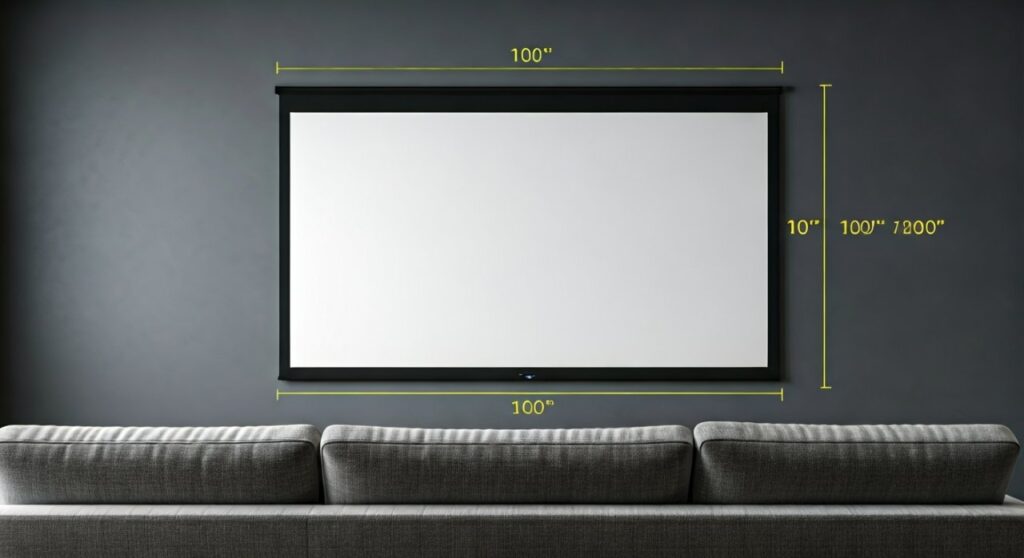
When I first set up my home theater, I made the mistake of measuring only the viewing area. I quickly learned that the visual footprint is much larger once the frame and mounting brackets are included. Understanding how big is 100 inch projector screen involves more than just a single number; it requires planning for the total wall real estate and the surrounding clearance.
Key Takeaways: 100-Inch Screen at a Glance
If you are in a hurry to grab your measuring tape, here are the essential specs for a 100-inch screen with the most common 16:9 widescreen aspect ratio:
- Diagonal Length: 100 inches (254 cm).
- Viewable Width: ~87.2 inches (221.5 cm).
- Viewable Height: ~49 inches (124.5 cm).
- Total Wall Space Required: Roughly 92 inches wide by 54 inches high (including average bezel).
- Ideal Viewing Distance: 10 to 13.5 feet (3 to 4.1 meters).
- Best Room Size: Medium to large rooms (at least 12 feet deep).
Decoding Projector Screen Measurements
To understand how big is a 100 inch projector screen, you must distinguish between diagonal size, width, and height. Manufacturers always market screens by their diagonal measurement, just like televisions. However, the diagonal doesn’t tell you how wide your wall needs to be.
The actual shape of the screen is determined by the Aspect Ratio. Most modern projectors for home cinema use a 16:9 ratio, which is the standard for HDTV and Blu-ray content. If you are looking at older office projectors, they might use a 4:3 ratio, which is more “square” and will have different dimensions for the same 100-inch diagonal.
:9 Aspect Ratio (Standard Home Theater)
This is the most popular format. For a 100-inch diagonal, the math breaks down as follows:
- Width: 87.2 inches.
- Height: 49.0 inches.
- Surface Area: Approximately 4,272 square inches.
:3 Aspect Ratio (Presentation/Legacy)
If you opt for this format, the screen will be taller but narrower:
- Width: 80 inches.
- Height: 60 inches.
- Surface Area: 4,800 square inches.
Detailed Dimension Comparison Table
| Feature | 16:9 Ratio (Home Cinema) | 4:3 Ratio (Office/Data) | 2.35:1 Ratio (Cinemascope) |
|---|---|---|---|
| Diagonal | 100″ | 100″ | 100″ |
| Viewable Width | 87.2″ (221 cm) | 80″ (203 cm) | 92″ (234 cm) |
| Viewable Height | 49.0″ (124 cm) | 60″ (152 cm) | 39″ (99 cm) |
| Total Area | 4,272 sq. in. | 4,800 sq. in. | 3,588 sq. in. |
Step-by-Step Guide: Measuring Your Room for a 100-Inch Screen
Before clicking “buy,” you need to ensure your room can physically accommodate the screen. Here is my expert-vetted process for measuring your space to see how big is 100 inch projector screen in your specific environment.
Step 1: Calculate the Total External Dimensions
The “viewable area” is just the white or grey fabric. Most fixed-frame screens have a velvet border (bezel) that is 2 to 3.5 inches thick.
- Add 6 inches to the width (87 + 6 = 93 inches).
- Add 6 inches to the height (49 + 6 = 55 inches).
- Pro Tip: If using a motorized drop-down screen, remember to account for the large metal housing unit at the top, which can be 4-6 inches tall and wider than the screen itself.
Step 2: Check Your Ceiling Height
A 100-inch screen is roughly 4 feet tall. For the best ergonomic experience, the bottom of the screen should be about 24 to 36 inches off the floor.
- 49 inches (Screen) + 30 inches (Floor Clearance) = 79 inches.
- If your ceiling is 8 feet (96 inches), you have about 17 inches of “slack” at the top for mounting.
Step 3: Verify the Throw Distance
The screen size is only half the battle; your projector must be able to “throw” an image that large.
- Check your projector’s Throw Ratio.
- For most standard projectors, you will need between 10 and 12 feet of distance from the lens to the screen to create a 100-inch image.
- Short Throw projectors can do this from 3-4 feet, while Ultra Short Throw (UST) projectors sit just inches away from the wall.
Why 100 Inches is the “Sweet Spot” for Home Cinema
In my years of testing AV setups, I’ve found that the 100-inch size is the perfect entry point for a “true” cinema experience. It is significantly larger than the common 65-inch or 75-inch TVs, offering roughly double the surface area of a 70-inch television.
The Impact of 100 Inches vs. Large TVs
- Immersion: A 100-inch screen fills your field of vision, making 4K movies feel grander.
- Portability: A 100-inch pull-up screen can be folded away, whereas a 98-inch TV is a permanent, heavy glass slab on your wall.
- Cost Efficiency: You can often get a high-quality 100-inch fixed frame screen and a 4K projector for less than the price of a flagship 98-inch LED TV.
Expert Advice on Viewing Distance and Comfort
Knowing how big is a 100 inch projector screen helps you determine where to place your sofa. If you sit too close, you will see pixels (screen door effect) or have to move your neck to see the whole image. If you sit too far, you lose the “wow” factor.
- THX Recommendation: For a 100-inch screen, sit approximately 10 feet (3 meters) away. This provides a 40-degree viewing angle, which is the cinematic standard.
- SMPTE Recommendation: A slightly further distance of 13.5 feet is recommended for a more relaxed, “back of the theater” feel.
- My Personal Rule of Thumb: Sit at a distance that is 1.2 to 1.5 times the width of the screen. For an 87-inch wide screen, that means sitting 8.7 to 10.8 feet away.
Common Installation Pitfalls to Avoid
Even if you know exactly how big is 100 inch projector screen, installation can be tricky. Here are three things I always tell my clients:
- Center Channel Placement: If you have a large 100-inch screen, where does your center speaker go? You may need an Acoustically Transparent (AT) screen if you want to place speakers behind the fabric. Otherwise, ensure you have enough floor space for a speaker stand below the 49-inch tall screen.
- Ambient Light: Because a 100-inch surface is so large, it catches a lot of stray light. If your room isn’t a dedicated “bat cave,” look for Ambient Light Rejecting (ALR) material.
- The “Head-Tilt” Factor: Never mount the screen too high. I see many people mount 100-inch screens near the ceiling. This leads to “neck fatigue.” The middle of the screen should be at eye level when seated.
Frequently Asked Questions (FAQs)
How many feet wide is a 100 inch projector screen?
A 100-inch projector screen is approximately 7.27 feet wide (viewable area). Including the frame, you should plan for at least 7.6 to 7.8 feet of horizontal wall space.
Can I fit a 100-inch screen in a small bedroom?
Yes, but you need at least 10 to 11 feet of depth to accommodate the viewing distance and the projector’s throw. Using an Ultra Short Throw (UST) projector makes fitting a 100-inch screen in small rooms much easier.
Is a 100-inch screen better than an 85-inch TV?
In terms of pure size, yes. A 100-inch screen offers about 38% more screen area than an 85-inch TV. However, TVs generally offer better brightness and contrast in rooms with lots of windows and sunlight.
What is the height of a 100-inch screen from the floor?
The screen itself is 49 inches tall. Ideally, you should mount it so the bottom edge is 24 to 30 inches above the floor. This places the center of the screen at the average person’s seated eye level.
Does a 100-inch screen require 4K resolution?
While not “required,” it is highly recommended. At 100 inches, the pixels of a 1080p image become visible if you sit closer than 12 feet. A 4K projector ensures the image remains crisp and “retina-like” at this size.









