

How Do Mini Projectors Work? The Direct Answer
Mini projectors work by using a small light source (usually LED or Laser) to illuminate a tiny imaging chip, such as a DLP (Digital Light Processing) or LCD (Liquid Crystal Display) panel. This chip processes the digital video signal, creates the image, and sends it through a series of focusing lenses to enlarge and project the visual onto a wall or screen.
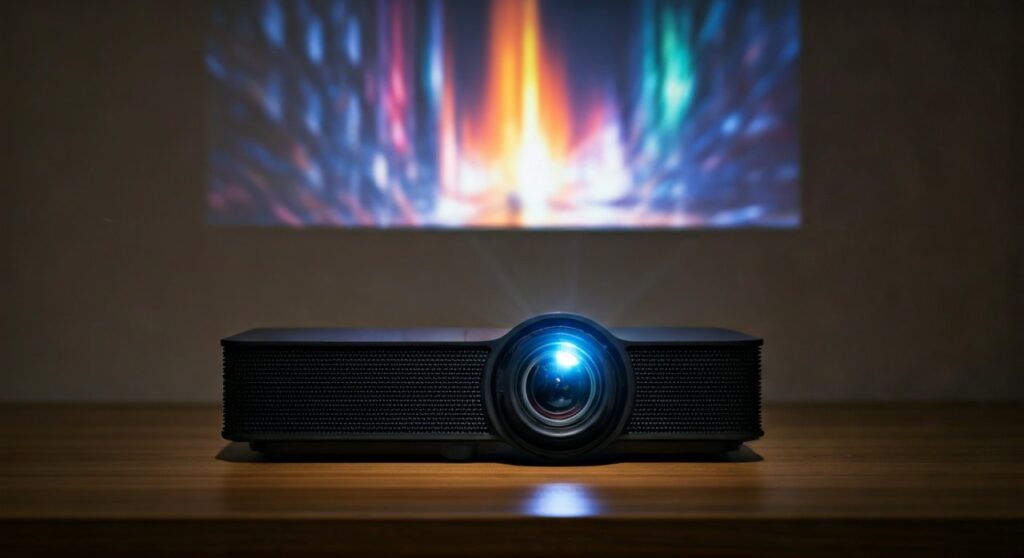
Unlike traditional bulky projectors, mini projectors (often called Pico projectors) utilize highly efficient, low-heat components that allow the entire “light engine” to fit inside a chassis often no larger than a soda can.
Key Takeaways: Understanding Portable Projection Technology
If you are in a hurry, here are the essential facts about how these pocket-sized cinema machines function:
- Light Sources: Most mini projectors use LEDs because they are long-lasting (up to 30,000 hours) and generate very little heat compared to old-fashioned bulbs.
- Imaging Engines: DLP is the most common technology in portable units, using millions of microscopic mirrors to reflect light.
- Power Efficiency: Because they use Solid-State Lighting, many mini projectors can run on internal batteries for 2–4 hours.
- Portability vs. Brightness: Shrinking the tech means lower ANSI Lumens. While a home theater unit hits 3,000+ lumens, most mini projectors range between 200 and 800 ANSI Lumens.
- Connectivity: They convert signals from HDMI, USB-C, or wireless protocols (Miracast/AirPlay) into digital instructions for the internal micro-display.
The Three Core Technologies Behind Mini Projectors
To understand how does a mini projector work, you must look at the “brain” of the device. There are three primary ways these devices create an image from raw data.
DLP (Digital Light Processing)
DLP is the gold standard for portability. Developed by Texas Instruments, this technology relies on a Digital Micromirror Device (DMD) chip.
This chip contains millions of microscopic mirrors, each representing a single pixel. These mirrors tilt toward or away from the light source thousands of times per second to create shades of gray. A color wheel or RGB LEDs then add color to the light before it hits the lens.
LCD (Liquid Crystal Display)
Traditional 3LCD projectors are usually larger, but “Single-LCD” technology is common in budget mini projectors.
In this setup, a powerful LED light shines through a small liquid crystal panel. The pixels on the panel act like tiny shutters, opening and closing to let specific amounts of light through, creating the image much like a transparent smartphone screen.
LCoS (Liquid Crystal on Silicon)
LCoS is a hybrid technology often found in high-end portable projectors. It uses a liquid crystal layer on top of a reflective silicon backplane.
It combines the high contrast of DLP with the rich color saturation of LCD. While it provides excellent image quality, it is often more expensive and slightly bulkier than standard DLP units.
The Role of the Light Source: LED vs. Laser
The light source is the heart of the machine. In our experience testing units like the Anker Nebula Capsule and XGIMI Halo, the choice of light source completely changes the user experience.
| Feature | LED Light Source | Laser Light Source |
|---|---|---|
| Lifespan | 20,000 – 30,000 Hours | 25,000+ Hours |
| Brightness | Moderate (200-900 Lumens) | High (1,000+ Lumens) |
| Color Accuracy | Very Good | Excellent / Cinematic |
| Cost | Affordable | Expensive |
| Heat Output | Low | Very Low |
Why LEDs Dominate the Mini Market
LEDs (Light Emitting Diodes) are the primary reason mini projectors became possible. Traditional lamps required massive cooling fans and drew hundreds of watts of power.
LEDs are “instant-on,” meaning you don’t have to wait for the projector to warm up. They also allow for smaller batteries, making truly “pocketable” designs a reality.
Step-by-Step: How a Signal Becomes a 100-Inch Image
When you plug your laptop or phone into a mini projector, a complex chain of events happens in milliseconds.
- Signal Input: The projector’s SoC (System on a Chip) receives data via HDMI or wireless streaming.
- Digital Processing: The internal processor decodes the video format (like MP4 or Netflix’s encrypted stream) and maps it to the chip’s native resolution.
- Light Generation: The RGB LED array fires. In DLP systems, the red, green, and blue lights pulse rapidly in sequence.
- Image Creation: The DMD chip or LCD panel shapes the light into the frames of the movie.
- Magnification: The small image (often less than 1 inch wide on the chip) passes through the projection lens.
- Correction: The software applies Keystone Correction to ensure the image is rectangular, even if the projector is tilted.
Understanding Brightness: ANSI Lumens vs. Marketing Lumens
One major “pain point” for buyers is the confusion around brightness. When researching how do mini projectors work, you will see different lumen ratings.
ANSI Lumens is the only industry-standard measurement. Many cheap manufacturers list “Marketing Lumens” or “Source Lumens,” which can be 10x higher than the actual brightness.
For a mini projector to work effectively in a room with some ambient light, you generally need at least 400-500 ANSI Lumens. If you are in a pitch-black bedroom, 200 ANSI Lumens is often sufficient for a 60-inch screen.
Optical Challenges in Small Form Factors
Shrinking a projector introduces two main physical hurdles: Heat and Focus.
Thermal Management
Even though LEDs are efficient, they still produce heat. Because the chassis is small, mini projectors use heat pipes and tiny, high-RPM fans.
If you notice your projector getting loud, it is because the internal sensors are working to prevent the DMD chip from warping due to thermal stress.
Focus and Throw Ratio
The Throw Ratio determines how far back the projector must be to create a large image. Most mini projectors have a ratio of roughly 1.2:1.
This means to get a 100-inch screen, you typically need to place the device about 8 to 10 feet away from the wall.
How to Set Up Your Mini Projector for Best Results
Follow these steps to maximize the technology inside your device:
- Find the “Sweet Spot”: Position the projector perpendicular to the wall. While Auto-Keystone is great, it reduces image resolution by digitally cropping pixels.
- Optimize the Surface: Use a dedicated projector screen or a flat, matte-white wall. Glossy paint will create a “hot spot” that ruins the contrast.
- Manage Power Settings: If using a battery, the projector often defaults to “Eco Mode,” which cuts brightness by 50%. Plug into a Power Delivery (PD) power bank for maximum brightness.
- External Audio: Most mini projectors have weak 3W or 5W speakers. Connect a Bluetooth soundbar or use the 3.5mm jack for a more immersive experience.
- Clean the Lens: Since these are portable, fingerprints are common. Use a microfiber cloth only; standard tissues can scratch the specialized coatings on the lens.
The Future of Mini Projectors: Micro-LED and Beyond
The next evolution in how mini projectors work involves Micro-LED and LBS (Laser Beam Scanning).
LBS technology doesn’t even use a traditional lens for focusing. Instead, it uses three tiny lasers that “draw” the image line-by-line so fast the human eye sees a solid picture. This allows for “Focus-Free” projection, where the image is sharp regardless of the distance from the wall.
Frequently Asked Questions (FAQs)
Can mini projectors work in daylight?
Most mini projectors struggle in direct daylight because they lack the high ANSI Lumen output of full-sized models. For the best experience, use them in shaded rooms or at night. Units with over 800 ANSI Lumens are the bare minimum for daytime viewing with curtains closed.
How long do the “bulbs” in mini projectors last?
Mini projectors don’t actually use traditional bulbs. They use LEDs or Lasers that typically last between 20,000 and 30,000 hours. If you used the projector for 4 hours every single day, the light source would last for over 13 years.
Do mini projectors need a screen to work?
No, they can project onto any flat surface, including walls or even ceilings. However, a Grey Contrast Screen or a High-Gain White Screen will significantly improve the brightness and “pop” of the colors compared to a standard wall.
Why does my mini projector get blurry at the edges?
This is often caused by lens aberration in cheaper models. Because the lenses are small and often made of plastic rather than glass, it is difficult to maintain focus across the entire image. Higher-end models use all-glass lens elements to fix this.
Can I run a mini projector off a power bank?
Yes, provided the projector supports USB-C Power Delivery (PD) and your power bank has a high enough wattage output (usually 65W or higher). This is one of the biggest advantages of modern LED-based projection technology.









