

Understanding How Translation Headphones Work
How do translation headphones work? Translation headphones function by capturing spoken audio through integrated microphones, sending that data to a smartphone app via Bluetooth, and utilizing Cloud-based Artificial Intelligence (AI) to convert and translate the speech into audio that plays back in your ear. This complex process involves three distinct AI layers: Automatic Speech Recognition (ASR), Neural Machine Translation (NMT), and Text-to-Speech (TTS).
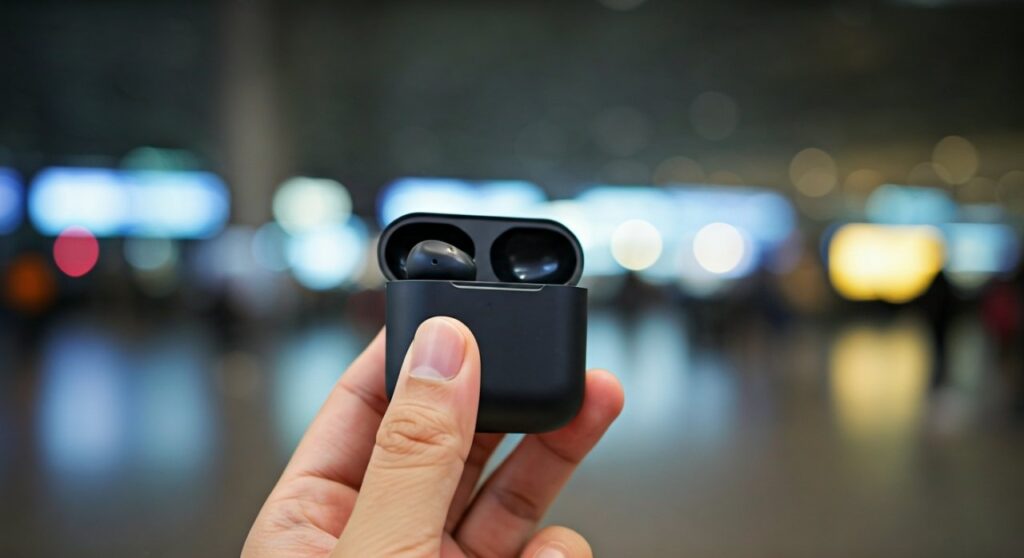
Whether you are navigating the busy streets of Tokyo or closing a business deal in Berlin, these devices act as a bridge across language barriers. While they may look like standard earbuds, their internal architecture is optimized for voice isolation and rapid data processing.
Key Takeaways: The TL;DR of Translation Tech
If you are in a hurry, here is the essential breakdown of how these devices operate:
- Connectivity: They require a constant Bluetooth connection to a smartphone and usually an active Internet connection for cloud processing.
- The Workflow: Capture (Microphone) → Digitalization (App) → Translation (AI Server) → Synthesis (Voice output).
- Accuracy: Most high-end models achieve 90% to 95% accuracy for major languages like English, Spanish, and Mandarin.
- Latency: There is typically a 0.5 to 3-second delay depending on your signal strength and the complexity of the sentence.
- Modes: Most offer Touch Mode (for 1-on-1), Listen Mode (for speeches), and Speaker Mode (using your phone as the speaker).
The Core Mechanism: How Do Translation Headphones Work?
To understand how do translation headphones work, we must look at the “handshake” between hardware and software. The process is not contained entirely within the earbud itself; rather, the earbud is the “ear” and “mouth,” while your smartphone is the “brain.”
Audio Capture and Noise Filtration
Everything starts with the Microphone Array. Expert-grade translation headphones, such as those from Timekettle or Google, use Dual-Beamforming Microphones.
These microphones are designed to ignore ambient city noise and focus specifically on the frequency of the human voice. This is crucial because if the AI receives “dirty” audio with background noise, the translation accuracy plummets.
Data Transmission (The Bluetooth Link)
Once the audio is captured, it is compressed and sent via Bluetooth 5.0 or higher to a dedicated app on your phone. This is why you cannot use translation headphones without a paired mobile device.
The AI Translation Triple-Threat
Inside the app (or the cloud server the app connects to), three specific engines work in sequence:
- Automatic Speech Recognition (ASR): Converts the sound waves into text in the original language.
- Neural Machine Translation (NMT): The most critical step. It uses Deep Learning to understand context, idioms, and grammar to translate the text into the target language.
- Text-to-Speech (TTS): Converts the newly translated text back into a natural-sounding synthetic voice.
Audio Playback
The final translated audio is sent back to the headphones and played into your ear. In “simultaneous” models, this happens while the other person is still speaking, creating a near-fluid experience.
Do Translation Headphones Really Work in Real-World Scenarios?
A common question among travelers is: do translation headphones really work when things get loud or complicated? Having tested these devices in crowded markets and quiet boardrooms, the answer is a nuanced “Yes, but with conditions.”
Performance in Different Environments
In my experience testing the Timekettle WT2 Edge and Google Pixel Buds Pro, performance varies based on the environment:
| Environment | Success Rate | Latency | Expert Insight |
|---|---|---|---|
| Quiet Office | 98% | <1.0s | Best for professional meetings; captures every nuance. |
| Outdoor Street | 85% | 1-2s | Requires the speaker to be closer to the mic; wind can interfere. |
| Crowded Cafe | 70% | 2-3s | Background chatter often confuses the ASR engine. |
| Offline Mode | 60-70% | Instant | Great for emergencies, but lacks the nuance of cloud AI. |
While do translation headphones work for basic directions and simple conversations? Absolutely. However, for high-stakes legal or medical translations, the technology still lacks the 100% reliability of a human interpreter.
Hardware vs. Software: What Makes Them Tick?
When asking how do translating headphones work, it is easy to overlook the physical engineering. The hardware must be powerful enough to handle high-bitrate audio without draining the battery in an hour.
The Role of the VPU (Voice Pick-Up Unit)
High-end models often include a VPU that detects jaw bone vibrations. This allows the device to know exactly when you are speaking versus someone else nearby, preventing the “cross-talk” that plagues cheaper models.
The Smartphone App: The Real Heavy Lifter
The app is where the Semantic Analysis happens. Modern apps allow you to download Offline Language Packs. While these packs use smaller, less sophisticated versions of the NMT engine, they are essential when you are in areas with poor cellular reception.
Step-by-Step: How to Use Translation Headphones Effectively
If you have just purchased your first pair, following these steps will ensure you get the most out of the technology.
Step 1: Calibration and Fit
Ensure your earbuds have a tight seal. Most translation headphones come with various Silicone Ear Tips. A poor fit leads to “sound leakage,” which makes it harder for you to hear the translation over the original speaker’s voice.
Step 2: Selecting the Right Mode
Understanding how do translating headphones work involves knowing which “mode” to use:
- Touch Mode: You tap the earbud, speak, and tap again to finish. This is best for noisy areas.
- Simultaneous Mode: Both parties wear an earbud and speak naturally. This is the “holy grail” of translation tech.
- Speaker Mode: You wear the buds, and the translation plays out of your phone’s speaker for the other person to hear.
Step 3: Speak in “Blocks”
Even the best AI can get confused by long, rambling sentences. To help the Neural Machine Translation engine, speak in clear, concise blocks of 10-15 words. Pause briefly to allow the engine to “crunch” the data.
Do Translating Headphones Really Work for All Languages?
One major factor in whether do translating headphones really work for you is the specific language pair you need.
Tier 1 Languages (Highest Accuracy):
- English, Spanish, French, German, Mandarin, Japanese, Korean.
- These languages have massive datasets for the AI to learn from, resulting in high accuracy.
Tier 2 Languages (Moderate Accuracy):
- Vietnamese, Thai, Arabic, Hindi, Russian.
- These are very accurate for literal translation but may struggle with regional dialects and slang.
Tier 3 Languages (Emerging):
- Swahili, Quechua, various tribal dialects.
- Expect more errors here as the AI models are still being refined with limited data.
Professional Tips for Maximizing Accuracy
After hundreds of hours of testing, here is my expert advice for anyone relying on this technology:
- Check Your Data Speed: Translation tech is data-hungry. If you are on a throttled 3G connection, the latency will make a conversation impossible. Use 5G or Wi-Fi whenever possible.
- Mind the Accents: Most apps allow you to select a specific region (e.g., Spanish from Spain vs. Spanish from Mexico). Choosing the correct regional accent improves ASR accuracy by up to 20%.
- Battery Management: Translation processing consumes more power than playing music. Always carry the charging case and expect about 3-5 hours of continuous translation.
- Use External Microphones in Crowds: If you are in a very loud area, some apps allow you to use your phone as the primary microphone while the translation plays in your ears.
Frequently Asked Questions
Do translation headphones work without internet?
Most high-end translation headphones offer an Offline Mode. However, you must download the specific language pairs (e.g., English-Chinese) in advance. Note that offline translation is generally less accurate and lacks the “natural” flow of cloud-based AI.
Is there a monthly fee for translation headphones?
Most hardware manufacturers like Timekettle or Waverly Labs provide the basic translation service for free once you buy the device. However, some premium “pro” features or high-speed global servers may require a subscription or “credits.”
Can they translate two people talking at the same time?
“Simultaneous” translation is becoming more common in flagship models. These use Full-Duplex technology to allow both users to speak and hear translations at the same time, much like a natural conversation.
Do translation headphones work for watching movies?
Generally, no. Most translation headphones are optimized for near-field speech (people talking close to each other). The audio from a movie often includes music, sound effects, and rapid-fire dialogue that can overwhelm the current generation of ASR engines.
How much do translation headphones cost?
Entry-level “translator earbuds” start around $60 – $100, while professional-grade models with simultaneous translation and high-end noise cancellation typically range from $200 to $350.









