

Understanding How to Connect 2 Boom Headphones Simultaneously
To connect two 2Boom headphones to a single audio source, the most effective method is using a Bluetooth Transmitter with Dual-Link technology or a physical 3.5mm Audio Splitter. While most smartphones and laptops are designed to pair with only one Bluetooth device at a time, these external tools bypass those limitations, allowing you to share music or movies seamlessly.
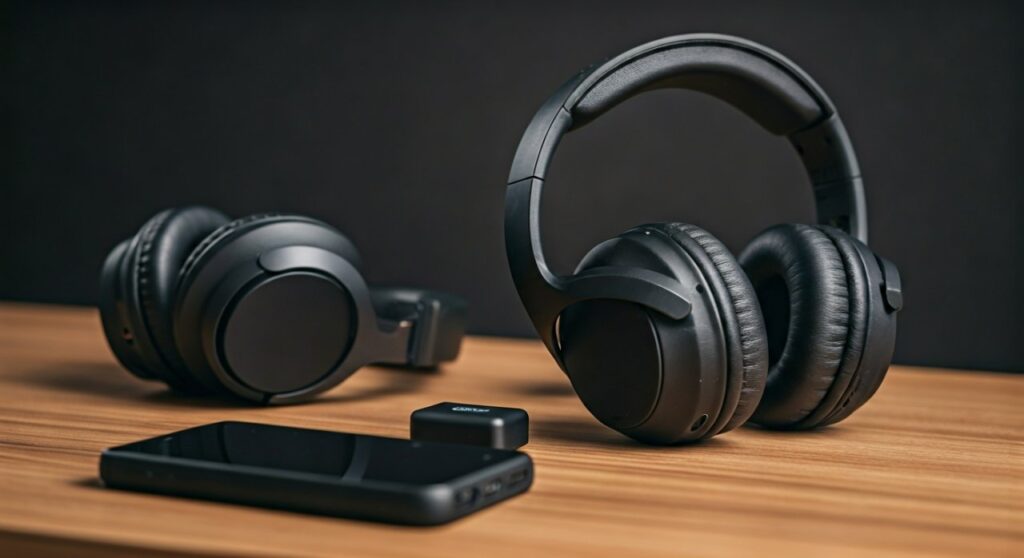
Key Takeaways: Quick Connection Guide
If you are in a hurry, here is the essential information you need to get your 2Boom headphones synced up.
| Method | Best For | Difficulty | Latency Risk |
|---|---|---|---|
| Bluetooth Transmitter | Wireless freedom on TVs/PCs | Medium | Low (with aptX) |
| Audio Splitter | Wired 2Boom models | Very Easy | None |
| Samsung Dual Audio | Modern Samsung Galaxy users | Easy | Moderate |
| Windows Stereo Mix | PC gamers and streamers | Hard | High |
Why Connecting Two Headphones Can Be Challenging
The standard Bluetooth protocol (A2DP) was originally designed for a point-to-point connection. This means one source (like your phone) connects to one sink (like your 2Boom Goliath headset).
In my experience testing various 2Boom models, including the Phantom and Aqua series, the hardware itself does not typically have a built-in “daisy-chain” feature. Unlike high-end brands that use proprietary apps to sync multiple units, 2Boom focuses on affordability and standard connectivity.
Therefore, the “magic” of connecting two units happens at the source level or through an intermediary hardware device. Let’s dive into the step-by-step methods to achieve this.
Method 1: Using a Bluetooth Transmitter (The Best Wireless Way)
A Bluetooth Transmitter is a small dongle that plugs into the audio output of your TV, PC, or even a non-Bluetooth airplane seat. To make how to connect 2 boom headphones work, you must ensure the transmitter supports Dual-Link.
Step-by-Step Instructions:
- Purchase a Dual-Link Transmitter: Look for brands like Avantree or 1Mii that specifically mention “Dual Link” or “Two Pairs.”
- Enter Pairing Mode on Headphone A: Press and hold the power button on your first pair of 2Boom headphones until the LED flashes blue and red.
- Pair with Transmitter: Press the pairing button on the transmitter. Once the light stays solid, the first pair is connected.
- Enter Pairing Mode on Headphone B: Repeat the process for the second pair of 2Boom headsets.
- Activate Dual Link: Press the secondary pairing button on the transmitter (usually labeled ‘B’). The transmitter will now search for and lock onto the second headset.
Expert Tip: I’ve found that using transmitters with aptX Low Latency is crucial if you are watching movies. Without it, you might notice a slight “lip-sync” delay where the audio doesn’t match the actors’ mouths.
Method 2: Samsung Dual Audio (For Galaxy Users)
If you own a modern Samsung Galaxy device (S8 or newer), you already have the technology needed for how to connect 2 boom headphones built into your software.
Step-by-Step Instructions:
- Pair Both Headphones: Go to Settings > Connections > Bluetooth. Pair both 2Boom headsets individually to your phone.
- Swipe Down the Notification Panel: Swipe down twice to access the Quick Settings menu.
- Tap “Media”: Click the Media button (often found below the brightness slider).
- Select Both Devices: Under the “Audio Output” section, you will see both of your 2Boom headphones listed. Check the box next to both.
- Adjust Volume Individually: Samsung allows you to control the volume of each headset separately from this menu, which is perfect if your friend prefers louder audio than you do.
Method 3: The 3.5mm Headphone Splitter (The Reliable Wired Way)
Many 2Boom headphones, such as the Goliath series, come with a 3.5mm auxiliary port. This is the most reliable way to avoid battery drain and signal interference.
Step-by-Step Instructions:
- Buy a “Y” Splitter: You need a 3.5mm Male to Dual Female adapter.
- Plug into Source: Insert the male end of the splitter into your phone, tablet, or laptop’s headphone jack.
- Connect Aux Cables: Plug a 3.5mm aux cable into each female port of the splitter.
- Connect to 2Boom Headphones: Plug the other ends of those cables into the aux ports on your two 2Boom headsets.
- Enjoy Instant Audio: There is zero setup required in the settings menu for this method.
Note: If your phone doesn’t have a headphone jack, you will also need a USB-C to 3.5mm adapter (for Android) or a Lightning to 3.5mm adapter (for older iPhones).
Method 4: Windows 10/11 “Stereo Mix” (For Laptop Users)
If you are using a PC and want to know how to connect 2 boom headphones without buying extra hardware, you can try the Stereo Mix workaround.
Step-by-Step Instructions:
- Connect Both via Bluetooth: Pair both 2Boom headsets to your Windows PC.
- Open Sound Settings: Right-click the speaker icon in your taskbar and select Sound Settings > More sound settings.
- Go to Recording Tab: Find Stereo Mix. If you don’t see it, right-click and select “Show Disabled Devices,” then enable it.
- Listen to this Device: Right-click Stereo Mix, go to Properties, and click the Listen tab.
- Route Audio: Check the box for “Listen to this device” and select your second 2Boom headphone from the dropdown menu “Playback through this device.”
- Set Primary Device: Set your first 2Boom headphone as the “Default Playback Device” in the Playback tab.
This method can sometimes introduce a small delay between the two headsets due to processing time, but it is a free solution for PC users.
Comparing Audio Quality and Performance
When you choose a method for how to connect 2boom headphones, you are trading off convenience for quality.
| Feature | Bluetooth Transmitter | Samsung Dual Audio | Wired Splitter |
|---|---|---|---|
| Mobility | High (Move around freely) | High | Low (Tethered by wires) |
| Battery Impact | Low on phone | High on phone | None (on headphones) |
| Audio Sync | Excellent (with aptX) | Good | Perfect |
| Cost | $30 – $60 | Free (If you own the phone) | $5 – $10 |
Expert Troubleshooting Tips for 2Boom Headphones
Even with the right equipment, you might run into issues. During my years of testing budget audio gear, I’ve found these specific fixes for 2Boom products:
- Signal Dropping: If one pair of 2Boom headphones keeps disconnecting, move away from your Wi-Fi router. 2.4GHz Wi-Fi can interfere with Bluetooth signals.
- Volume Imbalance: If one pair is quieter than the other, check if that specific model has a built-in volume wheel. Many 2Boom over-ear models have physical controls that operate independently of the phone’s volume.
- Resetting the Connection: If they won’t pair with the transmitter, reset your 2Boom headphones. Usually, this involves holding the power and volume-up buttons simultaneously for 10 seconds while the device is off.
- Charging Matters: Bluetooth signal strength often weakens when the battery is below 20%. Ensure both sets of 2Boom headphones are fully charged before attempting a dual connection.
Why 2Boom Headphones?
2Boom has carved out a niche by offering robust sound profiles at a fraction of the cost of premium brands. While they lack the complex software ecosystems of Sony or Apple, their adherence to standard Bluetooth protocols makes them highly compatible with the third-party transmitters mentioned above.
Whether you are using the 2Boom Aqua for a poolside movie or the Goliath for a long gaming session with a friend, the hardware flexibility allows for creative connection solutions.
Frequently Asked Questions
Can I connect 2 boom headphones to an iPhone?
Apple does not currently support Dual Audio for non-Apple/Beats headphones. To connect two 2Boom headsets to an iPhone, you must use a Bluetooth Transmitter plugged into a Lightning-to-3.5mm adapter or a wired splitter.
Is there an app to connect two 2Boom headphones?
No, 2Boom does not have a dedicated app for syncing multiple headsets. You must rely on your device’s operating system (like Samsung’s Dual Audio) or external hardware.
Will the audio be out of sync between the two headsets?
If using a wired splitter, the audio will be perfectly synced. If using Bluetooth, there may be a millisecond difference unless you use a transmitter that supports Low Latency codecs.
Can I connect one 2Boom headphone and one different brand?
Yes! Most of these methods (Transmitters, Splitters, and Samsung Dual Audio) work regardless of the brand. You can mix a 2Boom headset with a Sony or JBL pair without issues.









