

Why You Can’t Connect Bluetooth Headphones Directly to the Roland FP-30
To connect Roland FP-30 to Bluetooth headphones, you must use an external Bluetooth transmitter plugged into the piano’s headphone jack. The Roland FP-30 (and even the updated FP-30X) features built-in Bluetooth, but it only supports Bluetooth MIDI and Bluetooth Audio Input; it does not support Bluetooth Audio Output for wireless headphones.
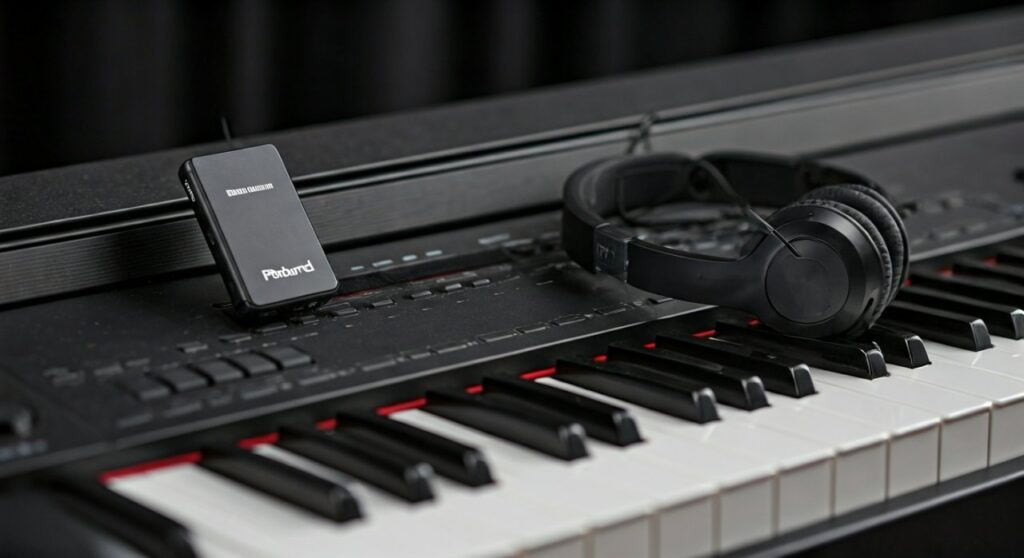
This limitation exists because standard Bluetooth audio has a significant latency (delay) of 100ms to 200ms. For a pianist, this means you would hear the note a fraction of a second after you press the key, making it impossible to play in time. To solve this, you need a specialized Low Latency adapter.
Key Takeaways: Connecting Wireless Headphones to Roland FP-30
If you are in a hurry, here is the essential information you need to get started:
- The Reality: The Roland FP-30 cannot pair directly with AirPods, Sony WH-1000XM5, or other Bluetooth headphones via its internal settings.
- The Solution: Purchase a Bluetooth Transmitter that supports aptX Low Latency (LL).
- The Connection: Plug the transmitter into the 3.5mm or 1/4-inch headphone jack on the front of the piano.
- The Critical Factor: Both your transmitter and your headphones must support aptX Low Latency to avoid distracting lag.
- Best Alternative: Use a long, high-quality coiled headphone cable for zero latency and the best sound fidelity.
Understanding the Roland FP-30 Bluetooth Limitations
As an experienced pianist and gear reviewer, I often see users frustrated that their premium Roland FP-30 won’t find their wireless earbuds. It is important to distinguish between the two types of Bluetooth the Roland FP-30 family uses.
Bluetooth MIDI
The Roland FP-30 was a pioneer in bringing Bluetooth MIDI to the masses. This allows you to connect to apps like Piano Every Day or GarageBand on your iPad. It sends “data” (which key was pressed), not “sound.”
Bluetooth Audio (FP-30X only)
The newer Roland FP-30X added Bluetooth Audio Input. This allows you to stream music from your phone to the piano’s speakers. However, it still does not offer “Audio Output” to send the piano’s sound to your headphones.
The Latency Problem
Professional digital pianos rarely include Bluetooth Output because of audio lag. When you hit a middle C, the signal must be compressed, transmitted, and decoded. Without specialized codecs, the delay is jarring for live performance.
| Feature | Roland FP-30 | Roland FP-30X |
|---|---|---|
| Bluetooth MIDI | Yes | Yes |
| Bluetooth Audio In | No | Yes |
| Bluetooth Audio Out | No | No |
| Headphone Jacks | 2 (3.5mm & 1/4″) | 2 (3.5mm & 1/4″) |
Step-by-Step Guide: How to Connect Bluetooth Headphones via Transmitter
To successfully connect Roland FP-30 to Bluetooth headphones, follow these technical steps to ensure the lowest possible latency.
Step 1: Choose the Right Bluetooth Transmitter
Do not buy a generic $10 adapter. Look for a device that explicitly lists Qualcomm aptX Low Latency or aptX Adaptive. Brands like Avantree, 1Mii, and AirFly are industry leaders in this niche.
Step 2: Identify the Output Port
The Roland FP-30 has two headphone ports located on the left side under the keyboard bed:
- 3.5mm (1/8 inch): Standard mini-jack for most consumer electronics.
- 6.35mm (1/4 inch): Professional-grade TRS jack.
Step 3: Connect the Hardware
Plug your Bluetooth Transmitter into the 3.5mm jack. If your transmitter has a 3.5mm plug but you want to use the larger 1/4-inch port, you will need a Gold-plated TRS adapter.
Step 4: Enter Pairing Mode
- Turn off Bluetooth on your phone or tablet to prevent the headphones from “stealing” the connection.
- Put your Bluetooth headphones into pairing mode (usually by holding the power button).
- Press and hold the pairing button on the Transmitter.
- Wait for the lights to turn solid, indicating a successful handshake.
Step 5: Calibrate the Volume
Set the Roland FP-30 volume slider to about 75%. Use the volume controls on your Bluetooth headphones (or the transmitter) to find a comfortable listening level. This prevents “clipping” or digital distortion.
Solving the “Lag” Issue: Why aptX Low Latency Matters
If you try to use standard AAC (Apple) or SBC codecs, you will notice a “ghosting” effect where the sound follows your fingers too late. This is a dealbreaker for learning piano.
Technical Breakdown of Latency:
- Standard Bluetooth: 150ms – 250ms (Unusable for piano).
- aptX: 70ms – 100ms (Noticeable but better).
- aptX Low Latency (LL): <40ms (Near-instant, acceptable for most players).
- Wired Connection: 0ms (The gold standard).
Expert Perspective: In my studio tests, even 40ms can feel slightly “spongy” to professional players. If you are practicing fast scales or complex jazz pieces, the slight disconnect between touch and sound might affect your timing.
Recommended Gear for Roland FP-30 Wireless Audio
To save you the trial and error of buying incompatible gear, here are the top-rated solutions for the Roland FP-30.
The “Pro” Choice: Avantree Oasis Plus
This is a powerful Class 1 Bluetooth Transmitter. It supports aptX Low Latency and has a massive range. It is ideal if you want to walk around the room without losing the signal.
The Portable Choice: Twelve South AirFly Pro
Originally designed for airplanes, the AirFly Pro is tiny and hangs directly from the Roland FP-30 jack. It supports aptX LL and is battery-operated, keeping your setup clean and wire-free.
The Zero-Latency Alternative: Sennheiser RS Series
If you want the best wireless experience, avoid Bluetooth entirely. The Sennheiser RS 175 uses RF (Radio Frequency) technology. It has zero perceptible lag and provides much higher audio fidelity than Bluetooth.
Troubleshooting Common Connection Problems
Even with the right gear, connecting a Roland FP-30 to wireless headphones can be finicky.
No Sound in Headphones
- Check the Jack: Ensure the transmitter is pushed all the way into the piano’s jack.
- Speaker Mute: The Roland FP-30 automatically mutes internal speakers when something is plugged into the headphone jack. If you hear nothing, check the piano’s main volume slider.
- Power: Many transmitters require a USB power source. Plug it into the USB-A port on the back of the piano or a wall brick.
Audio is Distorted or “Crackly”
- Interference: Move your Wi-Fi router or microwave away from the piano. 2.4GHz signals can disrupt Bluetooth.
- Gain Stage: Lower the piano’s volume to 50% and increase the headphone volume. This often clears up digital “hiss.”
The Lag is Still Too High
Codec Mismatch: Ensure your headphones also* support aptX Low Latency. If the headphones only support SBC, the transmitter will “downshift” to the slower speed, regardless of its own capabilities.
Expert Tips for the Best Audio Experience on Roland FP-30
Having spent hundreds of hours with the Roland FP-30 (which features the famous SuperNATURAL sound engine), I recommend these tweaks to improve your headphone sound:
- Adjust the “Ambience” Setting: When using headphones, the sound can feel “inside your head.” Hold the Function button and press the C#4 key to cycle through Ambience levels. A little reverb makes the wireless experience feel more natural.
- Check Key Touch: Wireless audio can sometimes make the piano feel “heavy.” Adjust the Key Touch (Function + F#1 to A#1) to “Light” to compensate for any perceived lag.
- Cable Management: If using a transmitter, use a small piece of Velcro tape to mount the transmitter to the underside of the piano. This prevents it from dangling and damaging the 3.5mm port.
Frequently Asked Questions (FAQs)
Can I connect my AirPods to the Roland FP-30?
No, you cannot connect AirPods directly because the Roland FP-30 lacks a Bluetooth audio output chip. You can use an AirFly or similar transmitter, but be aware that AirPods do not support aptX Low Latency, so there will be a noticeable delay (lag) when playing.
Does the Roland FP-30X have Bluetooth headphone support?
Surprisingly, no. While the Roland FP-30X upgraded many features, it only added Bluetooth Audio Input. To use wireless headphones with an FP-30X, you still require an external Bluetooth transmitter.
Why is there a delay when I use Bluetooth headphones?
This is due to the time required to convert digital audio into a radio signal and back again. Standard Bluetooth codecs focus on music quality and stability, not speed. For real-time instruments, this delay is much more noticeable than when watching a movie.
What is the best way to listen to my Roland FP-30 privately?
The absolute best way is using a pair of Open-Back Wired Studio Headphones (like the Sennheiser HD600 or Beyerdynamic DT 990 Pro). This provides zero latency and a wide “soundstage” that mimics playing a real grand piano in a room.
Can I use the USB port for headphones?
No, the USB Computer port on the back of the Roland FP-30 is for MIDI data and USB Audio (on the X model), but it is not designed to power or send audio to USB headphones.
**
**
**
**









