

To convert bluetooth headphones to wired, you simply need to connect a 3.5mm male-to-male auxiliary (AUX) cable into the designated audio port on your headphones and the source device. If your headphones lack a dedicated jack, you can often use a USB-C or Lightning to 3.5mm adapter to enable audio-over-USB, provided your specific model supports “wired mode” data transfer.
Why You Should Convert Your Bluetooth Headphones to Wired
While the convenience of wireless audio is undeniable, there are critical moments where a physical connection is superior. Whether you are facing a dead battery during a long flight or experiencing audio lag while gaming, knowing how to switch to a wired setup is a vital skill for any audiophile.
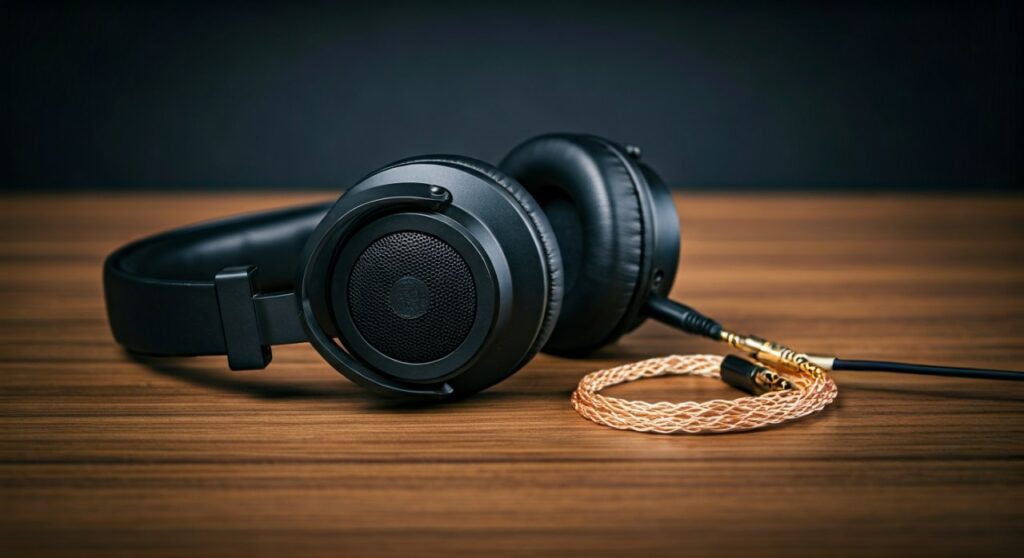
Many high-end models like the Sony WH-1000XM5 or Bose QuietComfort Ultra provide significantly better sound fidelity when wired. This is because a wired connection bypasses the compression of Bluetooth codecs like SBC or AAC, allowing for lossless audio playback.
Furthermore, professional environments such as video editing or music production demand zero latency. Even the most advanced aptX Low Latency codecs cannot match the instantaneous response of a copper wire.
Key Takeaways: Converting Wireless to Wired
| Method | Best For | Requirement |
|---|---|---|
| 3.5mm AUX Cable | Most over-ear headphones | A built-in 3.5mm or 2.5mm jack. |
| USB-C Audio Mode | Modern USB-C headphones | Support for digital audio over USB. |
| External DAC/Amp | Audiophiles/High-fidelity | A dedicated portable DAC like the FiiO BTR7. |
| V-MODA BoomPro | Gamers/Office workers | Converts headphones into a wired headset with a mic. |
Method 1: The Standard 3.5mm or 2.5mm AUX Connection
Most premium over-ear Bluetooth headphones come equipped with a small circular port. This is usually a 3.5mm or 2.5mm sub-miniature jack. This is the most direct way to convert bluetooth headphones to wired without losing quality.
Step 1: Identify your port size
Check the earcups of your headphones. Brands like Sennheiser often use a 2.5mm port (which is smaller than the standard headphone jack), while Sony and Bose typically use the standard 3.5mm port.
Step 2: Select the correct cable
If your headphones have a 2.5mm port, you will need a 2.5mm to 3.5mm male-to-male cable. If they have a standard port, a basic TRS (Tip-Ring-Sleeve) 3.5mm cable will work perfectly for stereo sound.
Step 3: Plug and Play
Simply insert one end into the headphones and the other into your phone, laptop, or airplane seat. Most headphones will automatically power down their Bluetooth radio once the jack is inserted to save battery.
Method 2: Enabling Wired Mode via USB-C or Lightning
Some modern wireless headphones, such as the Sennheiser Momentum 4 or Bowers & Wilkins Px7 S2, support “USB Audio.” This allows the headphones to act as an external sound card when connected to a computer or smartphone.
- Use a Data-Sync Cable: Ensure you are using a high-quality USB-C to USB-C cable that supports data transfer, not just charging.
- Connect to the Source: Plug the headphones into your laptop’s USB-C port.
- Change Output Settings: On Windows or macOS, go to Sound Settings and select your headphones as the “Output Device.”
- Enjoy High-Res Audio: This method often supports 24-bit/96kHz audio, which is higher quality than standard Bluetooth.
Method 3: Using a Bluetooth Receiver in “Reverse” (The Bridge Method)
If your headphones do not have any physical input ports (common with many budget models or specialized sport earbuds), you cannot “wire” them in the traditional sense. However, you can use a Portable DAC/Amp with Bluetooth capabilities to improve the signal.
Devices like the Qudelix-5K or IFi Go Blu allow you to plug a wire into your source device and then “broadcast” a high-bitrate signal to your headphones. While not a “true” wired conversion for the headphones themselves, it fixes the latency and stability issues of standard built-in Bluetooth modules.
Understanding Passive vs. Active Wired Modes
One nuance many users miss is that some Bluetooth headphones sound different when wired. This is due to the difference between Passive and Active modes.
- Passive Mode: The headphones are powered OFF. The audio signal goes directly to the drivers. Without the internal Digital Signal Processor (DSP), the bass might sound “muddier” or the volume might be lower.
- Active Mode: The headphones are powered ON while wired. This allows features like Active Noise Cancelling (ANC) to remain functional. In my experience with the Bose QC45, the audio is much crisper in Active Wired mode.
Essential Tools for Your Wired Setup
To get the most out of your conversion, I recommend the following hardware:
- V-MODA BoomPro Microphone: This replaces your standard AUX cable and adds a professional-grade boom mic, turning your headphones into a high-end gaming headset.
- Apple USB-C to 3.5mm Dongle: Don’t let the price fool you; this is one of the cleanest DACs on the market for connecting to smartphones without a jack.
- Gold-Plated TRS Cables: These prevent corrosion and ensure a static-free connection over years of use.
Troubleshooting Common Connection Issues
Why isn’t my microphone working?
Most AUX cables are TRS (two rings), which only carry audio. To use your headphone’s built-in mic while wired, you need a TRRS cable (three rings) and your headphones must support mic-passthrough.
I hear a buzzing sound when wired
This is often a ground loop issue, common when your laptop is charging while you listen. Try unplugging your laptop charger or using a ground loop noise isolator.
The volume is too low
Bluetooth headphones often have high impedance when powered off. You may need a small portable amplifier to “drive” the speakers to a satisfying volume level.
Frequently Asked Questions (FAQs)
Can I convert AirPods to wired?
No. AirPods (standard and Pro) do not have any physical input ports and do not support audio-over-Lightning/USB-C. The only exception is the AirPods Max, which can be used wired with a specific Apple Lightning to 3.5mm Audio Cable (sold separately).
Does wiring my headphones save battery?
Yes, in most cases. If you use the headphones in Passive Mode (switched off), they use zero battery. If you use them in Active Mode (switched on for ANC), they will still consume battery, but usually at a much slower rate than when using Bluetooth.
Is wired audio actually better than Bluetooth?
Absolutely. Even the best Bluetooth codec (LDAC) is “lossy,” meaning it throws away some data. A wired connection provides a “lossless” path, ensuring you hear every detail of the original recording, especially when using high-resolution streaming services like Tidal or Qobuz.
Can I turn any Bluetooth headset into a gaming headset?
Yes, by using a 3.5mm cable with an inline microphone. This bypasses the “Bluetooth Hands-Free AG Audio” profile, which typically drops audio quality to mono when the microphone is active in wireless mode.









