

How to Find Bose Headphones: The Immediate Solution
To find your lost Bose headphones, the most effective method is using the “Find My Buds” feature within the Bose Connect or Bose Music app. If your headphones are currently powered on and within Bluetooth range (approximately 30 feet), the app can trigger a high-pitched chirp to help you locate them. For misplaced headphones that are powered off or out of range, you can use the app to view the “Last Known Location” based on where they were last synced with your mobile device.
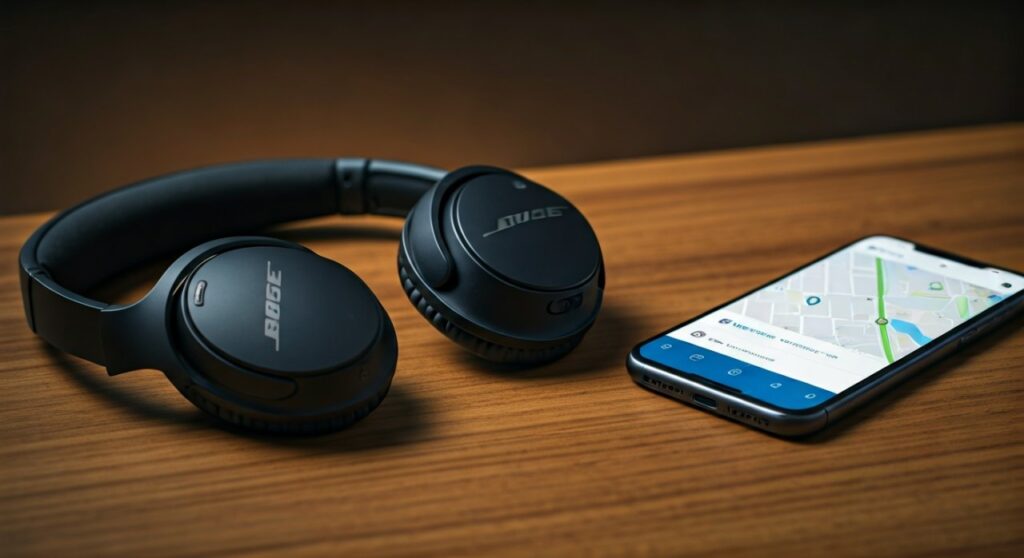
Losing a premium piece of technology like the Bose QuietComfort Ultra or Bose Sport Earbuds is a stressful experience. Whether you left them at the gym, dropped them in a taxi, or they simply slipped between the couch cushions, recovery depends on acting quickly and using the right digital tools. This guide provides an expert-level breakdown of every recovery method available for the Bose ecosystem.
Key Takeaways: Recovery Cheat Sheet
| Method | Best For | Requirement |
|---|---|---|
| Bose App (Find My Buds) | Locating buds nearby in a room | Bluetooth must be ON and connected |
| Last Known Location | Finding headphones left at a specific venue | Location services must have been enabled |
| Find My (iOS/Android) | General location tracking | Headphones must be paired with system-level tracking |
| Bluetooth Scanner Apps | Finding “dead” buds or precise proximity | Third-party app (e.g., Wunderfind) |
| Physical Inspection | Cases where the battery is 0% | Manual search of common “Bose hiding spots” |
Step 1: Using the Bose App to Find Your Headphones
The Bose Music App and the older Bose Connect App are your primary tools for recovery. Most modern products, like the Bose QuietComfort 45 or QuietComfort Earbuds II, utilize these platforms.
Activating the Audio Signal
If you suspect your Bose headphones are nearby—perhaps hidden under a pile of clothes or in a different room—you can force them to emit a sound.
- Open the Bose Music or Bose Connect app on your paired smartphone.
- Select your product from the main dashboard.
- Navigate to the Find My Buds or Product Details section.
- Tap Enable Audio or Play Sound.
- Listen carefully; the sound will gradually increase in volume to prevent ear damage if you are actually wearing them.
Checking the Last Known Location
If the headphones are out of Bluetooth range, the app cannot “talk” to them in real-time. Instead, it relies on your phone’s GPS data from the last time the two devices were connected.
- In the Bose Connect App, tap the map icon located in the Find My Buds menu.
- This shows a timestamp and a geo-tag of where your Bose headphones were last seen by your phone.
- Pro Tip: This is incredibly useful for confirming if you left your headphones at the office or if they are somewhere in your house.
Step 2: Utilizing System-Level Tracking (iOS & Android)
Many users forget that Bose headphones can often be seen by the native “Find My” ecosystems of Apple and Google, provided they were properly paired.
For iPhone Users (Apple Find My)
While Bose does not have the same “Find My Network” integration as Apple AirTags, you can still see their last connection point.
- Open the Find My app on your iPhone.
- Go to the Devices tab.
- Look for your Bose QuietComfort or Bose Headphones 700.
- The map will display the last location where the iPhone was connected to the headphones.
For Android Users (Google Find My Device)
Google’s Find My Device has improved significantly. If your Bose headphones support Google Fast Pair, they are likely linked to your Google account.
- Visit the Find My Device website or app.
- Select your Bose device from the list.
- Check the map for the last recorded location.
- If the device is currently “Seen now,” it means it is nearby and active.
Step 3: Using Third-Party Bluetooth Scanner Apps
Sometimes the official apps fail to “see” the device even when it’s nearby. In these cases, a Bluetooth signal strength (RSSI) scanner is a lifesaver. These apps detect the raw Bluetooth Low Energy (BLE) signals emitted by your Bose headphones.
Recommended Apps
- Wunderfind (iOS/Android)
- Bluetooth Finder
- nRF Connect for Mobile (For advanced users)
How to use a Signal Scanner
- Launch the app and look for devices named “Bose…” or a string of hexadecimal characters if the name isn’t broadcasting.
- Walk slowly through your home or office.
- Watch the signal strength meter (measured in dBm).
- The closer you get to -40 dBm, the closer you are to the headphones. If the signal is -90 dBm, you are far away.
Step 4: Finding Bose Headphones That Are Powered Off
If your Bose headphones have a dead battery, digital tracking becomes impossible. At this stage, you must rely on a systematic physical search based on expert recovery tactics.
Common “Bose Hiding Spots”
Based on user reports and ergonomic habits, check these specific locations:
- Gym Bag Side Pockets: The small profile of Bose Sport Earbuds makes them easy to overlook in dark mesh pockets.
- Between Car Seats: The charging case often slides out of pockets during driving. Check the “gap of doom” between the center console and the seat.
- Bedding: If you use your Bose Sleepbuds or headphones for noise cancellation at night, they often migrate under the mattress or deep into pillowcases.
- Laundry: Always check the pockets of hoodies or jackets you wore recently before putting them in the wash.
Step 5: What to Do if Your Bose Headphones are Stolen
If the Last Known Location shows your headphones in a residential area you don’t recognize or moving along a highway, they may have been stolen or picked up by a stranger.
- Do not confront the person: GPS coordinates can have an error margin of 50-100 feet.
- File a Police Report: Provide the Serial Number of your Bose headphones. You can find this on the original packaging or inside the Bose Music App under “Product Info.”
- Contact Bose Support: While Bose doesn’t have a “remote kill switch,” they can sometimes note the serial number in their system in case someone tries to claim a warranty on your stolen unit.
- Check Secondary Markets: Monitor sites like Facebook Marketplace, eBay, or Craigslist in your local area for listings matching your model.
Comparison of Tracking Methods for Bose Models
| Bose Model | Bose Music App | Bose Connect App | Google Fast Pair |
|---|---|---|---|
| QuietComfort Ultra | Yes | No | Yes |
| QuietComfort 45 | Yes | No | Yes |
| Bose 700 | Yes | No | No |
| QuietComfort 35 II | No | Yes | Yes |
| Bose Sport Earbuds | Yes | No | No |
How to Prevent Losing Your Bose Headphones in the Future
The best way to “find” your headphones is to ensure they never go missing. As a long-time Bose user, I recommend these preventative habits:
- Enable “Find My Buds” Immediately: Do not wait until you lose them to grant the app location permissions. Set it to “Always Allow.”
- Attach an AirTag: For over-ear models like the Bose 700, many users attach an Apple AirTag or Tile Tracker to the inside of the carrying case.
- Use the Charging Case: For earbuds, make it a strict rule: if they aren’t in your ears, they are in the case. Never put a single earbud in your pocket.
- Label Your Case: Use a small sticker with your phone number. A “Good Samaritan” is much more likely to return a $300 pair of headphones if there is an easy way to contact the owner.
Advanced Technical Insights: How Bose Tracking Works
Bose utilizes Bluetooth Low Energy (BLE) to maintain a connection with your phone without draining the battery excessively. When you use the “Find My” features, the phone stores the GPS coordinates of the handset the moment the BLE handshake is broken.
This means if your phone dies before you lose your headphones, the “Last Known Location” will be inaccurate. Always ensure your mobile device has sufficient battery and that the Bose Music App is allowed to run in the background.
Expert Perspective: Why You Can’t Always Find Them
It is important to manage expectations. Unlike the Apple AirPods Pro (2nd Gen), which has a U1/U2 chip for “Precision Finding” (direction-based arrows), Bose relies purely on Bluetooth signal strength. This is why third-party scanners are often more effective for “fine-tuning” your search once you are in the right room.
Frequently Asked Questions
Can I find my Bose headphones if the case is closed?
For most Bose earbuds, if the buds are inside a closed charging case, they enter a deep sleep mode and stop broadcasting a Bluetooth signal. In this scenario, you must rely on the Last Known Location feature, as the “Play Sound” feature will not work.
Does Bose have a “Notify When Left Behind” feature?
Currently, Bose does not natively offer a “Left Behind” alert similar to Apple’s ecosystem. However, you can use third-party apps like Tile (if a tracker is attached) or certain Android proximity alerts to achieve this functionality.
How do I find the serial number of my lost Bose headphones?
If you no longer have the headphones, check the Bose Music App (if they were previously paired) under Technical Info. Alternatively, the serial number is printed on the original box or the 4-digit code is often found on the invoice from your retailer.
Can I track Bose headphones by serial number?
No, Bose does not provide a GPS tracking service based on serial numbers. GPS tracking is handled by the paired smartphone’s location services, not the headphones themselves.
What if only one Bose earbud is missing?
The Bose Music App allows you to trigger the “Chirp” sound for the left and right earbuds independently. This is extremely helpful if one bud fell out during a run or is hidden in couch cushions.









