

How to Find Headphones on iPhone: The Definitive Recovery Guide
To find headphones on iPhone, the most effective method is using the native Find My app to locate your device on a map or play an audible sound. If you are using AirPods or Beats, you can track them via the Find My Network; for third-party headphones, you may need a Bluetooth scanner app or the manufacturer’s proprietary software.
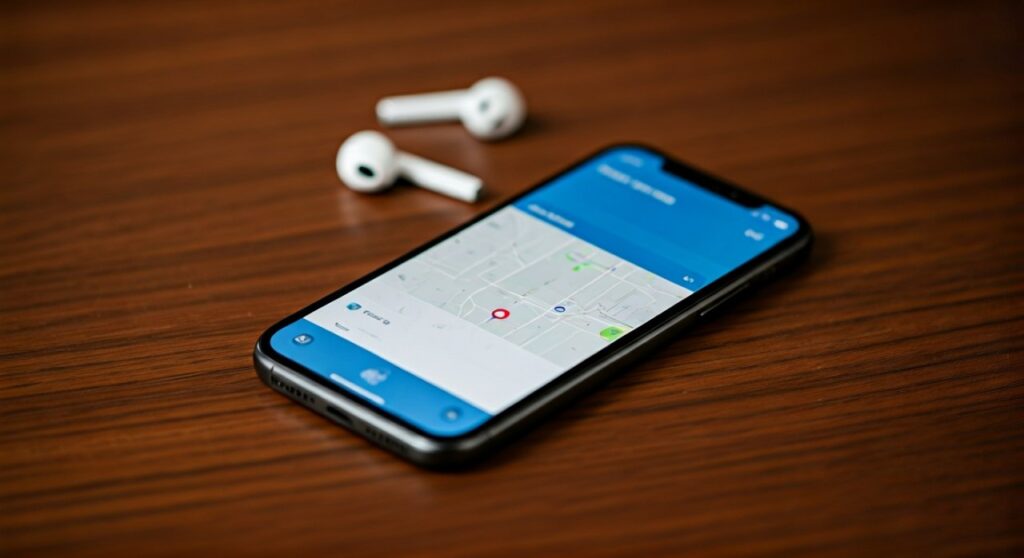
Losing an expensive pair of AirPods Max or Sony XM5s can be a stressful experience, especially when they are tucked between couch cushions or left at a busy café. As a tech specialist who has recovered dozens of “lost” devices, I have found that the speed of your response is critical. The sooner you use these digital tools, the higher the chance you will find them before the battery dies.
Key Takeaways: Quick Recovery Checklist
If you are in a rush, here is the high-level summary of how to track your lost audio gear:
- Apple Ecosystem: Use the Find My app immediately. It provides the last known location and can trigger a high-pitched sound.
- Precision Finding: For AirPods Pro (2nd Gen), use the U1 chip functionality to get directional arrows to the exact inch.
- Third-Party Brands: Download apps like Wunderfind or the specific brand app (e.g., Sony Headphones Connect, Bose Music).
- Bluetooth Range: If your headphones are still connected, they are within 30-60 feet of your current position.
- Lost Mode: Enable Mark as Lost in the Find My settings to lock the headphones to your Apple ID and display a contact number.
Method 1: Using the Apple Find My App (For AirPods and Beats)
The Find My app is the primary tool for anyone wondering how to find headphones on iPhone. It leverages a massive network of Apple devices to ping the location of your lost items, even if they aren’t connected to Wi-Fi.
Step-by-Step Recovery Process
- Open the Find My app on your iPhone.
- Tap on the Devices tab at the bottom of the screen.
- Locate your headphones in the list. You will see a Location Icon or a timestamp of the last time they were seen.
- If the device is nearby, tap Play Sound. The headphones will emit a chirping noise that gradually increases in volume.
- If the device is far away, tap Directions to open Apple Maps and navigate to their last known GPS coordinates.
Understanding the Find My Network
The Find My network is a crowd-sourced network of hundreds of millions of Apple devices. These devices use Bluetooth wireless technology to detect missing devices nearby and report their approximate location back to the owner. This process is end-to-end encrypted and anonymous, ensuring your privacy while helping you locate your AirPods.
Method 2: Precision Finding for Close-Range Tracking
If you own the AirPods Pro (2nd Generation) or later, you have access to Precision Finding. This uses the U1/U2 Ultra Wideband chip to act like a digital metal detector.
How to Use Precision Finding
- Open Find My > Devices.
- Select your AirPods Pro.
- Tap the Find button (it looks like a magnifying glass).
- Follow the on-screen instructions. Your iPhone will tell you how many feet away you are and which direction to turn.
- The phone will vibrate (haptic feedback) more intensely as you get closer to the hidden headphones.
In my experience, this is the most reliable way to find headphones hidden deep within upholstery or under car seats where sound might be muffled.
Method 3: Finding Third-Party Headphones (Sony, Bose, Jabra)
If you are not using Apple-branded gear, the process of how to find headphones on iPhone changes slightly. Non-Apple headphones typically do not integrate with the Find My map natively, unless they have specific MFi (Made for iPhone) certifications.
Using Manufacturer Apps
Most premium audio brands have their own “Find My” feature built into their control apps:
- Sony: Use the Sony Headphones Connect app to see the last connection location.
- Bose: The Bose Music app includes a “Find My Buds” feature that triggers a sound.
- Jabra: The Jabra Sound+ app records the exact GPS coordinates where the headphones were last disconnected from the phone.
Bluetooth Signal Strength Scanners
If you don’t have a specific app, download a Bluetooth Scanner from the App Store. Apps like Wunderfind or LightBlue show the signal strength (measured in dBm) of nearby Bluetooth devices.
- Walk slowly around your home.
- Watch the signal strength bar.
- When the bar moves from “Far” to “Near,” you are getting warmer.
Method 4: Comparison of Recovery Options
| Feature | AirPods Pro / Max | Beats Studio Buds | Third-Party (Sony/Bose) |
|---|---|---|---|
| Find My App Support | Full Integration | Limited Integration | No (usually) |
| Play Sound Feature | Yes (Individual Buds) | Yes | Via Brand App Only |
| Precision Finding | Yes (U1 Chip required) | No | No |
| Offline Tracking | Yes (Network-based) | Yes | Last Known Location Only |
| Lost Mode Display | Yes | Yes | No |
Advanced Tactics: What if the Headphones are Offline?
“Offline” usually means the battery is dead or the headphones are out of Bluetooth range of any reporting device. Don’t panic yet.
Check the Last Known Location
The Find My app will show the last place the headphones were “seen” by the network. Statistically, most headphones are found at the last location they were used. Go back to that coffee shop or gym and check the specific area where you last had them in your ears.
Enable “Notify When Found”
In the Find My settings for your headphones, toggle on Notify When Found. If someone walks past your dead headphones with an iPhone, and your headphones eventually get a tiny bit of charge or are moved, you will receive an immediate notification on your lock screen with their new coordinates.
Use the “Notify When Left Behind” Feature
The best way to “find” headphones is to never lose them. Apple’s Separation Alerts send a notification to your iPhone the moment you walk away from your headphones.
- Go to Find My > Devices > [Your Headphones].
- Tap Notify When Left Behind and switch it to On.
Pro Tips from the Field: Maximizing Your Success
- Check the Case: For AirPods, remember that the case itself might not have a speaker (unless it’s the Pro 2). If the buds are inside a closed case, they might be harder to “ping.”
- Clean Your Sensors: Sometimes headphones appear “offline” because earwax or debris is blocking the sensors, preventing them from realizing they are out of the case and active.
- Check Other Apple Devices: If your iPhone is dead, you can find your headphones using an iPad, Mac, or even logging into iCloud.com/find from a web browser.
- Community Help: If your headphones were lost in a public place, check the Find My map frequently. The Find My network updates whenever any Apple user passes by your lost item.
Frequently Asked Questions (FAQs)
Can I find my headphones if they are in the case?
If you have AirPods Pro (2nd Gen), the case has a built-in speaker and U1 chip, so you can find it easily. For older models, it is much harder to find them if they are inside a closed case, as the Bluetooth signal is significantly shielded. However, the Find My app will still show the last location where the case was opened.
How do I find headphones on iPhone that aren’t AirPods?
To find non-Apple headphones, check if the manufacturer has a dedicated app with a “Find my device” feature. If not, use a Bluetooth signal strength app like Wunderfind. These apps help you locate the device by measuring how strong the signal is as you move around your environment.
Can I find my headphones if someone else has paired them?
If you enabled Lost Mode and the headphones are linked to your Apple ID, they are Activation Locked. Even if someone else tries to pair them, they will see a message stating the headphones belong to you. You will also continue to receive location updates as long as the device is near an Apple product.
Does “Find My” work if Bluetooth is turned off?
No, your iPhone must have Bluetooth enabled to communicate with the headphones for a live “Play Sound” or “Precision Finding” session. However, the Find My Network can still update the location on the map using other people’s Bluetooth-enabled Apple devices.
How accurate is the location in the Find My app?
GPS location is typically accurate within 20-50 feet outdoors. Indoors, the accuracy drops due to walls and interference. This is why using the Play Sound feature or Precision Finding is essential for the final stage of recovery once you have reached the general area.
**
**
**
**









