

To get a broken headphone jack out, you should first try using a pair of high-precision tweezers or a specialized extraction tool like the GripStick. If the fragment is stuck deep, the “ink tube hack”—using the hollow plastic tube from a ballpoint pen—is the most effective DIY method to friction-fit and pull the piece out. For extreme cases, a tiny drop of super glue on a toothpick can bond to the broken tip, though this carries a high risk of permanent port damage if not done with surgical precision.
Key Takeaways: How to Get a Broken Headphone Jack Out
If you are in a rush, here is the quick breakdown of the most successful extraction methods based on risk and difficulty.
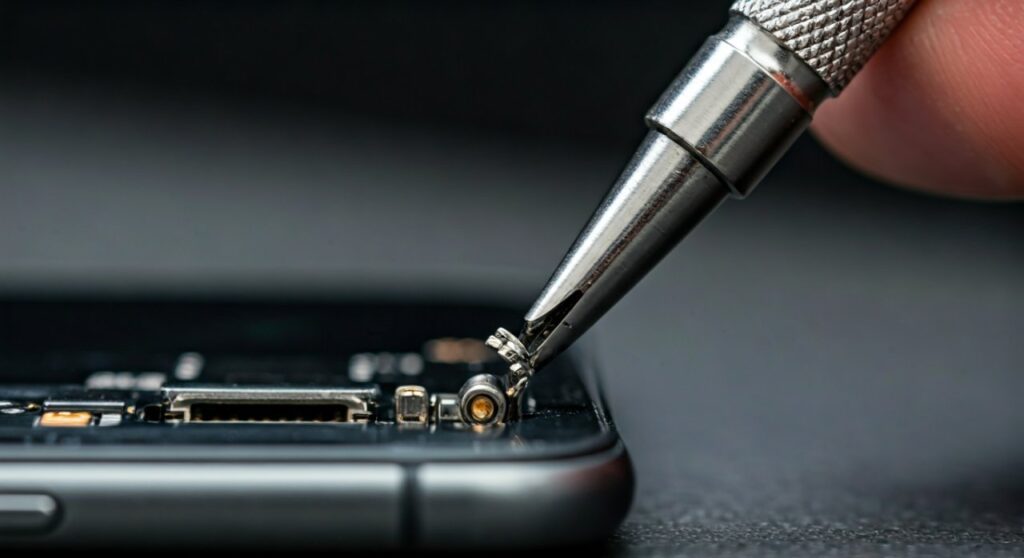
| Method | Difficulty | Risk Level | Best For |
|---|---|---|---|
| GripStick / Extractor Tool | Low | Very Low | All devices (Professional grade) |
| Fine-Point Tweezers | Low | Low | Shallow breaks with visible edges |
| Bic Pen Ink Tube | Medium | Medium | Deep breaks in laptops/iPads |
| Super Glue & Toothpick | High | Very High | When no edges are reachable |
| Micro Drill Bit | Very High | Extreme | Last resort before replacement |
The Initial Assessment: Why Headphone Jacks Snap
Before you learn how to get a broken headphone jack out, you must understand why it happened to prevent further damage. Most modern headphone plugs are made of brass or aluminum, which can become brittle over time. A sharp tug or a drop while the headphones are plugged in is usually the culprit.
The jack typically breaks at one of the “rings” (the plastic insulators between the metal sections). This leaves a jagged or smooth metal cylinder stuck deep inside the female port. Because these ports have internal spring contacts designed to hold the plug in place, the fragment is literally being “clamped” by the device’s internal hardware.
Safety Precautions Before You Start
- Power Down: Always turn off your iPhone, iPad, or Laptop before poking metal tools into the audio port to avoid short-circuiting the logic board.
- Bright Lighting: Use a desk lamp or a second phone’s flashlight to see exactly where the fragment is lodged.
- Avoid Lubricants: Never use WD-40 or oil. These liquids can seep into the screen layers or ruin the electrical conductivity of the port.
Method 1: Using Professional Extraction Tools (The Expert Choice)
If you value your device, specifically high-end gear like a MacBook Pro or an iPad Pro, I highly recommend using a tool designed specifically for this purpose.
The GripStick is the industry standard for technicians. It is a thin, hollow stainless steel tube that slides into the port, goes around the broken fragment, and “grips” it as you pull.
How to use a professional extractor:
- Ensure the port is clear of lint or debris using compressed air.
- Slide the extractor into the port until it hits the broken piece.
- Apply firm, even pressure to slide the tool over the fragment.
- Pull straight out without twisting.
Pro Tip: As someone who has repaired hundreds of devices, I’ve found that using the right tool saves you from a $200–$500 repair bill for a motherboard replacement.
Method 2: The Ballpoint Pen Ink Tube Hack
This is the most famous DIY solution for how to remove a broken headphone jack. It relies on the fact that the inner plastic tube of a Bic pen is almost the exact same diameter as a 3.5mm jack fragment.
Step-by-Step Instructions:
- Remove the ink reservoir tube from a standard ballpoint pen.
- Ensure the end is clean and not leaking ink.
- Use a lighter to lightly soften the very tip of the plastic tube for 1-2 seconds. Do not let it melt into a glob.
- Quickly and firmly push the softened tube into the headphone port onto the broken piece.
- Wait 30–60 seconds for the plastic to cool and harden around the metal fragment.
- Pull the tube out in one swift, straight motion.
Why this works: The softened plastic creates a custom “mold” of the broken tip, providing enough friction to overcome the port’s internal springs.
Method 3: Precision Tweezers or Hemostats
If you can see the edge of the broken plug, you might be able to pull out a broken headphone jack with mechanical force. However, standard eyebrow tweezers are usually too thick.
What you need:
- Needle-nose tweezers (the kind used for eyelash extensions or watch repair).
- Hemostats (medical locking pliers).
The Technique: Carefully insert the tips on either side of the metal fragment. Do not push the fragment deeper. Once you have a grip, pull straight out. If the fragment rotates but doesn’t move, the internal springs are likely caught in a groove; try to wiggle it slightly while pulling.
Method 4: The Super Glue Technique (High Risk)
I only recommend this if you are prepared to potentially replace the entire port. If super glue (Cyanoacrylate) touches the internal walls of the port, it will bond the fragment permanently, ruining the device.
How to execute safely:
- Find a toothpick or a small paperclip with a flattened end.
- Apply a tiny, microscopic dot of glue to the end of the toothpick. Less is more.
- Carefully guide the toothpick into the center of the broken fragment. Do not touch the sides of the port.
- Hold it perfectly still for 5 minutes. I recommend propping your hand up with books to prevent shaking.
- Once the bond is set, pull out slowly.
Expert Warning: If you have an iPad or a device with a very deep port, this method is significantly harder. The risk of the glue “wicking” into the spring contacts is nearly 80% for inexperienced users.
How to Get a Broken Headphone Jack Out of iPad and Tablets
iPads present a unique challenge because their audio jacks are often integrated into the frame or deep within the assembly.
- Vacuum Method: Surprisingly, some users have had success using a high-powered vacuum hose. Place a small straw over the vacuum nozzle to concentrate the suction and hold it against the port.
- The “Thump” Method: If the jack is loose but stuck, hold the iPad firmly and “thump” the side of the device against your palm (wrapped in a towel). Gravity and momentum can sometimes slide a fragment forward enough for tweezers to grab.
When You Should Give Up and Replace the Jack
If you have tried the ink tube and the extraction tool without success, the internal contacts may be bent. At this point, you should consider how to replace the headphone jack entirely.
- Check Warranty: If you have AppleCare+ or a manufacturer warranty, DIY attempts may void it.
- USB-C / Lightning Adapters: If you can’t get the piece out, you can bypass the port entirely by using a USB-C to 3.5mm dongle or Bluetooth headphones. The device will often “think” headphones are plugged in, so you may need an app like Lesser AudioSwitch to force sound through the speakers.
- Professional Repair: A local repair shop usually charges between $40 and $90 to desolder the old port and install a new one.
FAQs: Removing a Broken Headphone Plug
How do I get a broken headphone jack out without glue?
The best way how to remove broken headphone jack without glue is using a dedicated extraction tool or the plastic ink tube method. These rely on friction and mechanical grip rather than chemical bonding, making them much safer for your device’s internal components.
My phone thinks headphones are plugged in. What do I do?
Even if you can’t extract the broken headphone jack, your phone’s software likely detects the metal fragment as a complete circuit. You can try to “fool” the software using apps like SoundAssistant (Samsung) or Lesser AudioSwitch (Android) to redirect audio to your internal speakers or Bluetooth.
Can I use a magnet to remove the broken tip?
Generally, no. Most headphone jacks are made of non-ferrous metals like brass or copper alloys that are not attracted to magnets. Additionally, bringing a powerful Neodymium magnet close to your smartphone or laptop can interfere with internal sensors like the digital compass or even the screen.
Will a drill bit work to remove the jack?
Using a 1/16-inch drill bit is a “last resort” technique. You manually (by hand, not with a power drill) twist the bit into the soft center of the broken jack until it bites, then pull. This is extremely risky and should only be done if you are ready to buy a new device.









