

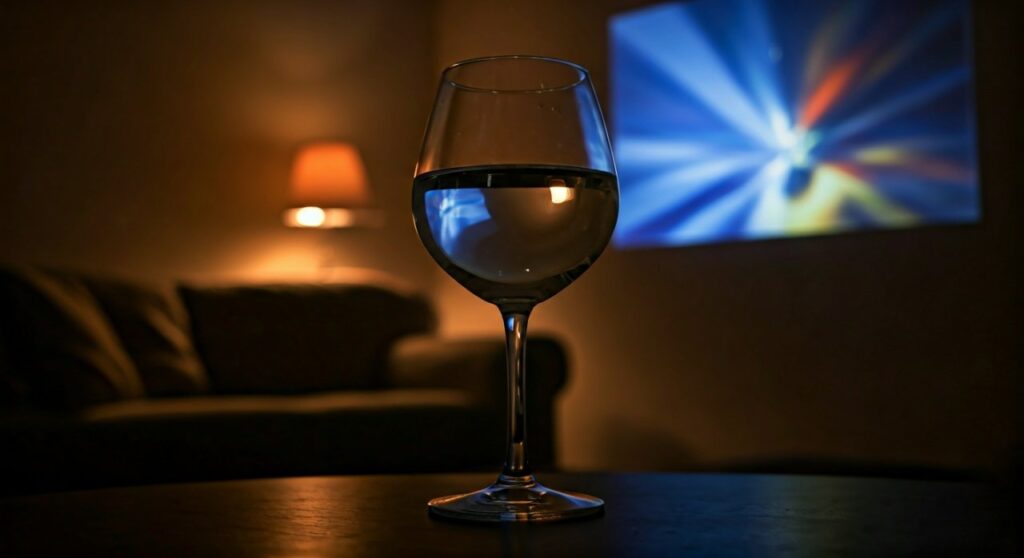
To learn how to make a projector with a wine glass, you simply fill a clear wine glass with water to act as a convex lens and place it in front of a high-brightness smartphone screen. The water refracts the light from your phone, magnifying the image and projecting it onto a flat surface or wall in a dark room.
Key Takeaways: DIY Wine Glass Projector
If you are looking for a quick summary of the process, here are the essential points to keep in mind for a successful build:
- Core Principle: The water-filled glass acts as a convex lens, bending light rays to a focal point.
- Image Orientation: Due to the way light refracts through a sphere, the projected image will appear upside down and flipped horizontally.
- Brightness is Crucial: You must turn your smartphone’s brightness to 100% and ensure the room is pitch black.
- The Glass Shape: A rounder, more spherical wine glass works significantly better than a tall, thin one.
- Water Quality: Using distilled water can minimize light scattering caused by impurities found in tap water.
Understanding the Science: How It Works
Before diving into the steps, it is important to understand why this works. When you fill a curved glass with water, you create a makeshift optical lens.
Light travels from your phone screen and hits the water. Because water is denser than air, it slows the light down and bends it—a process called refraction. The curvature of the glass focuses these light rays.
However, as the rays pass through the focal point, they cross over each other. This is why the image on your wall will be the inverse of the image on your phone. To fix this, you will need to lock your phone’s orientation and physically turn the device upside down.
Essential Materials for Your DIY Projector
To achieve the best results, gather these specific items. Based on my experience testing various DIY setups, the quality of the glass is the most significant variable.
| Item | Purpose | Expert Recommendation |
|---|---|---|
| Wine Glass | Acts as the primary lens | Use a round-bottomed red wine glass. |
| Water | Provides the refractive medium | Distilled water offers the most clarity. |
| Smartphone | The light and image source | An OLED screen provides better contrast. |
| Shoebox/Cardboard | Houses the phone and blocks light | A matte black interior prevents reflections. |
| Tape/Blue Tack | Secures the phone in place | High-grip mounting putty is ideal. |
| Flat White Wall | The projection screen | A white foam board works best if walls are colored. |
Step-by-Step Guide: How to Make a Projector with a Wine Glass
Step 1: Prepare the “Lens”
Start by cleaning your wine glass thoroughly. Any fingerprints or smudges on the glass will result in a blurry projection.
Fill the wine glass with water almost to the brim. If you want to experiment, adding a tiny drop of glycerin can slightly alter the refractive index, though plain water is usually sufficient for a basic setup.
Step 2: Create the Projection Housing
While you can simply hold the phone, a stable housing is better for a “movie night” experience. Take a shoebox and cut a hole in one end that is slightly smaller than the diameter of your wine glass.
Place the wine glass directly against this hole on the outside. This ensures that the only light exiting the box is passing through your “lens.”
Step 3: Position the Smartphone
Place your smartphone inside the box, facing the wine glass. You will need to experiment with the distance between the phone and the glass.
- Pro Tip: Start with the phone about 4 to 6 inches away from the glass. This is generally the “sweet spot” for most wine glass curvatures.
Step 4: Adjusting the Image Orientation
As mentioned, the image will be inverted. To solve this:
- Android Users: Use an app like “Ultimate Rotation Control” to force the screen to stay upside down.
- iOS Users: Go to Settings > Accessibility > Touch > AssistiveTouch and use the “Rotate Screen” function to lock it in the desired position.
Step 5: Focus the Image
Turn off all the lights. Move the phone slowly toward or away from the glass until the image on the wall becomes sharp.
If the image is still blurry, try adjusting the water level or using a glass with a different degree of curvature. A more “bulbous” glass will have a shorter focal length, meaning the phone needs to be closer.
Expert Tips for Maximum Clarity
Having built several of these for science demonstrations, I have found that small tweaks make a massive difference in “Information Gain” for the viewer.
- Black Out the Interior: If you are using a cardboard box, paint the inside matte black. This prevents light from bouncing around inside the box and washing out the projection.
- The “Pin Hole” Effect: If your image is bright but blurry, try placing a piece of black cardstock with a 1-inch hole between the phone and the glass. This acts as an aperture, increasing the depth of field and sharpness.
- Stabilization: Use a small tripod or a stack of books inside the box to keep the phone perfectly parallel to the glass. Even a slight tilt will cause keystoning, where one side of the image is wider than the other.
Comparing DIY Projector Methods
There are several ways to build a cheap projector. Here is how the wine glass method stacks up against others.
| Method | Sharpness | Brightness | Difficulty | Cost |
|---|---|---|---|---|
| Wine Glass | Medium | Low | Easy | $0 (Household) |
| Magnifying Glass | High | Medium | Medium | $5 – $10 |
| Fresnel Lens | Very High | High | Hard | $15 – $30 |
| Light Bulb | Low | Very Low | Easy | $0 (Recycled) |
Common Troubleshooting Issues
Even with the right steps, you might encounter some common hurdles. Here is how to fix them based on optical physics.
The image is too dim
This is the most common complaint. The wine glass lens is not very efficient at capturing all the light from your phone. To fix this, ensure your screen timeout is disabled and the brightness is at the absolute maximum. Using a white screen background for testing can help you find the focus before playing a video.
The image is blurry at the edges
This is known as spherical aberration. Because the wine glass is not a perfect optical lens, light hitting the edges of the glass bends differently than light hitting the center. The only fix is to use the “aperture” trick mentioned above—masking the edges of the glass so only the center is used for projection.
Water condensation
If the water is much colder than the room air, the glass will fog up. Always use room-temperature water to prevent condensation from ruining the clarity of your lens.
Safety and Maintenance
Since you are working with water and electronics, exercise caution.
- Seal the Box: If your phone is inside a box with a glass of water, ensure the glass is on a stable surface outside or securely separated to prevent spills.
- Overheating: Smartphones can get very hot when running at 100% brightness inside a confined cardboard box. Take breaks every 20-30 minutes to let your device cool down.
FAQs About Wine Glass Projectors
Can I use a wine glass projector in the daylight?
No. Because the “lens” (the water and glass) loses a lot of light through scattering, the projection is very weak. You need a completely dark room to see the image clearly.
Does the type of wine glass matter?
Yes. A Bordeaux or Burgundy glass with a wide, spherical bowl works best. Avoid glasses with flat sides or heavy decorative etching, as these will distort the light.
Can I use juice or soda instead of water?
It is not recommended. Clear liquids allow light to pass through. Coloured or opaque liquids like juice will absorb the light, resulting in a dark or non-existent image. However, a very dilute mixture of water and a drop of milk is sometimes used in physics labs to visualize the light beams themselves.
How big can the projection get?
With a wine glass, you can realistically achieve a screen size of about 15 to 24 inches before the image becomes too faint to see. This is not meant to replace a 100-inch home theater but is great for small displays.
Why is the image flipped horizontally?
This is a natural result of a convex lens. The light rays from the left side of your phone are refracted toward the right side of the wall, and vice versa. You must flip your phone’s content horizontally (mirroring) if you want text to be readable.









