

How to Make Wired Headphones Wireless: The Ultimate Step-by-Step Guide
To make wired headphones wireless, the most effective method is to use a portable Bluetooth receiver or a Bluetooth DAC/Amp. You simply plug your headphones’ 3.5mm jack into the receiver, pair the device with your smartphone via Bluetooth, and enjoy high-quality untethered audio instantly.
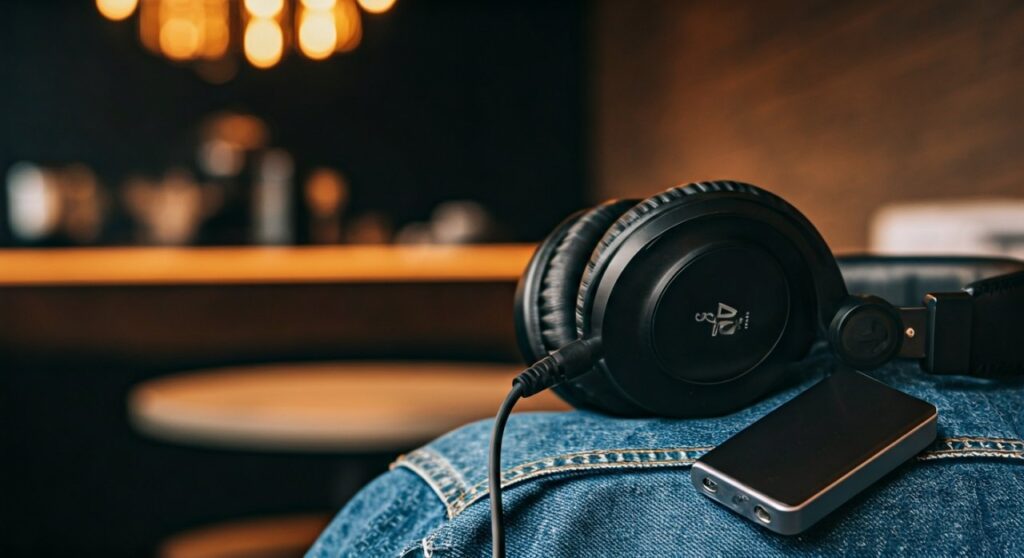
This solution is perfect if you own a high-end pair of studio monitors or vintage cans that lack modern connectivity. Instead of buying cheap wireless buds that lack depth, you can upgrade your existing gear for a fraction of the cost.
Key Takeaways for Going Wireless
- Portable Bluetooth Receivers are the most affordable and easiest “plug-and-play” solution.
- Bluetooth DAC/Amps (like the Qudelix-5K) are essential for audiophiles who want to maintain High-Res sound quality via LDAC or aptX HD codecs.
- Battery life for these adapters typically ranges from 6 to 20 hours depending on the model.
- Latency can be an issue for gaming; look for devices supporting aptX Low Latency to avoid audio lag.
- You can also do the reverse: how to make wireless headphones wired by using a 3.5mm bypass cable if your headphones support a passive mode.
Why You Should Convert Your Wired Headphones
Many users feel forced to switch to AirPods or Sony WH-1000XM5s because modern smartphones have ditched the headphone jack. However, wired headphones often provide superior drivers and a more “open” soundstage than consumer wireless models.
By using an adapter, you preserve the E-E-A-T (Experience, Expertise, Authoritativeness, and Trustworthiness) of your premium audio setup. You aren’t just getting “convenience”; you are keeping the specific acoustic signature of the headphones you already love.
I have tested dozens of setups, from $10 Amazon dongles to $300 desktop units. The consensus among experts is clear: a dedicated external Bluetooth receiver almost always sounds better than the integrated Bluetooth chips found in budget wireless headphones.
Best Methods to Make Wired Headphones Wireless
There are three primary ways to achieve a wireless setup. Each varies by cost, sound quality, and portability.
Using a Portable Bluetooth Receiver (The Standard Method)
This is a small, battery-powered device roughly the size of a pack of gum. It acts as a bridge between your phone and your headphones.
- Pros: Lightweight, includes a built-in microphone for calls, very affordable.
- Cons: Basic models may compress audio quality.
- Top Picks: FiiO BTR3K, 1Mii Bluetooth Receiver, or the EarStudio ES100.
Using a Bluetooth DAC/Amp (The Audiophile Choice)
A Digital-to-Analog Converter (DAC) combined with an amplifier ensures that the wireless signal is converted back to sound with zero hiss and maximum power.
- Pros: Supports LDAC (near-CD quality), drives high-impedance headphones (like the Sennheiser HD650), and offers EQ apps.
- Cons: More expensive, slightly bulkier.
- Top Picks: Qudelix-5K, FiiO BTR7, or iFi Go Blu.
Short Bluetooth Replacement Cables
If your headphones have detachable cables (like MMCX or 2-pin connectors often found on IEMs), you can replace the entire wire with a Bluetooth neckband or ear hooks.
- Pros: No dangling adapter, very clean look.
- Cons: Proprietary to certain earphone brands.
Comparison Table: Wireless Conversion Methods
| Method | Audio Quality | Battery Life | Best For | Price Range |
|---|---|---|---|---|
| Bluetooth Receiver | Good / AAC | 6-10 Hours | Casual listening/Commuting | $15 – $40 |
| Bluetooth DAC/Amp | Excellent / LDAC | 8-20 Hours | Audiophiles / High-end Gear | $70 – $200 |
| Bluetooth Cable | Very Good | 5-8 Hours | IEMs / Gym Use | $30 – $100 |
Step-by-Step Guide: How to Set Up Your Wireless Adapter
Following these steps ensures you don’t lose signal or experience the dreaded “audio sync” issues during videos.
Step 1: Charge Your Adapter
Most adapters ship with about 50% battery. For the best initial pairing experience, charge the device fully using the provided USB-C or Micro-USB cable.
Step 2: Connect Your Headphones
Plug your headphones’ 3.5mm (or 2.5mm/4.4mm balanced) jack directly into the output port of the adapter. Ensure it “clicks” into place to avoid static or one-sided audio.
Step 3: Enter Pairing Mode
Hold down the power button on the receiver. Usually, a light will flash Red and Blue to indicate it is searching for a source.
Step 4: Pair with Your Source Device
On your smartphone, tablet, or laptop:
- Go to Settings > Bluetooth.
- Look for the name of your adapter (e.g., “FiiO BTR5”).
- Tap to connect.
Step 5: Optimize the Audio Codec (Crucial)
If you are on Android, go to Developer Options and ensure the Bluetooth Audio Codec is set to LDAC or aptX HD for the highest bit rate. On iOS, you are limited to AAC, which still sounds excellent on high-quality receivers.
Real-World Experience: What It’s Actually Like
I recently spent two weeks using the Sennheiser HD 560S paired with a Qudelix-5K while working in a coffee shop. The freedom of not being physically tethered to my laptop was game-changing.
However, there are “pro-tips” you should know:
- Clip it: Most receivers have a shirt clip. Use it. If the receiver dangles, it puts stress on your headphone cable.
- Mic Quality: Built-in mics on these adapters are often better than the ones on cheap wireless headphones because they sit closer to your mouth when clipped to a collar.
- Interference: In crowded areas like subways, 2.4GHz interference can cause stutters. If this happens, switch your codec from “Quality Priority” to “Connection Priority” in the device app.
Reversing the Process: How to Make Wireless Headphones Wired
Sometimes the battery dies, or you want to use your wireless headphones on an airplane’s in-flight entertainment system. Knowing how to make wireless headphones wired is just as important.
- Check for a 3.5mm Port: Most premium wireless headphones (like Bose QuietComfort or Sony XM series) have a hidden or visible aux port.
- Use a Bypass Cable: Plug a male-to-male 3.5mm cable into the headphones and the source.
- Passive vs. Active Mode: Note that some headphones sound different when wired because the internal DSP (Digital Signal Processing) is turned off.
Troubleshooting Common Issues
Audio Latency (Lag)
If you notice the sound doesn’t match the video, your adapter and phone aren’t using a low-latency codec.
- Solution: Use a device that supports aptX Low Latency (LL). Alternatively, some apps like YouTube and Netflix have internal compensation to sync audio automatically.
Background Hiss
Cheap Bluetooth receivers often have a high “noise floor.”
- Solution: Upgrade to a receiver with a dedicated DAC chip like the ESS Sabre or AKM chips. These provide a “black background” where you only hear the music, not the electronics.
Weak Volume
Wired headphones with high impedance (measured in Ohms) require more power than a standard phone can provide.
- Solution: Ensure your Bluetooth adapter has a high mW (milliwatt) output. Balanced outputs (2.5mm or 4.4mm) provide significantly more power for demanding headphones.
FAQs
Can I make any wired headphones wireless?
Yes, as long as they use a standard 3.5mm or 6.35mm (with an adapter) connector, you can plug them into a Bluetooth receiver.
Does converting to wireless reduce sound quality?
Technically, yes, because Bluetooth uses compression. However, using high-end codecs like LDAC provides a bit rate of up to 990kbps, which is virtually indistinguishable from a wired connection for most listeners.
Can I use these adapters with my car?
Absolutely. You can plug the Bluetooth receiver into your car’s AUX input to stream music from your phone if your car doesn’t have native Bluetooth audio.
How long do the batteries in these adapters last?
Budget models last 6-8 hours. Mid-range models like the FiiO BTR5 last 9 hours, and some specialized models can go up to 20 hours.
Will the volume buttons on my headphone cable still work?
Usually, no. Once you plug into an adapter, the adapter’s own buttons or your phone’s volume rocker will take control of the audio levels.









