

How to Put Headphone Pads Back On: The Quick Fix
To put headphone pads back on, you typically need to align the mounting lip of the cushion with the groove on the ear cup and slowly rotate the pad while tucking the edges in. For snap-on models, you must align the plastic clips and apply firm pressure until you hear a “click.”
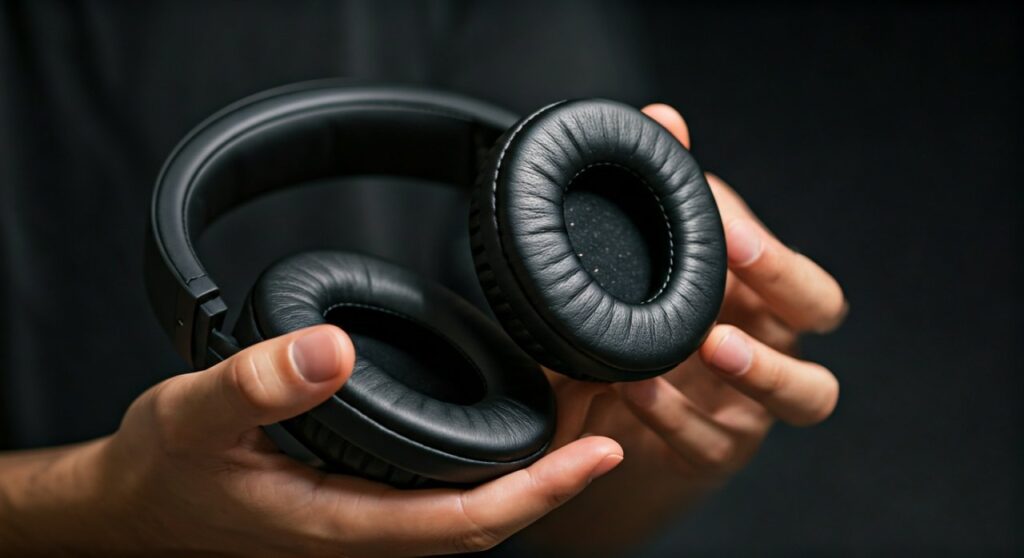
Losing an ear pad in the middle of a commute or a gaming session is a major annoyance. Whether your cushions slipped off from heavy use or you’re trying to install fresh replacements, the process can feel like trying to fold a fitted sheet. Over my years of testing audio gear and performing hundreds of headphone repairs, I’ve learned that while every brand has a “secret” trick, most follow three or four standard mounting patterns. This guide will walk you through every method so you can get back to your music in minutes.
Key Takeaways: Fixing Your Headphone Cushions Fast
If you are in a rush, here is the essential information for reattaching your headphone ear pads.
- Groove-fit pads: Feed the thin leatherette lip into the slot and rotate.
- Snap-on pads: Align the internal plastic ring with the holes on the driver and press.
- Adhesive pads: Clean the surface with isopropyl alcohol before sticking them back on.
- Pro Tip: If the pads are stiff, use a hairdryer on low heat for 10 seconds to soften the material.
| Attachment Method | Common Brands | Difficulty Level | Key Tool Needed |
|---|---|---|---|
| Groove / Slot | JBL, Sony, Audio-Technica | Medium | Plastic Spudger / Finger |
| Snap-on Clips | Bose, Sennheiser, Sony | Easy | None (Firm Thumb Pressure) |
| Adhesive Strip | Beats, Skulcandy | Hard | 3M Adhesive / Alcohol |
| Magnetic | Apple (AirPods Max) | Very Easy | None |
Identifying Your Mounting System
Before you try to force the pad back on, you must identify how it was designed to stay there. Using the wrong force on a snap-on system can snap the delicate plastic pins, turning a simple fix into a permanent breakage.
The Groove or “Lip” System
This is the most common design found on JBL, Sennheiser HD series, and Audio-Technica ATH-M50x. The pad has a thin “skirt” of material (usually protein leather or fabric) that must sit inside a narrow channel around the ear cup.
The Snap-On Plastic Ring
High-end models like the Bose QuietComfort or Sony WH-1000XM4 use a rigid plastic ring sewn into the pad. This ring has small notches that click into hooks located on the headphone chassis.
Adhesive Backing
Common in “lifestyle” brands like Beats by Dre, these pads are literally glued on. If they fall off, the original adhesive is likely compromised and will need to be replaced with specialized 3M double-sided tape.
Step-by-Step: How to Put a Headphone Cushion Back On (Groove Style)
The groove style is the most frustrating but requires no tools. Here is how to master it:
- Locate the starting notch: Most headphones have a slightly wider gap in the groove, usually at the top or bottom.
- Insert the lip: Tuck a small section of the ear pad’s mounting skirt into that wider gap.
- Hold and Rotate: Hold the tucked section firmly with your thumb. Use your other hand to slowly feed the rest of the skirt into the groove, moving in a circular motion.
- The “Pizza Crust” Technique: Think of it like stretching dough. If one side pops out, don’t panic. Keep tension on the part that is already in.
- Final Seating: Once the whole pad is in, rotate it 360 degrees while it’s in the groove to ensure the tension is distributed evenly.
How to Put Headphone Pads Back On JBL
JBL headphones, particularly the Tune and Live series, are notorious for pads that slip off. They use a very tight groove system.
- Step 1: Look for the small notches on the rim of the JBL ear cup.
- Step 2: Start at the top. Insert the pad’s flap into the notch.
- Step 3: JBL pads are often very tight. If you find it impossible to stretch, use a plastic guitar pick or a credit card to gently “shoehorn” the material into the slot.
- Step 4: Ensure the seam of the pad is facing downward toward the charging port for a professional look.
How to Get Headphone Ear Pads Back On (Snap-on Models)
If you are working with Bose or Sennheiser, the process is much more “tactile.”
- Check for debris: Ensure there are no old bits of foam or hair blocking the clips.
- Alignment is key: Look at the back of the pad. You will see small plastic tabs. Look at the headphone cup for corresponding slots.
- The Pressure Point: Press down on the edges of the pad where the clips are located. You should hear a distinct “click.”
- The Tug Test: Gently tug on the pad. If any side feels loose, you missed a clip. Press again until it is flush.
Pro Tips for Stubborn Ear Pads
Through my experience in audio tech support, I’ve found two “hacks” that make this process 10x easier:
- The Heat Method: If you bought cheap replacement pads, the material might be stiff and “undersized.” Use a hairdryer on a low setting to warm the mounting ring of the pad for 15 seconds. This makes the material more elastic and easier to stretch over the rim.
- The “Inside Out” Trick: For some Sony models, flip the mounting skirt of the pad inside out. Press the pad against the headphone, then “roll” the skirt down into the groove.
Why Do Headphone Pads Fall Off?
Understanding why this happens can help you prevent it in the future.
- Material Degradation: Over time, sweat and skin oils break down the protein leather. The material stretches and loses its “grip” on the groove.
- Heat Exposure: If you leave your headphones in a hot car, the adhesive or plastic components can warp.
- Improper Storage: Stuffing headphones into a tight backpack without a case often snags the edge of the pad, pulling it out of the slot.
When Should You Replace Instead of Repair?
Sometimes, putting the pad back on is a losing battle. You should buy new ear cushions if:
- The “Skirt” is Ripped: If the thin material that tucks into the groove is torn, it will never stay secure.
- The Foam is Compressed: If you can feel the hard plastic of the driver against your ear, the foam is dead.
- Flaking Leather: If black “flakes” are ending up on your ears, the integrity of the pad is gone.
Frequently Asked Questions
Can I use superglue to put headphone pads back on?
No. Never use superglue. It creates a permanent bond that will prevent you from ever replacing the pads again. Additionally, the fumes from superglue can damage the delicate driver diaphragm inside the headphones. Use 3M double-sided adhesive if necessary.
Why won’t my replacement pads fit?
Replacement pads from third-party sellers (like those on Amazon or eBay) are often slightly smaller than the originals. Use the hairdryer method mentioned above to stretch them, or check if you accidentally bought the “On-Ear” version instead of the “Over-Ear” version.
Do I need tools to put headphone pads back on?
For 90% of headphones, no tools are required. However, a plastic spudger (used for phone repair) or a dull guitar pick can be extremely helpful for groove-style headphones like JBL or Audio-Technica.
How often should I clean my ear pads?
To prevent them from slipping off due to oil buildup, wipe them down once a week with a slightly damp microfiber cloth. Avoid harsh chemicals which can dry out the faux leather and cause it to crack.
Is it normal for Bose pads to be so hard to click in?
Yes. Bose QuietComfort pads require significant pressure. Don’t be afraid to use your thumbs to press hard on the outer rim of the internal plastic plate. You won’t break the headphones as long as the clips are aligned.









