

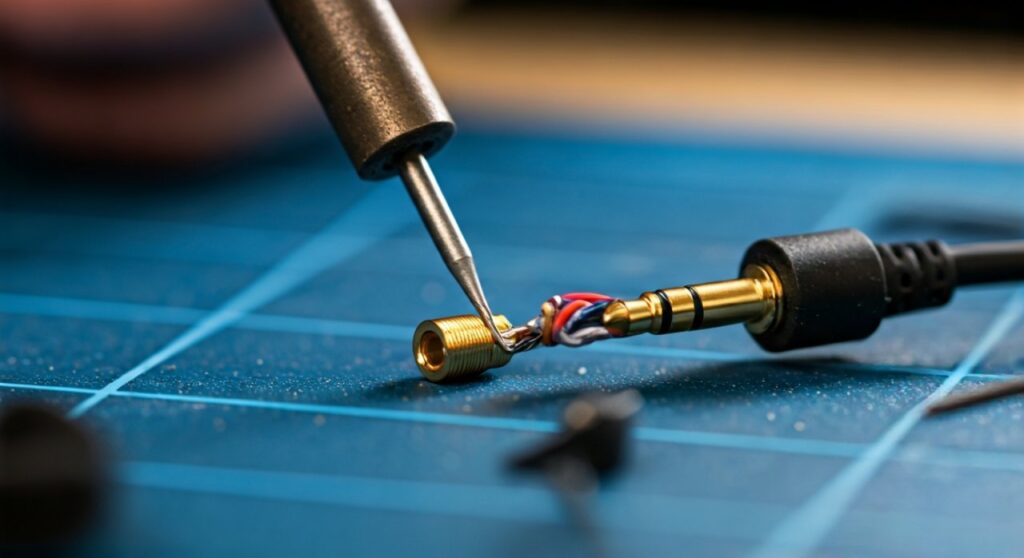
To replace a headphone plug, you must cut off the damaged jack, strip the internal wires (Left, Right, and Ground), and solder them onto the matching terminals of a new 3.5mm replacement TRS connector. This process restores audio functionality and prevents the need to discard expensive hardware due to a simple mechanical failure at the cable’s stress point.
Key Takeaways: Fixing Your Headphone Jack
- Difficulty: Moderate (requires basic soldering skills).
- Time Required: 15–30 minutes.
- Critical Tool: A fine-tip soldering iron and 60/40 rosin-core solder.
- Cost: Approximately $5–$15 for a high-quality replacement jack like those from Neutrik or Amphenol.
Why Learning How to Replace a Headphone Plug is Essential
Nothing is more frustrating than having your favorite pair of Sennheiser or Audio-Technica headphones fail because of a loose connection at the jack. Most users assume the headphones are dead, but 90% of the time, the internal drivers are perfectly fine—only the plug has failed.
By learning how to replace headphone plug components, you save money and reduce electronic waste. This guide draws from years of experience in audio repair to provide a professional-grade walkthrough that ensures a “factory-finish” result.
Essential Tools and Materials
Before you start, gather these specific items. Using the right tools prevents damage to the delicate copper filaments inside the cable.
| Tool/Material | Purpose | Recommended Type |
|---|---|---|
| Replacement Jack | The new connector for your cable. | 3.5mm TRS (3-pole) or TRRS (4-pole with mic). |
| Soldering Iron | Melts the solder to create a connection. | 25W–40W with a fine conical tip. |
| Solder | The “glue” for electronics. | Rosin-core 60/40 or Lead-Free silver solder. |
| Wire Strippers | Removes the outer insulation. | Precision gauges (22-30 AWG). |
| Heat Shrink Tubing | Protects and reinforces the joint. | 3mm or 4mm diameter. |
| Multimeter | Tests for continuity and shorts. | Any digital model with a “beep” function. |
Step 1: Identifying Your Headphone Cable Type
Before you change headphone plug hardware, you must know if you are working with a TRS or TRRS system.
- TRS (Tip-Ring-Sleeve): Has two plastic rings on the plug. Used for standard stereo headphones (Left, Right, Ground).
- TRRS (Tip-Ring-Ring-Sleeve): Has three plastic rings. Used for headphones with a built-in microphone or remote.
Most high-end audiophile headphones use TRS, while smartphone-compatible headsets use TRRS. Ensure your replacement jack matches the original configuration.
Step 2: Preparing the Cable
Start by using a pair of sharp side-cutters to snip the old plug off. Cut about one inch above the visible damage to ensure you are working with healthy, non-fatigued copper wire.
Slide the connector housing (the metal or plastic shell of the new jack) onto the cable now. If you forget this, you will have to desolder everything and start over later. After the housing, slide a small piece of heat shrink tubing onto the wire for extra strain relief.
Step 3: Stripping the Delicate Wires
Use your precision wire strippers to remove about 0.5 inches of the outer rubber jacket. Inside, you will typically find three or four colored wires:
- Red: Right Channel.
- Green or Blue: Left Channel.
- Copper/Gold: Ground.
- Striped/White: Microphone (only on TRRS).
Expert Insight: Headphone wires are often “enameled” or “Litz wire,” meaning each strand is coated in a thin layer of invisible insulation. You cannot solder these directly. You must remove this enamel by either lightly sanding it or—more effectively—using a hot blob of solder on your iron tip to “burn” it off during the tinning process.
Step 4: Tinning the Wires and Terminals
“Tinning” is the process of coating the wires and the new jack terminals with a thin layer of solder before joining them. This ensures a fast, clean bond and prevents “cold solder joints.”
- Heat your iron to approximately 350°C (660°F).
- Apply a small amount of solder to the tip of the iron.
- Touch the iron to the exposed copper wire and apply solder until the wire is “silvered.”
- Repeat this for the small tabs (terminals) on the new 3.5mm replacement jack.
Step 5: Soldering the Connections
This is the most critical stage of how to replace headphone plug components. Follow this standard wiring convention for a TRS jack:
- The Tip (Shortest tab): Solder the Left (Green/Blue) wire here.
- The Ring (Middle tab): Solder the Right (Red) wire here.
- The Sleeve (Longest tab/Base): Solder the Ground (Copper) wire here.
Hold the wire against the terminal with a pair of tweezers. Touch the iron to the junction for only 1-2 seconds until the solder flows together. Do not overheat the jack, or you may melt the plastic insulators between the rings.
Step 6: Testing and Final Assembly
Before closing the housing, plug the headphones into a device to test the audio.
- Check that the Left and Right channels are not swapped.
- Listen for any “crackling” when you wiggle the wire (this indicates a loose joint).
- Use a Multimeter in continuity mode to ensure the “Tip” isn’t touching the “Sleeve” (which would indicate a short circuit).
Once confirmed, slide the heat shrink tubing over the soldered joints and use a lighter or heat gun to shrink it. Finally, screw the connector housing onto the jack tightly.
Comparison: Soldering vs. Solderless Replacement Jacks
If you don’t own a soldering iron, you might consider “solderless” or “screw-terminal” jacks.
| Feature | Soldering (Professional) | Solderless (Quick Fix) |
|---|---|---|
| Durability | High (Vibration resistant) | Low (Screws can loosen) |
| Profile | Slim (Fits in pockets) | Bulky (Square/Industrial) |
| Signal Quality | Excellent | Average |
| Ease of Use | Requires practice | Very easy |
Common Mistakes to Avoid
- The “Forgotten Shell”: As mentioned, always put the jack’s cover on the cable first.
- Bridging Terminals: Using too much solder can cause a bridge between the Ring and the Sleeve, resulting in mono sound or no sound at all.
- Overheating the Wire: Excessive heat can melt the thin internal insulation of the other wires, causing an internal short that is invisible from the outside.
Troubleshooting Your New Connection
If you’ve followed the steps for how to change headphone plug but still have issues, check these three things:
- Low Volume/No Bass: This usually means the Ground wire is not connected properly or is swapped with a signal wire.
- Sound in only one ear: Check the connection on the “Tip” or “Ring” terminal; one has likely snapped off.
- Mic doesn’t work: Ensure you used a 4-pole TRRS jack and that the “Sleeve” (Ground) and “Second Ring” (Mic) are not flipped.
Frequently Asked Questions (FAQs)
Can I use a regular 3.5mm jack for headphones with a mic?
Technically, yes, the audio will work, but the microphone and remote buttons will not function. To keep those features, you must use a 4-pole TRRS replacement plug and solder the fourth wire (usually white or striped) to the correct terminal.
What if my headphone wires are a different color?
There is no universal standard for headphone wire colors. If your colors don’t match (e.g., you see yellow or white), use a multimeter to test for continuity between the wire and the speakers. The wire that makes a “click” in the left ear is the Left channel.
Is it better to buy a new cable or replace the plug?
If your headphones have a detachable cable, it is always easier to just buy a new cable. However, for fixed cables (like those on Koss Porta Pro or high-end Beyerdynamics), learning how to replace headphone plug is the only way to save the unit.
Do I need flux for this repair?
While rosin-core solder contains flux, using an extra bit of liquid flux or flux paste makes the job much easier, especially when dealing with high-purity copper or oxidized wires. It helps the solder flow instantly, reducing the time heat is applied to the delicate jack.
How long will a repaired jack last?
A professionally soldered jack using a high-quality connector like a Rean or Switchcraft will often last longer than the original factory plug. The key is ensuring the strain relief (the spring or rubber boot at the end of the jack) is properly clamped onto the outer jacket of the cable.









