

Reversing Audio Channels Made Simple
You can reverse headphone left and right channels using system accessibility settings, third-party software like Equalizer APO, or physical hardware adapters. While most operating systems don’t have a “one-click swap” button, installing a virtual mixer or using a TRS reversal cable effectively flips the stereo image.
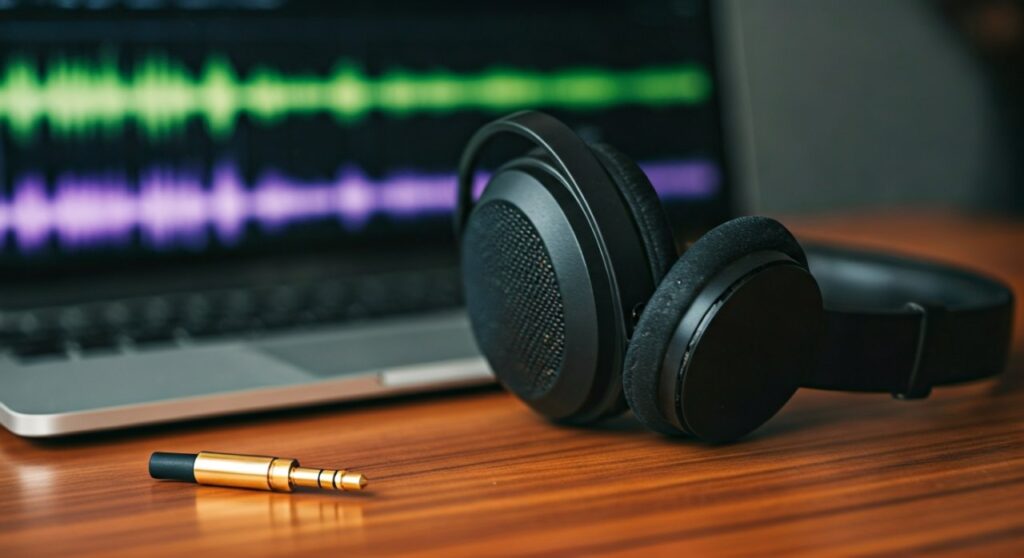
Reversing your audio is essential if your headphone cable is too short to reach your PC from the correct side or if you have a hearing impairment in one ear. Having tested dozens of software solutions, I recommend Equalizer APO for Windows users due to its zero-latency performance and deep system integration.
Key Takeaways: How to Reverse Headphone Left and Right
| Method | Platform | Difficulty | Best For |
|---|---|---|---|
| Equalizer APO | Windows | Medium | Gamers and Audiophiles |
| Audio Hijack | macOS | Easy | Professional Creators |
| Physical Adapter | All (Hardware) | Easy | Plug-and-play simplicity |
| Accessibility Settings | iOS/Android | Easy | Mono-summing (Partial fix) |
| PulseAudio | Linux | Hard | Power users / Scripting |
Why You Might Need to Reverse Your Headphone Channels
Before diving into the “how-to,” it is important to understand why the stereo image matters. Most media is mixed with directional cues—in First-Person Shooters (FPS), hearing a footstep on the left when it’s actually on the right can be the difference between winning and losing.
From my experience working in audio production, I’ve seen users need a swap because of:
- Ergonomics: The headphone cable only reaches your PC if worn “backwards.”
- Physical Defects: Internal wiring errors during manufacturing.
- Hearing Balance: Compensating for unilateral hearing loss.
- Gaming Advantages: Customizing spatial awareness for specific map layouts.
How to Reverse Headphone Left and Right on Windows 10 & 11
Windows does not offer a native “Swap L/R” toggle in the Control Panel. To achieve this, you must use a Global Audio Processor.
Method 1: Using Equalizer APO (Recommended)
Equalizer APO is an open-source parametric equalizer that operates at the system level. It is the most reliable way to reverse headphone left and right without adding lag.
- Download and install Equalizer APO.
- During installation, select your primary playback device (e.g., Realtek Audio or USB DAC) in the Configurator.
- Restart your PC to finalize the driver integration.
- Navigate to
C:Program FilesEqualizerAPOconfigand openconfig.txt. - Delete any existing text and enter the following command:
Copy: L=R R=L - Save the file. Your audio channels are now instantly swapped.
Method 2: The Peace GUI Extension
If editing text files feels intimidating, the Peace GUI is an interface for Equalizer APO that makes the process visual.
- Install Peace GUI after installing Equalizer APO.
- Open the Peace interface.
- Locate the Effects button (represented by a small icon or tab).
- Click the Reverse Channels (LR) button.
- Click Done and Apply.
How to Reverse Headphone Left and Right on macOS
Apple’s macOS is slightly more restrictive, but there are two effective ways to flip your audio channels.
Using the Native Sound Balance (Limited)
Strictly speaking, macOS only allows you to shift balance, not swap. However, you can sum the audio to Mono if you only need the same sound in both ears.
- Go to System Settings > Accessibility.
- Select Audio from the sidebar.
- Toggle on Play stereo audio as mono.
Using “Background Music” (Open Source)
For a true L/R swap, the free app Background Music is the best tool for Mac users.
- Install Background Music via GitHub or Homebrew.
- Once running, click the icon in the menu bar.
- Under your output device, look for the Layout or Channel settings.
- Select the option to swap Left and Right.
Physical Hardware Solutions for Any Device
If you use multiple devices (like a Nintendo Switch, PlayStation 5, or a Smartphone) and don’t want to install software on every single one, a hardware fix is superior.
The 3.5mm Reverse Adapter
You can purchase a 3.5mm Stereo Reverse Cable. This is a small “dumb” adapter where the internal wires are physically crossed (Left wire goes to Right pin).
- Pros: Zero latency, works on every device with a jack.
- Cons: Adds bulk to your cable.
Using an External DAC/Amp
High-end External DACs (Digital-to-Analog Converters) like those from Schiit Audio or FiiO sometimes feature a physical toggle or a software suite that allows for channel manipulation. If you are an audiophile, check your DAC’s control panel (e.g., FiiO Control App).
Reversing Audio on Mobile Devices (Android & iOS)
Mobile operating systems are currently the most difficult platforms for this specific task.
For Android Users
Most Android versions do not support channel swapping natively.
- System-wide Mono: Go to Settings > Accessibility > Audio adjustment and turn on Mono audio.
- Music Players: If you only need this for music, apps like Poweramp or VLC have built-in “Swap Channels” settings within their audio processing menus.
For iOS (iPhone/iPad) Users
iOS is currently limited to Mono Audio.
- Open Settings.
- Tap Accessibility > Audio/Visual.
- Turn on Mono Audio.
- Note: As of the latest iOS versions, there is no third-party app capable of swapping system-wide stereo channels due to Apple’s “sandboxing” security.
Expert Tips for Audio Troubleshooting
As someone who has spent years testing audio gear, I often see people mistake a “broken” headphone for a “reversed” one. Before you commit to a permanent software swap, perform these checks:
- The “Stereo Test” Video: Search YouTube for a “Left Right Stereo Test” to confirm which side is actually playing.
- Check the Jack: Ensure the 3.5mm plug is pushed all the way in. A partial connection often causes the Ground and Phase to shift, making audio sound “hollow” or reversed.
- Clean the Port: Lint inside a phone or laptop jack can bridge connections between the Left and Right rings of the plug.
FAQs: How to Reverse Headphone Left and Right
Does reversing headphones cause audio lag?
If you use Equalizer APO on Windows, there is zero perceptible lag because it processes audio at the kernel level. However, using “Virtual Audio Cables” or complex routing software can introduce 20-50ms of latency, which might affect competitive gaming.
Can I reverse the channels on a USB headset?
Yes. Software solutions like Equalizer APO or Background Music work perfectly with USB Headsets and Bluetooth Headphones because they intercept the digital signal before it reaches the device.
Is there a Chrome extension to swap audio?
Yes, for browser-only content. Extensions like “Channel Mapper” or “Volume Master” allow you to manipulate stereo channels within YouTube or Netflix tabs, but they will not affect Discord or games played outside the browser.
Will swapping L/R damage my headphones?
No. Reversing headphone left and right is a purely signal-based change. It does not increase voltage or change the frequency response in a way that could harm the drivers of your headphones.
How do I do this on Linux?
For PulseAudio users, you can use the command line:
pacmd load-module module-remap-sink sink_name=reverse-stereo master=0 channels=2 master_channel_map=front-left,front-right channel_map=front-right,front-left
This creates a new “virtual sink” that is permanently reversed.









