

Understanding Your Ultra HD Projector Setup
To how to set up an Ultra HD projector effectively, you must focus on throw distance, ambient light control, and source calibration. The process involves positioning the projector precisely, connecting high-bandwidth HDMI 2.1 cables for 4K content, and adjusting the lens settings to ensure a perfectly sharp image. By following the correct order of mounting, alignment, and color calibration, you can achieve a true cinematic experience at home.
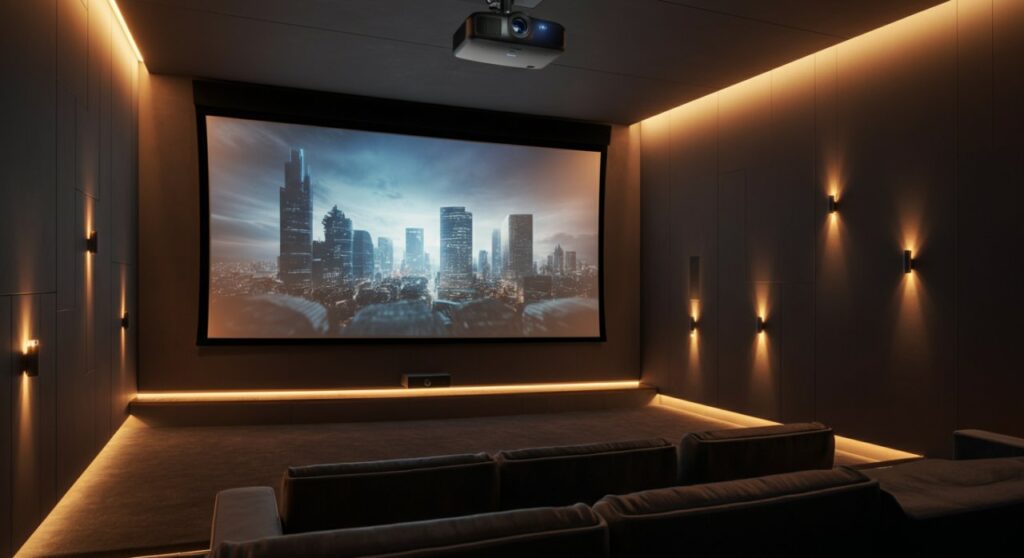
TL;DR: Quick Setup Checklist
- Measure your space: Confirm the throw distance matches the manufacturer’s requirements.
- Mounting: Install the projector mount securely into a ceiling stud or wall bracket.
- Connections: Use Certified Ultra High Speed HDMI cables for 4K/60Hz or higher signals.
- Screen Alignment: Use the keystone correction and lens shift features to fit the image perfectly.
- Calibration: Fine-tune focus and colors using an internal test pattern.
Essential Tools and Requirements for Your Setup
Before you begin, gather the right equipment to ensure the installation is stable and high-performing. A standard Ultra HD projector setup requires more than just the device itself; it demands proper infrastructure to handle high-resolution signals.
- Projector Mount: Ensure it is rated for the weight of your specific 4K projector model.
- Cabling: Avoid cheap cables; use Active HDMI cables if your run is longer than 15 feet to prevent signal loss.
- Light Control: Darken the room using blackout curtains if your screen is not an ALR (Ambient Light Rejecting) type.
- Measuring Tape: Accuracy here prevents hours of frustration with image distortion.
Component Comparison Table
| Feature | Basic Setup | Premium Ultra HD Setup |
|---|---|---|
| HDMI Cable | Standard HDMI | HDMI 2.1 (48Gbps) |
| Mounting | Desktop stand | Ceiling-mounted |
| Screen Type | Matte white | ALR (Ambient Light Rejecting) |
| Calibration | Factory default | Professional Colorimeter |
Step-by-Step: How to Set Up Ultra HD Projector for Perfection
Executing the installation with precision is critical because Ultra HD resolution is unforgiving regarding focus and alignment. Follow these steps sequentially to maximize your hardware investment.
Determining Optimal Placement
The throw ratio is the most important factor in your installation. This determines how large the image will be relative to the distance from the screen.
- Check the manual for the specific throw distance range.
- Mark the center of your screen on the wall.
- Align the center of the projector lens with the center of the screen horizontally.
Physical Mounting and Stability
Whether you are placing the unit on a shelf or mounting it to the ceiling, stability is paramount. Even slight vibrations can ruin the sharpness of 4K imagery.
- Ensure the mount is level using a spirit level tool.
- Tighten all bolts firmly but avoid overtightening to prevent warping.
- Keep the projector at least 6-12 inches away from walls or ceilings to allow for proper heat dissipation.
Connection and Signal Integrity
Your Ultra HD projector is only as good as the signal it receives. Connecting a high-quality source like a 4K Blu-ray player or a high-end streaming box is vital.
- Use the HDMI 2.1 port on the projector.
- If using an AV Receiver, ensure it is 4K-compatible and supports HDCP 2.2 or higher.
- Label your cables to avoid confusion during future maintenance.
Calibration for Maximum Visual Impact
Once connected, the image will likely require adjustment. Do not rely on “out of the box” settings if you want the best image quality.
- Lens Shift: Use physical lens shift controls rather than digital keystone correction whenever possible to maintain pixel resolution.
- Focus: Use the projector’s internal test pattern (the grid) to adjust the focus.
- Color Temp: Set to “Warm” or “Cinema” mode for the most accurate, industry-standard color reproduction.
Maintaining Your Ultra HD Investment
Proper maintenance extends the life of your equipment and prevents the degradation of image brightness. I personally clean my lens every three months using a professional-grade microfiber cloth to prevent dust buildup.
- Air Filters: Clean or replace filters as directed to prevent overheating.
- Firmware: Regularly check the manufacturer’s website for firmware updates to improve performance.
- Environment: Keep the room temperature stable; excessive heat is the primary enemy of DLP and LCD projection chips.
Frequently Asked Questions
What is the most common mistake when setting up a 4K projector?
The most common error is relying on digital keystone correction, which reduces image resolution and introduces artifacts. Always use physical lens shift and proper placement to achieve the best results.
Do I need a special screen for an Ultra HD projector?
While not strictly required, a high-quality screen makes a massive difference. An ALR (Ambient Light Rejecting) screen is highly recommended if you cannot achieve a perfectly dark room.
How long should an Ultra HD projector last?
Modern LED or Laser light sources typically last between 20,000 and 30,000 hours. Traditional lamp-based projectors usually need a bulb replacement after 3,000 to 5,000 hours.
Can I use a regular HDMI cable for 4K?
For stable 4K, HDR, and high refresh rates, you should use Certified Ultra High Speed HDMI cables. Older cables may flicker or fail to output the full 4K signal.









