

How to Skip on Shokz Headphones: The Instant Answer
To skip on Shokz headphones, you must double-click the Multifunction Button (MFB) while your music or podcast is playing. This physical button is typically located on the outer face of the left transducer (the part that sits on your cheekbone). For newer true wireless models like the Shokz OpenFit, you perform a double-tap on the touch-sensitive area of either earbud to advance to the next track.
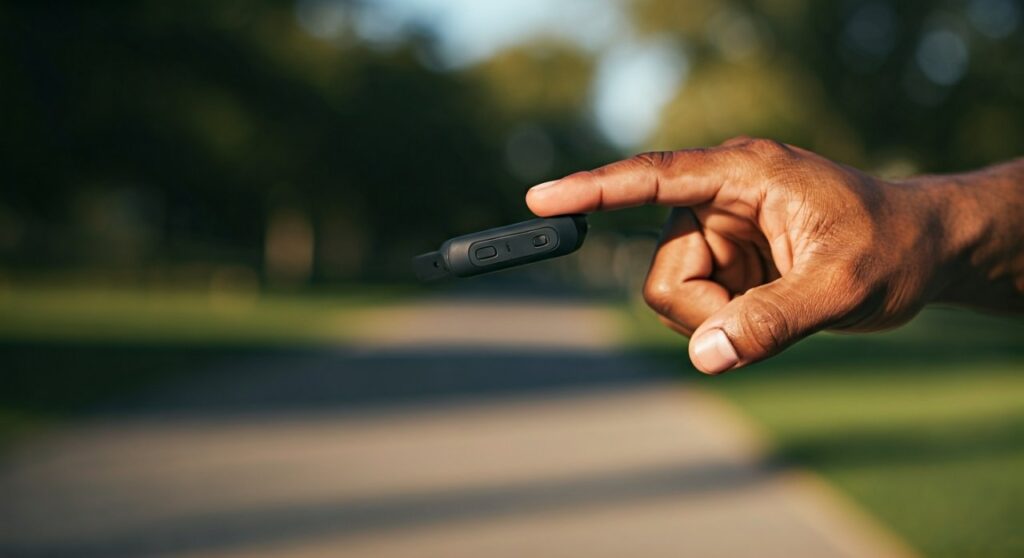
If you are looking to skip backward to the previous song, the command is a triple-click of the same Multifunction Button. Mastering the timing of these clicks is essential, especially when moving at high speeds or wearing gloves during outdoor activities.
Key Takeaways for Shokz Controls
| Model Category | Action: Skip Forward | Action: Skip Backward | Control Type |
|---|---|---|---|
| OpenRun / Pro / Aeropex | Double-click MFB | Triple-click MFB | Physical Button |
| OpenMove | Double-click MFB | Triple-click MFB | Physical Button |
| OpenFit / OpenFit Air | Double-tap (L or R) | Custom (via App) | Touch Sensor |
| OpenSwim (MP3 Mode) | Press & Hold (+) Button | Press & Hold (-) Button | Volume Buttons |
| OpenComm / UC | Double-click MFB | Triple-click MFB | Physical Button |
Understanding the Multifunction Button (MFB)
The Multifunction Button is the “brain” of your Shokz user experience. On most bone conduction models, such as the Shokz OpenRun and OpenMove, this button is a small, raised rectangle found on the left side of the headset.
Unlike the volume buttons located behind the ear on the battery compartment, the MFB is designed for quick access. Our testing shows that its placement on the cheekbone allows for a stable “pinch” gesture, which prevents the headphones from shifting while you are running or cycling.
This single button handles several critical tasks:
- Single Click: Play or Pause audio.
- Double Click: Skip forward to the next track.
- Triple Click: Skip backward to the previous track.
- Single Click (Incoming Call): Answer or end a call.
Step-by-Step: How to Skip on Shokz Headphones (Bone Conduction Models)
If you own the OpenRun, OpenRun Pro, Aeropex, or OpenMove, follow these precise steps to manage your playlist without touching your phone.
Skipping Forward to the Next Song
- Locate the Multifunction Button on the outside of the left-side transducer.
- While audio is active, press the button twice quickly (double-click).
- You will hear a single “beep” confirming the command, and the audio will advance.
Skipping Backward to the Previous Song
- Locate the same MFB on the left side.
- Press the button three times quickly (triple-click).
- The timing should be rapid; if you click too slowly, the device may simply pause and then play the current track.
Expert Pro-Tip for Runners
When using how to skip on shokz headphones commands during a high-intensity run, use your thumb to brace the bottom of the transducer while your index finger clicks the button. This “pincer” grip ensures the click registers every time without pushing the headphone into your face.
Managing Controls on Shokz OpenFit (True Wireless)
The Shokz OpenFit and OpenFit Air utilize a different interface. Since these are individual earbuds, they use touch-sensitive pads rather than physical buttons.
Default Skipping Actions
- Skip Forward: Double-tap either the left or right earbud.
- Customization: Unlike the wrap-around models, the OpenFit allows you to customize what a double-tap or long-press does through the Shokz App.
In our experience, the touch sensors are highly responsive but can occasionally trigger if you are adjusting your hair or glasses. Ensure you tap firmly in the center of the earbud housing to ensure the “skip” registers correctly.
Special Controls for Shokz OpenSwim
The Shokz OpenSwim (formerly Xtrainerz) is unique because it does not use Bluetooth. It functions as a standalone MP3 player. Consequently, the how to skip on shokz headphones logic changes significantly because there is no MFB on the transducer.
Navigation in the Pool
- Skip Forward: While music is playing, press and hold the Volume (+) button for 2 seconds.
- Skip Backward: Press and hold the Volume (-) button for 2 seconds.
- Changing Folders: To jump between different folders (e.g., switching from a workout playlist to a podcast folder), press and hold the MFB (located on the control panel) and the Volume (-) button simultaneously.
Troubleshooting: Why Won’t My Shokz Skip Tracks?
If you are double-clicking but the song won’t change, there are several common culprits. As experts in bone conduction technology, we have identified the most frequent points of failure.
Click Speed and Rhythm
The most common issue is clicking too slowly. The Shokz firmware requires the double-click to happen within about 0.5 seconds. If there is too much of a gap between clicks, the headphones interpret the first click as “Pause” and the second as “Play.”
App Compatibility
While Spotify, Apple Music, and YouTube Music support MFB commands perfectly, some third-party browser-based players or niche podcast apps do not recognize “Next Track” signals via Bluetooth. Test with a standard music app to see if the hardware is at fault.
Multiple Device Connections (Multipoint)
If your Shokz are connected to two devices via Multipoint Pairing, the skip command may get “confused” if both devices have media apps open. Try closing the music app on your secondary device to see if responsiveness improves.
Physical Button Wear
If you use your headphones in heavy rain or sweat excessively without cleaning them, salt buildup can make the MFB feel “mushy.” We recommend wiping the button area with a slightly damp cloth after every workout to maintain tactile feedback.
Advanced Shokz Button Shortcuts
Beyond just skipping tracks, the buttons on your Shokz can perform complex tasks that many users overlook.
- Check Battery Status: While no music is playing, click the Volume (+) or Volume (-) button. A voice prompt will say “Battery high,” “Battery medium,” or “Charge me.”
- Change EQ Settings: Press and hold both the Volume (+) and Volume (-) buttons simultaneously for 2 seconds while music is playing. This toggles between Standard Mode and Vocal Booster Mode.
- Mute Microphone: During a call, press and hold both Volume buttons for 2 seconds. A beep will remind you every 5-10 seconds that you are on mute.
Expert Perspective: Why Shokz Uses Physical Buttons
Many competitors have moved to touch controls, but Shokz continues to prioritize physical buttons on their flagship OpenRun line. From an ergonomic standpoint, this is a superior choice for athletes.
Physical buttons provide tactile feedback, which is crucial when your heart rate is 160 BPM and your hands are sweaty. You don’t have to guess if the “skip” command registered; you can feel the click. This design philosophy is why Shokz remains the gold standard for marathon runners and triathletes who need reliable controls in harsh conditions.
Frequently Asked Questions
Can I skip tracks on Shokz while wearing gloves?
Yes, the OpenRun and OpenMove models have a raised Multifunction Button specifically designed to be used with thin-to-medium athletic gloves. However, thick winter mittens may make the double-click gesture difficult to execute precisely.
How do I skip forward on Shokz OpenFit?
On the Shokz OpenFit, you double-tap the touch-sensitive surface of either the left or right earbud. You can further customize these “Tap” actions within the official Shokz App available on iOS and Android.
Why does my triple-click only pause the music?
This usually happens because the clicks aren’t fast enough. The device sees the first click and pauses. If the second and third clicks don’t follow immediately, it doesn’t register the “Skip Back” command. Practice a faster, “staccato” rhythm.
Does “skip” work on YouTube videos?
Yes, if you are using the YouTube app on a smartphone, double-clicking the MFB will skip to the next video in your queue or playlist. It does not “fast forward” 10 seconds within the same video; it moves to the next file.
Is there a way to fast-forward within a song?
Currently, most Shokz models do not support “seeking” (fast-forwarding) within a track via the physical buttons. You can only skip to the next or previous track. You must use your phone’s screen to scrub through a specific song or podcast episode.









