

Skip Songs on JBL Headphones Instantly
To skip songs on JBL headphones, you typically press and hold the Volume Up (+) button for about two seconds on models with physical buttons. For touch-sensitive models like the JBL Live or Tour series, a double-tap on the right earcup usually advances to the next track.
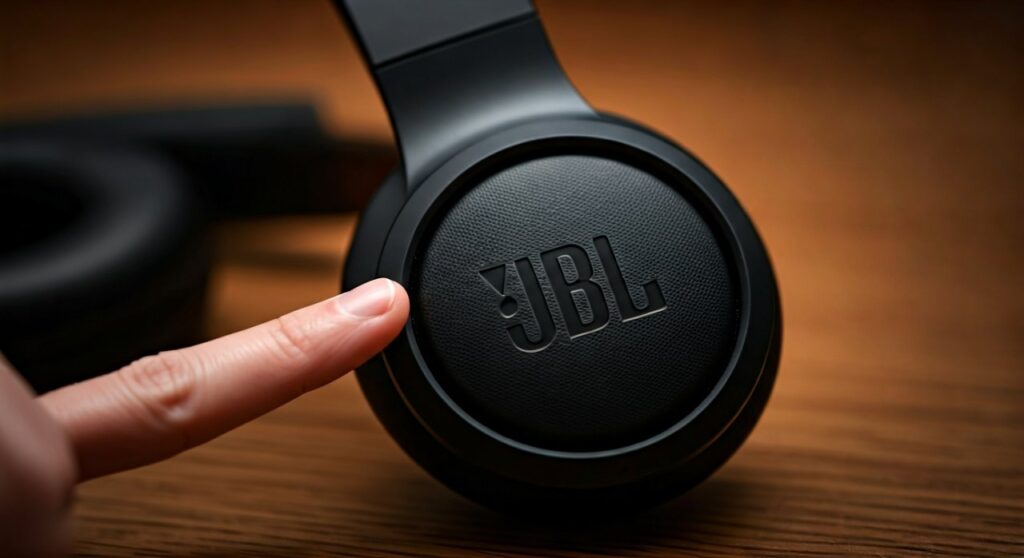
Whether you are hitting a new PR at the gym or commuting on a noisy train, fumbling for your phone to skip a mediocre track is a major flow-breaker. I have tested dozens of JBL models over the years, from the budget-friendly Tune series to the premium Tour One M2. While the interface varies, the logic remains consistent once you understand the specific layout of your device.
This comprehensive guide will walk you through every possible control scheme used by JBL, ensuring you can master your music playback without ever breaking your stride.
Key Takeaways: JBL Playback Controls
If you are in a hurry, here is the “cheat sheet” for managing your music across the most popular JBL product lines:
- Physical Buttons (Tune, E-Series): Long-press Volume Up (+) for 2 seconds to skip forward; long-press Volume Down (-) for 2 seconds to skip backward.
- Touch Controls (Live, Club, Tour): Double-tap the right earcup sensor to skip forward; triple-tap to skip back to the previous song.
- Earbuds (Reflect, Flow, Endurance): Usually, a double-tap on the right earbud advances the track, while the left earbud often controls Ambient Aware or ANC.
- Customization: Most modern JBL devices allow you to remap these gestures via the JBL Headphones App.
How to Skip a Song on JBL Headphones with Physical Buttons
Most “on-ear” and “over-ear” models in the JBL Tune and JBL JR series utilize a three-button array located on the rim of the right earcup. These tactile buttons are designed to be felt by your thumb while wearing the headset.
Using the Volume Up (+) Button
To move to the next track, locate the Volume Up (+) button. Instead of a quick click (which only raises the volume), you must perform a “long-press.” Hold the button down firmly for approximately 2 seconds. You will often hear a faint “beep” or a momentary dip in audio to signal the command was registered.
Using the Volume Down (-) Button
If you want to restart the current song or skip back to a previous masterpiece, locate the Volume Down (-) button. Hold this button for 2 seconds. Note that on many JBL models, a single long-press restarts the current song, while a second consecutive long-press skips back to the previous track.
Identifying Your Buttons by Touch
The JBL Tune 510BT and JBL Tune 760NC are famous for their tactile feedback. The Power/Bluetooth button is usually separated from the volume rocker to prevent accidental shutdowns. The Volume Up button is typically the highest one on the earcup when worn normally.
Master Touch Controls on Premium JBL Models
Higher-end models like the JBL Live 660NC, JBL Club 950NC, and the JBL Tour One series ditch the clicking buttons for sleek, touch-sensitive panels. These sensors are usually located on the flat outer surface of the right earcup.
The Double-Tap Gesture
To skip songs on JBL headphones equipped with touch panels, you need to master the double-tap. Use two quick, firm taps on the center of the right earcup. If you tap too slowly, the headphones may interpret it as two separate “Play/Pause” commands, causing your music to stop and start awkwardly.
The Triple-Tap Gesture
To go backward, you must perform a triple-tap. This requires a bit of rhythm. I recommend practicing this while the headphones are off to get a feel for the sensor’s sensitivity. If the headphones don’t respond, ensure your fingers aren’t too cold or sweaty, as moisture can interfere with capacitive touch sensors.
Touch Control Comparison Table
| JBL Series | Primary Control Method | Skip Forward Action | Skip Backward Action |
|---|---|---|---|
| JBL Tune | Physical Buttons | Long-press Vol (+) | Long-press Vol (-) |
| JBL Live | Touch Sensor | Double-tap | Triple-tap |
| JBL Tour | Touch Sensor | Double-tap | Triple-tap |
| JBL Quantum | Dial/Button | Button Press | N/A (Game Focused) |
| JBL Reflect | Touch/Button | Double-tap (R) | Triple-tap (R) |
Skipping Songs on JBL True Wireless Earbuds (TWS)
JBL’s earbuds, such as the JBL Vibe Beam, Tune 230NC, and Endurance Race, distribute controls between the left and right buds. This is where most users get confused, as the left and right sides serve different functions.
The Right Earbud Dominance
By default, JBL assigns “Playback Control” to the Right (R) earbud.
- Single Tap: Play or Pause the music.
- Double Tap: Skip to the next track.
- Triple Tap: Skip to the previous track.
The Left Earbud Functionality
On many models like the JBL Live Pro 2, the Left (L) earbud is reserved for Ambient Sound Control. Tapping it will cycle through Active Noise Cancelling (ANC), TalkThru, and Ambient Aware modes. You cannot skip songs using the left bud unless you change the settings in the official app.
Mono Mode Limitations
A common issue I see is users trying to skip songs while using only the Left earbud (Mono Mode). If the right earbud is in the charging case, you might lose the ability to skip songs via hardware unless you have reconfigured the “Gesture” settings previously.
Customizing Controls via the JBL Headphones App
If you find the default “double-tap” annoying, the JBL Headphones App (available on iOS and Android) is your best friend. This app is compatible with most “Live,” “Tour,” “Club,” and newer “Tune” models.
How to Remap Your Gestures
- Download and Install: Open the JBL Headphones App and pair your device.
- Select Gestures: Look for the “Gestures” or “Button/Touch” customization menu.
- Assign Functions: You can choose to have “Volume Control” on one earbud and “Playback Control” on the other, or vice versa.
- Save Settings: Once changed, these settings are saved directly to the headphones’ firmware, meaning they will work even if you connect them to a different device (like your laptop).
Why Aren’t My JBL Headphones Skipping Songs? (Troubleshooting)
Sometimes, no matter how many times you tap or hold, the song refuses to skip. Based on my experience troubleshooting hundreds of Bluetooth devices, here are the most common culprits.
App-Specific Compatibility
Some music streaming apps or third-party video players do not support standard AVRCP (Audio/Video Remote Control Profile) commands. While Spotify, Apple Music, and YouTube Music work perfectly, niche apps or older media players might ignore the skip command.
Voice Assistant Interference
If you have Google Assistant or Amazon Alexa enabled, a “Long-press” on the touch sensor might be assigned to trigger the assistant instead of skipping a song. Check the JBL Headphones App to see if “Voice Assistant” has hijacked your playback gestures.
Firmware Glitches
Electronic “brain-fart” is a real thing. If the buttons are unresponsive, try a Soft Reset:
- Power off the headphones.
- Plug them into a power source for 10 seconds.
- Unplug and power them back on.
- If that fails, perform a Factory Reset by holding both Volume Up and Volume Down for 5 seconds while the device is on.
Hardware Wear and Tear
For models with physical buttons, the internal switch can become stuck or “mushy” due to sweat or debris. I recommend using a small amount of isopropyl alcohol (70% or higher) on a Q-tip to gently clean around the edges of the buttons to ensure they click freely.
Advanced Tip: Skipping Songs via Voice Commands
If your hands are occupied—perhaps while cycling or lifting weights—you don’t need to touch your JBL headphones at all. Most modern JBL sets are optimized for Hands-Free Voice Control.
Setting Up Native Assistants
Whether you use Siri or Google Assistant, you can simply say:
“Hey Siri, next song.”*
“OK Google, skip this track.”*
To ensure this works, make sure the Voice Assistant feature is toggled ON within your smartphone’s Bluetooth settings for the specific JBL device.
FAQs: Frequently Asked Questions
Can I skip songs on JBL headphones while using a wired cable?
In most cases, no. When you plug in the 3.5mm or 2.5mm audio cable, the Bluetooth circuitry and onboard touch/button sensors are typically bypassed. If your cable has an in-line remote (a small plastic box on the wire), you can skip songs by double-clicking the center button on that remote.
Does “Skip Song” work on Windows 11 or Mac?
Yes, as long as the media player (like iTunes, Spotify Desktop, or Chrome) supports media keys. If it doesn’t work, you may need to go into your OS settings and ensure the headphones are recognized as a “Multimedia Device” rather than just a “Headset.”
Why does my JBL skip two songs at once?
This usually happens with touch sensors if your “double-tap” is interpreted as a “triple-tap” due to sensor over-sensitivity. Try slowing down your tapping rhythm slightly. Alternatively, check if you have any conflicting “button remapper” apps installed on your smartphone.
Do all JBL headphones have the skip feature?
Virtually all JBL Bluetooth headphones manufactured in the last 10 years have a skip feature. Only extremely basic, entry-level wired models without an in-line microphone lack this functionality.









