

To test a headphone effectively, you must evaluate its frequency response, soundstage, imaging, and physical comfort using high-quality lossless audio files and a dedicated DAC/AMP. Begin with a visual inspection for build defects, then perform a frequency sweep (20Hz to 20kHz) to identify driver imbalances or distortion before moving to a curated “stress test” playlist.
Buying a premium pair of headphones is an investment in your sensory experience. However, even high-end brands like Sennheiser, Sony, or Beyerdynamic can occasionally ship units with driver mismatches or “boomy” bass that masks clarity. Whether you are an aspiring audiophile or a professional editor, knowing how to test a headphone systematically ensures you aren’t settling for mediocre sound. This guide leverages years of studio experience to show you exactly what to listen for.
Key Takeaways for Testing Headphones
If you are in a rush, here are the critical steps to verify headphone quality:
- Physical Check: Ensure hinges don’t creak and earpads provide a complete seal.
- Lossless Source: Always use FLAC, WAV, or Tidal HiFi; avoid low-bitrate YouTube or Spotify “Normal” settings.
- The Sweep Test: Use a 20Hz-20kHz frequency sweep to find “dead zones” or “buzzing” in the drivers.
- The 2-Hour Comfort Rule: Wear them for at least 120 minutes to check for “hot spots” on the headband.
- Reference Tracks: Use songs you know by heart to identify deviations in sound signature.
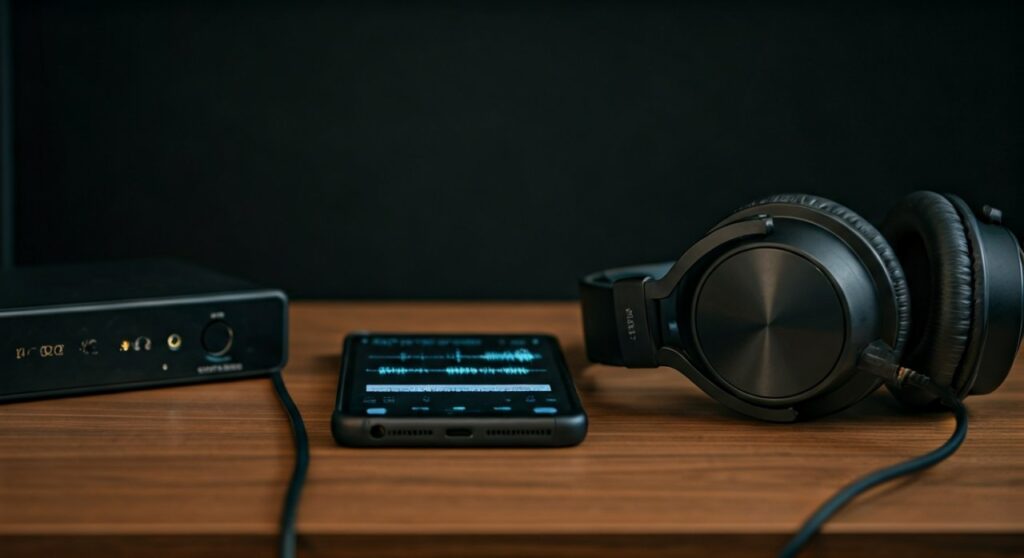
Phase 1: The Physical Inspection and Build Quality
Before plugging them in, you must assess the structural integrity. A headphone that sounds like a dream but breaks in six months is a poor investment.
Check the Hinge and Swivel
Rotate the earcups and extend the headband. You should not hear any grinding or plastic squeaking. If the hinges feel loose, they likely won’t maintain a consistent seal on your ears, which destroys bass response.
Inspect the Earpads and Seal
For Closed-Back headphones, the seal is everything. Press the cups against your head; you should feel a slight pressure change. For Open-Back models, check if the mesh or grill is uniform and free of glue residue.
Cable Microphonics
Plug the cable in and tap it with your fingernail while wearing the headphones. If you hear a loud “thumping” in your ears, the cable has high microphonics. This is a common flaw in budget cables that ruins the listening experience during movement.
Phase 2: Technical Sound Performance Testing
This is where you determine if the internal components (the drivers) are functioning at peak performance. This step requires a quiet environment and focused attention.
Frequency Response and “The Sweep”
A frequency sweep is the most objective way to find flaws. Use a tone generator to sweep from 20Hz to 20,000Hz.
- Sub-bass (20Hz – 60Hz): You should feel a smooth rumble. If you hear “fluttering,” the driver is struggling.
- Mids (250Hz – 2kHz): Ensure the tone stays dead-center in your head. If it shifts to the left or right, you have a channel imbalance.
- Highs (5kHz – 20kHz): Listen for “piercing” peaks. Some headphones have a “Mount Beyer” peak around 8kHz that can cause ear fatigue.
Testing Soundstage and Imaging
Soundstage is the perceived “width” of the music. Imaging is the ability to pinpoint exactly where an instrument is located.
- To test Soundstage: Listen to live orchestral recordings or binaural “dummy head” recordings (like the famous “Virtual Barber Shop”).
- To test Imaging: Use a track with complex layering, such as “Bubbles” by Yosi Horikawa. You should be able to “see” the marbles bouncing across the floor in a specific 3D space.
| Performance Metric | What to Listen For | Red Flag |
|---|---|---|
| Sub-Bass Extension | A deep, vibrating hum at 30Hz. | Distant “farting” or rattling sounds. |
| Channel Balance | Vocals should sound perfectly centered. | The singer feels slightly to the left/right. |
| Transient Response | Fast drum hits should stop instantly. | “Muddy” or lingering bass notes. |
| Total Harmonic Distortion (THD) | Pure tones at high volume. | Crackling, clipping, or “fuzz” on the notes. |
Phase 3: The Ultimate Test Playlist (Genre Stress Test)
When learning how to test a headphone, your choice of music acts as the diagnostic tool. Professionals use specific tracks to “torture” the hardware.
Sub-Bass Stress Test
Track: “Limit to Your Love” by James Blake.
At the 0:55 mark, a punishing sub-bass line kicks in. If your headphones can’t handle it, the vocals will start to “waver” or the bass will sound like a generic blur instead of a distinct vibration.
Mid-Range and Vocal Clarity
Track: “Fast Car” by Tracy Chapman.
Listen to the texture of the acoustic guitar and the rasp in Chapman’s voice. In high-quality headphones, the vocals should feel “forward” and intimate, not like they are buried behind a curtain.
Treble Detail and Sibilance
Track: “Dreams” by Fleetwood Mac.
Focus on the cymbals. They should sound “crisp” and “shimmering.” If the “S” sounds in the vocals (Sibilance) hurt your ears, the headphones are likely too “bright” for long-term listening.
Phase 4: Matching Hardware (Impedance & Sensitivity)
You cannot accurately test a headphone if you aren’t powering it correctly. Many professional headphones, like the Sennheiser HD600, have an Impedance of 300 Ohms.
- Low Impedance (Under 32 Ohms): Can be tested with a smartphone or laptop.
- High Impedance (Over 100 Ohms): Requires a dedicated Headphone Amplifier.
- The Danger: If you test high-impedance cans on a phone, they will sound thin, quiet, and lack bass. This isn’t a fault of the headphone; it’s a lack of power.
Phase 5: The Long-Term Comfort “Stress Test”
Sound quality is irrelevant if the headphones cause physical pain. Audiophiles often refer to this as the “Clamping Force.”
- The 30-Minute Mark: Check for heat buildup. Leatherette pads often make ears sweat, while Velour or Alcantara stay cool.
- The Crown Check: Look for a “hot spot” on the very top of your head. If the headband padding is insufficient, the weight of the headphones (measured in grams) will become unbearable.
- Glasses Compatibility: If you wear glasses, ensure the earcups don’t press the frames into your temples, which can also break the “acoustic seal” and ruin bass.
Advanced Expert Tip: The “Burn-In” Myth vs. Reality
Many experts suggest a 24 to 48-hour “burn-in” period. While scientific data on “driver loosening” is debated, many users find that the mechanical parts of the suspension become more compliant after several hours of playback. When you test a headphone for the first time, don’t judge it in the first 5 minutes. Let music play through them overnight at a moderate volume and re-evaluate the next day.
Frequently Asked Questions (FAQs)
How can I tell if my headphone drivers are “blown”?
A blown driver typically exhibits a distinguishable crackle or “buzzing” sound specifically when playing low-frequency bass notes. You can also test this by playing a 40Hz sine wave; if one side rattles while the other is pure, the driver is likely damaged.
Why do my new headphones sound “flat” or boring?
If you are used to consumer brands like Beats or Bose, professional studio headphones (like the Sony MDR-7506) may sound “flat” because they have a Neutral Frequency Response. This is actually a sign of quality, as it reproduces music exactly as it was recorded without artificial bass boosting.
Can I use YouTube to test my headphones?
It is not recommended. YouTube compresses audio significantly, cutting off frequencies above 16kHz. To truly test a headphone, use a high-resolution source like a CD, FLAC file, or Tidal HiFi to ensure you are hearing the full range of the hardware.
What is the difference between Open-Back and Closed-Back testing?
When testing Open-Back headphones, you should check for a natural “airy” soundstage, but expect zero noise isolation. When testing Closed-Backs, focus on how well they block out external noise and whether the bass feels “trapped” or “boomy” due to the enclosed space.
How do I test for channel imbalance?
Use a mono audio track. If the sound feels like it is shifted even slightly to the left or right side of your brain, the drivers are not perfectly matched. Most manufacturers allow for a 1-2dB variance, but anything more is a defect.









