

How to Turn Off Bose Headphones: The Quick Answer
To turn off Bose headphones, you typically use a physical slide switch or a Power/Bluetooth button depending on your specific model. For over-ear models like the Bose QuietComfort (QC) series, sliding the switch to the “off” position (usually showing a black color) powers them down, while for the Bose 700 or Bose Ultra, you press and hold the power button for one second until the voice prompt confirms shutdown.
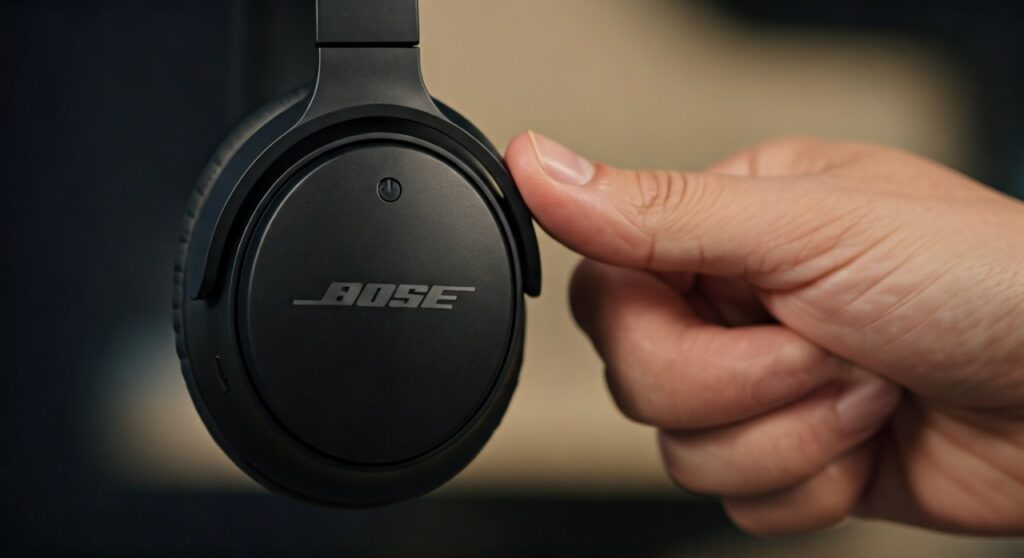
Key Takeaways: Powering Down Your Bose Gear
| Model Series | Method to Turn Off | Indicator Signal |
|---|---|---|
| Bose QuietComfort Ultra | Press and hold Power button (1 sec) | Descending tones & LED fades |
| Bose QC45 / QC35 | Slide the Power Switch to the left | Green light disappears |
| Bose 700 | Press and hold Power button (1 sec) | Voice prompt: “Powering Off” |
| Bose QC Earbuds | Place in charging case & close lid | Earbud status lights pulse |
| Bose SoundLink | Slide the Power Switch down | Tone sounds; lights go dark |
Understanding the Different Power Mechanisms of Bose Headphones
Knowing how to turn off Bose headphones is essential to preserving your battery life, which is a major pain point for users who find their headsets dead after a long flight. Unlike some budget headphones, Bose uses distinct mechanisms across their product lines to ensure a premium user experience.
If you are transitioning from older models to the newer Bose QuietComfort Ultra headphones, you might notice the mechanical switch has been replaced by a multi-function button. This guide covers every generation to ensure you never leave your battery draining by mistake.
Step-by-Step: How to Turn Off Bose QC Headphones (Over-Ear)
The Bose QuietComfort line is perhaps the most famous noise-canceling series in the world. However, the method to power them down has evolved.
How to turn off Bose QuietComfort (2023 Model) and QC45
These models feature a physical slide switch located on the right earcup.
- Locate the slide switch on the back of the right earcup.
- Slide the switch to the left (away from the Bluetooth icon).
- The green LED light will turn off, indicating the power is cut.
How to turn off Bose QuietComfort 35 (QC35) and QC35 II
- Look for the slide switch on the face of the right earcup.
- Slide the switch toward the center/bottom position.
- You will see a black color under the switch instead of green.
How to turn off Bose QuietComfort Ultra headphones
The Bose Ultra models have moved away from the slide switch in favor of a button-based system.
- Find the Power/Bluetooth button on the edge of the right earcup.
- Press and hold the button for approximately 1 second.
- Listen for the descending power-down tones and watch for the status light to turn off.
Mastering the Bose 700: Button Controls and Auto-Off
The Bose Noise Cancelling Headphones 700 introduced a sleeker design with fewer physical switches. Knowing how to use Bose headphones in this series requires understanding the long-press mechanic.
Manual Power Down
- Locate the top button on the back of the right earcup.
- Press and hold the button for one second.
- A voice prompt will say “Powering off,” and the LED will blink once before going dark.
The “Auto-Off” Motion Sensor
The Bose 700 features a motion-sensing “Auto-Off” feature. If you set the headphones down and don’t move them for 10 minutes, they will automatically enter a low-power sleep mode. You can customize this duration within the Bose Music App.
How to Turn Off Bose QuietComfort Ultra Earbuds and QC Earbuds II
If you are wondering how do I turn off my Bose headphones when they don’t have any buttons at all, you are likely using the earbuds. These rely on their charging case for power management.
- Place the earbuds into their respective slots in the charging case.
- Ensure the magnets pull them into place and the status lights blink.
- Close the lid. This is the critical step; the earbuds will remain “on” and connected to your phone if the lid stays open.
- To save battery without the case, you can use the Bose Music App to set an “Auto-Off” timer, though this is less efficient than using the case.
How to Turn On Bose Headphones and Enter Pairing Mode
Once you know how to shut them down, you must know how to turn on Bose headphones correctly to ensure they sync with your devices instantly.
How to turn on Bose QC headphones
- Slide the switch to the right. You will see a green color indicate it is active.
- To enter pairing mode, slide the switch all the way to the right (toward the Bluetooth symbol) and hold it there for 2-3 seconds until the light blinks blue.
How to turn on Bose QuietComfort Ultra
- Press the Power/Bluetooth button once.
- The voice prompt will announce the battery percentage and which devices are connected.
- To put Bose QuietComfort headphones in pairing mode, press and hold the same button for 3 seconds while the headphones are already on.
Advanced Power Management: The Bose Music App
To maximize your device’s lifespan, you should know how to use Bose QuietComfort headphones in conjunction with the official app. This software allows you to control power settings that aren’t available via physical buttons.
- Auto-Off Timer: Navigate to “Settings” in the Bose Music App. Select “Auto-Off” and choose between 5 minutes, 20 minutes, or “Never.”
- Standby Timer: For the Bose 700, this detects motion. If the headphones aren’t moved for a set period, they shut down.
- Firmware Updates: Sometimes, battery drain occurs because of a software bug. Always ensure your headphones are running the latest version.
Troubleshooting: What if My Bose Headphones Won’t Turn Off?
Occasionally, a software glitch might cause the power switch to become unresponsive. In my experience as a technician, this usually happens after a failed firmware update or exposure to moisture.
How to reset Bose QuietComfort headphones
If your headphones are frozen “on,” follow these steps:
- Connect the headphones to a USB power source via the charging cable.
- Wait 5 seconds, then unplug the cable.
- Wait 1 minute, then try the power switch again.
How to factory reset Bose QuietComfort headphones
For more severe issues where the power won’t cycle:
- Power off the headphones (if possible).
- Connect them to a wall charger for 30 seconds.
- Disconnect the USB cable.
- On your device, “Forget” the headphones in Bluetooth settings.
- Press and hold the Power/Bluetooth button for 30 seconds until the lights blink.
How to reset Bose QuietComfort Ultra headphones
- Connect the headphones to power.
- Press and hold the Power/Bluetooth button while the USB-C cable is plugged in.
- Release the button once the LED flashes white (usually after 2 seconds).
Expert Tips for Bose Battery Health
As someone who has used the Bose QuietComfort line for over a decade, I’ve found that battery longevity depends on how you handle power cycles.
- Avoid Extreme Temperatures: Never leave your Bose Ultra headphones in a hot car. Lithium-ion batteries degrade rapidly above 113°F (45°C).
- The 20-80 Rule: Try not to let your battery drop to 0%. Charging when it hits 20% and stopping at 80% can double the total lifespan of the internal cells.
- Disable “Always-On” Assistants: If you don’t use Google Assistant or Alexa, disable them in the app. These features keep the microphone “listening,” which consumes passive power.
Common Questions About Bose Power Settings
How to turn on noise cancelling on Bose headphones?
On most Bose QC headphones, noise cancellation is active by default the moment you turn them on. You can toggle between “Quiet” (Full NC) and “Aware” (Transparency) modes by pressing the Action Button on the left earcup.
How to turn on noise cancellation on Bose headphones (Bose 700)?
Press the lower button on the back of the left earcup. You can cycle through three levels of noise cancellation (0, 5, and 10) by tapping this button repeatedly.
How to set up Bose QuietComfort headphones for the first time?
- Download the Bose Music App on iOS or Android.
- Turn on Bose QC headphones by sliding the switch or pressing the power button.
- Open the app and follow the on-screen prompts to pair and customize your sound profile.
Frequently Asked Questions (FAQs)
Why do my Bose headphones stay on when I take them off?
Most Bose QC headphones do not have “on-head detection.” You must manually slide the switch or press the button to turn them off. The Bose 700 and QC Ultra have sensors, but these must be enabled in the Bose Music App to function correctly.
Can I turn off the voice prompts when powering down?
Yes. In the Bose Music App, go to Settings > Voice Prompts. You can toggle them off so that the headphones only use tones to signal when they are powering down.
How long does the battery last if I forget to turn them off?
If “Auto-Off” is disabled, the headphones will stay on until the battery is depleted (usually 20-24 hours). With “Auto-Off” enabled, they will shut down after your chosen period of inactivity (e.g., 20 minutes), saving significant battery life.
Do Bose headphones charge while they are turned on?
Most modern Bose headphones (like the QC45 and Ultra) can charge while in use, but they will charge much faster if you turn off the Bose headphones first.
How do I know if my Bose headphones are actually off?
Check the status LED. If there is no light (solid or blinking) and you hear no white noise when putting them to your ear, the device is successfully powered down.









