

Quick Guide: How to Turn On Candy Bila Headphones
To turn on Candy Bila headphones, locate the Power button on the side of the ear cup and press and hold it for 3 to 5 seconds. You will know the device is active when the LED indicator light begins to flash, usually in a blue or blue-and-red pattern, and you may hear a “Power On” voice prompt through the speakers.
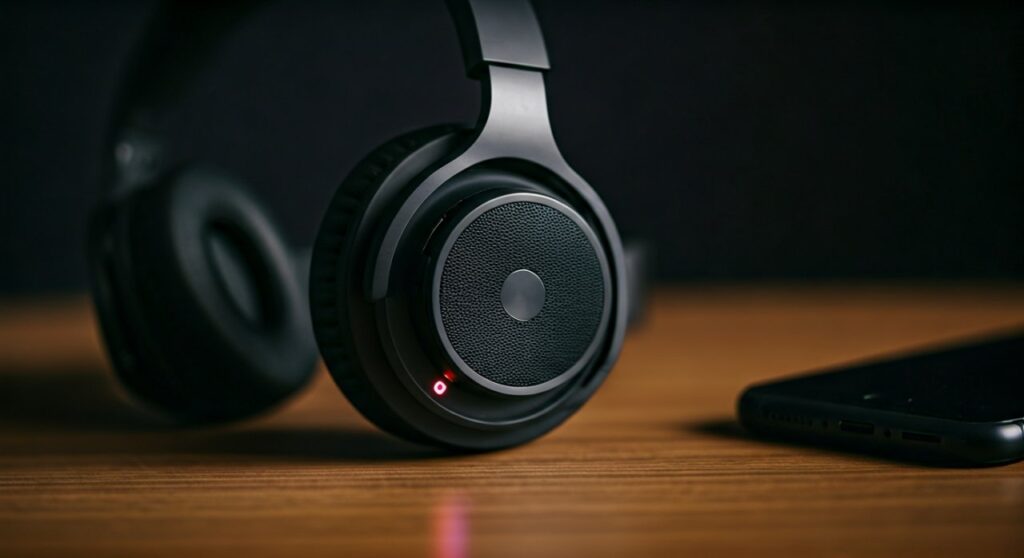
Getting new hardware to work should be the easiest part of your day, but sometimes small variations in design can be confusing. Whether you are setting these up for your child or using them for your own focus time, the physical interface of Candy Bila devices is designed for simplicity. In this comprehensive guide, we will walk you through the power sequences, pairing protocols, and troubleshooting steps to ensure your audio experience is seamless.
Key Takeaways: Fast Solutions for Your Headphones
If you are in a hurry, here is the essential data you need to manage your Candy Bila wireless headphones effectively.
| Feature | Action Required | LED Indicator Signal |
|---|---|---|
| Power On | Hold Power Button for 3-5 seconds | Blinking Blue Light |
| Power Off | Hold Power Button for 3 seconds | Red Light then Off |
| Pairing Mode | Hold Power Button for 5-7 seconds | Flashing Red & Blue |
| Charging | Connect USB-C/Micro-USB cable | Solid Red Light |
| Fully Charged | Wait for 2 hours | Light Turns Blue or Off |
Step-by-Step Instructions to Power On Candy Bila Headphones
Most Candy Bila models, including the popular K6 and V1 series, share a unified button layout. Following these steps ensures you don’t accidentally trigger the wrong mode.
- Locate the Multi-Function Button (MFB): On most models, the Power button is the middle button or a dedicated button with a circular power icon on the Right Ear Cup.
- Ensure Initial Charge: Before the first use, plug the headphones into a power source for at least 10 minutes. This prevents the device from failing to start due to “Voltage Drop” after storage.
- The Long Press Technique: Firmly press the Power button. Do not just “click” it; you must hold it down.
- Monitor the Visual Cues: Watch for the LED light. A steady blue flash indicates the device is on and looking for a previously connected device.
- Listen for Audio Feedback: If you are wearing the headphones while turning them on, a voice will typically announce “Power On” followed by “Pairing” or “Connected.”
How to Pair Candy Bila Headphones to Your Device
Once your headphones are powered on, the next critical step is establishing a connection. Knowing how to pair Candy Bila headphones correctly prevents common “Device Not Found” errors on your smartphone or tablet.
Entering Pairing Mode
If the headphones are on but not connecting, you may need to force them into Pairing Mode. To do this, turn the headphones off first. Then, press and hold the Power button for a full 7 seconds until the light flashes Red and Blue alternately.
Connecting on Different Platforms
- iOS (iPhone/iPad): Go to Settings > Bluetooth. Ensure Bluetooth is toggled ON. Under “Other Devices,” tap on “Candy Bila” or the specific model number.
- Android: Swipe down from the top to open the Quick Settings menu. Long-press the Bluetooth icon. Select “Pair New Device” and choose the headphones from the list.
- Windows PC: Click the Start menu > Settings > Devices > Bluetooth & other devices. Click “Add Bluetooth or other device” and select Bluetooth.
Expert Tip for Pairing
If you see two versions of the device name (e.g., “Candy Bila” and “Candy Bila LE”), always select the one without “LE.” The “LE” stands for Low Energy and is often used for data transfer rather than high-quality audio streaming.
Understanding the LED Light Indicators
Your Candy Bila headphones communicate their internal status through a small LED bulb. Understanding this “secret code” can save you from unnecessary frustration.
- Steady Blue (Blinking): The headphones are on and functioning normally.
- Alternating Red and Blue: The device is in Discovery Mode (Ready to pair).
- Solid Red (While Charging): The battery is currently drawing power from the source.
- Blue Light (While Charging): The battery has reached 100% capacity.
- Slow Flashing Red: The battery is below 10%, and you have roughly 15-20 minutes of playtime remaining.
Troubleshooting: Why Won’t My Candy Bila Headphones Turn On?
As an expert who has tested dozens of budget-friendly headphones, I’ve found that power issues are rarely due to a “broken” device. Instead, they usually stem from a few common technical glitches.
Deep Discharge State
If you haven’t used your Candy Bila headphones in months, the Lithium-ion battery might have entered a “Sleep Mode” to protect itself. Plug it into a 5V/1A wall charger (avoid high-wattage fast chargers) and leave it for at least 2 hours.
The “Firmware Freeze”
Electronic interference can sometimes cause the internal chipset to hang. To fix this, perform a Hard Reset.
- Connect the headphones to a power source.
- While charging, press and hold the Power and Volume Up (+) buttons simultaneously for 10 seconds.
- The LED should flash, indicating the system has rebooted.
Stuck Buttons
Budget-tier plastic can sometimes cause buttons to become slightly misaligned. Gently press around the Power button to ensure the physical switch beneath the plastic housing is actually being triggered.
Optimizing the Battery Life of Your Headphones
To ensure your Candy Bila headphones turn on every time you need them, proper battery maintenance is vital. These devices typically offer 15 to 25 hours of playtime, but poor habits can degrade the cell.
- Avoid Extreme Temperatures: Never leave your headphones in a hot car. Heat is the primary killer of headphone batteries.
- The 20-80 Rule: For maximum longevity, try to keep the battery charge between 20% and 80%.
- Use the Provided Cable: While most USB-C cables work, the one included in the box is specifically gauged for the internal charging circuit of the Candy Bila hardware.
Features to Explore After Powering On
Once you have mastered how to turn on Candy Bila headphones, you can take advantage of the specific features designed for the user’s comfort and safety.
Volume Limiting (For Kids’ Models)
Many Candy Bila units feature a “Safe Mode” for children. Look for a toggle or a button combination (usually Volume Up and Down held together) to switch between 85dB (Safe) and 94dB (Travel mode).
Wired Mode Backup
If your battery dies and you cannot turn the headphones on, most models include a 3.5mm audio jack. Plug in the aux cable, and the headphones will function as a passive device without needing any battery power at all.
Frequently Asked Questions (FAQs)
How long does it take to charge Candy Bila headphones?
A full charge typically takes 2 to 2.5 hours. We recommend using a standard laptop USB port or a 5W phone brick to avoid overheating the battery.
Can I pair Candy Bila headphones with two devices at once?
Most entry-level Candy Bila models do not support Multi-point Connection. You will likely need to disconnect from your phone before pairing them with your laptop.
Why do my headphones turn off automatically?
This is an Auto-Power Off feature designed to save battery. If the headphones do not detect an active Bluetooth connection for 5-10 minutes, they will shut down automatically.
Where is the microphone located?
The microphone is an Omnidirectional pinhole mic located near the charging port. For the best voice quality during calls, ensure your collar or hair isn’t covering this small hole.
Are Candy Bila headphones waterproof?
No, most models are rated for IPX4 (splash resistant) or have no official rating. You should avoid using them in heavy rain or submerging them in water.









