

TL;DR: How to Use a Projector for Art
To use a projector for art, simply connect your device to a computer or phone, project your chosen image onto your canvas or wall, and trace the outlines with a pencil or marker. This technique is a game-changer for scaling complex compositions, ensuring perfect proportions, and speeding up the initial layout phase of your murals, canvas paintings, or DIY home decor projects.
Why Artists Use Projectors for Precision and Scale
If you have ever struggled with perspective or spent hours trying to get the proportions of a portrait just right, a projector for art is your best friend. It eliminates the frustration of freehand sketching, allowing you to focus on color, texture, and creativity instead of measurement errors.
From my own experience as a muralist, using a digital projector reduces my layout time by nearly 70%. It bridges the gap between a digital sketch and a physical surface, making complex designs accessible even if you aren’t a master of anatomy or architectural drawing.
Essential Gear to Start Your Projector Art Journey
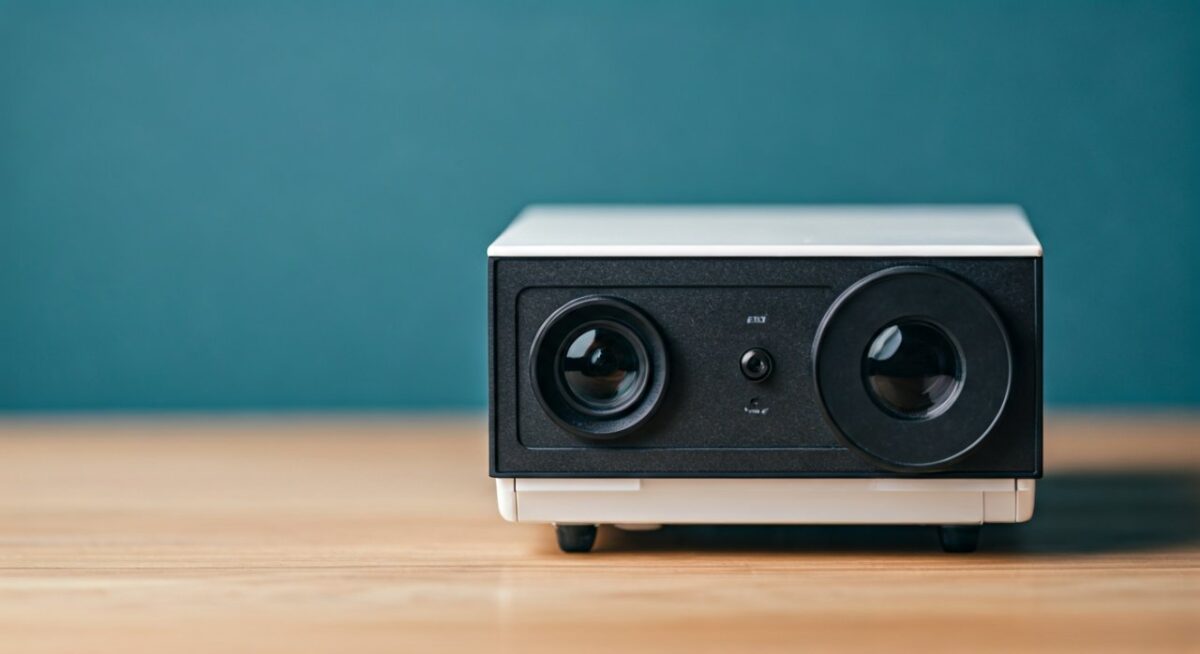
You don’t need a high-end cinema projector to create stunning artwork. In fact, compact mini-projectors are often better for studio use because they are lightweight, easy to mount, and can project at shorter distances.
The Hardware You Need:
- Digital Projector: Look for a LED projector with at least 2000 lumens for visibility in dim rooms.
- Tripod or Clamp: A sturdy tripod is essential for keeping the projector steady during long tracing sessions.
- Connectivity: Ensure you have the right HDMI adapters to connect your laptop, tablet, or smartphone to the projector.
- Extension Cord: Always have a long, reliable power source so you aren’t restricted by outlet locations.
Step-by-Step Guide: How to Use a Projector for Art
Follow these steps to successfully transfer your design onto any surface with professional accuracy.
Prepare Your Digital File
Ensure your image is high-resolution to avoid pixelation when projected. Use software like Adobe Photoshop or free tools like Canva to crop the image to the same aspect ratio as your canvas or wall.
Set Up Your Workspace
Clear the area between your projector and the surface. Dim the lights significantly; the darker the room, the more vibrant the projected image will be.
Position and Focus
Place your projector on a tripod and aim it at your target surface. Adjust the keystone correction—a feature that fixes the “trapezoid” distortion—until your image is perfectly rectangular and proportional.
Trace the Design
Start by tracing the primary structural lines with a light-colored graphite pencil or water-soluble marker. Work from the top down to avoid smudging your work with your hand as you move across the surface.
Comparison: Projector Types for Artists
| Feature | Mini/Portable Projector | Standard Home Theater Projector |
|---|---|---|
| Portability | High (Battery powered options) | Low (Needs constant power) |
| Brightness | Moderate (Best in dark rooms) | High (Visible in ambient light) |
| Ease of Use | Plug-and-play for mobile | Requires HDMI setup |
| Best For | Canvas, small furniture, DIY | Murals, large scale paintings |
Common Challenges and Pro-Tips
Even with a projector for art, you might face a few hurdles. Here is how I handle them in my professional practice:
- Distortion Issues: If your projector isn’t perpendicular to the surface, the image will warp. Always try to keep the lens centered relative to your canvas.
- Tracing Fatigue: Avoid staring directly into the lens. Use a lens hood or paper shield to block stray light from hitting your eyes while you trace.
- Scale Adjustments: If the image is too big, move the projector closer to the wall. If it’s too small, move it back and use the zoom function or focus ring to sharpen the details.
Frequently Asked Questions
Can I use a phone to project art?
Yes, you can use a smartphone with a mini-projector using a USB-C to HDMI adapter or wireless screen mirroring. This is the easiest way to project images directly from your photo library or design apps.
Do I need a special wall to use a projector for art?
Any flat, light-colored surface works perfectly. If your wall is dark, you may need a higher lumen count projector or a piece of white poster board taped to the wall to act as a screen.
Will the projected image fade?
The light from the projector does not affect your paint. However, ensure you are using a pencil that can be easily covered by your medium—avoid heavy charcoal if you are painting with thin watercolors.
Is using a projector considered “cheating”?
Not at all. Historically, artists like Johannes Vermeer and Caravaggio used tools like the camera obscura to achieve realistic proportions. It is a tool for efficiency, much like using a ruler or a stencil.









