

TL;DR: Is it worth replacing a projector lamp?
Generally, yes, it is worth replacing a projector lamp if your projector is a high-quality model or still provides the image fidelity you need. Replacing the lamp typically costs between $100 and $300, whereas a new, comparable projector often starts at $800 to over $2,000. If your current unit has no internal damage and only suffers from a dim picture, a new bulb is a cost-effective way to restore performance.
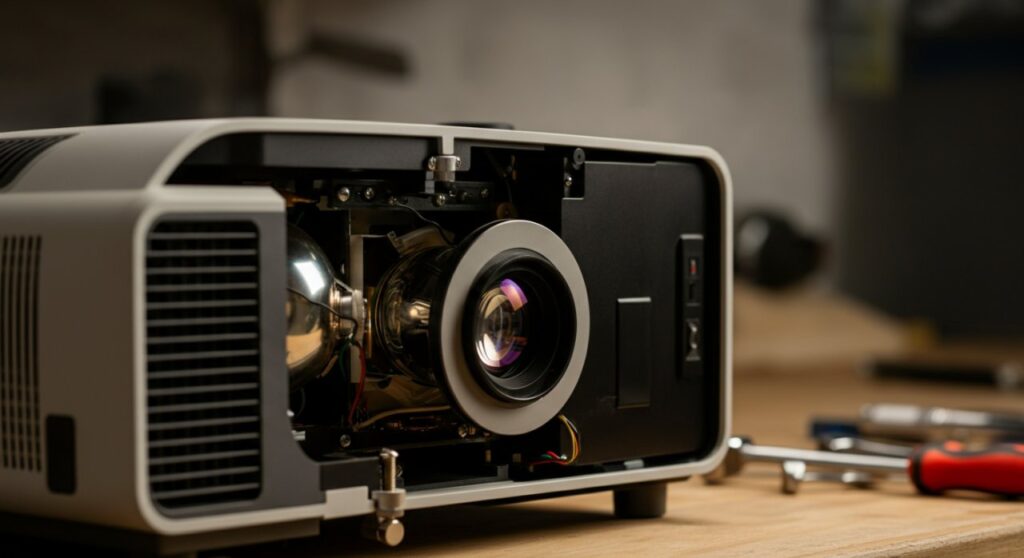
The Reality of Projector Lamp Replacement Costs
Many users wonder is it worth replacing a projector lamp when they see the screen getting darker or a “Replace Lamp” warning flashes. In my experience maintaining home theater setups, a new bulb acts like a fountain of youth for your hardware.
If your projector still offers the resolution, contrast, and input options you require, swapping the lamp is significantly cheaper than a full upgrade. You are essentially extending the lifespan of your machine by another 2,000 to 5,000 hours for a fraction of the cost.
When Is It NOT Worth Replacing the Lamp?
While most bulbs are worth replacing, there are specific scenarios where you should skip the repair. Consider these factors:
- Advanced Age: If the projector uses outdated technology (like 720p resolution or no HDMI support), the cost of the lamp might be better spent toward a modern 4K LED or Laser model.
- Structural Damage: If the projector has failed fans, a damaged motherboard, or burned polarizers, a new lamp won’t fix the underlying issues.
- Lamp Availability: If the projector is discontinued and only “cheap” knock-off bulbs are available, the risk of damaging your unit increases significantly.
How to Determine Your Projector’s Health
Before committing to a purchase, you need to verify if the lamp is truly the only culprit. A quick visual inspection and a check of the projector menu can save you from unnecessary expenses.
Steps to Evaluate Your Projector
- Check the Lamp Hours: Navigate to the “Information” or “Status” menu on your projector. Compare the current hours to the manufacturer’s rated life.
- Inspect for Physical Damage: Turn off the unit, wait for it to cool, and check the lens and exhaust vents. If you see signs of melting or extreme dust buildup, professional cleaning might be needed first.
- Assess Image Quality: Is the screen just dim, or are there lines, artifacts, or color shifts? If the image is distorted, the problem is likely the DLP chip or LCD panels, not the lamp.
Comparison: Lamp Replacement vs. New Projector
To understand if is it worth replacing a projector lamp, look at the financial breakdown below.
| Factor | Lamp Replacement | New Projector |
|---|---|---|
| Typical Cost | $100 – $300 | $800 – $2,500+ |
| Effort | Low (DIY friendly) | Moderate (Setup/Calibration) |
| Longevity | 2,000 – 5,000 Hours | 10,000 – 20,000+ (Laser) |
| Performance Gain | Brightness restoration | Higher resolution/Better color |
Step-by-Step Guide: Replacing Your Projector Lamp
Replacing a lamp is a straightforward process if you follow safety protocols. Always unplug the projector and let it cool for at least 60 minutes to avoid burns or bulb breakage.
The Replacement Procedure
- Preparation: Place the projector on a stable, flat surface. Access the lamp door, which is usually located on the bottom or side of the unit.
- Remove the Old Bulb: Unscrew the lamp cover. Carefully loosen the screws holding the lamp module in place and pull it out gently.
- Handle with Care: Never touch the glass of the new bulb with your bare fingers. Oil from your skin can create hot spots that cause the bulb to explode during operation.
- Installation: Insert the new module, tighten the screws firmly (but don’t overtighten), and replace the lamp cover.
- Reset the Timer: Once the new bulb is installed, go into the projector settings menu and reset the “Lamp Hour Counter” to zero.
Expert Tips for Longevity
Once you have installed your new lamp, you want to ensure it lasts as long as possible. Many users accidentally shorten their lamp life through improper shutdown procedures.
- Let it Cool Down: Always use the remote to turn the projector off and wait for the fans to stop spinning completely before unplugging it. This allows the bulb to cool gradually, preventing internal stress.
- Keep Vents Clear: Dust is the enemy of projector lamps. Clean the air filters every 500 hours to ensure optimal airflow and temperature regulation.
- Use Eco Mode: If your room is dark enough, set the projector to Eco Mode. This lowers the power draw, which can extend the bulb’s life by up to 30-50%.
Frequently Asked Questions (FAQs)
Is it safe to buy “compatible” or aftermarket projector lamps?
It is generally better to stick to Original Equipment Manufacturer (OEM) lamps. Compatible bulbs often have lower quality control, resulting in shorter lifespans and potential for shattering, which can damage your internal optics.
Can I replace just the bulb or should I buy the whole module?
While you can purchase just the bare bulb, buying the full module (bulb pre-installed in a housing) is much safer and easier for most users. It ensures proper alignment and reduces the risk of glass breakage during installation.
How do I know for sure if my projector lamp has blown?
If the projector won’t turn on, you see a blinking red light on the chassis, or the screen is completely black, the lamp has likely failed. Check your manual to decode the specific LED error codes provided by your manufacturer.
Does replacing the lamp improve the image quality beyond brightness?
Replacing the lamp will primarily restore brightness and contrast. It will not improve resolution or color accuracy, as those factors are determined by the projector’s internal hardware.









