

Why SteelSeries Headphones Are a Top Choice for Gamers
Is SteelSeries headphones good for your specific gaming setup? Yes, SteelSeries is currently one of the most respected brands in the audio industry, specifically dominating the high-end gaming headset market with their Arctis Nova lineup. They offer a rare combination of “ski-goggle” headband comfort, a neutral sound signature that excels in competitive play, and the industry-leading Sonar software suite.
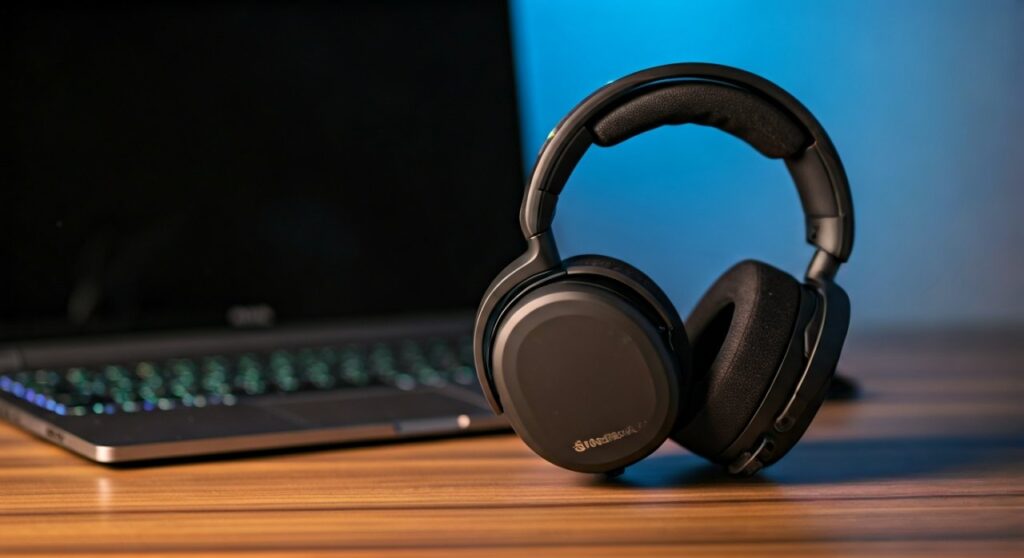
Whether you are a professional esports athlete or a casual player, SteelSeries provides options ranging from the budget-friendly Arctis Nova 1 to the flagship Arctis Nova Pro Wireless. Their focus on dual-wireless connectivity and high-fidelity drivers makes them a versatile choice for those who want one headset for both gaming and daily lifestyle use.
Key Takeaways: The SteelSeries Verdict
- Best-in-Class Comfort: The signature suspension headband reduces pressure on the skull, making them ideal for 8+ hour sessions.
- Superior Software: The SteelSeries GG and Sonar app allow for professional-grade Parametric EQ tuning.
- Multi-System Connectivity: Most wireless models support simultaneous 2.4GHz and Bluetooth audio.
- Durability: While mostly plastic, the build quality is engineered for flexibility and long-term resilience.
- Microphone Quality: The ClearCast microphones use bidirectional designs for natural-sounding noise cancellation.
Understanding the SteelSeries Arctis Nova Evolution
To answer are SteelSeries headphones good, we must look at the recent “Nova” redesign. For years, the original Arctis line was the gold standard, but the Arctis Nova series took those foundations and improved the acoustics and ergonomics significantly.
The “Nova Acoustic System” combines hardware and software. It features High Fidelity Drivers that aim for a flat frequency response, unlike the bass-heavy “gamer” sound found in cheaper competitors. This clarity allows you to hear subtle cues like reloads or distant footsteps in games like Valorant or Apex Legends.
Furthermore, the brand transitioned to a more adjustable height system. Older models had fixed hinges, but the Nova series allows the earcups to slide up and down, catering to a much wider range of head sizes.
Detailed Comparison: SteelSeries Arctis Nova Series
When deciding if is SteelSeries headphones good for your budget, comparing the specific models is essential. Here is a breakdown of the current Arctis Nova family:
| Model | Connectivity | Battery Life | Key Feature | Best For |
|---|---|---|---|---|
| Arctis Nova 1 | Wired (3.5mm) | N/A | Ultra-lightweight (236g) | Budget Gamers |
| Arctis Nova 4 | 2.4GHz Wireless | 36 Hours | Fully retractable mic | Entry-level Wireless |
| Arctis Nova 5 | 2.4GHz + BT | 60 Hours | 100+ Mobile App Presets | Mid-range Versatility |
| Arctis Nova 7 | 2.4GHz + BT (Simultaneous) | 38 Hours | Multi-platform Dongle | The “Sweet Spot” |
| Arctis Nova Pro | 2.4GHz + BT + Wired | Hot-swap System | ANC & Dedicated DAC | Hardcore Enthusiasts |
The Value of the Arctis Nova 7
Many experts, including myself, consider the Arctis Nova 7 the best all-around headset in their catalog. It strikes the perfect balance between price and performance. You get the Simultaneous Wireless feature, which lets you listen to game audio via the USB-C dongle while taking a phone call via Bluetooth.
The Premium Experience: Arctis Nova Pro Wireless
If you are asking are SteelSeries headphones good at the enthusiast level, the Nova Pro Wireless is the answer. It features an Infinity Power System with two batteries. You charge one in the Base Station while using the other, meaning you literally never have to plug the headset into a cable.
Expert Analysis: Audio Performance and Sonar Software
One of the primary reasons SteelSeries stands out from Razer or Logitech is the Sonar Audio Software Suite. Most gaming headsets give you a basic EQ with 5 or 10 sliders. SteelSeries Sonar provides a pro-level Parametric EQ.
Why Sonar Matters for Competitive Gaming
- Footstep Boosting: You can pinpoint the exact frequency of footsteps in CS2 or Rainbow Six Siege and boost only those sounds.
- Chat Mix: Easily balance your friends’ shouting on Discord against the game’s cinematic music using a physical dial on the headset.
- AI Noise Cancellation: The software can strip out the sound of your mechanical keyboard or a barking dog from your outgoing microphone feed.
In my testing, using the “Smackdown” preset in Sonar for fighting games or the “Deep Bass” preset for immersive titles like Cyberpunk 2077 completely transforms the hardware’s capability. Without the software, the headphones are good; with the software, they are industry-leading.
Build Quality and Ergonomics: Can You Wear Them All Day?
A common question when wondering is SteelSeries headphones good is about the long-term comfort. SteelSeries pioneered the use of AirWeave ear cushions. Unlike leatherette, which gets hot and sweaty, AirWeave is a performance fabric that stays cool.
The Suspension Headband
The “Ski Goggle” band is the secret weapon of the Arctis line. Instead of a hard plastic or metal band resting directly on your skull, a stretchy fabric band suspends the weight. This distributes the pressure evenly. Even the heavier Arctis Nova Pro feels light because of this clever engineering.
Portability and Style
Unlike many “gamer” headsets that feature aggressive RGB lighting and bulky designs, SteelSeries headphones are relatively understated. The Nova series looks like a pair of high-end lifestyle headphones. You can retract the microphone completely into the earcup, making it look like a standard pair of headphones for commuting.
Pros and Cons of Choosing SteelSeries
To provide a balanced view on are SteelSeries headphones good, we must look at both the highlights and the potential deal-breakers.
The Advantages (Pros)
- Exceptional Spatial Audio: Their implementation of 360° Spatial Audio provides incredible directional accuracy.
- Battery Life: With the Nova 5 hitting 60 hours, they are leading the market in longevity.
- Cross-Platform Mastery: The USB-C dongles work seamlessly across PC, PS5, Switch, and Mobile. (Note: Xbox requires the specific ‘X’ branded models).
- Innovation: Features like the Hot-Swap battery are exclusive to SteelSeries.
The Disadvantages (Cons)
Software Dependency: To get the absolute best sound, you must* use a PC with SteelSeries GG installed.
- Price Premium: They are generally more expensive than comparable models from brands like HyperX.
- Hinge Concerns: While improved in the Nova series, some older Arctis models suffered from cracks at the hinge point over several years of heavy use.
How to Choose the Right SteelSeries Headset for You
If you’ve decided that is SteelSeries headphones good enough for your needs, here is a step-by-step guide to picking the right model.
Step 1: Identify Your Primary Platform
- PC Gamers: Go for the Arctis Nova 7 or Pro. You benefit most from the Sonar software.
- Console Only (PS5/Switch): Look at the Arctis Nova 5. It has a mobile app that lets you change EQ settings without a PC.
- Xbox Users: You must buy the “X” version (e.g., Arctis Nova 7X). The Xbox security chip is only in these specific models, though they also work on PC and PlayStation.
Step 2: Determine Your Budget
- Under $60: The Arctis Nova 1 is the best entry point for high-quality audio on a budget.
- Under $150: The Arctis Nova 5 offers the best battery life and wireless performance for the price.
- Unlimited Budget: The Arctis Nova Pro Wireless is the gold standard for luxury gaming.
Step 3: Consider Your Environment
Do you play in a noisy room? The Arctis Nova Pro Wireless is the only model in the lineup with Active Noise Cancellation (ANC). If you have a loud AC unit or noisy roommates, the ANC is a game-changer.
Comparing SteelSeries to the Competition
Is SteelSeries better than Razer, Logitech, or HyperX?
- SteelSeries vs. Razer: SteelSeries usually has a more neutral, professional sound. Razer focuses more on haptic feedback (vibrations) and heavy RGB lighting.
- SteelSeries vs. HyperX: HyperX (like the Cloud III) is known for extreme durability and simplicity. SteelSeries is better for tech-savvy users who want software customization.
- SteelSeries vs. Logitech: Logitech’s G Pro X series has better microphone hardware (Blue VO!CE), but SteelSeries is widely considered more comfortable for long sessions.
Frequently Asked Questions (FAQs)
Are SteelSeries headphones good for listening to music?
Yes, SteelSeries headphones are better for music than most gaming brands because they aim for a neutral frequency response. Using the Sonar software, you can adjust the EQ to a “Music” profile that rivals mid-range consumer headphones like those from Sony or Sennheiser.
Does the Arctis Nova work on both PS5 and Xbox?
Only if you buy the “X” version (like the Nova 7X). The Xbox versions include a special chip required by Microsoft, but they also have a switch to work on PlayStation and PC. The standard or “P” versions will NOT work on Xbox.
How long do SteelSeries headsets usually last?
With proper care, a SteelSeries headset typically lasts 3 to 5 years. The most common wear item is the ear cushions, which are easily replaceable. The Nova series has reinforced hinges compared to the original Arctis line, increasing longevity.
Is the SteelSeries Sonar software free?
Yes, SteelSeries GG and the Sonar suite are free to download. Interestingly, you can use Sonar with any brand of headphones, but it integrates most seamlessly with SteelSeries hardware for features like ChatMix.
Is the Arctis Nova Pro Wireless worth the high price?
For power users, yes. The combination of Active Noise Cancellation, Hot-Swappable batteries, and the OLED Base Station makes it one of the most convenient tech products on the market. It eliminates the “low battery” anxiety entirely.









