

Understanding the Essentials of a Projector Screen
A projector screen is a high-tech surface specifically engineered to reflect the light emitted from a projector to create a clear, high-contrast, and color-accurate image. Unlike a standard white wall, which contains textures and imperfections that scatter light, a professional screen uses specialized coatings to control how light bounces back to your eyes.
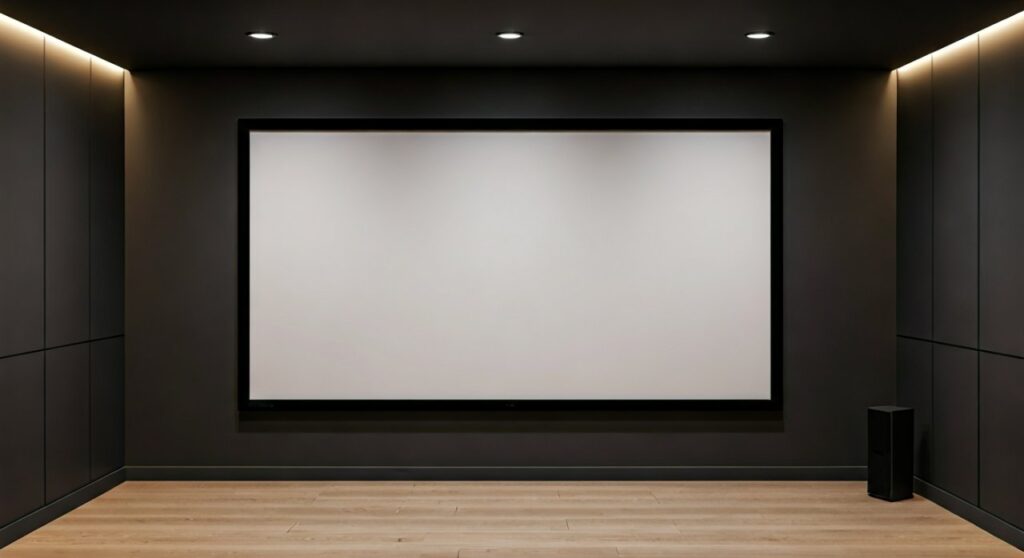
Investing in a high-quality surface is the only way to realize the full potential of a 4K or 8K projector. Without the right fabric, you lose significant detail, color depth, and brightness, regardless of how expensive your hardware is.
Key Takeaways for Quick Selection
- Material Matters: Use High-Gain screens for bright rooms and Gray/ALR screens for better contrast in dark rooms.
- Aspect Ratio: Stick to 16:9 for most home theaters and gaming setups.
- Fixed vs. Retractable: Fixed frames offer the flattest surface, while motorized screens save space.
- Size Secret: Your viewing distance should be approximately 1.2 to 1.5 times the screen’s diagonal width for the most immersive experience.
What is a Projector Screen Called in the Industry?
If you are browsing technical catalogs, you might wonder what is a projector screen called by professionals. While “screen” is common, experts often refer to them as Projection Surfaces, Optical Membranes, or Lenticular Screens depending on their light-rejecting properties.
Furthermore, many beginners get confused and ask what is a screen projector. It is vital to clarify that the “projector” is the light-emitting device (the engine), while the “screen” is the reflective canvas. Together, they form a projection system. A high-end projector screen is not just a piece of fabric; it is an optical component designed to manage Luminance, Chromacity, and Reflectance.
Types of Projector Screens: Finding Your Fit
Choosing the right category is the first step in your journey. Based on my experience installing over 50 home theaters, the “best” screen depends entirely on your room’s light control.
Fixed Frame Screens
These are the gold standard for dedicated home cinemas. The fabric is stretched tight over a metal frame, ensuring a perfectly flat surface that never wrinkles.
- Pros: Zero maintenance, perfect tension, looks like a giant TV.
- Cons: Cannot be hidden; requires permanent wall space.
Manual and Motorized Pull-Down Screens
These are ideal for multi-purpose rooms like living rooms or offices.
- Manual: Budget-friendly, uses a spring-loaded mechanism.
- Motorized: Uses an electric motor to lower the screen. Look for Tab-Tensioned models to prevent the “curling” effect common in cheaper retractable screens.
Ambient Light Rejection (ALR) Screens
If you plan to watch movies during the day with windows open, an ALR screen is mandatory. These screens use a micro-triangular structure to absorb “off-axis” light (from the sun or lamps) while reflecting only the projector’s light toward the viewer.
Acoustically Transparent Screens
These allow you to hide your speakers behind the screen. The material features thousands of tiny perforations (or a woven pattern) that let sound pass through without distorting the high frequencies.
Step 1: Analyze Your Room Environment
Before buying a projector screen, you must audit your space. I have seen many enthusiasts waste thousands on a high-end screen that wasn’t compatible with their room’s lighting.
- Dedicated Dark Room: Go with a White Screen with a 1.0 to 1.1 Gain. This provides the most “honest” color reproduction.
- Living Room with Windows: Opt for a Gray Screen or ALR Material. Gray screens lower the black floor, preventing your dark scenes from looking washed out.
Step 2: Choosing the Right Screen Gain and Color
Gain is a measurement of the screen’s reflectivity compared to a standard white board. A gain of 1.0 means the screen reflects light equally in all directions.
| Screen Color | Recommended Gain | Best Use Case |
|---|---|---|
| Matte White | 1.0 – 1.2 | Dark rooms, high-lumen projectors |
| High Contrast Gray | 0.8 – 0.9 | Rooms with some ambient light; boosts blacks |
| Silver / 3D | 1.5 – 2.5 | Commercial cinemas, passive 3D viewing |
| ALR (Black/Dark Gray) | 0.6 – 0.8 | Bright living rooms with lights on |
Expert Tip: Higher gain isn’t always better. High-gain screens (above 1.5) often suffer from “Hot Spotting,” where the center of the image is significantly brighter than the edges, and narrow viewing angles.
Step 3: Determining the Ideal Size and Aspect Ratio
Size is the most common area where buyers make mistakes. A screen that is too large will cause neck strain, while one that is too small ruins the “cinema feel.”
- Calculate Viewing Distance: Measure the distance from your seating to the wall.
- The THX Standard: For a 1080p or 4K setup, the screen should occupy a 40-degree field of view.
- Choose Aspect Ratio:
Step 4: Installation Guide (Step-by-Step)
Once you have purchased a projector screen, proper installation is critical for image geometry.
Tools Needed:
- Laser Level (Crucial for a straight image)
- Stud Finder
- Power Drill
- Measuring Tape
Installation Steps:
- Find the Center: Mark the center point of your wall. Align this with the center of your projector lens.
- Locate Studs: Never hang a large projector screen on drywall alone. Use a stud finder to locate the wood or metal beams.
- Mount the Brackets: Install the mounting brackets at the height recommended by your projector’s Offset calculation.
- Hang the Frame/Casing: For fixed frames, assemble the frame on a clean carpet first to avoid scratching the fabric. Stretch the material from the corners inward to ensure no wrinkles.
- Final Calibration: Turn on your projector and use the Lens Shift or Keystone (though lens shift is preferred) to align the image perfectly within the black borders of the screen.
Step 5: Maintenance and Long-Term Care
A professional projector screen can last 10-15 years if treated correctly.
- Dusting: Use a soft microfiber cloth or a can of compressed air to remove dust. Never use harsh chemicals.
- Removing Smudges: For stubborn spots, use a mixture of 95% warm water and 5% mild dish soap. Dab gently; do not scrub, as you might damage the optical coating.
- Retraction Habits: If you have a manual screen, always guide it up slowly. Letting it “snap” back into the casing can cause the material to tension unevenly over time.
Frequently Asked Questions
Can I just use a white wall instead of a projector screen?
While you can, a wall will never provide the same contrast or sharpness. Walls have “orange peel” textures that create micro-shadows, making 4K content look like 1080p. A projector screen uses specialized coatings to reflect light more efficiently.
What is a screen projector vs. a TV?
A screen projector setup offers a much larger image (often 120-150 inches) for a lower cost per inch than a large LED TV. However, it requires a darker room and more setup effort than a plug-and-play TV.
Do I need a special screen for 4K?
Yes. 4K projectors have smaller pixels. Traditional “textured” screens can cause a Moiré pattern (a distracting wavy interference). You should look for screens labeled as “4K Ready” or “Acoustically Transparent Woven” to ensure the surface is smooth enough for high-resolution pixels.
How high should I mount my screen?
As a rule of thumb, the bottom third of the screen should be at eye level when you are seated. If the screen is too high, it leads to “front-row syndrome” and neck fatigue.
Are ALR screens worth the extra money?
If you have any light in your room that you cannot turn off, then YES. An ALR screen can make a projector look like a massive OLED TV even with the lights on. In a pitch-black room, however, a standard white screen is usually sufficient.









