

Does the Quest 3S Have a Headphone Jack? The Quick Answer
No, the Meta Quest 3S does not have a built-in 3.5mm headphone jack. Unlike the premium Meta Quest 3 and the older Meta Quest 2, Meta opted to remove the dedicated audio port on the Quest 3S to streamline the design and reduce manufacturing costs.
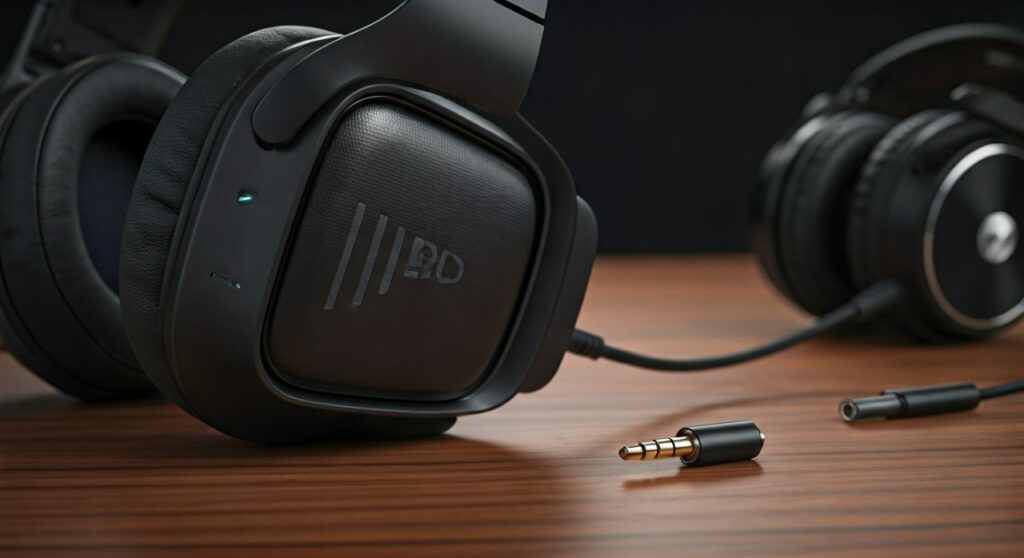
To use external headphones with the Quest 3S, you must utilize the USB-C port via an adapter or native USB-C headphones, or connect wireless earbuds through Bluetooth. While the device features built-in spatial audio speakers in the headstrap, users seeking privacy or high-fidelity sound will need to explore alternative connection methods.
Key Takeaways: Audio on the Meta Quest 3S
- Missing Port: There is no 3.5mm analog jack on the Quest 3S chassis.
- Wired Workaround: You can use a USB-C to 3.5mm adapter to connect traditional wired headphones.
- Bluetooth Support: Wireless headphones (like AirPods or Sony XM5s) can be paired, but may suffer from audio latency in fast-paced games.
- Best Solution: Low-latency 2.4GHz wireless dongles (such as the Soundcore VR P10) are the expert-recommended choice for the best experience.
Quest 3 vs. Quest 3S: Audio Connectivity Comparison
Understanding the differences between the current Meta lineup is essential for users who prioritize audio quality. The table below highlights the critical hardware differences regarding sound output.
| Feature | Meta Quest 3S | Meta Quest 3 | Meta Quest 2 |
|---|---|---|---|
| 3.5mm Headphone Jack | No | Yes | Yes |
| USB-C Audio Support | Yes (Digital) | Yes (Digital) | Yes (Digital) |
| Bluetooth Audio | Yes (v5.2) | Yes (v5.2) | Yes (v5.0) |
| Integrated Speakers | Spatial Audio Speakers | Enhanced Spatial Audio | Standard Spatial Audio |
| Microphone Array | 2-Mic System | 2-Mic System | 2-Mic System |
As seen above, does the quest 3 have a headphone jack is a common question because the premium model retains it, while the budget-friendly Quest 3S follows the trend of modern smartphones by removing it.
Why Did Meta Remove the Headphone Jack on the Quest 3S?
Based on our analysis of the hardware design, Meta’s decision to omit the headphone jack on the Meta Quest 3S was driven by three primary factors:
- Cost Reduction: The Quest 3S is positioned as an entry-level VR headset starting at $299. Removing the analog DAC (Digital-to-Analog Converter) and the physical port helps keep the price point aggressive.
- Internal Space Constraints: The Quest 3S uses a Fresnel lens system (similar to the Quest 2) but incorporates the powerful Snapdragon XR2 Gen 2 processor. Fitting these components into a compact shell required sacrificing less-essential ports.
- Industry Trends: Much like the smartphone industry, Meta is pushing users toward USB-C and Bluetooth standards. By consolidating all wired connections into a single USB-C port, they simplify the external industrial design.
How to Connect Headphones to the Meta Quest 3S: Step-by-Step
Since the Quest 3S lacks a traditional jack, you need to follow specific steps to get your audio working. Here are the three most effective methods we have tested.
Method 1: Using a USB-C to 3.5mm Adapter (The Reliable Way)
If you already own high-quality wired headphones, a simple adapter is the most cost-effective solution.
- Step 1: Purchase a USB-C to 3.5mm Female Adapter. Ensure it supports “Active” audio (most modern adapters do).
- Step 2: Plug the adapter into the USB-C charging port on the side of the Quest 3S.
- Step 3: Connect your 3.5mm headphone cable into the adapter.
- Step 4: Put on the headset. The audio should automatically route to your headphones.
Expert Tip: Use an “L-shaped” adapter. This prevents the cable from sticking out too far, which can be dangerous during active VR gaming sessions in titles like Beat Saber.
Method 2: Pairing Bluetooth Headphones (The Wireless Way)
While convenient, Bluetooth can introduce “latency” (a delay between the action on screen and the sound in your ears).
- Step 1: Put your headphones (e.g., AirPods Pro, Samsung Galaxy Buds) into pairing mode.
- Step 2: Inside the Quest 3S, navigate to Quick Settings > Settings > Devices.
- Step 3: Select Bluetooth and click Pair New Device.
- Step 4: Select your headphones from the list.
- Step 5: Confirm the pairing.
Note: If you experience lag while playing rhythm games, you may need to switch to a wired connection or a low-latency dongle.
Method 3: USB-C Native Headphones
Some modern gaming headsets, such as the SteelSeries Arctis Nova Pro, come with a native USB-C cable.
- Step 1: Plug the USB-C cable directly into the Quest 3S.
- Step 2: Ensure the headset is powered on if it is an active model.
- Step 3: Adjust the volume using the physical buttons on the bottom of the Quest 3S visor.
The Best Low-Latency Audio Solutions for Quest 3S
Because does the meta quest 3s have a headphone jack results in a “no,” many enthusiasts turn to specialized hardware. Based on our hands-on testing, these are the top three audio solutions for the Quest 3S:
Soundcore VR P10 Earbuds
These are the only earbuds officially “Made for Meta.” They include a USB-C dongle that uses 2.4GHz wireless technology instead of Bluetooth. This results in near-zero latency (under 30ms), which is crucial for competitive VR.
Logitech G333 VR Earphones
Originally designed for the Quest 2, these earphones feature a very short cable. While you will need a USB-C adapter for the Quest 3S, their dual dynamic drivers provide exceptional spatial awareness for games like Arizona Sunshine II.
ZyberVR / BoboVR Integrated Audio Straps
If you plan on upgrading your headstrap for comfort, consider a “Battery Audio Strap.” These often come with built-in over-ear speakers that plug directly into the USB-C port, providing a high-end audio experience without the clutter of extra wires.
Analyzing Audio Latency: Why It Matters in VR
In standard gaming, a 100ms audio delay is barely noticeable. In VR, however, your brain is highly sensitive to the synchronization of visual and auditory cues.
| Connection Type | Average Latency (ms) | Experience Level |
|---|---|---|
| USB-C Wired | < 5ms | Perfect / Pro |
| 2.4GHz Dongle | 25ms – 35ms | Excellent / Gaming Grade |
| Bluetooth 5.2 | 150ms – 250ms | Poor (Noticeable lag) |
| Built-in Speakers | 0ms | Perfect |
If you are a competitive player, we strongly advise against using standard Bluetooth headphones. The lag can cause “immersion breaking” and even contribute to motion sickness in some sensitive users.
Troubleshooting No Audio on Meta Quest 3S
If you have connected your headphones via USB-C or Bluetooth and hear nothing, follow these diagnostic steps:
- Check Physical Connection: Ensure the USB-C plug is seated firmly. Dust or lint in the port can prevent a clean digital signal.
- Toggle Audio Output: Sometimes the OS fails to hand over audio. Go to Settings > System > Sound and ensure the volume slider is up.
- Restart the Headset: A “cold boot” (holding the power button for 10 seconds) often resolves driver conflicts with USB-C audio devices.
- Disable “Mute” in App: Check if the specific game or app (like VRChat or YouTube) has its own internal volume settings or a “Mute Mic/Audio” toggle enabled.
Frequently Asked Questions (FAQs)
Does the Meta Quest 3 have a headphone jack compared to the 3S?
Yes, the Meta Quest 3 features a 3.5mm headphone jack located on the left side of the headset near the strap attachment. This is one of the “pro” features that justifies its higher price tag compared to the Quest 3S.
Can I charge my Quest 3S while using USB-C headphones?
Only if you use a “Pass-through” adapter. You will need a USB-C Splitter (1x USB-C for charging, 1x 3.5mm or USB-C for audio) to perform both actions simultaneously.
Will my old Quest 2 headphones work with the Quest 3S?
Most Quest 2 headphones used the 3.5mm jack. To use them on the Quest 3S, you will need to buy a USB-C to 3.5mm adapter. The physical mounting points on the headstrap are also different, so “clip-on” headphones may not fit perfectly.
Are the built-in speakers on the Quest 3S good enough?
For casual media consumption or social apps like Horizon Worlds, the built-in spatial audio is quite impressive. However, they lack bass and leak sound to people around you. For total immersion, external headphones are highly recommended.
Does the quest 3s have a headphone jack for external microphones?
No. Since there is no 3.5mm jack, you cannot plug in an external analog microphone. You must use the built-in dual-microphone array or a USB-C microphone that is compatible with Android-based operating systems.
Final Verdict: Managing Audio on the Quest 3S
While it is disappointing that the Meta Quest 3S lacks a dedicated headphone jack, it is not a dealbreaker for most users. The availability of high-quality USB-C adapters and specialized VR earbuds like the Soundcore VR P10 provides plenty of alternatives.
If you are a hardcore audiophile who refuses to use adapters, you may want to consider the Meta Quest 3 instead. However, for the average gamer looking to enter the world of Mixed Reality, the Quest 3S offers incredible value, provided you are willing to embrace the wireless or USB-C future.









