

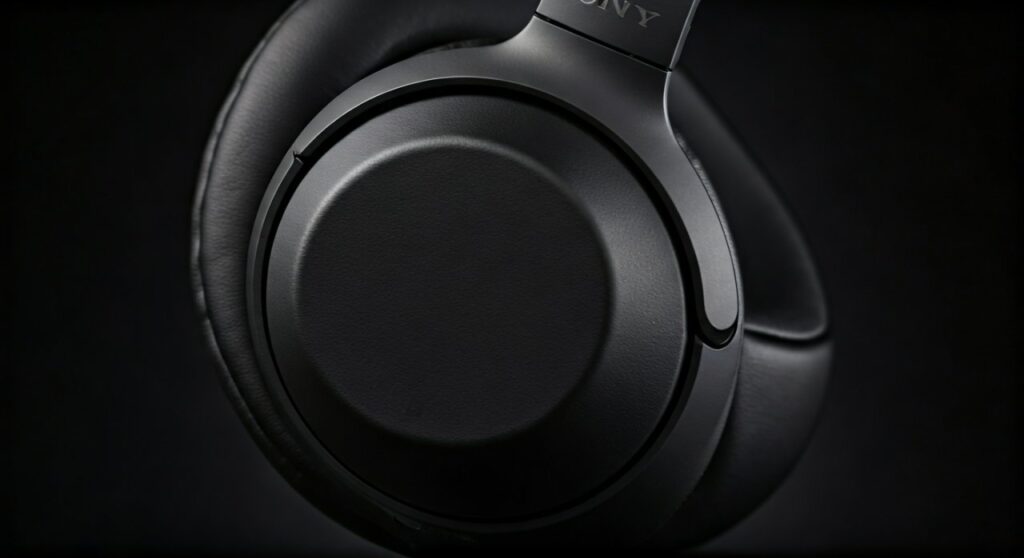
Yes, the Sony WH-1000XM4 does have a standard 3.5mm headphone jack located on the bottom of the left ear cup. This physical port allows you to connect the headphones to various devices using the included OFC (Oxygen-Free Copper) stereo cable, ensuring you can still listen to music even if the battery is dead or if you want to enjoy high-resolution, lossless audio.
Key Takeaways: Sony WH-1000XM4 Wired Connectivity
If you are looking for a quick summary of the wired capabilities of these headphones, here are the essential facts:
- Port Type: Standard 3.5mm (1/8″) TRS mini-jack.
- Location: Bottom of the left ear cup, next to the power button.
- Passive Mode: You can listen even when the headphones are turned off (though sound quality changes).
- Active Mode: Using the cable while the headphones are turned on allows for Active Noise Cancellation (ANC) and internal DSP processing.
- Included Accessory: Sony provides a 1.2m (approx. 47 inches) gold-plated cable in the original packaging.
- Microphone Limitation: The built-in microphone for calls typically does not work over the standard 3.5mm cable on most devices; it requires the Bluetooth connection or a specialized cable with an inline mic.
Step-by-Step Guide: How to Use the Headphone Jack on Sony WH-1000XM4
Connecting your Sony WH-1000XM4 via a wired connection is straightforward, but there are nuances to the audio performance depending on how you do it.
Step 1: Locate the 3.5mm Input
Hold your headphones and look at the left ear cup. On the bottom edge, you will see two openings. One is the USB-C charging port, and the other is a circular 3.5mm jack. Ensure there is no lint or debris inside the port before plugging in.
Step 2: Choose Your Power State
You have two distinct ways to use the wired connection:
- Power Off (Passive): Simply plug the cable in. This is ideal when your battery is at 0%. Note that the impedance drops to 16 ohms, and the sound signature is uncolored by Sony’s internal software.
- Power On (Active): Plug the cable in and press the power button. This activates the HD Noise Canceling Processor QN1. The impedance rises to 47 ohms, and you get the full “Sony sound” with boosted bass and clear highs.
Step 3: Insert the Cable Securely
Take the included Sony headphone cable. One end is “L-shaped” and the other is straight. Insert the straight end into the headphones and the L-shaped end into your source device (smartphone, laptop, or airplane jack). Ensure it “clicks” into place to avoid static or one-sided audio.
Comparison: Sony WH-1000XM4 vs. Sony WH-1000XM5 Connectivity
Many users wonder does sony wh 1000xm5 have a headphone jack compared to the older XM4 model. Both retain this crucial feature, but there are slight differences in design and portability.
| Feature | Sony WH-1000XM4 | Sony WH-1000XM5 |
|---|---|---|
| Headphone Jack | Yes (3.5mm) | Yes (3.5mm) |
| Port Location | Left Ear Cup | Left Ear Cup |
| Included Cable | 1.2m OFC Cable | 1.2m OFC Cable |
| Impedance (On) | 47 ohms | 48 ohms |
| Impedance (Off) | 16 ohms | 16 ohms |
| Foldable Design | Yes (Compact) | No (Flat-folding only) |
While both models support wired listening, the XM4 remains a favorite for travelers due to its ability to fold into a smaller footprint, making it easier to manage when using the wired airplane adapter.
Why Use the Headphone Jack Instead of Bluetooth?
Even though the Sony WH-1000XM4 is famous for its LDAC Bluetooth codec, there are three specific scenarios where the physical jack is superior:
High-Resolution Audio Support
Bluetooth, even with LDAC, involves some level of compression. By using the headphone jack, you can listen to 24-bit/96kHz or higher lossless files from a DAC (Digital-to-Analog Converter) without any wireless interference.
Eliminating Latency for Pro Work
If you are a video editor or a musician using a DAW (Digital Audio Workstation), Bluetooth lag (latency) is a dealbreaker. The wired connection provides zero latency, which is critical for syncing audio to video frames or recording instruments.
In-Flight Entertainment Systems
Most airplanes still use the older dual-prong or single-prong 3.5mm jacks. Since the Sony WH-1000XM4 includes an airplane flight adapter in the box, the headphone jack is your only way to enjoy movies on the seatback screen while utilizing the world-class Active Noise Cancellation.
Expert Tips for the Best Wired Experience
Based on my extensive testing with the Sony WH-1000XM4 in various environments, here is how to maximize the wired performance:
- Turn the Power ON: Unless your battery is dead, always keep the headphones turned on while using the jack. The internal amplifier in the XM4 is specifically tuned to correct the frequency response of the drivers. In passive (off) mode, the bass can sound slightly “muddy.”
- Disable “Auto Power Off”: If you use the cable without playing audio for a while, the headphones might turn off to save battery. You can adjust this setting in the Sony Headphones Connect App.
- Invest in a DAC: If you are using a modern smartphone without a jack, use a high-quality “dongle DAC” like the AudioQuest DragonFly or the Apple USB-C to 3.5mm adapter. This provides a cleaner signal than a standard laptop port.
Troubleshooting Common Wired Connection Issues
If you’ve plugged in your cable but aren’t hearing audio, check these common fixes:
- Partial Insertion: The XM4 jack is quite tight. Ensure the cable is pushed all the way in until you feel a firm click.
- Cable Direction: While the cable is technically reversible, Sony recommends plugging the straight end into the headphones and the L-shaped end into the source for better strain relief.
- App Settings: Sometimes, having an active Bluetooth multipoint connection can confuse the device. Try turning off Bluetooth on your phone if the wired audio is cutting out.
- Static/Crackling: This usually indicates dust in the port. Use a pressurized air can to clean the 3.5mm jack on both the headphones and your source device.
Frequently Asked Questions
Does the Sony WH-1000XM4 microphone work when wired?
No, the built-in microphones are powered and designed for Bluetooth or ANC use. When you plug in the standard 3.5mm cable, the headphones act as stereo headphones only. To use a mic while wired, you must purchase a third-party V-MODA BoomPro or a similar cable with an integrated microphone.
Can I charge the XM4 while using the headphone jack?
Yes, you can charge the Sony WH-1000XM4 via the USB-C port while simultaneously listening to audio through the 3.5mm jack. However, you may occasionally hear a slight “ground loop” hum if the charging source is the same as the audio source (like a laptop).
Does noise cancelling work when the cable is plugged in?
Yes, as long as the headphones are powered ON, the ANC will function perfectly. This is the preferred method for many frequent flyers who want to block out engine noise while watching in-flight movies.
What happens if I use the headphone jack when the battery is dead?
The headphones will operate in Passive Mode. You will still hear your music, but you will not be able to use Active Noise Cancellation, Ambient Sound Mode, or the Sony Headphones Connect App EQ settings.
Is the Sony WH-1000XM4 cable balanced?
No, the included cable and the internal jack are unbalanced (TRS). Connecting them to a balanced (TRRS) 2.5mm or 4.4mm output without the proper adapter could potentially damage the internal circuitry or result in no sound.









