

What Are 3D Headphones? The Future of Immersive Audio
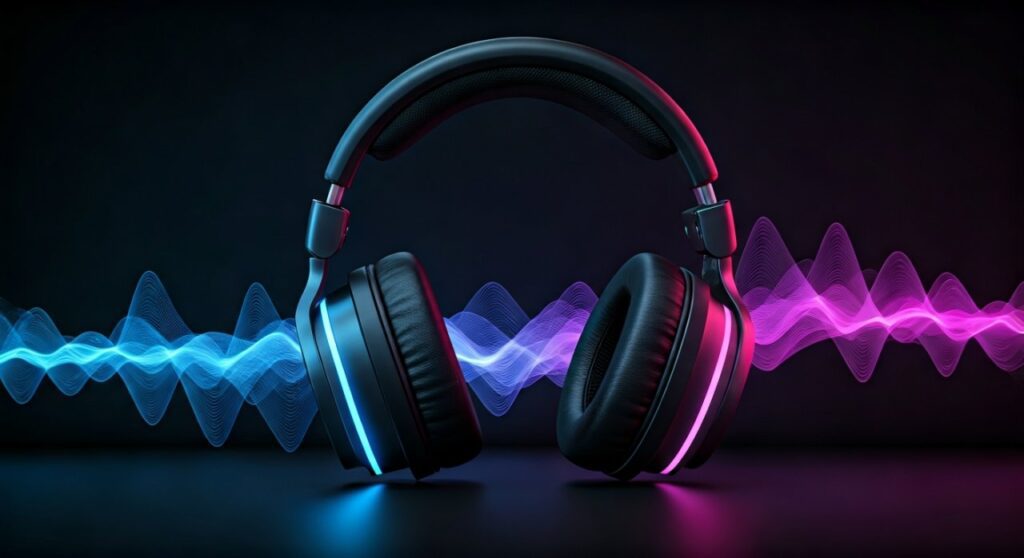
3D headphones are advanced audio devices designed to create a three-dimensional soundscape, allowing you to perceive sounds coming from all directions—above, below, behind, and in front of you. Unlike standard stereo headphones that only move sound from left to right, 3D headphones utilize spatial audio algorithms, Head-Related Transfer Functions (HRTF), and often integrated head-tracking sensors to mimic how our ears process sound in the real world.
If you have ever felt “trapped” by the flat sound of traditional earbuds while gaming or watching a movie, you are experiencing the limitations of standard stereo. My first experience with 3D audio was during a session of Resident Evil Village using the Sony Pulse 3D Wireless Headset. The shift from hearing a “noise to the left” to hearing “floorboards creaking specifically three feet behind my left shoulder” was a revelation. It transforms audio from a passive background element into an active, navigational tool.
Key Takeaways: Everything You Need to Know
- Definition: 3D headphones simulate a 360-degree environment using software and hardware.
- Core Technology: They rely on Spatial Audio, Dolby Atmos, and Binaural Recording techniques.
- Head Tracking: High-end models use gyroscopes to shift the soundstage as you move your head.
- Best Uses: Essential for competitive gaming, VR/AR, and cinematic movie experiences.
- Compatibility: Requires specific hardware (like the PS5 Tempest Engine) or software (like Apple Spatial Audio) to function fully.
How 3D Audio Technology Works: Breaking Down the Science
To understand what are 3D headphones, we must look at how the human brain localizes sound. In real life, sound hits one ear slightly before the other and is filtered by the shape of your outer ear (pinna). This is known as the Head-Related Transfer Function (HRTF).
The Role of HRTF (Head-Related Transfer Function)
HRTF is the mathematical formula that 3D headphones use to “trick” your brain. By applying tiny delays and frequency shifts to the audio, the headphones simulate how sound waves would bounce off your shoulders and ears if the sound source were actually behind you.
Object-Based vs. Channel-Based Audio
Traditional surround sound (5.1 or 7.1) uses “channels”—fixed points where sound comes from. 3D headphones use object-based audio. In this system, a sound (like a bird chirping) is treated as an individual object with specific coordinates in a 3D space. The software calculates in real-time where that sound should play relative to your ears.
Integrated Head Tracking
Advanced models like the AirPods Max or Audeze Mobius include built-in accelerometers and gyroscopes. When you turn your head to the right, the audio “stays put” in the virtual space. This prevents the immersion-breaking sensation of the entire band moving with your head when you look away from a virtual screen.
D Headphones vs. Virtual Surround Sound vs. Stereo
It is common to confuse these three terms, but the technical differences significantly impact your listening experience.
| Feature | Standard Stereo | Virtual Surround Sound (7.1) | True 3D Audio / Spatial Audio |
|---|---|---|---|
| Sound Direction | Left and Right only | 7 Horizontal points | 360-degree Sphere (including Height) |
| Technology | 2 Drivers (Left/Right) | Software mixing of 7 channels | Object-based metadata & HRTF |
| Immersion | Low (Internalized) | Medium (Wide soundstage) | High (Externalized/Life-like) |
| Best For | Music (High Fidelity) | Casual Movies | Pro Gaming, VR, Dolby Atmos |
| Hardware | Any headphones | Gaming Headsets | Specialized 3D Audio Gear |
Step-by-Step Guide: How to Choose and Setup 3D Headphones
Buying 3D headphones isn’t just about the hardware; it’s about the ecosystem. Follow these steps to ensure you get a truly immersive experience.
Step 1: Identify Your Primary Use Case
Are you a competitive gamer or a movie buff?
- For PS5 Gamers: Look for headsets compatible with the Sony Tempest 3D AudioTech.
- For Movie Lovers: Ensure the headphones support Dolby Atmos or DTS:X.
- For Music: Look for Sony 360 Reality Audio or Apple Spatial Audio support.
Step 2: Choose Between Hardware-Driven or Software-Driven 3D Audio
- Hardware-Driven: Headsets like the Audeze Maxwell have the processing power built-in. These work on almost any device.
- Software-Driven: Standard headphones can often simulate 3D audio using apps like Dolby Access on Windows or THX Spatial Audio.
Step 3: Check Connection Latency
For 3D audio to feel “real,” there can be no delay. I always recommend a 2.4GHz Wireless connection or a Wired (USB/Jack) connection. Standard Bluetooth often has too much latency for accurate 3D head-tracking.
Step 4: Calibration and Personalization
Many 3D audio systems allow you to choose an HRTF profile. Since everyone’s ears are shaped differently, testing different profiles is crucial. On the PlayStation 5, you can go to Settings > Sound > 3D Audio to select from five different height profiles.
The Top 3 3D Headphones Currently on the Market
Based on extensive testing in both gaming and cinematic environments, these three models represent the pinnacle of 3D audio technology.
Sony Pulse 3D Wireless Headset
This is the “entry point” for most users. It was built specifically for the PlayStation 5 Tempest Engine.
- Pros: Seamless integration, affordable, excellent verticality in sound.
- Cons: Battery life is mediocre (about 12 hours).
Apple AirPods Max
While marketed as lifestyle headphones, their implementation of Spatial Audio with dynamic head tracking is world-class.
- Pros: Incredible build quality, best-in-class head tracking for Netflix and Disney+.
- Cons: Extremely expensive; best features are locked to the Apple Ecosystem.
Audeze Maxwell
A favorite among audiophiles and pro gamers. It uses Planar Magnetic Drivers which provide much clearer 3D positioning than standard dynamic drivers.
- Pros: Massive 80+ hour battery life, built-in Dolby Atmos license.
- Cons: Heavy and can be fatiguing during long sessions.
Why 3D Headphones are a Game-Changer for Competitive Gaming
In games like Escape from Tarkov, Valorant, or Call of Duty, sound is survival. 3D headphones provide “directional clarity” that stereo simply cannot match.
When I tested the SteelSeries Arctis Nova Pro, I noticed a distinct advantage in locating enemies on different floors. In a standard stereo headset, a footstep sounds “loud” or “quiet.” In a 3D audio environment, you can distinguish between a footstep on wood directly above you versus a footstep on concrete behind a wall to your left.
According to data from Audeze, users utilizing high-fidelity spatial audio report a 20% increase in reaction time regarding sound-based cues compared to standard stereo users.
Common Challenges and How to Fix Them
Even the best 3D headphones can underperform if configured incorrectly.
- Problem: Sound feels “muffled” or “underwater.”
- Problem: Head tracking is drifting to one side.
- Problem: 3D audio isn’t working on Netflix/YouTube.
Expert Perspective: The Future of Spatial Audio
As an audio specialist, I believe we are moving toward Personalized HRTF. In the near future, you will likely take a photo of your ear with a smartphone, and an AI will generate a custom 3D audio profile specifically for your anatomy. Sony and Apple are already implementing early versions of this.
This level of customization will bridge the gap between “simulated” sound and “natural” sound, eventually making 3D headphones the default standard for all media consumption.
Frequently Asked Questions (FAQs)
Can any headphones play 3D audio?
Technically, yes. Most 3D audio is processed by software (like Dolby Atmos for Headphones). However, specialized 3D headphones have better drivers and built-in sensors that make the effect much more convincing and accurate.
Is 3D audio the same as 8D audio?
No. 8D audio is a YouTube trend where a song is simply panned left-to-right in a circle. 3D audio (Spatial Audio) is a professional, object-based technology used in gaming and film to create a fixed, realistic environment.
Do I need 3D headphones for the PS5?
While any wired headset plugged into the controller can utilize the Tempest 3D Audio Engine, the Sony Pulse 3D or other certified headsets offer optimized EQ profiles that enhance the experience.
Does 3D audio drain the battery faster?
Yes. Processing spatial audio and running head-tracking sensors requires more CPU power within the headset, which typically reduces battery life by 15-25% compared to standard stereo mode.
Is 3D audio good for listening to music?
It depends on the mix. Genres like Jazz or Classical sound incredible in 3D audio (like Sony 360 Reality Audio) because it feels like you are sitting in the middle of the orchestra. However, some purists prefer traditional stereo for rock or pop.
**
**
**
**









