

What Are Stereo Headphones? The Core Definition
What are stereo headphones? Simply put, stereo headphones are audio devices that deliver two independent sound signals—one for the left ear and one for the right ear—to create a multi-dimensional listening experience. Unlike mono sound, which pumps the same audio through both speakers, stereo headphones allow for directionality, making you feel like the music is happening all around you.
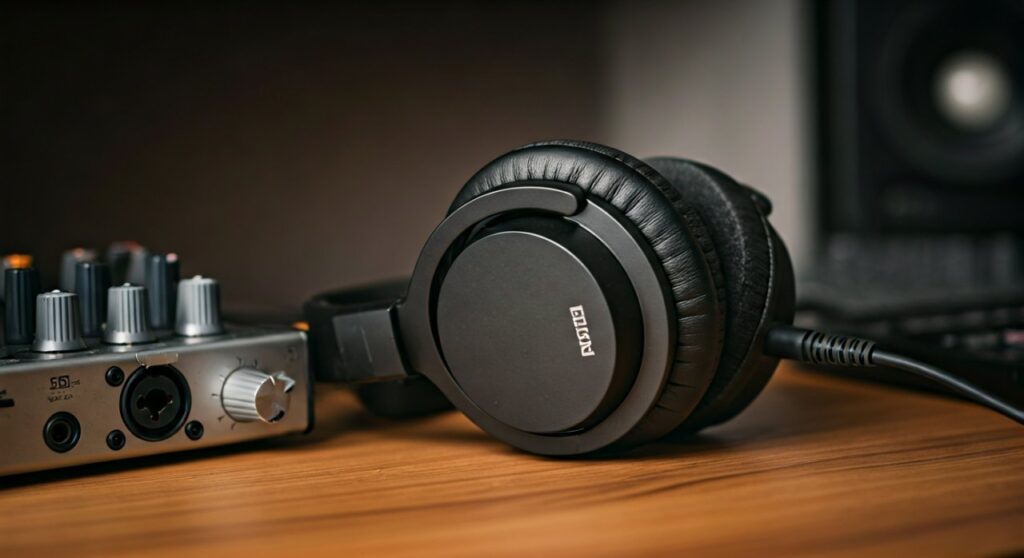
Having tested hundreds of audio setups, from high-end Planar Magnetic drivers to standard Dynamic earbuds, I can tell you that the difference lies in “imaging.” When you use a stereo headphone, a guitar might sound like it is on your left, while the vocals stay centered, mimicking how we naturally hear sounds in the real world.
Key Takeaways: Understanding Stereo Sound Quickly
If you are in a hurry, here is the essential breakdown of what is stereo headphone technology and why it matters:
- Dual Channels: Uses separate Left (L) and Right (R) channels to mimic natural human hearing.
- Depth and Space: Creates a “soundstage” where instruments can be positioned in a 3D-like space.
- Universal Compatibility: Almost all modern music, movies, and games are mixed specifically for stereo headphones.
- Hardware Requirement: Requires a TRS (Tip-Ring-Sleeve) connector or a digital connection (Bluetooth/USB) that supports two-channel output.
- Immersive Experience: Essential for gaming (to hear footsteps) and professional music production.
The Technical Mechanics: How Stereo Headphones Work
To understand what is a stereo headphone, you have to look at how the electrical signal travels from your phone or computer to your ears. In a mono system, there is only one stream of data. In a stereo system, the audio file contains two distinct streams of information.
The internal wiring of a stereo headphone is designed to keep these signals separate. If you look at a standard 3.5mm jack, you will notice two black rings. These rings divide the metal plug into three sections: one for the left channel, one for the right channel, and one for the “ground.”
When you play a song, the Digital-to-Analog Converter (DAC) in your device sends different electrical pulses to the voice coils in each ear cup. These coils move the diaphragm, creating the sound waves you hear. Because each ear receives slightly different information, your brain perceives “width” and “depth.”
Stereo vs. Mono vs. Surround Sound: A Comparison
Choosing the right audio gear requires knowing how stereo headphones stack up against other formats. I have compiled this table based on professional audio engineering standards to help you decide.
| Feature | Mono Headphones | Stereo Headphones | Surround Sound (7.1) |
|---|---|---|---|
| Number of Channels | 1 (Mirrored) | 2 (Independent L/R) | 7.1 Virtual or Physical |
| Best For | Podcasts, Communication | Music, Movies, Gaming | Competitive Gaming, Cinema |
| Soundstage | Flat/Centered | Wide/Directional | Fully Enveloping |
| Clarity | Low (muddled layers) | High (separated layers) | Variable (can be processed) |
| Common Use Case | Call centers, older radio | Daily music listening | High-end gaming headsets |
Step-by-Step Guide: How to Get the Best Stereo Experience
Knowing what are stereo headphones is only the first step. To truly appreciate the technology, you need to set up your environment correctly. Follow these steps to maximize your audio quality.
Step 1: Check Your Source File Quality
Stereo depth is heavily dependent on the “bitrate” of your music. If you listen to low-quality MP3s (128kbps), the stereo separation will feel narrow.
- Action: Use “Lossless” formats like FLAC or high-quality streaming settings (320kbps) on platforms like Spotify or Apple Music.
Step 2: Ensure Proper Driver Placement
Many beginners wear their headphones backward. Because stereo headphones are mixed with specific instruments on specific sides, wearing them incorrectly ruins the artist’s intent.
- Action: Look for the “L” and “R” markings inside the ear cups or on the headband.
Step 3: Use a Dedicated DAC/Amp for High-Impedance Sets
If you are using professional-grade stereo headphones (like the Sennheiser HD600 series), your phone might not provide enough power to drive the stereo image properly.
- Action: Connect a portable USB DAC (like a Fiio or AudioQuest Dragonfly) to maintain clear channel separation.
Step 4: Disable “Mono Audio” Settings
Sometimes, accessibility settings on Windows or iOS are accidentally toggled to “Mono.” This forces the same sound into both ears, defeating the purpose of your hardware.
- Action: Go to Settings > Accessibility > Audio and ensure “Mono Audio” is turned OFF.
The Importance of “Imaging” and “Soundstage” in Stereo
In the world of audiophiles, we often discuss two terms that define a great stereo headphone: Imaging and Soundstage.
- Soundstage: This refers to the perceived physical space. Open-back stereo headphones typically have a “wide” soundstage, making it feel like you are in a concert hall.
- Imaging: This is the ability of the headphone to pinpoint the exact location of a sound. If a drummer hits a cymbal slightly to the left of the center, high-quality stereo headphones will let you visualize exactly where that cymbal is.
I recently tested the Beyerdynamic DT 1990 Pro, and the imaging was so precise I could distinguish between two different vocalists standing just inches apart in a recording. That is the pinnacle of what is stereo headphone technology.
Different Types of Stereo Headphones
Not all stereo headphones are built the same. Depending on your needs, you might prefer one of these common designs:
- Closed-Back: These are sealed on the outside. They provide excellent isolation and “punchy” bass, making them great for commuting.
- Open-Back: The ear cups have vents. This creates a more natural, airy stereo image but allows sound to leak out (and in).
- In-Ear Monitors (IEMs): Small buds that sit inside the ear canal. Modern IEMs use multiple Balanced Armature drivers to create incredibly detailed stereo separation in a tiny package.
Why Do We Use Stereo Instead of Just One Speaker?
The human brain is wired for “Binaural” hearing. We have two ears to help us calculate distance and direction. If a dog barks to your right, the sound reaches your right ear a fraction of a millisecond before your left ear. It is also slightly louder in the right ear.
Stereo headphones exploit this biological trait. By manipulating the timing and volume between the two channels (a process called Interaural Time Difference), engineers can “trick” your brain into thinking a sound is coming from behind you or far off to the side.
Common Myths About Stereo Headphones
- Myth 1: More drivers mean better stereo. Not necessarily. A single, high-quality dynamic driver can often produce a more coherent stereo image than four cheap drivers crammed into one ear cup.
- Myth 2: Bluetooth can’t do true stereo. While early Bluetooth had limitations, modern codecs like LDAC and aptX HD deliver high-fidelity stereo sound that rivals wired connections.
- Myth 3: Stereo is the same as 3D audio. Not quite. Stereo is the foundation, but 3D Audio (like Dolby Atmos) uses software algorithms to simulate height and verticality on top of the standard left/right channels.
Frequently Asked Questions
Is stereo better than mono for gaming?
Yes, absolutely. In competitive games like Counter-Strike or Call of Duty, stereo headphones allow you to hear the direction of enemy footsteps. Mono audio would make it impossible to tell if an opponent is approaching from the left or right.
Can any headphones be stereo?
Most modern headphones are stereo by default. However, some very cheap “hands-free” mono headsets (often used for old phone calls) only have one earpiece and do not support stereo sound. Always check for the “stereo” label on the packaging.
Why does my stereo headphone only play in one ear?
This is usually a hardware failure. Common causes include a broken wire inside the cable, a dirty 3.5mm jack, or a blown driver in one ear cup. Try cleaning the plug with a bit of alcohol or testing the headphones on a different device to rule out software issues.
Do I need a special app to play stereo sound?
No. Almost all digital audio files (MP3, WAV, AAC) and streaming services (YouTube, Netflix, Spotify) output stereo sound automatically. As long as your headphones are plugged in correctly, you will hear stereo.
What is the difference between stereo and spatial audio?
Stereo uses two fixed channels (Left/Right). Spatial Audio (or Binaural Audio) uses “head-tracking” and advanced processing to make sounds feel like they stay in one place even when you turn your head, creating a 360-degree sphere of sound.









