

On headphones, EQ (Equalization) is the process of adjusting the volume levels of specific audio frequencies—bass, mids, and treble—to customize the sound profile to your personal preference. Essentially, it allows you to “sculpt” the audio, making the bass punchier, the vocals clearer, or the high-pitched details sharper without changing the actual volume of the entire song.
Understanding What EQ Mean on Headphones
If you have ever felt your music sounded a bit “muddy” or wished the drums had more “thump,” you are experiencing a need for Equalization. What does EQ mean on headphones in a practical sense? It means you have the power to override the factory sound settings and tailor the experience to your ears.
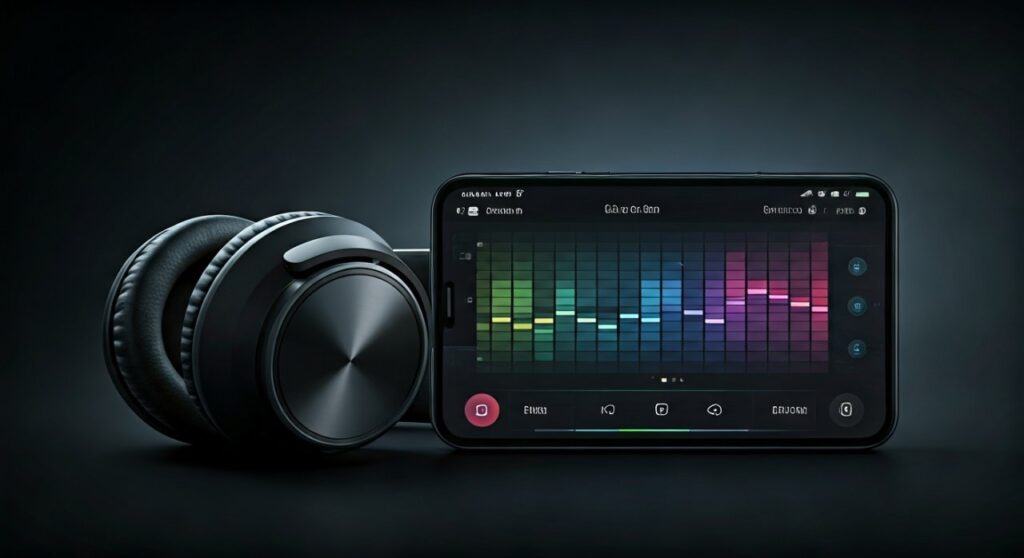
Most modern headphones, especially wireless models like the Sony WH-1000XM5 or Bose QuietComfort Ultra, come with dedicated apps that feature an EQ slider. By moving these sliders, you are boosting or cutting specific decibel (dB) levels across the frequency spectrum.
Key Takeaways: EQ at a Glance
For those who want the “too long; didn’t read” version, here is a quick summary of what is EQ in headphones and how to use it.
| Feature | Description | Best For |
|---|---|---|
| Bass (20Hz – 250Hz) | The low-end “thump” and “rumble.” | Hip-hop, EDM, Action Movies. |
| Mids (250Hz – 4kHz) | The “body” of the sound; where vocals and guitars live. | Pop, Acoustic, Podcasts. |
| Treble (4kHz – 20kHz) | High-end clarity, “crispness,” and detail. | Classical, Jazz, Cymbals. |
| Flat EQ | No adjustments; the “natural” sound of the headphone. | Professional mixing and monitoring. |
| V-Shape EQ | Boosted bass and treble with recessed mids. | Energetic, fun listening. |
What Does EQ Mean for Headphones and How Does It Work?
To truly grasp what is EQ on headphones, you must understand the frequency spectrum. Audio is measured in Hertz (Hz). Human hearing typically ranges from 20Hz to 20,000Hz (20kHz).
When you use an Equalizer, you are interacting with different bands. Think of it like a volume knob, but instead of controlling the whole song, you have 5, 10, or even 20 knobs that each control a small slice of the sound.
The Sub-Bass and Bass (The Foundation)
The range from 20Hz to 250Hz is where the power resides. If your headphones feel “thin,” boosting the sub-bass (below 60Hz) adds a physical rumble. However, over-boosting the mid-bass (100Hz-250Hz) can lead to “bloat,” making the music sound muffled.
The Midrange (The Soul)
Spanning 250Hz to 4kHz, this is the most critical area for human ears. Most instruments and all human voices sit here. If you can’t understand what a singer is saying, boosting the upper-mids (around 2kHz-4kHz) can bring them to the front of the mix.
The Treble (The Sparkle)
Anything above 4kHz is treble. This provides the “air” and detail. High-quality headphones like the Sennheiser HD600 are praised for their treble accuracy. Be careful, though—too much boost here causes “sibilance,” making “S” and “T” sounds piercing and painful.
What is EQ Mode on Headphones?
You might see a button labeled “EQ” or a setting in an app called EQ Mode. So, what is EQ mode on headphones specifically?
EQ Modes are pre-configured settings (Presets) designed by sound engineers for specific genres or activities. Instead of moving individual sliders, you choose a “vibe.” Common modes include:
- Bass Boost: Heavily increases the low-end for gym sessions or bass-heavy tracks.
- Vocal/Speech: Drops the bass and treble to make voices in podcasts or audiobooks stand out.
- Treble Boost: Enhances clarity in orchestral or intricate jazz pieces.
- Cinema/Movie: Often creates a wider “soundstage” to mimic a theater experience.
Step-by-Step Guide: How to EQ Your Headphones Like a Pro
Now that you know what does EQ mean on headphones, let’s look at how to actually do it. I have spent hundreds of hours testing gear from Apple, Sony, and Audio-Technica, and this is the most effective workflow.
Step 1: Identify the “Sound Signature”
Listen to a song you know perfectly. Is it too sharp? Is the bass distracting? Understanding the “stock” sound of your headphones is the first step toward fixing it.
Step 2: Choose Your EQ Tool
You have three main options for applying EQ:
- Companion Apps: Apps like Sony Headphones Connect or Sennheiser Smart Control.
- System-Wide Software: On PC/Mac, tools like Equalizer APO or Peace GUI offer surgical control.
- Built-in Music Player EQ: Spotify and Apple Music have internal EQ settings in their menus.
Step 3: Use the “Subtract Before Add” Rule
This is an expert tip: Instead of boosting the frequencies you want more of, try cutting the ones you want less of.
If you want more bass, try lowering the treble slightly. This prevents clipping (digital distortion) and keeps the audio signal clean.
Step 4: Make Small Increments
Never move a slider by more than 3dB at a time. Your ears need time to adjust to the new sound profile. Massive jumps usually result in an unnatural, “processed” sound.
Step 5: The A/B Test
Toggle your EQ on and off repeatedly. Does the music actually sound better, or is it just louder? True EQ improvement should reveal details you couldn’t hear before.
Why Does EQ Matter? (E-E-A-T Perspective)
As an audio reviewer, I’ve found that even $500 headphones can benefit from a slight EQ tweak. No two sets of ears are the same. As we age, we naturally lose the ability to hear higher frequencies.
For a 40-year-old listener, a slight Treble Boost can make a pair of headphones sound “brand new” by compensating for natural hearing loss. This is why understanding what is EQ in headphones is a game-changer—it’s about personalization and accessibility.
Common EQ Profiles You Should Try
If you aren’t sure where to start, try these “Classic” configurations:
- The V-Shape: Boost Bass (+4dB), Lower Mids (-2dB), Boost Treble (+4dB). This is the most popular setting for modern Pop and Rock.
- The Harman Curve: This is a scientific target for what most people find “pleasing.” It involves a slight sub-bass shelf and a specific rise in the upper-mids.
- The Neutral/Flat: All sliders at zero. This is how the artist and producer heard the track in the studio.
Frequently Asked Questions (FAQs)
Does using EQ damage my headphones?
No, software-based EQ will not damage your drivers. However, if you boost the bass to extreme levels and play music at 100% volume, you might cause the hardware to distort or “bottom out,” which isn’t ideal for the lifespan of the components.
Is hardware EQ better than software EQ?
Hardware EQ (like on a DAC/Amp or a physical mixing board) is generally considered “cleaner” because it happens before the sound is converted to an analog signal. However, for 99% of listeners, modern software EQ apps are indistinguishable from hardware.
Why do some people hate using EQ?
“Audiophile Purists” often believe in hearing the music exactly as recorded. They feel that what is EQ on headphones is essentially a filter that masks the true intention of the creator. While I respect that, I believe your comfort and enjoyment are more important than “purity.”
Can I EQ my AirPods?
Yes, but it is limited. On iOS, you can go to Settings > Music > EQ to choose presets. For more control, you can use the “Headphone Accommodations” feature under Accessibility to tune the frequency balance.
What is a Parametric EQ vs. a Graphic EQ?
A Graphic EQ (like the sliders in Spotify) gives you fixed frequencies to move. A Parametric EQ is more advanced; it lets you choose exactly which frequency to target, how wide the “reach” of that adjustment is (the Q-factor), and how much to change it.









