

What Headphones Work with iPad: The Complete Compatibility Guide
Almost all modern headphones work with an iPad, provided you have the correct connection method for your specific model. Most users opt for Bluetooth wireless headphones like AirPods, but you can also use USB-C wired headphones, Lightning headphones, or traditional 3.5mm jack headphones using an affordable adapter.
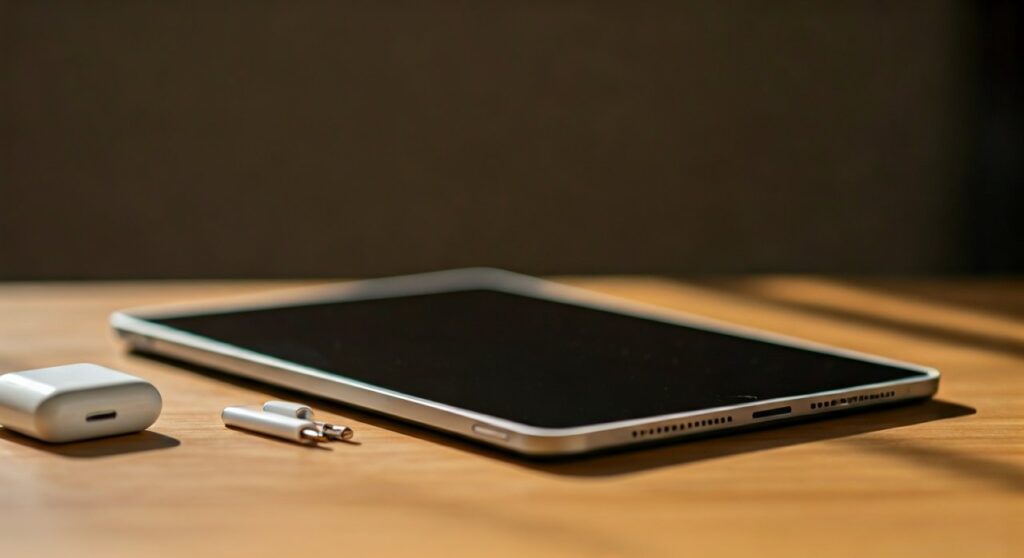
Choosing the right pair depends entirely on your iPad’s port. The latest iPad Pro, iPad Air, and iPad mini models utilize USB-C, while the base-model iPad (9th Gen) was the last to feature the dedicated 3.5mm headphone jack.
Key Takeaways: Quick Compatibility Check
| iPad Model Type | Port Type | Best Headphone Option |
|---|---|---|
| iPad Pro (2018 or later) | USB-C | Bluetooth or USB-C Wired |
| iPad Air (Gen 4 & 5, M2) | USB-C | Bluetooth or USB-C Wired |
| iPad mini (Gen 6 & A17 Pro) | USB-C | Bluetooth or USB-C Wired |
| iPad (10th Gen) | USB-C | Bluetooth or USB-C Wired |
| iPad (9th Gen & older) | 3.5mm Jack / Lightning | 3.5mm Wired or Bluetooth |
Understanding Which iPads Support Wireless vs. Wired Headphones
When asking what headphones work with ipad, you must first identify your iPad’s physical connector. Apple has transitioned its entire tablet lineup to USB-C, following the path of the Mac and eventually the iPhone 15 series.
Bluetooth connectivity is universal across every iPad ever made. Whether you have the original iPad from 2010 or the latest M4 iPad Pro, you can pair wireless earbuds like AirPods Pro or Sony WH-1000XM5 without any cables.
For wired enthusiasts, the situation is more fragmented. If your iPad has a Home Button on the front, it likely has a 3.5mm headphone jack or a Lightning port. If it has a full-screen design with Face ID or a Touch ID power button, it uses USB-C.
Step-by-Step: How to Connect Bluetooth Headphones to iPad
Wireless remains the most popular way to enjoy audio on an iPad. Because iPadOS is optimized for the Apple Ecosystem, the experience is seamless for AirPods and Beats users.
Pairing Apple AirPods or Beats
- Ensure your iPad’s Bluetooth is turned on in Settings.
- Open the charging case of your AirPods or Beats near the iPad.
- A setup animation will appear on the screen. Tap Connect.
- If you use iCloud, your headphones will automatically pair with your iPhone and Mac as well.
Pairing Third-Party Bluetooth Headphones (Sony, Bose, Sennheiser)
- Put your headphones into Pairing Mode (usually by holding the power button).
- On your iPad, go to Settings > Bluetooth.
- Look under the Other Devices section for your device name.
- Tap the name to finalize the connection.
Expert Tip: If you experience “audio lag” while editing video in LumaFusion or DaVinci Resolve for iPad, consider switching to a wired connection. Even high-end Bluetooth has slight latency that can throw off precise edits.
Using Wired Headphones: USB-C, Lightning, and 3.5mm
Many professionals prefer wired headphones for high-fidelity audio (Hi-Res Lossless) in Apple Music. To understand what headphones work with ipad in a wired capacity, you need the right “dongle” or cable.
USB-C Connection (The Modern Standard)
The iPad Pro (M1, M2, M4) and recent iPad Air models support direct USB-C headphones. You can plug the Apple USB-C EarPods directly into the port.
If you own high-end studio monitors with a standard plug, you will need the Apple USB-C to 3.5mm Headphone Jack Adapter. This adapter contains a small Digital-to-Analog Converter (DAC) that improves sound quality significantly compared to cheap third-party knockoffs.
Lightning Connection (Legacy Models)
If you are using an iPad (9th Gen) or older, you might have a Lightning port. You can use Lightning EarPods or the Lightning to 3.5mm adapter.
The 3.5mm Headphone Jack
Only the iPad (9th Generation) and older “budget” iPads still feature the dedicated circular headphone jack. For these models, any standard headphones—from Skullcandy earbuds to Sennheiser HD600s—will work by simply plugging them in.
What Headphones Work with iPad for Professional Audio?
If you are a musician using Logic Pro for iPad, standard consumer headphones might not be enough. You need headphones that provide a “flat” frequency response to hear your mix accurately.
- Beyerdynamic DT 770 Pro (80 Ohm): These are legendary in studios. Since the iPad’s internal amp is limited, the 80 Ohm version is the sweet spot for volume levels.
- Audio-Technica ATH-M50x: A favorite for iPad creators because they fold up for travel and come with multiple cable lengths.
- Sony MDR-7506: These work perfectly with the USB-C to 3.5mm adapter and are industry standards for field recording.
When using these, I recommend connecting through a USB-C Hub. This allows you to charge your iPad while simultaneously using your headphones, which is vital during long recording sessions.
Advanced iPadOS Audio Features You Should Use
Knowing what headphones work with ipad is only half the battle. You should also take advantage of software features that enhance the listening experience.
- Spatial Audio: If you use AirPods Pro or AirPods Max, you can enable Head Tracking. This makes movies feel like you are in a cinema.
- Automatic Switching: This allows your headphones to jump from your iPad to your iPhone if you get a phone call while watching a movie.
- Headphone Accommodations: Found in Settings > Accessibility, this feature lets you customize audio frequencies to boost soft sounds or clarify speech based on your hearing profile.
Frequently Asked Questions (FAQs)
Can I use my iPhone headphones on my iPad?
Yes. If they are Bluetooth (AirPods), they pair via iCloud. If they are Wired (Lightning), they will only work on iPads with a Lightning port or via an adapter. Most new iPhones and iPads now share the USB-C standard, making them fully interchangeable.
Why won’t my Bluetooth headphones connect to my iPad?
First, ensure your headphones aren’t currently connected to another device, like your phone. Toggle Bluetooth off and on in the iPad Control Center. If that fails, “Forget This Device” in settings and re-pair from scratch.
Do I need a special adapter for wired headphones on iPad Pro?
Yes, unless you have USB-C headphones. You will need the Apple USB-C to 3.5mm Headphone Jack Adapter. Be wary of cheap third-party adapters; many lack the necessary DAC chip and will result in an “Unsupported Accessory” error.
Can I use two pairs of headphones on one iPad?
Yes! If you use AirPods or Beats, iPadOS has a “Share Audio” feature. Tap the AirPlay icon in the Control Center and select “Share Audio” to connect a second pair of compatible wireless headphones so two people can listen at once.
Does the iPad support Hi-Res Lossless audio?
Yes, but not via Bluetooth. To hear Hi-Res Lossless (24-bit/192kHz) on Apple Music, you must use wired headphones and an external USB DAC connected to the iPad’s USB-C port.









