

Understanding the Basics: What is a Headphone Jack?
What is a headphone jack? A headphone jack is an analog electrical connector used primarily for transmitting audio signals from a source device—such as a smartphone, laptop, or amplifier—to your headphones or speakers. While it is often referred to as a headphone port, its technical name is a TRS connector (Tip-Ring-Sleeve), and it remains one of the most durable and universally recognized standards in the history of consumer electronics.
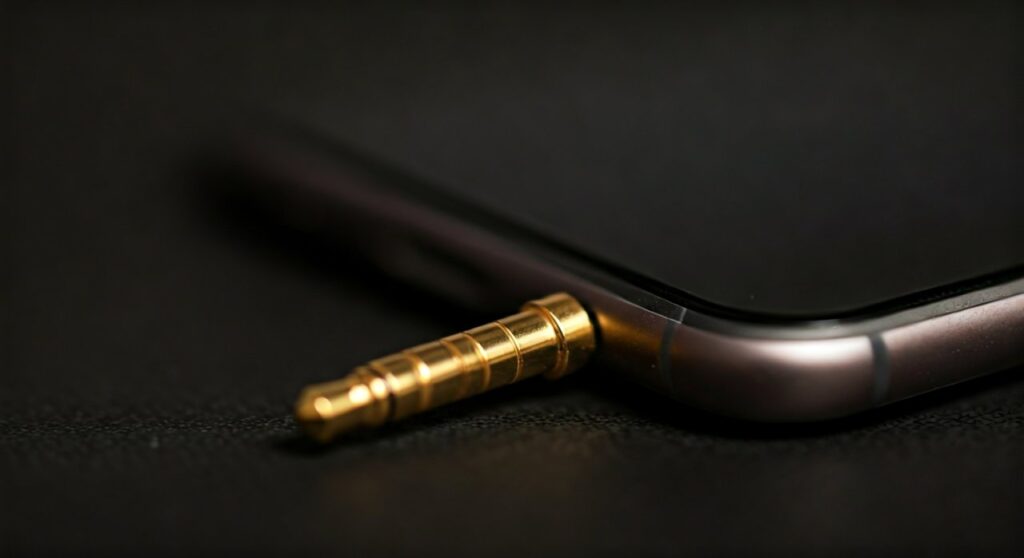
Despite the rise of wireless technology, a headphone jack provides a lossless, latency-free connection that audiophiles and professionals still prefer today. Whether you are wondering what is the headphone jack called in technical manuals or simply trying to fix a loose connection, understanding the anatomy of this port is essential for getting the best sound quality possible.
Key Takeaways: TL;DR Summary
If you are in a hurry, here are the essential facts about the headphone jack:
- Definition: It is the female socket (port) on a device that receives the male headphone plug.
- Most Common Size: The 3.5mm jack is the standard for most consumer electronics like older iPhones, Androids, and laptops.
- Pro Audio Size: The 6.35mm (1/4 inch) jack is used for guitars, amplifiers, and high-end studio headphones.
- Signal Type: It transmits analog signals, meaning it requires a DAC (Digital-to-Analog Converter) inside the device to function.
- Wiring: The number of rings on the plug determines if it supports mono, stereo, or stereo plus a microphone.
The Difference Between a Headphone Jack and a Headphone Plug
It is common for users to confuse the terminology. When asking what is the headphone plug called, you are referring to the “male” end of the connection. Conversely, when asking what is headphone jack or what is a headphone port, you are referring to the “female” socket built into the device.
The Headphone Plug (Male Connector)
The headphone plug is the metal pin at the end of your headphone cable. It is designed with different sections (poles) separated by thin plastic insulating rings. These sections conduct the electrical signals for the left channel, right channel, and microphone.
The Headphone Jack (Female Connector)
The headphone jack is the internal component of your device. Inside the hole, there are small metal contact tensioners. When you insert the plug, these contacts press against the various sections of the pin to complete the electrical circuit.
Comparing Common Headphone Jack Sizes
Not all jacks are created equal. Depending on the device you are using, you will encounter different sizes and standards.
| Jack Size | Common Name | Primary Use Cases |
|---|---|---|
| 2.5mm | Sub-miniature | Older mobile phones, two-way radios, and some balanced portable players. |
| 3.5mm | Miniature / Standard | Smartphones, laptops, tablets, and most consumer-grade headphones. |
| 4.4mm | Pentaconn | High-end Digital Audio Players (DAPs) for balanced audio output. |
| 6.35mm | 1/4 Inch / Phone Jack | Electric guitars, mixing consoles, and professional studio amplifiers. |
Anatomy of the Connector: TS, TRS, and TRRS
To truly understand what is the headphone jack called in different contexts, you must look at the rings on the plug. Each ring creates an additional “pole” or path for electricity.
TS (Tip-Sleeve)
This is a two-contact connector. It is almost exclusively used for mono signals. You will see this most often on guitar cables. It cannot transmit stereo sound.
TRS (Tip-Ring-Sleeve)
This is the standard for most headphones. It has three contacts:
- Tip: Left Audio Channel
- Ring: Right Audio Channel
- Sleeve: Ground
This configuration allows for stereo sound but does not support a microphone.
TRRS (Tip-Ring-Ring-Sleeve)
If you have a headset with a built-in microphone, it uses a TRRS plug. The extra ring allows for a third signal path to carry the microphone data back to the device. This is the standard found on most modern wired earbuds.
How a Headphone Jack Works: The Technical Process
When you press “play” on your phone, the music exists as digital code (0s and 1s). However, your ears can only hear analog sound waves.
- Digital Processing: The device’s CPU processes the music file.
- Conversion: A chip called a DAC converts those 1s and 0s into a fluctuating electrical voltage.
- Amplification: The signal is tiny, so it passes through a small internal amplifier.
- Transmission: The electricity travels through the headphone jack, into the plug, and down the wire.
- Sound Production: The electricity hits the magnets in your headphone drivers, causing them to vibrate and move the air, creating sound.
Why is the Headphone Jack Disappearing?
In recent years, many smartphone manufacturers have removed the 3.5mm jack. This shift began around 2016 and was driven by several industry goals:
- Waterproofing: Removing a physical hole makes it easier to seal a device against water and dust.
- Space Saving: Phone internals are crowded. Removing the jack allows for larger batteries or more advanced camera sensors.
- Digital Audio: By using USB-C or Lightning ports, the audio remains digital until it reaches the headphones, allowing the headphones to use their own (often better) DACs.
- Wireless Push: Companies want to encourage the sale of Bluetooth earbuds like AirPods.
Step-by-Step Guide: How to Fix a Loose Headphone Jack
If your audio is cutting out or you hear static, the problem is usually debris or a loose connection. Based on my years of experience repairing consumer electronics, here is the safest way to fix it.
Step 1: Inspect for Lint
The most common cause of a “broken” jack is pocket lint. Use a bright flashlight to peer into the hole. If you see grey fuzz at the bottom, the plug cannot seat fully.
Step 2: Clear the Debris
Do not use a metal needle, as this can short out the internal components. Instead, use a thin wooden toothpick or a plastic dental pick. Gently scrape the bottom and sides to pull out lint.
Step 3: Use Compressed Air
Once the large chunks are out, use a can of compressed air to blow out any remaining dust particles.
Step 4: Clean the Contacts
Dampen a cotton swab with a tiny amount of Isopropyl Alcohol (90% or higher). Insert it gently into the jack and twist. This removes oxidation and oils that prevent a clean signal.
Step 5: Check the Plug
Sometimes the problem is the headphones, not the port. Inspect the headphone plug for bends or deep scratches. If the plug is bent, it may need to be replaced.
Headphone Jack vs. Bluetooth: Which is Better?
While wireless is convenient, a headphone jack still holds significant advantages for specific users.
- Audio Quality: Bluetooth uses compression (like AAC or LDAC). A wired connection through a high-quality jack offers lossless audio with a higher bitrate.
- Latency: Wired connections have zero “lag.” This is critical for musicians, video editors, and competitive gamers who need to hear sounds the instant they happen on screen.
- Reliability: You never have to charge wired headphones. They work as long as your device has power.
- Longevity: Bluetooth batteries eventually die and cannot be replaced. A wired pair of headphones can last for decades.
Expert Perspective: The Future of Analog Audio
As an audio professional, I believe the headphone jack will never truly die. While it may vanish from “lifestyle” smartphones, it remains a staple in the Audiophile and Pro Audio markets.
Devices like the Sony WM1AM2 Walkman or the Asus ROG Phone continue to include high-quality jacks because their target audience demands high-fidelity sound. In the professional world, the 6.35mm jack remains the undisputed king of the studio.
Frequently Asked Questions (FAQs)
What is the headphone jack called on a computer?
On a computer, it is typically called the Line Out or Audio Out port. If it supports both headphones and a microphone, it is often referred to as a Combo Jack.
Can I use a 3.5mm plug in a 2.5mm jack?
No, the sizes are physically different. You will need a step-down adapter to connect a standard 3.5mm headphone plug into a smaller 2.5mm port.
Why do some headphone jacks have different colors?
On older PCs, colors represent specific functions:
- Green: Front speakers/Headphones
- Pink: Microphone
- Blue: Line In (for recording from an external source)
Is a headphone jack analog or digital?
The standard 3.5mm or 6.35mm headphone jack is strictly analog. It carries an electrical voltage that directly mimics the sound wave.
Does a headphone jack affect sound quality?
Yes. The quality of the internal wiring, the shielding against electromagnetic interference (EMI), and the gold-plating on the contacts all play a role in how clean the audio sounds.









