

What is a Rear Projector and How Does It Work?
A rear projector is a display system where the image is projected from behind a translucent screen rather than onto the front of an opaque surface. By placing the projector, mirror system, and rear projector screen inside a single enclosed unit, this technology provides high-contrast images even in brightly lit environments. Unlike standard front projectors, it eliminates the “shadow problem” caused by people walking in front of the light beam.
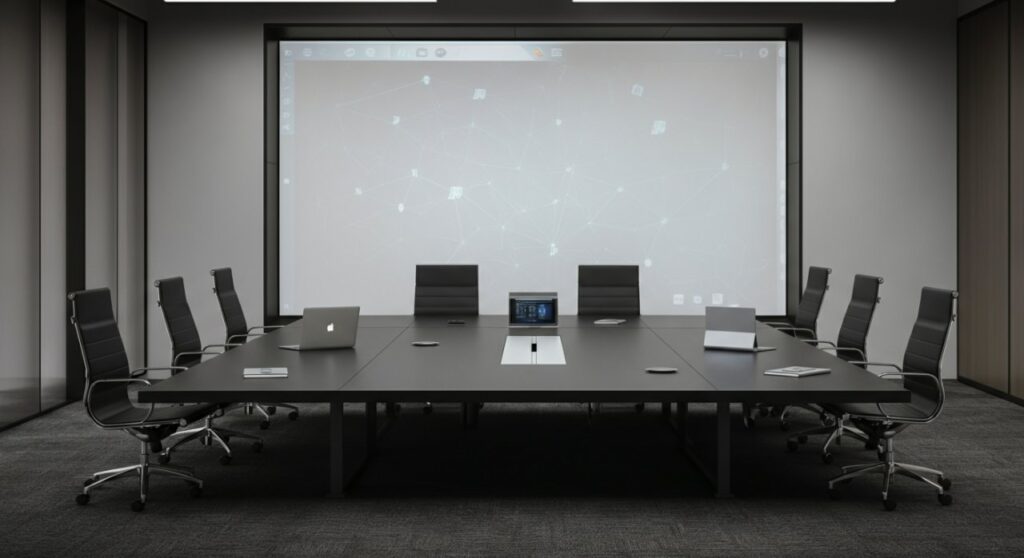
TL;DR: Quick Overview of Rear Projection
- Definition: A system that projects light through a translucent screen to the viewer.
- Best Use Case: Retail displays, command centers, and home theaters with high ambient light.
- Key Advantage: Excellent contrast ratio and immunity to audience interference.
- Primary Difference: Uses a rear-facing orientation; doesn’t require a dark room.
Understanding What is a Rear Projector System
Many people confuse standard projection with rear projection. A rear projector setup essentially turns the screen into a light-diffusing surface. When I first installed a rear projection setup for a client, the biggest difference I noticed was how well the image “popped” against office fluorescent lighting.
Components of a Rear Projection Setup
To build or understand this system, you need more than just a standard projector. You require specific components to handle the reverse orientation:
- Projector: Often requires a “Rear Projection Mode” setting to mirror the image horizontally.
- Rear Projector Screen: A specialized material (like acrylic or tensioned vinyl) that is translucent enough to let light pass through but opaque enough to hold the image.
- Mirror System: Often used in tight spaces to “fold” the light path, allowing a large image to be projected from a very short physical distance.
The Science Behind the Screen
The material of a rear projector screen is the “secret sauce.” These screens are designed with microscopic diffusion beads or surface textures that redirect the light toward the audience. Without this specific technology, the image would simply shine through like a clear window, resulting in a blurry, non-viewable mess.
Comparing Projection Technologies
To help you decide if this is the right path for your project, I have compiled a comparison table based on my experience with various AV installations.
| Feature | Rear Projection | Front Projection |
|---|---|---|
| Ambient Light Tolerance | High | Low |
| Shadow Interference | None | High |
| Space Required | Depth behind screen | Space in front of screen |
| Complexity | High (Cabinet/Mounting) | Low (Wall/Ceiling mount) |
| Best Application | Signage, Studios, Boardrooms | Movies, Home Theater |
How to Set Up Your Rear Projection System
Setting up a rear projector is significantly more involved than a simple front projection install. Follow these steps to ensure professional results.
Step 1: Calculate the “Throw Ratio”
You must measure the distance between the lens and the screen. Because you are working with a limited space behind the screen, you may need an ultra-short-throw lens to achieve a large image.
Step 2: Choose the Right Screen Material
Do not use a standard white sheet. Purchase a dedicated rear projection film or rigid screen. In my experience, optical-grade acrylic offers the best sharpness and color reproduction for permanent installations.
Step 3: Install the Mirror “Fold” (If Necessary)
If your room is small, use a front-surface mirror to bounce the light. This allows you to place the projector at an angle, effectively doubling the available projection distance.
Step 4: Configure Projector Settings
Access your projector’s menu and look for “Projection Mode.” Select the “Rear” or “Rear/Ceiling” option; this digitally flips the image so that text and videos appear correctly to the viewer on the other side.
Expert Tips for Optimal Performance
- Keep it clean: Because the rear projector screen is so close to the light source, every speck of dust will show up as a giant shadow. Clean the screen surface regularly with microfiber cloths.
- Manage heat: Rear projection setups are usually in enclosures. Ensure your cabinet has active cooling fans to prevent the projector from overheating.
- Test for “Hotspotting”: Some cheaper screens create a bright “hot spot” directly in the middle. If this happens, try moving the projector further back or adjusting the focus.
Frequently Asked Questions
What is a rear projector mainly used for today?
Today, they are primarily used in digital signage, specialized advertising displays in storefront windows, and high-end broadcast studios where the screen needs to be part of the set without casting shadows.
Can I use a regular projector for rear projection?
Yes, most modern projectors allow you to flip the image horizontally in the settings menu. However, you must pair it with a proper rear projection screen material, or the image will not be visible.
Is rear projection better than an LED wall?
LED walls have surpassed rear projection in many commercial settings due to brightness and modularity. However, rear projection is often more cost-effective and provides a “softer,” more film-like image that is easier on the eyes for long-duration viewing.
Does rear projection work in daylight?
Yes, it performs significantly better than front projection in daylight. Because the screen acts as a filter, it preserves contrast by preventing ambient light from washing out the image as severely as it would on a white reflective surface.









