

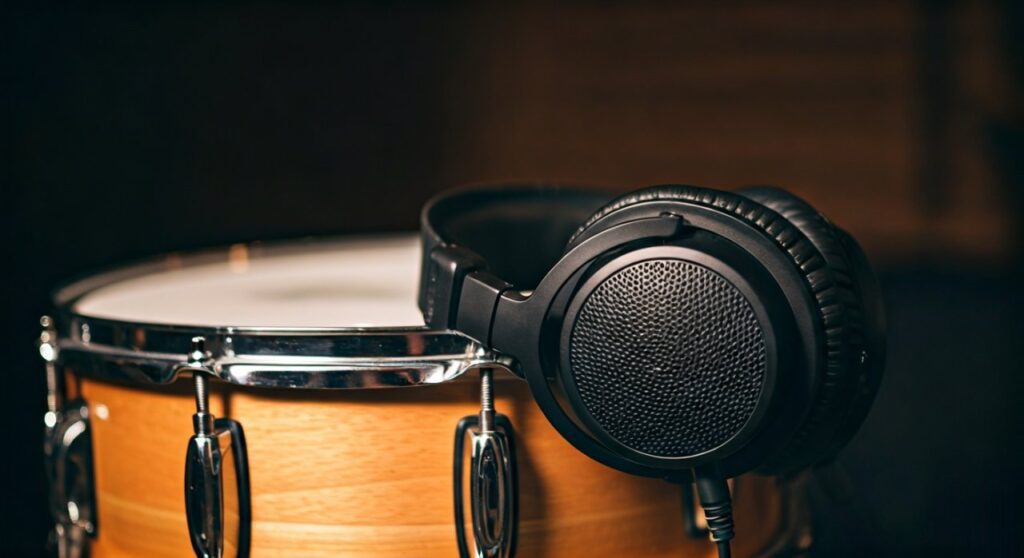
A snare in headphones refers to the specific way a pair of headphones reproduces the sound of a snare drum, focusing on its transient response, tonal balance, and decay. When audiophiles discuss “the snare,” they are evaluating how well the driver handles the sharp “crack” (attack) and the lingering “fizz” (resonant wires) of the drum within the frequency range of 100Hz to 10kHz.
Key Takeaways: Understanding Snare Reproduction
If you are in a hurry, here is the essential information regarding what is a snare in headphones and why it matters for your listening experience:
- Impact and Attack: A high-quality headphone delivers a sharp, immediate “pop” rather than a muffled thud.
- Frequency Range: The “body” of the snare lives around 200Hz, while the “snap” occurs between 2kHz and 5kHz.
- Transient Speed: This measures how quickly the headphone’s driver starts and stops vibrating to create a clean drum hit.
- Critical Listening: Snares are often used to test the mid-range clarity and treble extension of new audio gear.
The Anatomy of a Snare Sound in Audio Equipment
To understand what is a snare in headphones, you must first understand the three distinct parts of a snare drum hit. Each part tests a different technical aspect of your headphones’ hardware.
The Fundamental (The Thump)
The “thump” or “weight” of the snare sits in the lower mids, typically between 150Hz and 250Hz. If your headphones have “muddy” bass, the snare will sound bloated or lose its distinct shape.
The Crack (The Attack)
The most recognizable part of the snare is the “crack.” This occupies the 2kHz to 5kHz region. Headphones with a recessed mid-range (a “V-shaped” sound signature) may make the snare sound distant or weak.
The Sizzle (The Snares)
The actual metal wires (snares) under the drum vibrate in the high frequencies, from 5kHz to 10kHz. This provides the “air” and detail. If your headphones are “dark” or have rolled-off treble, you won’t hear the fine texture of these vibrations.
Why Snare Reproduction is a Benchmark for Audiophiles
Expert listeners often use the snare drum as a primary metric for judging Timbre. Timbre is the “color” of the sound. A snare should sound like wood and metal, not plastic or white noise.
When we ask what is snare in headphones performance, we are looking for Information Gain. Standard consumer headphones often compress these sounds. In contrast, high-fidelity models like the Sennheiser HD600 or the Focal Utopia provide enough detail to hear the player’s stick technique.
| Headphone Characteristic | Effect on Snare Sound |
|---|---|
| Fast Transient Response | Crisp, “tight” snare hits with no blurring. |
| Mid-range Emphasis | Brings the snare forward in the mix, making it feel “alive.” |
| High-Frequency Extension | Captures the “shimmer” and realistic decay of the drum wires. |
| Wide Soundstage | Places the snare drum accurately in a 3D space relative to the kit. |
How to Evaluate Snare Quality in Your Headphones: A Step-by-Step Guide
If you want to test your current gear, follow this professional evaluation process used by studio engineers and product reviewers.
Step 1: Choose a High-Quality Reference Track
Avoid low-bitrate streaming. Use a FLAC file or a high-quality platform like Tidal or Qobuz. Choose a track with a prominent, acoustic snare drum (e.g., Fleetwood Mac’s “Dreams” or Steely Dan’s “Aja”).
Step 2: Listen for the “Leading Edge”
Focus on the very first millisecond of the drum hit. Does it feel like a physical impact against your eardrum?
- Expert Insight: Planar magnetic headphones, like the HiFiMAN Sundara, are famous for their “lightning-fast” transients, making snares sound incredibly realistic.
Step 3: Analyze the Decay
After the initial “pop,” listen to how the sound fades away. In a good pair of open-back headphones, you should hear the sound ring out naturally into the room’s reverb. If the sound cuts off abruptly, your headphones may have poor dynamic range.
Step 4: Check for Harshness (Sibilance)
Sometimes, headphones overemphasize the snare’s “crack,” making it painful at high volumes. This is common in headphones with a “peak” around 7kHz to 8kHz, such as the Beyerdynamic DT 1990 Pro. If you find yourself wincing, the snare reproduction is too “bright.”
Technical Factors Influencing Snare Reproduction
Understanding what is a snare in headphones also requires a look at the internal components of your audio gear.
Driver Types and Snare Snap
- Dynamic Drivers: These are common in most headphones. They provide great “slam” and physical movement, giving the snare a lot of “weight.”
- Planar Magnetic Drivers: These use a thin film. They are superior at capturing the “sizzle” and texture of the snare wires because the diaphragm moves so quickly.
- Electrostatic Drivers: These offer the ultimate level of detail but often lack the “punch” or “body” that a heavy rock snare requires.
Open-Back vs. Closed-Back Design
Open-back headphones usually provide a more realistic snare because the air can move freely. This prevents “standing waves” from bouncing inside the ear cup and muddying the drum’s natural resonance. Closed-back headphones, like the Sony WH-1000XM5, may trap bass frequencies, making a snare sound “boxy.”
Common Problems with Snare Sound in Consumer Headphones
Many users ask what is snare in headphones because they feel something is “off” with their music. Here are the most common issues:
- Recessed Mids: The snare feels like it’s being played in the next room. This is a hallmark of “consumer-tuned” headphones that boost bass and treble too much.
- Compression: In wireless Bluetooth headphones, the complex texture of a snare drum is often the first thing lost during data compression.
- Veiled Treble: The snare sounds like it’s covered by a blanket. This happens when the higher frequencies are muffled to prevent “ear fatigue.”
Expert Tips for Improving Your Snare Experience
- Use a Dedicated DAC/Amp: A powerful amplifier provides the “current” needed for the driver to stop and start quickly, which directly improves snare “tightness.”
- Equalization (EQ): If your snare sounds thin, try a small boost (2-3dB) at 200Hz. If it lacks “bite,” boost the 3kHz region.
- Check the Pads: Worn-out earpads can leak air, destroying the pressure needed for a physical, “punchy” snare hit.
Frequently Asked Questions
What frequency is the snare hit in headphones?
The fundamental “thump” of a snare is usually around 200Hz, the “crack” is between 2kHz and 5kHz, and the “sizzle” of the wires extends up to 10kHz.
Why does the snare sound so loud in my headphones?
This is likely due to a “peak” in your headphones’ frequency response. Many headphones boost the 3kHz to 5kHz range to increase perceived “clarity,” but this can make snare drums sound piercing or aggressive.
Can EQ fix a “muddy” snare sound?
Yes. To fix a muddy snare, try reducing the frequencies around 300Hz to 400Hz (to remove “boxiness”) and slightly increasing the 4kHz range to add “definition.”
Do I need expensive headphones to hear a “good” snare?
Not necessarily. While high-end gear helps, even budget audiophile favorites like the Koss KPH30i or Sennheiser HD560S are tuned specifically to represent drum hits with high accuracy compared to standard “fashion” headphones.
What is the difference between snare “snap” and snare “body”?
The “body” is the low-end resonance of the wooden drum shell (the weight). The “snap” is the sound of the stick hitting the top plastic head (the attack). A perfect headphone balances both.









