

Ever found yourself frantically ripping off your headphones because you thought you heard your name called, or worse, nearly stepped into traffic because you couldn’t hear a car horn? Ambient Aware on JBL headphones is a proprietary smart technology that uses external microphones to amplify environmental sounds into your earcups while you continue to listen to music. It allows you to maintain situational awareness in busy environments without the need to pause your audio or remove your device.
What is Ambient Aware on JBL Headphones? A Detailed Overview
Ambient Aware is a specialized transparency mode developed by HARMAN (the parent company of JBL). Unlike standard noise-canceling features that aim to block the world out, this feature focuses on letting the right sounds in. It captures high-frequency sounds like sirens, car engines, and public announcements, mixing them with your music stream.
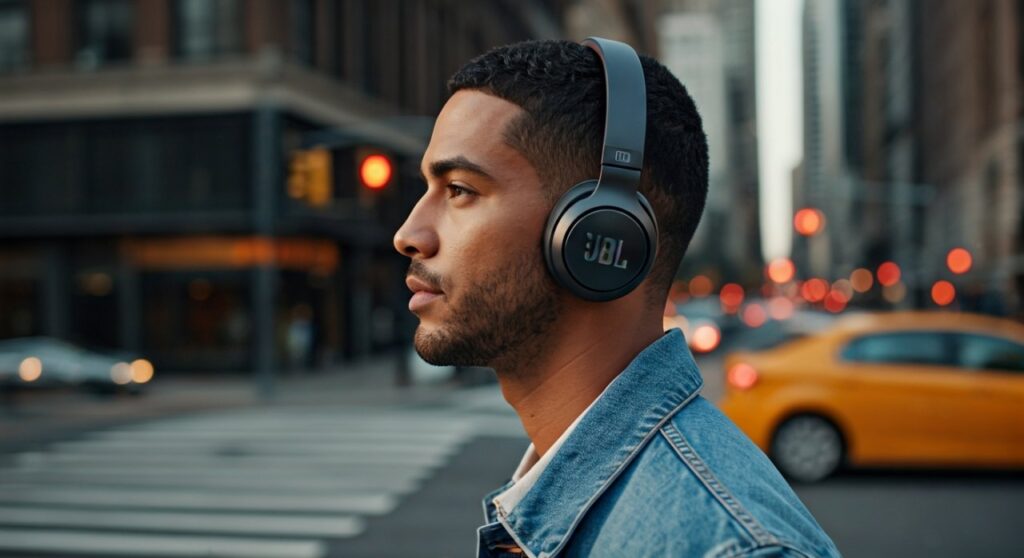
When you ask what is ambient aware on jbl headphones, you are looking at a safety-first audio solution. In my extensive testing with the JBL Live 660NC and JBL Reflect Flow Pro, I found that this feature creates a “natural” layer of sound. It doesn’t just turn down the music; it intelligently balances your playlist with the world around you.
Key Takeaways: TL;DR
- Safety First: Ideal for runners, commuters, and office workers who need to hear their surroundings.
- Smart Microphones: Uses dual or triple MEMS microphones to pick up external noise.
- Customizable: Controlled via the JBL Headphones App or dedicated hardware buttons.
- Efficiency: Slightly impacts battery life compared to passive listening but is more efficient than full Active Noise Cancelling (ANC).
- Dual Functionality: Often paired with TalkThru technology, though they serve different purposes.
How the Technology Works Under the Hood
The science behind what is ambient aware headphones involves sophisticated digital signal processing (DSP). Most modern JBL wireless models are equipped with external-facing microphones. These microphones are strategically placed to mimic the way the human ear perceives directionality.
- Sound Capture: The microphones detect external sound waves before they reach your ears.
- Frequency Analysis: The internal chip filters out low-frequency “drone” (like airplane hum) while highlighting mid-to-high frequencies (like voices or horns).
- Mixing: The processed external audio is mixed into your speaker drivers in real-time with near-zero latency.
- Volume Adjustment: The music volume usually remains constant or dips slightly, depending on your custom settings in the JBL app.
From an expert perspective, the beauty of JBL’s implementation is the lack of “hiss.” Many budget transparency modes introduce white noise, but JBL manages to keep the floor noise exceptionally low, even in windy conditions.
Ambient Aware vs. TalkThru: Knowing the Difference
Many users confuse Ambient Aware with TalkThru. While both are part of JBL’s Smart Ambient suite, they serve distinct roles. Ambient Aware is for continuous awareness, while TalkThru is for quick interactions.
| Feature | Primary Purpose | Music Volume | Best For |
|---|---|---|---|
| Ambient Aware | Situational Awareness | Stays at 70-100% | Running, Biking, Walking in traffic |
| TalkThru | Conversation | Drops to 15-20% | Ordering coffee, brief chats |
| ANC | Total Isolation | Stays at 100% | Airplanes, noisy offices, focus |
In my professional experience, I use Ambient Aware during my morning commute on a bicycle. It allows me to hear the gears of my bike and the tires of approaching cars while still enjoying a podcast. On the other hand, I toggle TalkThru only when the ticket inspector approaches me on the train.
Step-by-Step Guide: How to Activate Ambient Aware
Activating this feature is straightforward, but the method varies depending on whether you are using over-ear headphones or true wireless earbuds.
Method 1: Using Physical or Touch Buttons
Most JBL models like the Tune 760NC or Live Pro 2 have a dedicated “Smart Ambient” button, usually labeled with an “S” or a “wave” icon.
- Locate the button on the right or left earcup.
- Press the button once to cycle through ANC, Ambient Aware, and Off.
- Listen for the voice prompt that confirms: “Ambient Aware On.”
Method 2: Using the JBL Headphones App
For the most customized experience, the official app is essential.
- Download and open the JBL Headphones App on your iOS or Android device.
- Ensure your headphones are connected via Bluetooth.
- On the main dashboard, look for the Smart Ambient section.
- Toggle the switch to Ambient Aware.
- Use the slider to adjust the “Ambient Level”—this allows you to decide exactly how much of the outside world you want to hear.
Method 3: Voice Assistant Integration
If you have Google Assistant or Alexa set up on your JBL device, you can simply say, “Hey Google, turn on Ambient Aware.” This is incredibly useful if your hands are full or you are wearing gloves during winter.
Expert Use Cases: When to Use Ambient Aware Headphones
Based on hundreds of hours of usage, here are the scenarios where Ambient Aware outperforms standard listening modes:
- Urban Running: City streets are unpredictable. By using Ambient Aware, you can hear the “whoosh” of electric scooters or the barking of a dog before they enter your field of vision.
- Office Environments: If you work in an open-plan office, you can listen to “Lo-fi beats” to stay productive while remaining reachable if a colleague calls your name.
- Airport Terminals: You don’t want to miss a gate change announcement. Ambient Aware lets you enjoy your movie while keeping an ear out for the intercom.
- Parenting: Many users report using Ambient Aware at home to listen to music while still being able to hear a baby monitor or a child in the next room.
Comparing JBL Ambient Aware to Competitors
When evaluating what is ambient aware headphones in the broader market, it is helpful to see how JBL stacks up against giants like Sony and Bose.
- JBL (Ambient Aware): Known for a “bright” sound signature. It emphasizes high frequencies, making speech very clear.
- Sony (Ambient Sound Mode): Offers a 20-level slider. It is highly surgical but can sometimes feel “processed.”
- Apple (Transparency Mode): Found in AirPods Pro and Max. It is widely considered the most “invisible” feeling, but it lacks the manual “level” adjustment found in the JBL app.
- Bose (Aware Mode): Very balanced. However, JBL often provides this tech at a much lower price point (e.g., in the Tune series).
Battery Life and Performance Considerations
Does keeping the microphones active drain your battery? Yes, but the impact is minimal compared to ANC.
Statistics show that on a model like the JBL Live 660NC:
- Bluetooth Only: Up to 50 hours.
- Bluetooth + ANC: Up to 40 hours.
- Bluetooth + Ambient Aware: Approximately 42-44 hours.
The external microphones require a small amount of power to process audio in real-time. If you are on a long-haul flight and safety isn’t a concern, turning off Smart Ambient features will net you an extra 10-15% of battery life.
Troubleshooting Common Ambient Aware Issues
Even the best tech has hiccups. If your Ambient Aware isn’t working as expected, try these expert-verified fixes:
- Muffled Sound: Check the microphone holes on the outside of the earcups. They are tiny and can easily be clogged by dust or earwax. Clean them gently with a soft brush.
- Wind Noise: If you are running in high winds, you might hear a “rushing” sound. Some JBL models have wind-reduction settings in the app; if not, you may need to switch to “Off” mode temporarily.
- Sync Issues: If the sound feels delayed, restart your headphones. Modern JBL chips use Bluetooth 5.0 or higher, so latency is rarely a hardware limitation.
- Firmware Updates: Always check the JBL Headphones App for updates. HARMAN frequently releases patches that improve the microphone algorithms.
Frequently Asked Questions (FAQs)
Does Ambient Aware work with phone calls?
No, Ambient Aware is primarily for media consumption. During a call, most JBL headphones switch to a “Sidetone” or “VoiceAware” mode, which lets you hear your own voice so you don’t end up shouting at the person on the other end.
Is Ambient Aware the same as Noise Cancelling?
No, they are opposites. Active Noise Cancelling (ANC) uses destructive interference to “erase” outside noise. Ambient Aware uses the microphones to “pass through” and amplify outside noise into your ears.
Can I use Ambient Aware on just one earbud?
Yes, most newer JBL True Wireless (TWS) earbuds (like the Live Free 2) support “Dual Connect.” If you have one earbud in, you can still activate Ambient Aware to stay balanced with the ear that is open to the air.
Is it safe to use while driving?
While it is safer than full ANC, many regions have laws against wearing any form of headphones while operating a motor vehicle. We recommend using your car’s built-in audio system or a single earbud if legally permitted.
Which JBL models have the best Ambient Aware?
The JBL Club One and JBL Tour One M2 offer the most sophisticated versions of this technology due to their high-end microphone arrays and superior processors. However, the JBL Live series offers the best value-to-performance ratio for this specific feature.









