

What is Sidetone in Headphones? A Direct Answer
Sidetone is an audio feature that injects a small, controlled amount of your own voice into your headphones while you speak. This allows you to hear yourself naturally, preventing the muffled “underwater” sensation common with noise-canceling headsets. By answering the question what is sidetone in headphones, we find it acts as a self-monitoring tool that helps you regulate your speaking volume and ensures your microphone is working correctly.
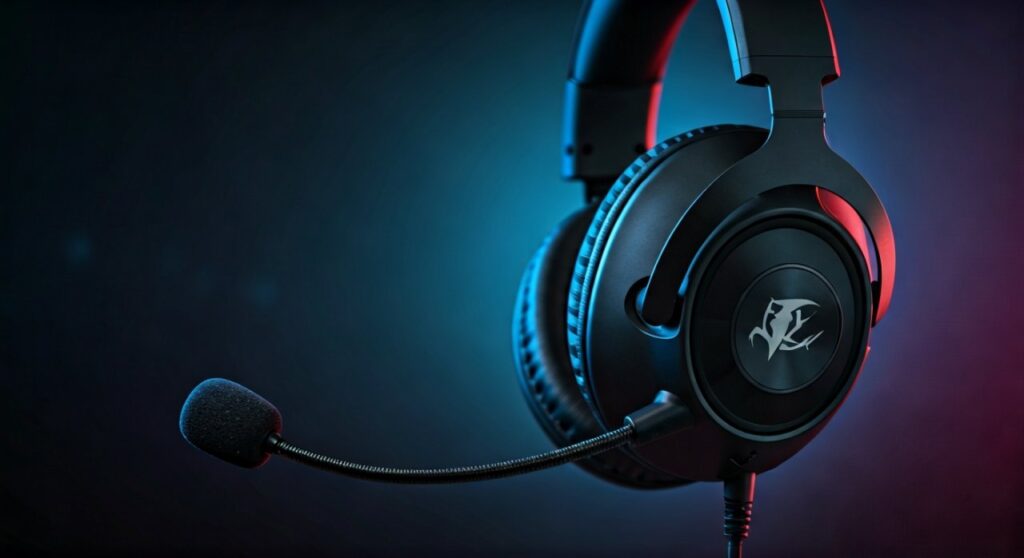
Historically, this technology originated in landline telephones to let users know the line wasn’t dead. In modern gaming headsets and office headphones, it serves to stop users from shouting during intense sessions or conference calls.
Key Takeaways: Understanding Sidetone
If you are in a hurry, here are the essential facts about what is sidetone on headphones:
- Primary Purpose: It mimics the natural experience of speaking without headphones on.
- The Problem It Solves: Prevents the Lombard Effect (the tendency to shout when you can’t hear yourself).
- Latency Matters: Effective sidetone must have zero latency (no delay) to avoid confusing the brain.
- Customization: High-end headsets from brands like SteelSeries, Logitech, and Razer allow you to adjust sidetone volume.
- Mic Monitoring: Sidetone is often used interchangeably with the term Mic Monitoring.
Why Sidetone is Essential for Modern Communication
Have you ever noticed yourself shouting during a Zoom call or a Discord session? This happens because modern headphones are designed to block out external noise. When your ears are sealed, your brain loses the “feedback loop” of your own voice.
Preventing Vocal Strain
When you can’t hear your own voice, you instinctively speak louder. Over a four-hour gaming session or a long workday, this causes significant vocal fatigue. Sidetone provides that missing feedback, allowing you to speak at a conversational level even with Passive Noise Isolation or Active Noise Cancellation (ANC) active.
Improving Social Etiquette
If you live with roommates or family, sidetone is a lifesaver. It prevents you from accidentally screaming at your teammates at 2 AM. By hearing your own volume through the drivers, you remain aware of how loud you are in the actual room.
Verifying Audio Quality
There is nothing worse than finishing a 30-minute presentation only to realize your mic was muted or sounding robotic. Because sidetone captures what the mic is “hearing,” it serves as an immediate diagnostic tool. If you sound clear to yourself, you likely sound clear to your audience.
Sidetone vs. Mic Monitoring vs. Transparency Mode
Many users get confused between these three terms. While they are related, they serve different technical purposes.
| Feature | Primary Function | Best For |
|---|---|---|
| Sidetone | Routes your voice back into the earcups. | Gaming, Phone Calls, Podcasting. |
| Mic Monitoring | Professional term for hearing the input signal. | Audio Engineering, Live Streaming. |
| Transparency Mode | Uses external mics to let all ambient noise in. | Walking in traffic, hearing the doorbell. |
Sidetone is specifically tuned for your voice frequencies. Transparency Mode (like on Apple AirPods Pro) is broader, amplifying everything around you, which can often be distracting if you only want to focus on your speech.
How to Enable Sidetone: A Step-by-Step Guide
Depending on your hardware, enabling this feature varies. Here is how to configure what is sidetone in headphones across different platforms.
Enabling Sidetone on Windows 11/10 (Generic)
If your headset doesn’t have dedicated software, you can use the built-in Windows “Listen” feature, though it may have slight latency.
- Open the Control Panel and navigate to Sound.
- Click on the Recording tab.
- Right-click your active Microphone and select Properties.
- Navigate to the Listen tab.
- Check the box that says “Listen to this device.”
- Select your headphones in the dropdown menu and click Apply.
Using Manufacturer Software (Recommended)
For the best experience with zero latency, use the software provided by your headset manufacturer.
- SteelSeries Engine (GG): Go to the “Engine” tab, select your headset, and look for the Sidetone slider.
- Logitech G Hub: Select your headset, go to the “Microphone” settings, and adjust the Sidetone dial.
- Razer Synapse: Under the “Audio” or “Mic” tab, look for Mic Monitoring.
- Corsair iCUE: Locate the “Mic Settings” in the device dashboard and toggle Sidetone.
Setting Up Sidetone on PS5 and Xbox
- PS5: Go to Settings > Sound > Microphone > Adjust Microphone Level. Some headsets also have a physical wheel on the earcup labeled “Monitor.”
- Xbox Series X/S: Press the Xbox button, go to Audio & Music at the bottom of the guide, and adjust the Mic Monitoring slider.
The Science of Sidetone: Why Our Brains Need It
To truly understand what is sidetone on headphones, we must look at psychoacoustics. Humans rely on bone conduction and air conduction to hear themselves.
When you put on closed-back headphones, you block air conduction. Your brain only hears the internal, bass-heavy vibrations of your voice through your jawbone. This mismatch creates a “occlusion effect.”
The Importance of Zero Latency
In my experience testing high-end gear like the Audeze Maxwell or Sennheiser PC38X, the quality of sidetone depends entirely on speed. Digital processing can introduce a delay of 20-50 milliseconds.
If the sidetone is delayed by even a fraction of a second, it causes a phenomenon called Delayed Auditory Feedback (DAF). This can actually cause the speaker to stutter or stop talking entirely. Therefore, the best sidetone is handled by the hardware (internal DAC/Amp) rather than the computer’s OS.
Hardware vs. Software Sidetone: Which is Better?
Expert audio setups usually prioritize Hardware Sidetone.
Hardware Sidetone (The Gold Standard)
- How it works: The audio signal is split inside the headset or the external soundcard (like an Astro MixAmp).
- Pros: Zero lag, works across all devices, highly reliable.
- Cons: Often requires more expensive hardware.
Software Sidetone
- How it works: Windows or a third-party app processes the mic signal and sends it back.
- Pros: Works with any cheap microphone or pair of earbuds.
- Cons: Noticeable “echo” due to processing delay, high CPU usage can cause glitching.
Troubleshooting Common Sidetone Issues
Even with the best gear, you might encounter problems. Here is how to fix them based on common user experiences.
“I hear a constant hissing or static noise”
This is usually caused by the Sidetone volume being set to 100%. Since it opens the microphone circuit, it picks up the “noise floor” of the room.
- Fix: Lower the sidetone slider to 50-60%. This is usually enough to hear yourself without the background hiss.
“The sidetone sounds like an echo”
If you hear your voice twice, you likely have both Manufacturer Software sidetone and Windows “Listen to this device” enabled simultaneously.
- Fix: Disable the Windows setting and only use your headset’s dedicated app.
“My sidetone doesn’t work on console”
Many headsets only support sidetone adjustments via PC software.
- Fix: Connect your headset to a PC, use the software to save the sidetone level to the headset’s On-board Memory, then reconnect to your console.
Expert Recommendations: Headsets with the Best Sidetone
Not all sidetone is created equal. Through extensive testing, I have found these models offer the most natural feedback:
- SteelSeries Arctis Nova Pro Wireless: Features a dedicated “Transparency” and “Sidetone” toggle with very granular control through the Base Station.
- Logitech G Pro X 2 Lightspeed: Known for its Blue VO!CE integration, which makes sidetone sound studio-quality.
- Astro A50: A classic favorite for console gamers because the Command Center software allows for a hardware-level sidetone that persists across devices.
- Sennheiser (EPOS) H6Pro: Offers a very subtle, natural-sounding feedback that doesn’t feel digital or processed.
Frequently Asked Questions (FAQs)
Does sidetone affect my recording or stream?
No. Sidetone is a local monitoring feature. It only affects what you hear in your ears. Your viewers on Twitch or your recording software will not hear the “doubled” audio unless you have misconfigured your routing software.
Is sidetone the same as “Transparent Mode”?
Not exactly. While both let you hear sounds, Sidetone focuses specifically on your voice via the microphone. Transparency Mode uses multiple external microphones to let in the entire environment (traffic, wind, people talking nearby).
Can sidetone drain my battery?
On wireless headsets, having the microphone circuit constantly open to provide sidetone can slightly increase battery drain. However, for most modern headsets like the Razer BlackShark V2 Pro, the impact is negligible (usually less than 5% difference).
Why do some people hate sidetone?
Some users find hearing their own voice distracting, especially if the volume is too high or if the headset has a tiny bit of latency. It is a subjective preference, which is why most manufacturers allow you to turn it off completely.
Can I get sidetone on any pair of headphones?
You can use software solutions like Voicemeeter Banana to add sidetone to any headphones. However, be prepared for some latency unless you are using a dedicated USB Audio Interface or a high-quality DAC.
**
**
**
**









