

Why Do My Headphones Smell Like Vinegar?
If your headphones have developed a sharp, pungent odor, you are likely dealing with acetic acid production caused by the breakdown of sweat and skin oils by bacteria. This chemical reaction is the most common reason headphones smell like vinegar, though it can also result from deteriorating synthetic materials, battery leakage, or fungal growth in humid environments.
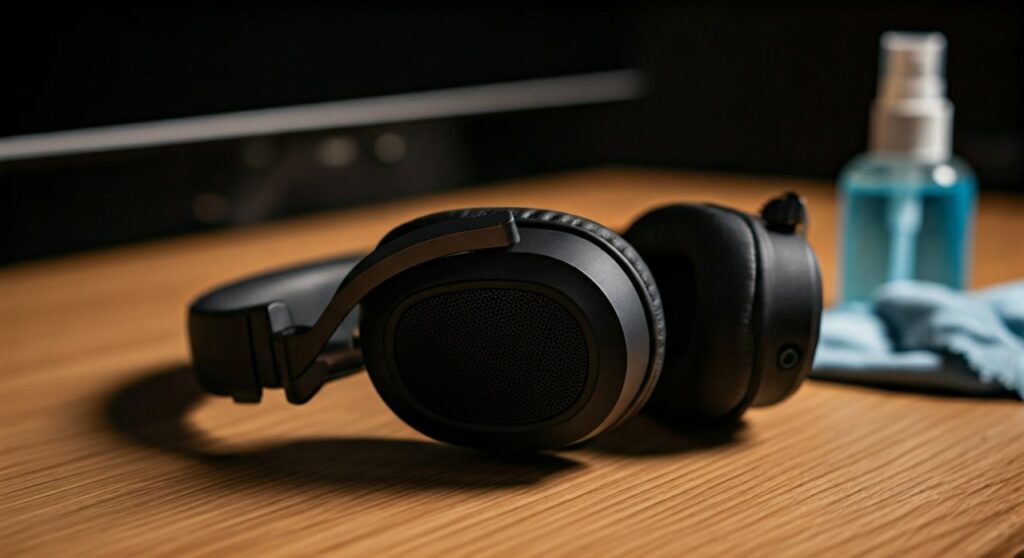
To fix this, you must neutralize the acid and eliminate the bacterial colony residing in your ear pads and acoustic mesh.
Key Takeaways: Fast Fixes for Odorous Headphones
| Cause | Immediate Solution | Prevention Tip |
|---|---|---|
| Bacterial Growth | Wipe with 70% Isopropyl Alcohol. | Wipe after every workout or 2+ hours of use. |
| Material Decay | Replace Protein Leather (PU) pads. | Use specialized leather conditioners. |
| Moisture/Mold | Use Silica Gel packets in the case. | Never store headphones while damp. |
| Battery Leakage | Stop use immediately; check for swelling. | Avoid charging in high-heat environments. |
The Science: Why Your Sweat Turns into Vinegar
As an audio engineer who has spent thousands of hours wearing closed-back monitors, I have seen this issue plague everyone from gym-goers to professional gamers. The “vinegar” scent isn’t actually vinegar; it is acetic acid, a byproduct of specific biological and chemical processes.
Microbial Metabolism (The Primary Culprit)
Your skin is home to various bacteria, primarily Staphylococcus epidermidis and Propionibacteria. These microbes feed on the lipids (fats) in your sweat and sebum. When you wear headphones, you create a warm, dark, and anaerobic (oxygen-poor) environment.
- The bacteria break down long-chain fatty acids into short-chain fatty acids.
- Acetic acid and isovaleric acid are the results, leading to that distinct sour, vinegar-like stench.
Breakdown of “Protein Leather” (PU Leather)
Most modern headphones (like the Sony WH-1000XM5 or Bose QuietComfort series) use Protein Leather. This is a synthetic blend of polyurethane and specialized fillers. Over time, exposure to skin oils and high humidity causes the polymers to undergo hydrolysis. This chemical breakdown can release acidic vapors that mimic the scent of vinegar or fermented fruit.
Off-Gassing of Adhesives
In cheaper or brand-new headphones, the industrial adhesives used to bond the foam to the driver housing can “off-gas.” If the factory didn’t allow for a proper curing period, these volatile organic compounds (VOCs) can trapped in the ear cup packaging, hitting you with a chemical-sour smell upon unboxing.
Step-by-Step Guide: How to Deep Clean and Deodorize Your Headphones
If your headphones already smell, a simple surface wipe won’t be enough. You need to reach the porous foam where the odor-causing bacteria are embedded.
Step 1: Disassemble the Ear Pads
Most high-end headphones have replaceable pads.
- For Clip-on Pads: Gently pull or use a guitar pick to pop them off.
- For Magnetic Pads (AirPods Max): Simply pull them away from the housing.
- For Non-removable Pads: Do not force them; you will need to clean them in place with extreme caution.
Deep Clean the Padding
Do not submerge the electronics. Instead, focus on the pads.
- Create a Solution: Mix 1 part distilled water with 1 part white vinegar (ironically, the acid in the vinegar helps kill the bacteria that produce the smell, and the vinegar scent itself evaporates quickly).
- Dampen, Don’t Soak: Use a microfiber cloth to scrub the surface.
- For persistent smells: Use 70% Isopropyl Alcohol. This is the industry standard for sanitizing electronics as it evaporates rapidly and kills 99.9% of microbes.
Deodorize with Baking Soda (The Dry Method)
If you are afraid of liquids, use Sodium Bicarbonate.
- Place your headphones in a large, sealed Ziploc bag.
- Place an open container of baking soda inside the bag (do not pour it directly on the headphones).
- Leave it for 24 to 48 hours. The baking soda will act as a desiccant and odor absorber, pulling the acidic molecules out of the foam.
Sanitize with UV-C Light
If you have access to a UV-C sanitizing box (often used for phones), place your ear pads inside for a 5-minute cycle. UV-C light breaks down the DNA of bacteria and mold spores, ensuring the smell doesn’t return in a few days.
Comparing Cleaning Agents for Headphone Maintenance
| Agent | Pros | Cons | Best For |
|---|---|---|---|
| Isopropyl Alcohol (70%) | Kills bacteria instantly; fast-drying. | Can dry out real leather. | Mesh, Synthetic Pads, Plastic. |
| Baking Soda | Safe; non-liquid; very cheap. | Takes 24+ hours to work. | Deep-seated odors in foam. |
| Leather Conditioner | Prevents cracking; smells great. | Does not kill bacteria. | Real lambskin/cowhide pads. |
| Mild Dish Soap | Gentle on skin. | Requires water; risk of soaking foam. | Light surface cleaning. |
Expert Recommendations: When to Replace Your Ear Pads
Sometimes, the vinegar smell indicates that the foam inside the pads has begun to rot or “melt.” Based on my experience testing hardware, if you see the following signs, cleaning will not help:
- Flaking: The black coating is peeling off in small bits (this is called “shedding”).
- Loss of Memory: The foam no longer returns to its original shape after being pressed.
- Permanent Discoloration: Yellowish stains on the interior mesh.
Expert Tip: Upgrade to cooling gel pads (brands like Wicked Cushions or Dekoni Audio). These often use more breathable materials that don’t trap sweat as aggressively as the stock OEM pads.
Proactive Maintenance: How to Prevent the “Vinegar” Smell
- The “Post-Session Wipe”: Keep a pack of alcohol-free sanitizing wipes at your desk. Wipe the pads down after every long session.
- Air Flow is King: Never put your headphones directly back into a hard-shell case immediately after a workout. Let them “breathe” for at least 20 minutes.
- Silica Gel Packs: Toss two or three silica gel desiccant packets into your headphone carrying case. They will absorb excess moisture before bacteria can use it to grow.
- Rotate Your Gear: If you sweat heavily, consider having a dedicated pair of in-ear monitors (IEMs) for the gym and saving your over-ear headphones for office/home use.
Frequently Asked Questions (FAQs)
Is the vinegar smell on my headphones toxic?
In most cases, no. It is typically just acetic acid from bacterial waste. However, if the smell is strictly chemical and accompanied by a “bulging” battery or heat, it could be electrolyte leakage, which is toxic and a fire hazard.
Can I use Febreze on my headphones?
No. Avoid spraying fabric fresheners directly onto headphones. These contain oils and scents that can gum up the driver diaphragm or cause the synthetic leather to degrade even faster. Stick to Isopropyl alcohol or specialized electronic cleaners.
Why do my new headphones smell like vinegar?
This is usually off-gassing. The adhesives and plastics used in the manufacturing process release vapors. Leaving them in an open-air environment for 48 hours usually resolves this “new car smell” variant.
Will the vinegar smell go away on its own?
Unlikely. Once a bacterial colony is established in the foam, it will continue to react with your sweat every time you wear them. You must actively disinfect the material to stop the scent.
Can I wash my ear pads in the washing machine?
Only if they are 100% fabric or velour and the manufacturer explicitly states they are machine washable. Never put leather or pleather pads in a washing machine, as the heat and agitation will destroy them.









