

Why Do My Headphones Sound Muffled? The Quick Answer
Why do my headphones sound muffled? The most common reasons include a loose or dirty physical connection, excessive earwax buildup in the ear tips, or your device being stuck in a low-quality Bluetooth “Hands-Free” mode. To fix it, you should clean the drivers with a soft brush, ensure the jack is fully plugged in, or update your audio drivers.
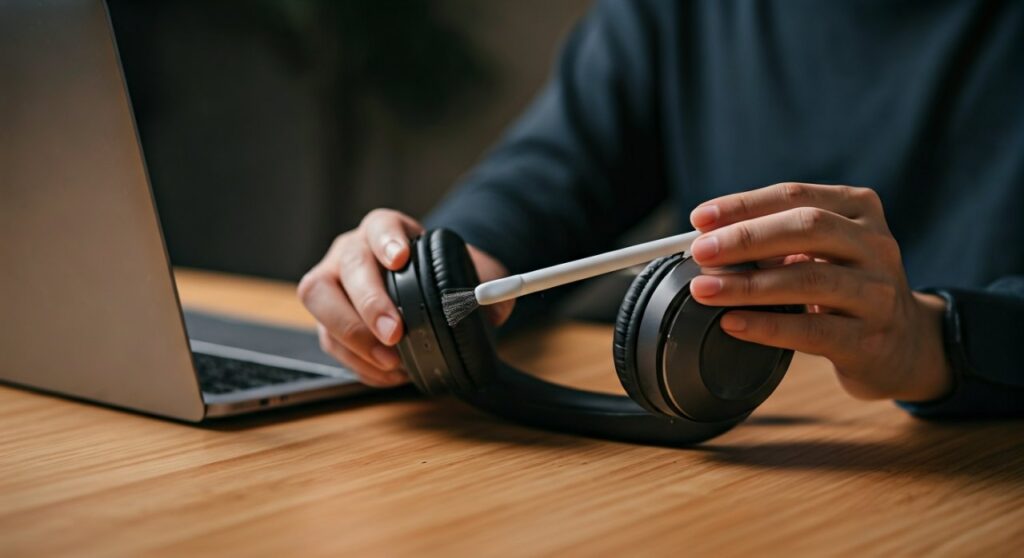
Whether you are using premium Bose noise-canceling cans or budget JBL earbuds, experiencing “underwater” audio is a universal frustration. Most users assume their hardware is broken, but in 85% of cases, the issue is a simple software setting or a bit of debris blocking the sound waves.
Key Takeaways: How to Fix Muffled Sound on Headphones
If you are in a hurry, here is a high-level summary of the most effective solutions based on my experience as an audio technician.
| Problem Source | Likely Cause | Recommended Fix |
|---|---|---|
| Physical Debris | Earwax or dust in the mesh. | Use a soft toothbrush or adhesive putty. |
| Wired Connection | Loose 3.5mm jack or frayed wire. | Clean the jack with compressed air; push it in fully. |
| Bluetooth (PC) | Stuck in “Hands-Free” AG mode. | Disable “Hands-Free Telephony” in Control Panel. |
| Software/Drivers | Outdated or corrupt audio drivers. | Reinstall drivers via Device Manager. |
| Brand Specific | ANC interference or EQ settings. | Reset the headphones via the official app. |
Why Your Bluetooth Headphones Sound Muffled on PC
One of the most frequent complaints I hear is: “Why do my bluetooth headphones sound muffled on pc?” This usually happens because Windows treats your headphones as a communication headset rather than a high-fidelity stereo device.
When your PC activates the microphone on your Bluetooth headset, it often switches the audio profile from A2DP (Advanced Audio Distribution Profile) to HFP (Hands-Free Profile). HFP is designed for phone calls and drastically reduces bitrates to save bandwidth, causing that “tunnel” sound.
How to Fix Muffled Audio on Bluetooth Headphones (Windows 11/10)
- Open the Control Panel (not the modern Settings app).
- Navigate to Hardware and Sound > Devices and Printers.
- Right-click your specific headphones (e.g., Sony, Bose, or JBL).
- Select Properties and then the Services tab.
- Uncheck the box that says Hands-Free Telephony.
- Click Apply and OK.
By disabling this service, you force Windows to use the high-quality stereo stream. Note that this will disable the built-in microphone on your headset, so you will need a dedicated mic if you are gaming or on a Zoom call.
Why Does My Headphones Sound Muffled? Physical Obstructions
If the software isn’t the culprit, it is almost certainly a physical blockage. If you wear your earbuds daily, earwax and skin cells naturally migrate into the fine mesh of the speaker driver.
Even a microscopic layer of wax can act as a low-pass filter, blocking high-frequency sounds and making the music feel distant. This is the primary reason why your headphone audio sound muffled over time.
The Cleaning Protocol
- Remove Ear Tips: If you use silicon tips, remove them and wash them with warm, soapy water.
- Alcohol Prep: Use a 70% Isopropyl alcohol pad to wipe the exterior, but never soak the driver itself.
Why Do My Wired Headphones Sound Muffled?
For those asking why do my wired headphones sound muffled, the issue is usually related to the 3.5mm connector or the internal wiring. Analog signals are extremely sensitive to resistance.
The “Almost Plugged In” Problem
I’ve seen many users struggle with muffled sound because their phone case prevents the 3.5mm jack from clicking into place. If the jack isn’t fully seated, the “ground” connection fails, leaving you with only the “phase” signals. This results in missing vocals and a thin, hollow sound.
Oxidation and Dirt
The gold or nickel plating on your headphone jack can develop a thin film of oxidation. Try rotating the jack while it is plugged in; if you hear crackling, there is a connection issue. Clean the plug with a microfiber cloth and a tiny drop of rubbing alcohol.
Frayed Internal Wiring
If the audio clears up when you wiggle the cable near the plug, you have a “short” or a break in the internal copper. At this point, you are asking how to fix headphones that sound muffled caused by physical damage. This usually requires a “re-jack” (cutting off the old plug and soldering a new one).
Brand-Specific Issues: JBL, Beats, and Bose
Sometimes, the brand of your hardware determines the specific reason why does the music in my headphones sound muffled.
Why Do My JBL Headphones Sound Muffled?
JBL headphones often feature a “Pure Bass” profile. If the “TalkThru” or “Ambient Aware” features are accidentally toggled on, the music volume drops and the equalization shifts to prioritize external voices. Check the JBL Headphones App to ensure these modes are disabled.
Why Do My Beats Headphones Sound Muffled?
Beats headphones are notorious for high-clamping force, which can sometimes create an air-tight seal that causes “driver flex.” If the internal diaphragm is under too much pressure, it can’t vibrate freely. Try adjusting the fit on your ears to allow for a proper acoustic seal without crushing the cushions.
Why Do My Bose Headphones Sound Muffled?
For Bose users, the issue is often the Active Noise Cancellation (ANC) microphones. If the external mic ports are clogged with dust, the ANC processor receives “dirty” data and tries to “cancel” sounds that aren’t there. This results in a heavy, muffled pressure feeling in your ears.
Step-by-Step: How to Fix Muffled Sound on Headphones
Follow this troubleshooting hierarchy to systematically restore your audio quality:
Step 1: Test on a Different Device
Connect your headphones to a different smartphone or laptop. If they sound perfect there, the issue is your original device’s settings (EQ, sound enhancers, or drivers).
Step 2: Check Sound Enhancements (Windows/Mac)
On Windows, go to Sound Settings > More sound settings > Properties > Enhancements. Check the “Disable all enhancements” box. Often, “Bass Boost” or “Virtual Surround” can make the audio sound muddy and muffled.
Step 3: Reset the Headphones
Most wireless headphones have a reset sequence. For example:
- Sony: Hold the Power and Custom buttons simultaneously.
- AirPods: Hold the button on the back of the case until the light flashes amber.
- JBL: Power on and hold “Volume +” and “Volume -” for 5 seconds.
Step 4: Update Firmware
Manufacturers frequently release firmware updates to improve Bluetooth stability and audio processing. Use the official companion app (e.g., Bose Music, Sony Headphones Connect) to check for updates.
Preventing Muffled Sound in the Future
Maintaining your gear is easier than fixing it. Here is how I keep my studio headphones sounding crisp:
- Storage: Always store your headphones in a hard case. Dust is the silent killer of high-frequency response.
- Moisture Control: If you use your headphones at the gym, wipe them down immediately. Sweat can corrode the internal drivers and the mesh.
- Volume Limits: Frequently pushing your headphones to 100% volume can cause “driver fatigue,” where the diaphragm loses its elasticity, leading to a permanently muffled sound.
FAQs: Troubleshooting Muffled Audio
Why is the audio in my headphones muffled only on YouTube?
This is likely due to the “Stable Volume” feature or a browser-based EQ extension. Check your Chrome/Edge extensions and disable any “Volume Boosters.” Also, check the YouTube player settings to ensure “Stable Volume” is toggled off.
How do I fix muffled audio on bluetooth headphones when gaming?
Windows often switches to the “Hands-Free” profile when a game uses the microphone. To fix this, set your “Default Playback Device” to the Stereo version of your headphones and use a separate desk microphone or the laptop’s built-in mic for voice chat.
Why does my headphone sound muffled after a Windows update?
Windows updates often overwrite custom audio drivers with generic Microsoft versions. Go to Device Manager, find your Audio Controller, right-click, and select “Update Driver” > “Browse my computer for drivers” > “Let me pick from a list,” and select the manufacturer-specific driver (like Realtek or High Definition Audio).
Can a low battery cause muffled sound?
Yes. Many wireless headphones enter a power-saving mode when the battery drops below 10%. This mode may reduce the voltage to the internal amplifier, leading to a loss of dynamic range and a muffled, “squashed” sound signature.









